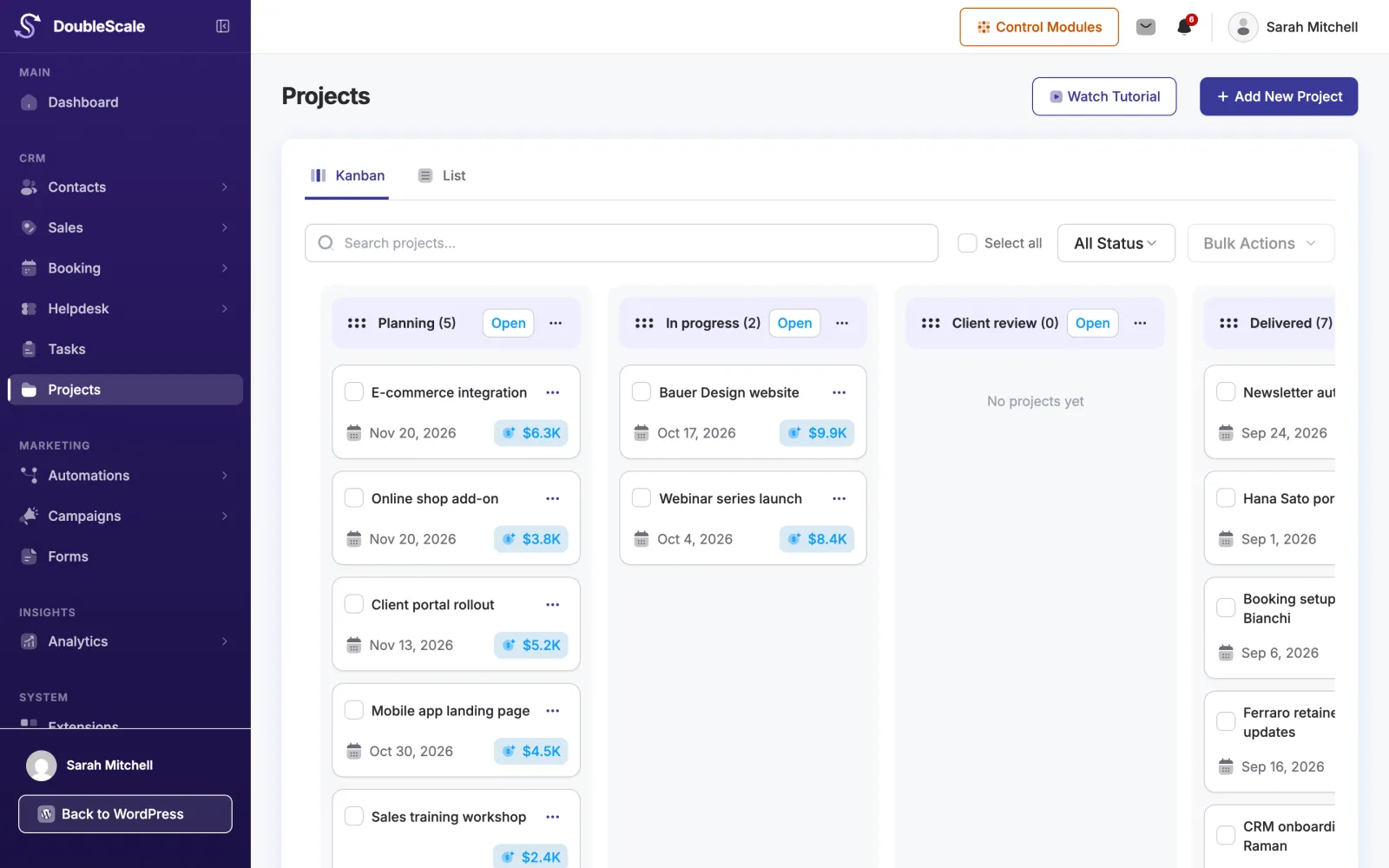
Boards with your statuses
Name and colour your own statuses and drag projects between them on a kanban board.
Plan projects on a board, track budget, progress and due dates, talk it through in discussions, and share files and invoices with your client, all on the same customer record in WordPress.
Projects pick up where sales leave off, so nothing the client told you gets lost.
Create it from scratch or from a won deal. Add the client, owner, budget, start and due dates.
Move it through your own statuses, add tasks, discuss in threads and attach files and documents.
Clients see progress, shared files and linked invoices in their portal, without status emails.
Each project keeps its tasks, linked invoices and proposals, files and history together.
Name and colour your own statuses and drag projects between them on a kanban board.
Break the work into tasks with owners, due dates, subtasks and reminders.
Learn moreTurn a won deal into a project and keep the deal, client and documents linked.
Learn moreProjects appear on the team calendar, with reminders when they are due soon or overdue.
Start workflows when a project is created, changes status, gets a comment, or runs late.
Learn moreProject Manager and Project Member roles give each person the access their job needs.
Projects appear in the DoubleScale client portal as cards with progress, budget and due date. Each one opens with its overview, invoices, proposals, shared files and history.
We are building time tracking into projects and tasks: start a timer or log hours, see time against budget, and turn billable time into invoice lines.
How projects work in DoubleScale.
Projects are part of DoubleScale Pro, included in the Basic, Plus and Enterprise plans.
Yes. Projects appear in the client portal with progress, budget, due date, shared files, linked invoices and proposals, and history. You choose what each client can see.
Yes. Turn a won deal into a project and the client, deal and documents stay linked.
You can set progress yourself, or let it follow the share of the project's tasks that are done.
Not yet. Time tracking for projects and tasks is in progress, with timers, time against budget and billable time on invoices.
Start with the free plugin and add Pro modules when you need them. Unlimited contacts on every plan, and your data stays on your own server.