On this page
The days right after someone subscribes are the only time they are actively waiting to hear from you. They just gave you their email, they remember why, and they open what you send. A welcome email series turns that attention into trust, and trust into a first purchase, booking or reply.
This guide gives you a 5-email blueprint with timing and subject lines, six examples for different kinds of businesses, and a step-by-step build in WordPress, including the two details most series miss: stopping when someone buys, and treating engaged and quiet subscribers differently.
Most welcome series work best with 3 to 5 emails over 7 to 14 days. Send the first immediately with whatever you promised at signup, then: your story and what to expect (day 2), your most useful content or proof (day 4), a clear offer (day 7), and a final “what would you like from us?” email (day 10 to 14). Stop the series as soon as the subscriber converts.
The 5-email welcome series blueprint
| # | When | Job | Subject line ideas |
|---|---|---|---|
| 1 | Immediately | Deliver what you promised and set expectations | “Here is your guide, {{first name}}” · “You are in. Start here” |
| 2 | Day 2 | Tell your story and why you exist | “Why we started [brand]” · “The problem we kept seeing” |
| 3 | Day 4 | Give your best content, a case study or reviews | “The 3 things our best customers do first” · “How Sam cut admin time in half” |
| 4 | Day 7 | Make one clear offer | “A welcome offer, until Sunday” · “Ready to try [product]?” |
| 5 | Day 10 to 14 | Ask what they want, segment, or say goodbye politely | “What should we send you?” · “Should we keep in touch?” |
Three rules make this blueprint work. One goal per email, so the reader always knows what to do next. A visible reason to keep opening, such as “tomorrow: the checklist our clients use”. And no surprises: tell them in email 1 how often you will write.
How many emails, and how far apart?
Shorter is safer. Three well-written emails beat seven average ones, and most published benchmarks find engagement drops after the third or fourth message. Use five when you sell something with a longer decision, such as software, courses or services, and three for simple products where the offer can come sooner.
Keep the first two emails close together (immediately and day 2), because that is when attention is highest, then widen the gaps. Never send two welcome emails on the same day.
6 welcome email series examples by business type
1. Online store (WooCommerce)
- Email 1: welcome plus the discount code promised in the pop-up, with three bestsellers.
- Email 2: how products are made or sourced, with one photo and one paragraph.
- Email 3: reviews from customers who look like the reader.
- Email 4: reminder that the code expires in 48 hours.
- Stop the series the moment they place an order.
2. Software or WordPress plugin
- Email 1: login link or download, and the one setup step that delivers the first result.
- Email 2: a two-minute video of the feature most users love.
- Email 3: a customer story with numbers.
- Email 4: upgrade offer or trial reminder.
- Email 5: “Reply with your biggest question” and a link to book a call.
3. Online course creator
- Email 1: the free lesson they signed up for.
- Email 2: your teaching story and who the course is (and is not) for.
- Email 3: a student result.
- Email 4: enrolment offer with a deadline.
4. Agency or consultant
- Email 1: the checklist or audit they requested.
- Email 2: how you work, with a simple three-step process.
- Email 3: a short case study.
- Email 4: invitation to book a free call, with your booking link.
5. Local business (salon, studio, clinic)
- Email 1: welcome offer for the first visit and the booking link.
- Email 2: meet the team.
- Email 3: what to expect at the first appointment.
6. Newsletter or content site
- Email 1: what you write about and how often.
- Email 2: your five most-read articles.
- Email 3: “Which of these topics do you want more of?” with one link per topic. Each click adds a tag, so later emails match their interests.
How to build a welcome email series in WordPress
You can build this with DoubleScale, the WordPress CRM we make, without sending your list to an outside platform. The series lives in WordPress, sends through your own email provider, and every email sits on the contact’s timeline. Sequences and automations that send email are in DoubleScale Pro (from $99 a year, unlimited contacts).
Full disclosure: we make DoubleScale. We have kept the two other tools’ strengths in, quoted every price from their own pricing pages, and listed the cases where DoubleScale is the wrong choice.
Step 1: Collect subscribers with consent
Connect your sign-up form (Contact Form 7, WPForms, Fluent Forms and Quill Forms work with the free plugin; Gravity Forms, Elementor Forms and others with Pro) and add new subscribers to a list such as “Newsletter”. Turn on double opt-in so only confirmed addresses receive the series; it protects your sender reputation.
Step 2: Write the emails as a sequence
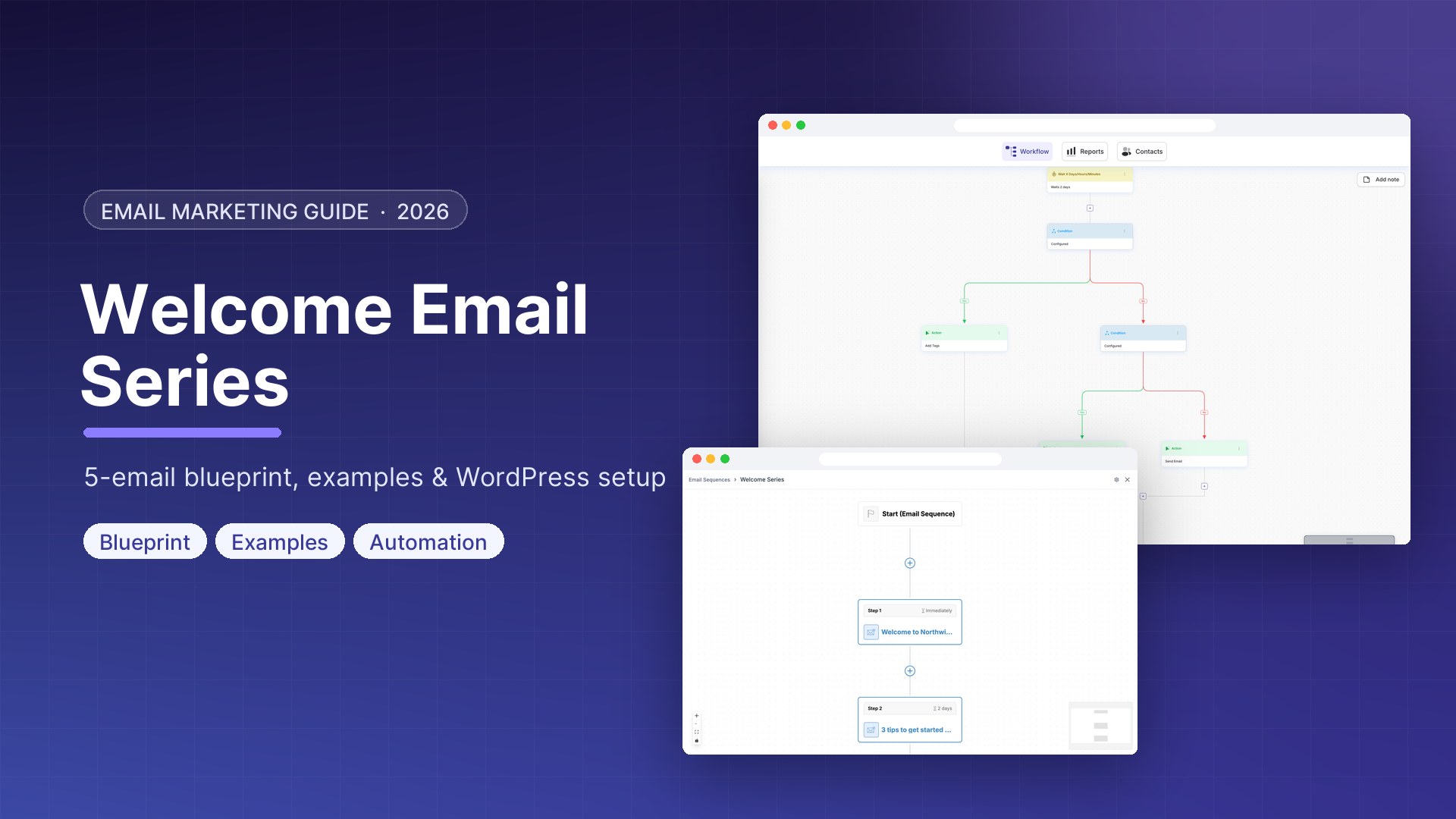
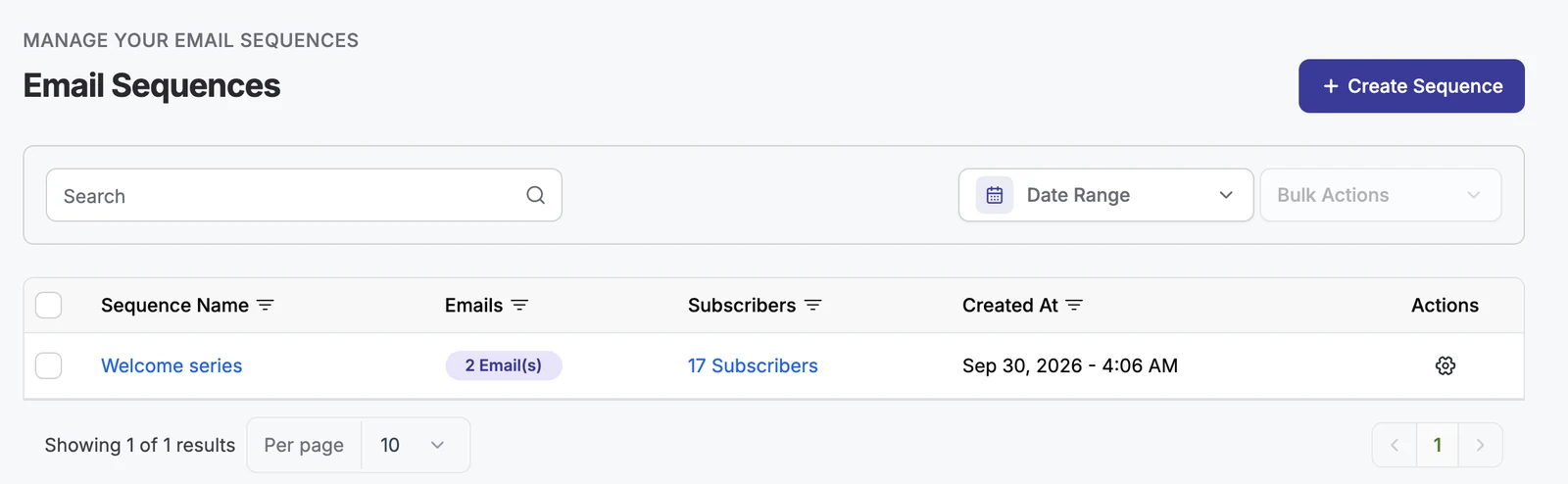
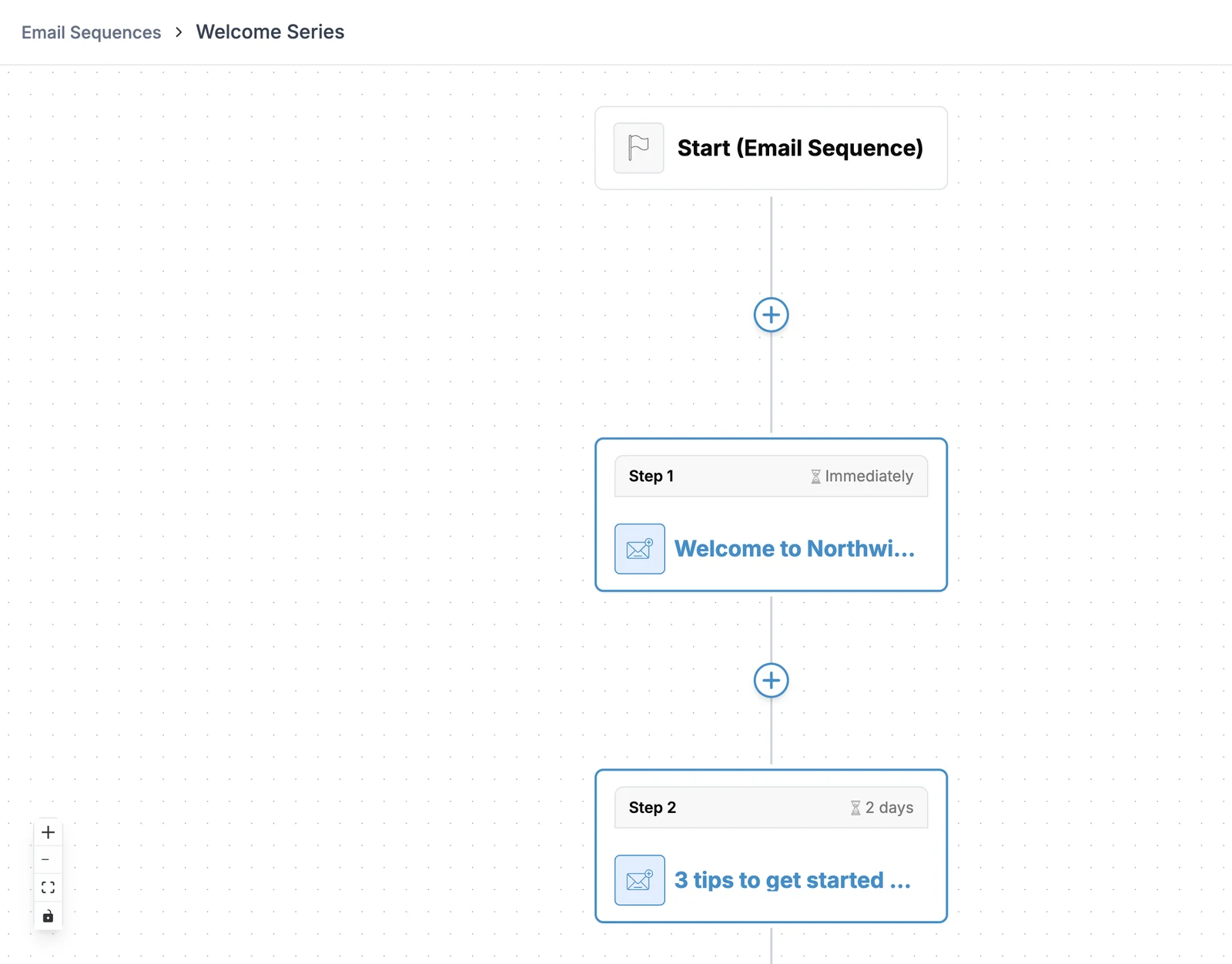
Go to Automations → Email Sequences → Create Sequence. Add each email as a step and set its delay: immediately, then two days, then two more, and so on. Write each email in the drag-and-drop builder, and use merge tags with fallbacks such as {{contact:first_name|there}}.
Step 3: Start the series automatically
Create an automation with the trigger that matches how people join, for example Lists Applied → Newsletter or a form submission, and add the action Send Email Sequence. Anyone who joins the list enters the series at email 1.
Step 4: Stop the series when they convert
Nothing annoys a new customer more than “still thinking about it?” the day after they bought. Add a Goal to the automation, such as “tag Customer added”. When your order or booking workflow tags the contact, the goal is reached and they leave the welcome series at once.
Step 5: Treat engaged and quiet subscribers differently
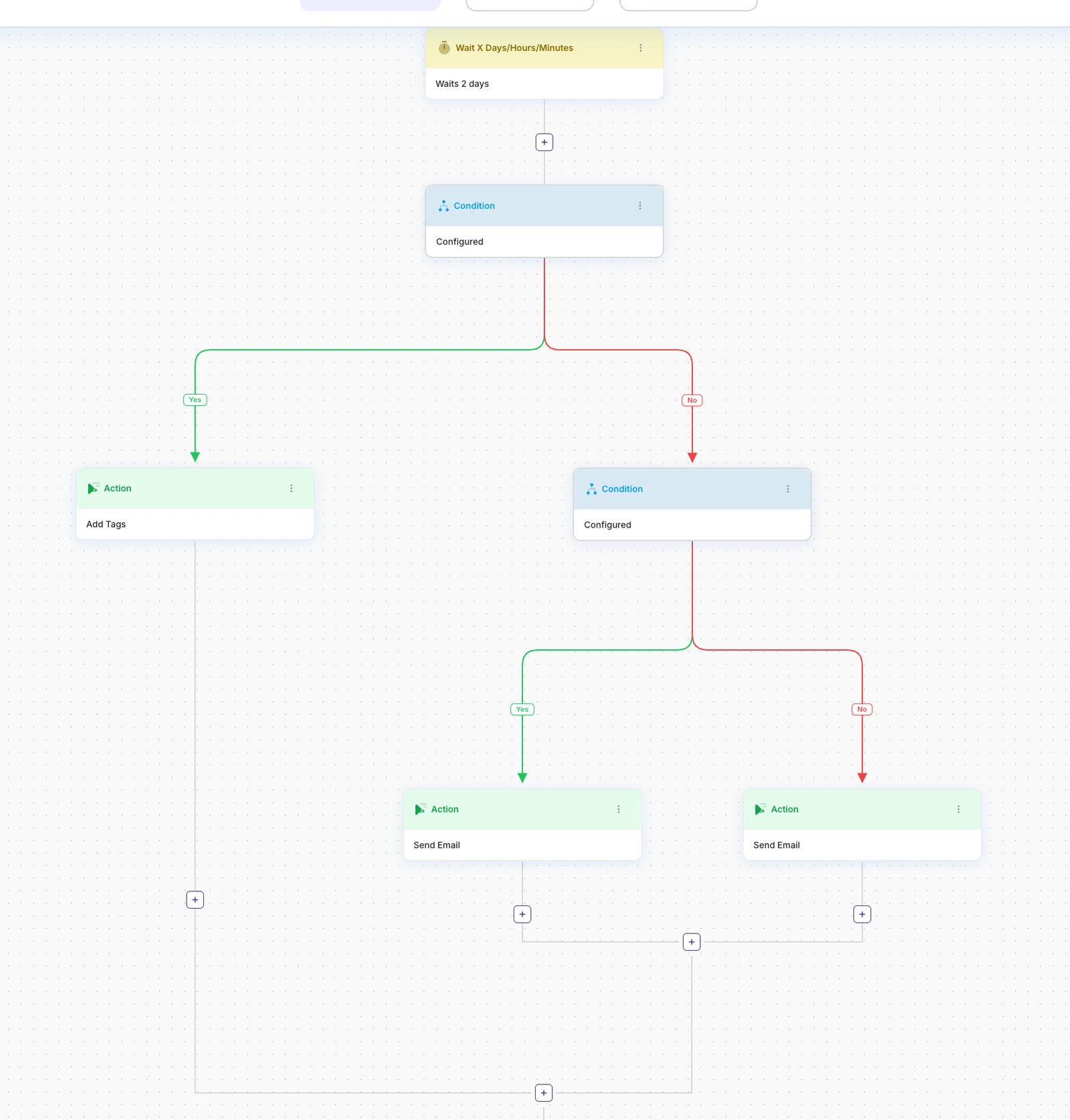
After a couple of days, add a Condition: did the subscriber open or click? Engaged readers get a tag and move faster to the offer. Quiet ones get a different, shorter email with a single question. Conditions can be nested, so you can split the quiet group again, for example by where they signed up.
What to measure
| Metric | What good looks like | If it is low |
|---|---|---|
| Open rate of email 1 | Clearly the highest of the series | Subject line, sender name or deliverability problem |
| Click rate per email | Steady or rising to the offer email | Too many links; give each email one call to action |
| Unsubscribes per email | Low and spread evenly | A spike shows which email is off-target or too salesy |
| Conversion within 14 days | Rises after the offer email | Offer too weak or too early; test day 7 vs day 10 |
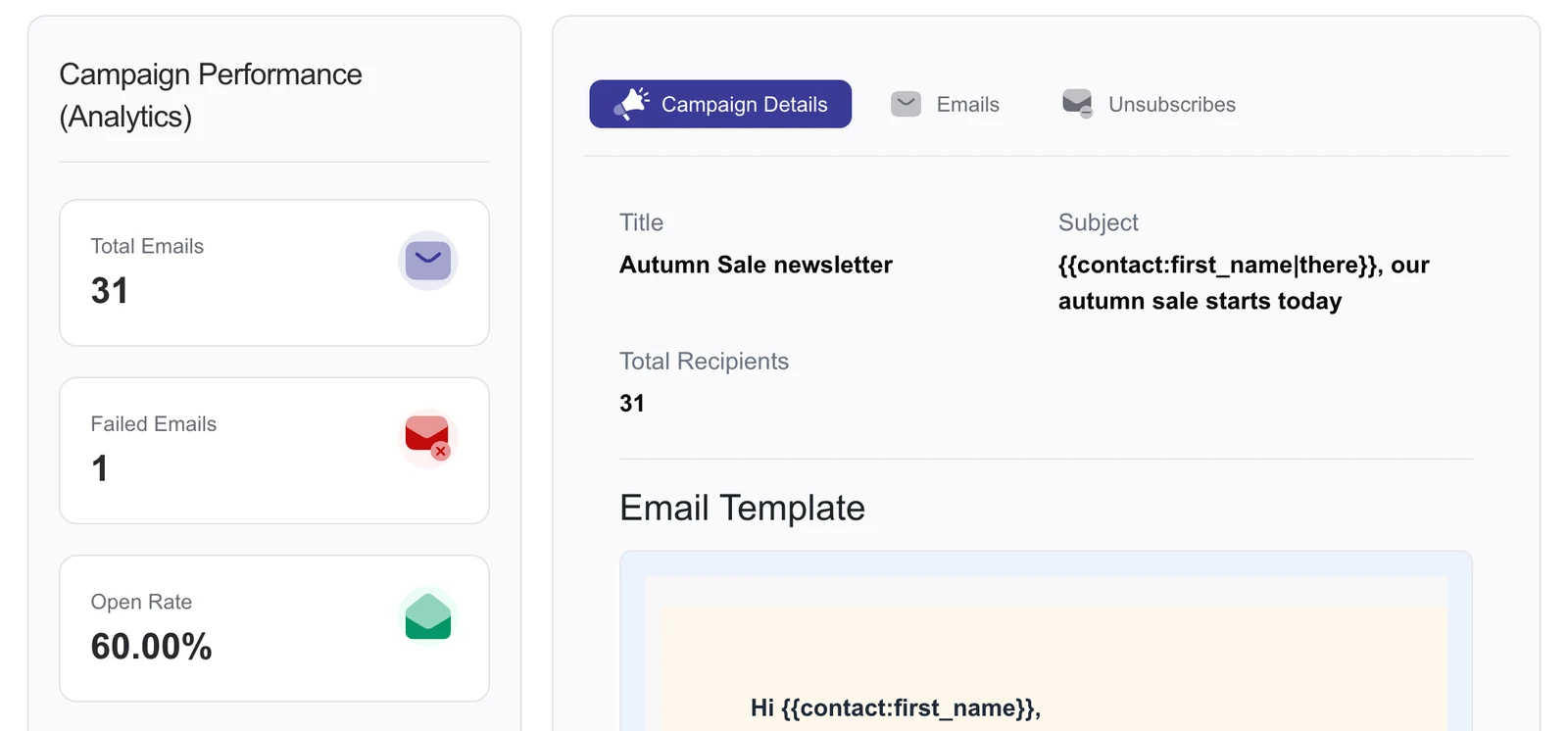
In DoubleScale, campaign and sequence reports show opens, clicks and unsubscribes per email, and each open and click is also recorded on the contact, so you can see exactly which email a customer read before buying.
Common mistakes
- Not delivering the promise in email 1. If they signed up for a guide, the guide goes first.
- Selling in every email. One offer email is enough; the others earn the right to make it.
- Forgetting existing customers. Exclude people who already bought, or stop the series with a goal.
- Sending from a no-reply address. Replies are a strong positive signal to inbox providers; invite them.
- Skipping authentication. Set up SPF, DKIM and DMARC for your sending domain before you launch.
Related guides: email drip campaigns in WordPress, contact segmentation and WordPress marketing automation.
FAQ
How many emails should a welcome series have?
Three to five. Three works for simple products; five suits software, courses and services where people need more information before buying.
When should the first welcome email be sent?
Immediately after signup, or after the subscriber confirms if you use double opt-in. Attention is highest in the first minutes.
Should a welcome series include a discount?
Only if you promised one at signup or discounts fit your brand. Otherwise, lead with value and make one clear offer around day 7.
How do I stop the welcome series when someone buys?
Add a goal to the automation that ends it, for example when a “Customer” tag is added by your purchase or booking workflow.
What is the difference between a welcome series and a drip campaign?
A welcome series is a specific drip campaign for new subscribers. Drip campaigns can serve any stage: onboarding, re-engagement, post-purchase.
Can I build a welcome email series in WordPress without Mailchimp?
Yes. A WordPress CRM such as DoubleScale stores subscribers in your database, sends through your own email provider, and runs the sequence, conditions and goals inside WordPress.
DoubleScale runs sequences, conditions and goals with unlimited contacts, and keeps every email on the customer’s timeline.
Get our guides first on GoogleAdd DoubleScale as a preferred source and our articles show up more often in your Top Stories.

Mohamed Magdy, Founder & CEO, DoubleScale
Mohamed Magdy is the founder and CEO of DoubleScale, the all-in-one CRM for WordPress. He writes about CRM, email marketing and automation for WordPress businesses.
Practical CRM tips, once a month
Guides on growing with WordPress: lead capture, email marketing, automations and sales. No spam, unsubscribe anytime.