On this page
- What You Need from a WordPress Email Marketing Plugin
- The 8 Best WordPress Email Marketing Plugins in 2026
- Side-by-Side Feature Comparison
- How to Set Up Email Marketing in WordPress with DoubleScale Pro
- Email Marketing Plugin vs SaaS: The Data Ownership Argument
- Email Deliverability: How to Avoid the Spam Folder
- Frequently Asked Questions
- Which WordPress Email Marketing Plugin Should You Choose?
If you are running email marketing through a third-party SaaS platform — Mailchimp, ActiveCampaign, Klaviyo, ConvertKit — you are paying monthly fees, storing your subscriber data on someone else’s servers, and working around integration limitations every time you want to connect email campaigns to your WordPress user data, WooCommerce orders, or contact forms.
A WordPress email marketing plugin changes the equation entirely. Your subscriber list, campaign history, automation sequences, and email analytics all live inside your WordPress database. You pay one flat fee (or use an SMTP service for sending), own your data completely, and connect your email marketing to every other WordPress tool with zero integration headaches.
This guide compares the 8 best WordPress email marketing plugins in 2026 — from free options for small lists to enterprise-grade automation platforms with SMS and WhatsApp. We cover features, pricing, deliverability, and which businesses each tool is best suited for.
What You Need from a WordPress Email Marketing Plugin
Before comparing tools, it helps to understand what separates a genuinely useful email marketing plugin from a basic newsletter sender.
List Management and Segmentation
The ability to segment your list is the most important email marketing feature after sending itself. You need to send different emails to different people: customers vs prospects, engaged subscribers vs inactive ones, people who bought Product A vs Product B. Without segmentation, you are sending every email to everyone and your open rates, click rates, and conversion rates will reflect that.
Good list management includes: lists/groups, tags, custom contact fields, contact activity tracking, and the ability to create segments based on any combination of attributes and behaviours (tags, purchase history, email engagement, booking status, custom fields).
Automation Builder
One-off campaigns are table stakes. The real value of email marketing comes from automated sequences that run without your involvement: a welcome series for new subscribers, an onboarding sequence for new customers, a re-engagement campaign for inactive contacts, and abandoned cart emails for WooCommerce shoppers. Look for a visual automation builder with conditions, delays, branching logic, and multiple trigger types.
Email Templates and Editor
You need a drag-and-drop email editor that produces clean, mobile-responsive HTML emails. Pre-built templates that match your brand are a significant time-saver. The editor should allow you to reuse saved blocks, preview on desktop and mobile, and test-send before publishing.
SMTP and Deliverability
No WordPress email marketing plugin sends email itself — they all queue messages and rely on WordPress’s mail function, which in turn uses your server’s mail configuration. For any list above a few hundred contacts, you need to connect the plugin to a dedicated email sending service: SendGrid, Mailgun, Amazon SES, Postmark, Brevo (Sendinblue), or similar. This is not a limitation of WordPress — it is how all responsible bulk email works, ensuring proper SPF/DKIM/DMARC authentication and reliable delivery.
WooCommerce Integration
If you run WooCommerce, your email marketing plugin should connect natively to your store data: trigger automations based on purchase events, segment by product purchased, create abandoned cart campaigns, and personalise emails with order data. This is where plugins running inside WordPress have a decisive advantage over external SaaS tools — they share the same database as WooCommerce.
The 8 Best WordPress Email Marketing Plugins in 2026
1. DoubleScale Pro — Best for Full-Stack WordPress Marketing
DoubleScale Pro is not only an email marketing plugin — it is a complete WordPress CRM and marketing automation platform that includes email marketing as one of several integrated modules alongside SMS, WhatsApp, helpdesk, sales pipeline, invoicing, and booking. For businesses that want their entire client communication and management system inside WordPress, DoubleScale Pro is the only option that delivers a truly unified platform.
Email Marketing Features
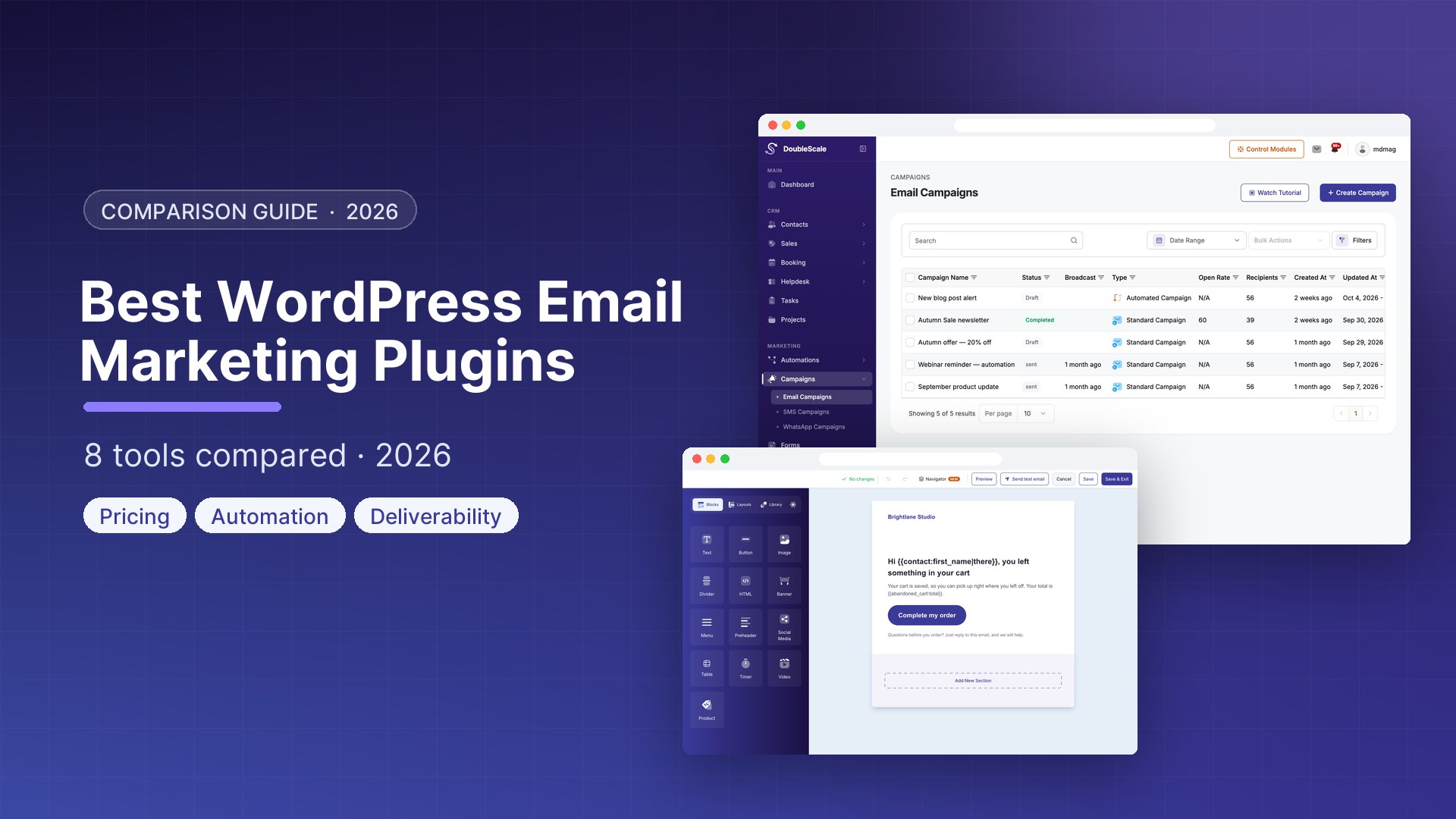
Campaign builder: DoubleScale’s drag-and-drop email editor produces clean, mobile-responsive HTML campaigns. Start from one of the pre-built templates (announcement, product launch, newsletter, promotional, re-engagement) or build from scratch with a flexible block editor. Personalise any email with merge tags from the contact’s CRM profile: first name, company, custom fields, purchase history, booking dates, and more.
List management and contacts: DoubleScale stores email subscribers as CRM contacts, which means every subscriber has a complete profile with their email, phone, custom fields, tags, activity log, purchase history, booking history, helpdesk tickets, and email engagement history. Segment by any combination of these attributes. A WooCommerce customer who bought a specific product, clicked a specific email, and has not purchased in 60 days? That is a one-click segment in DoubleScale.
Tags and custom fields: Apply tags automatically via automations (tagged “VIP” when LTV exceeds £500, tagged “Churning” when last purchase was 90 days ago) or manually. Create unlimited custom contact fields for any business-specific data you need to store and use in segmentation.
Automation engine: DoubleScale’s visual automation builder is the strongest feature differentiating it from pure email tools. Build multi-step sequences with email, SMS, and WhatsApp steps combined in a single automation. Add conditions and branches (e.g., “if email opened → send follow-up A; if not opened → send follow-up B”). Set delays in minutes, hours, or days. Trigger automations from any event in the system: form submission, new purchase, booking created, tag added, contact field changed, specific date, email link clicked.
WooCommerce integration: DoubleScale’s WooCommerce module connects directly to your store. Trigger automations when an order is placed, completed, refunded, or abandoned in the cart. Access product name, order total, order items, and customer data in any email. Build an abandoned cart sequence, a post-purchase upsell sequence, a review request automation, and a win-back campaign for lapsed customers — all without Zapier or any external integration.
Multi-channel sending: Add SMS steps and WhatsApp steps directly in your email sequences. Send an initial email, follow up with an SMS if the email is not opened within 24 hours, and send a WhatsApp message for urgent communications. This level of multi-channel coordination is only possible because DoubleScale manages all channels in one platform.
Analytics: Track open rates, click rates, unsubscribes, bounces, and revenue attribution per campaign and per automation step. See which automation branches produce the best conversion rates and optimise accordingly.
SMTP configuration: Connect DoubleScale to any SMTP provider: SendGrid, Mailgun, Amazon SES, Postmark, Brevo, and others. DoubleScale respects rate limits, queues bulk sends properly via Action Scheduler, and handles bounces and unsubscribes automatically.
Setting Up Email Marketing in DoubleScale Pro
- Install DoubleScale Pro and enable the Email Marketing module from DoubleScale → Modules
- Go to DoubleScale → Settings → Email → SMTP and connect your sending service
- Set your sender name and from address; verify the domain’s SPF and DKIM records
- Go to DoubleScale → Email Marketing → Lists → Create List and create your first subscriber list
- Add a subscription form to your site via the DoubleScale Form block or the
[doublescale_form]shortcode - Go to DoubleScale → Automations → New Automation — set trigger to “Contact Added to List: Newsletter” and build your welcome sequence
- Go to DoubleScale → Email Marketing → Campaigns → New Campaign to send your first broadcast email
Pricing: Included in DoubleScale Pro (flat annual fee). See doublescale.io/pricing.
Best for: Businesses that want email marketing integrated with their CRM, booking, helpdesk, and WooCommerce store in one WordPress plugin.
2. FluentCRM — Best Pure WordPress Email Marketing Plugin
FluentCRM is the most popular dedicated WordPress CRM and email marketing plugin, with over 50,000 active installs and a strong reputation in the community. It offers a well-designed email builder, solid automation capabilities, and deep integrations with popular WordPress plugins — all running entirely inside WordPress.
Key Features
- Email campaigns: Drag-and-drop builder, pre-built templates, scheduled and immediate sending
- Contact management: Lists, tags, custom fields, activity log, email engagement history
- Automation builder: Visual flow builder with email, SMS, webhook, and wait steps; conditions and branching
- WooCommerce integration: Purchase triggers, product-based segmentation, abandoned cart (via Fluent Forms)
- LearnDash, LifterLMS, Tutor LMS integration: Trigger automations based on course enrollment and completion
- Gravity Forms, WPForms, Elementor Forms integration: Capture leads and add to sequences directly from forms
- Email open and click tracking: Per-contact engagement history, campaign-level analytics
- Link triggers: Trigger automations when a contact clicks a specific link in an email
FluentCRM vs DoubleScale Pro
FluentCRM is a strong choice if you only need email marketing and a basic CRM. DoubleScale Pro goes significantly further with native SMS, WhatsApp, helpdesk, invoicing, sales pipeline, and booking modules — all integrated in the same platform. If you need only email marketing and CRM, FluentCRM is an excellent, cost-effective choice. If you need the full stack, DoubleScale Pro provides more in a single plugin.
Pricing: Free version on WordPress.org. Pro: $129/year (1 site), $249/year (5 sites), $499/year (unlimited sites). All Pro features included — no per-subscriber fees.
Best for: WordPress users who want a reliable email marketing and CRM solution without the complexity of a full platform.
3. Brevo (Sendinblue) for WordPress — Best SaaS with WordPress Plugin
Brevo (formerly Sendinblue) is a SaaS email marketing and transactional email platform with an official WordPress plugin that connects your WordPress site to your Brevo account. Unlike plugins that store data in WordPress, Brevo stores your contact data and sends email from their infrastructure — the plugin is essentially an API bridge.
Key Features
- Generous free tier: 300 emails/day free, unlimited contacts — by far the most generous free plan of any email service
- WordPress integration: Sync WooCommerce customers, Gravity Forms submissions, and other contact sources to Brevo lists
- Email builder: Professional drag-and-drop editor with responsive templates
- Marketing automation: Visual automation workflows with conditions and branching
- Transactional email: Replace WordPress’s default wp_mail function with Brevo’s SMTP for reliable transactional email delivery
- SMS marketing: Send SMS campaigns through Brevo’s platform (add-on)
- Landing pages and sign-up forms: Build opt-in forms and landing pages in Brevo’s dashboard
- CRM: Basic contact management in Brevo’s CRM tab
Limitations of the SaaS Approach
Data lives on Brevo’s servers. Integration with your WordPress site requires the plugin as a sync layer; it is not as seamless as a native WordPress plugin. Monthly sending costs scale with volume. Automation capabilities, while solid, are less integrated with WordPress data than a native plugin like DoubleScale or FluentCRM.
Pricing: Free (300/day). Starter: from $9/month for 5,000 emails/month. Business: from $18/month for 5,000 emails/month with automation.
Best for: Small businesses who want a free or low-cost sending solution and are comfortable with data stored in a SaaS platform.
4. Mailchimp for WordPress — Best for Existing Mailchimp Users
The official Mailchimp for WordPress plugin (MC4WP) connects your WordPress site to your Mailchimp account, allowing you to add opt-in forms, sync WooCommerce customers, and capture leads from any WordPress form builder into your Mailchimp lists. Email sending, list management, and campaign creation all happen in Mailchimp’s dashboard.
Key Features
- Opt-in forms: Place Mailchimp subscription forms anywhere on your WordPress site
- WooCommerce integration: Sync customers, orders, and abandoned carts to Mailchimp
- Form integrations: Connect Gravity Forms, WPForms, Ninja Forms, Contact Form 7, and others to Mailchimp
- Mailchimp integration: Full access to Mailchimp’s email builder, templates, audience management, and analytics from the Mailchimp dashboard
Important Consideration
Mailchimp’s pricing has changed significantly in recent years. The free tier is now limited to 500 contacts and 1,000 emails/month (reduced from previous limits). Paid plans start at $13/month and scale quickly with list size. For WordPress users with growing lists, Mailchimp can become one of the most expensive email marketing options. Many businesses are migrating to WordPress-native solutions like DoubleScale Pro or FluentCRM to eliminate these recurring costs.
Pricing: Plugin is free. Mailchimp subscription required: Free (500 contacts), Essentials from $13/month, Standard from $20/month.
Best for: Businesses already using Mailchimp who want tighter WordPress integration but are not ready to migrate platforms.
5. MailPoet — Best for Newsletters Inside WordPress Editor
MailPoet is a well-established WordPress email marketing plugin (acquired by WooCommerce/Automattic) that lets you create, send, and manage email newsletters entirely within the WordPress dashboard. Its most distinctive feature is deep integration with the WordPress Gutenberg editor — you build emails using the same blocks you use for page editing.
Key Features
- Gutenberg-based email editor: Build emails with WordPress blocks — familiar, consistent with your content workflow
- Automated post notifications: Automatically send new blog posts to subscribers (newsletter automation)
- WooCommerce integration: Send abandoned cart emails, post-purchase sequences, and product recommendation emails
- Welcome sequences: Automated welcome emails when someone subscribes
- Subscriber management: Lists, segments, import/export
- MailPoet Sending Service: MailPoet’s own SMTP infrastructure available for $10+/month, or connect your own SMTP
- Spam check: Built-in spam score checker for your emails
Pricing: Free for up to 1,000 subscribers and 5,000 emails/month. Paid plans from $10/month (up to 500 subscribers on MailPoet’s sending service). Alternatively, use your own SMTP with no subscriber limit on paid plans from $15/month.
Best for: Content creators and bloggers who want tight WordPress integration and automatic blog post notifications for subscribers.
6. Newsletter Plugin — Best Free Newsletter Plugin
The Newsletter Plugin is the most popular free WordPress email marketing plugin by active installs. It handles basic newsletter functionality reliably without requiring an external account — your list lives entirely in WordPress, and sending works through any configured SMTP.
Key Features (Free Version)
- Unlimited subscribers on your own WordPress install
- Subscription forms with GDPR double opt-in
- Email editor with drag-and-drop blocks
- Newsletter sending via WordPress SMTP
- Basic open and click tracking
- Autoresponder on subscription
Premium Add-Ons
Newsletter Plugin uses an à-la-carte add-on model for advanced features. Advanced reports ($69), WooCommerce integration ($69), automation sequences ($59), RSS feeds ($39), and others. A full-featured setup can cost $200–$300 in add-ons.
Pricing: Free core plugin. Individual add-ons from $39. Blogger plan (most add-ons): $69/year. Agency plan: $199/year.
Best for: WordPress site owners who need a simple, free newsletter solution with no SaaS dependency.
7. HubSpot WordPress Plugin — Best for HubSpot Users
HubSpot’s official WordPress plugin brings CRM, forms, live chat, email marketing, and analytics from HubSpot into your WordPress site. For businesses already using HubSpot’s CRM, this plugin tightly integrates WordPress form submissions, page views, and contact data with their HubSpot records.
Key Features
- Sync WordPress contacts to HubSpot CRM
- HubSpot forms embedded in WordPress pages
- Live chat and chat bot connected to HubSpot conversations
- Email marketing from HubSpot’s platform via your WordPress site data
- Analytics dashboard showing visits, conversions, and contacts from WordPress
The HubSpot Cost Problem
HubSpot’s free tier is limited and quickly upsells to paid plans. The Marketing Hub Starter plan starts at $20/month/seat, and the professional plan (which unlocks marketing automation) starts at $890/month. For small and medium businesses, HubSpot’s pricing makes it one of the most expensive options on this list, with the CRM data stored externally rather than in your WordPress database.
Pricing: Plugin is free. HubSpot account required. CRM free. Marketing Hub Starter: $20/month/seat. Professional: $890/month.
Best for: Enterprises already paying for HubSpot who want their WordPress site integrated with their HubSpot instance.
8. ActiveCampaign for WordPress — Best for Advanced Automation from a SaaS
ActiveCampaign is widely regarded as the most powerful SaaS automation platform available. Their WordPress plugin connects your WordPress site (including WooCommerce) to your ActiveCampaign account, enabling highly sophisticated automation sequences. For businesses that need the advanced conditional logic and lead scoring that ActiveCampaign provides, and are willing to pay the SaaS pricing, the WordPress plugin makes the integration smooth.
Key Features
- WordPress form integration (Gravity Forms, WPForms, Contact Form 7, Elementor)
- WooCommerce deep sync — purchases, abandoned carts, product categories
- Lead scoring based on site behaviour, email engagement, and form data
- Advanced conditional logic in automations (the most flexible automation builder in the SaaS space)
- Site tracking — track page visits and trigger automations based on WordPress pages viewed
- CRM with deals and pipeline management
Pricing: Plugin is free. ActiveCampaign subscription required. Lite: $39/month (up to 1,000 contacts). Plus: $70/month. Professional: $187/month.
Best for: Mid-market businesses with sophisticated automation needs that justify the SaaS subscription cost.
Side-by-Side Feature Comparison
| Plugin | Hosted in WordPress | Visual Automation Builder | SMS Built-in | WhatsApp Built-in | WooCommerce Native | CRM Built-in | Starting Price |
|---|---|---|---|---|---|---|---|
| DoubleScale Pro | Yes | Yes | Yes (Pro) | Yes (Pro) | Yes | Yes (full CRM) | Flat annual fee |
| FluentCRM | Yes | Yes | Via add-on | No | Yes | Basic CRM | Free / $129/year |
| Brevo for WP | No (SaaS) | Yes (in Brevo) | Yes (in Brevo) | No | Via sync | Basic (in Brevo) | Free / from $9/mo |
| Mailchimp for WP | No (SaaS) | Yes (in Mailchimp) | No | No | Via sync | Basic (in Mailchimp) | Free plugin / Mailchimp plan |
| MailPoet | Yes | Basic | No | No | Yes | No | Free / from $10/mo |
| Newsletter Plugin | Yes | Via add-on | No | No | Via add-on | No | Free / $69/year |
| HubSpot WP Plugin | No (SaaS) | Yes (HubSpot Pro) | No | No | Via sync | Yes (HubSpot) | Free plugin / $890/mo Pro |
| ActiveCampaign for WP | No (SaaS) | Yes (best in class) | Via SMS feature | No | Via sync | Basic CRM | Free plugin / $39/mo |
How to Set Up Email Marketing in WordPress with DoubleScale Pro
Here is a complete walkthrough from installation to your first automated welcome sequence.
Step 1: Install and Configure DoubleScale Pro
Install DoubleScale (free base) from WordPress.org and activate DoubleScale Pro. Go to DoubleScale → Modules and enable the Email Marketing module.
Step 2: Connect Your SMTP Service
For reliable bulk email delivery, connect an SMTP provider:
- Go to DoubleScale → Settings → Email → SMTP Configuration
- Select your provider (SendGrid, Mailgun, Amazon SES, Postmark, Brevo, or custom SMTP)
- Enter your API key or SMTP credentials
- Set your default From Name (your company name) and From Email (an email on your domain, e.g., hello@yourdomain.com)
- Click Send Test Email to verify delivery
Which SMTP provider? For most small businesses, Amazon SES is the best value ($0.10 per 1,000 emails after 62,000 free/month). For simplicity, Brevo (free up to 300/day), SendGrid (free up to 100/day), or Mailgun are easy to set up and generous on free tiers.
Step 3: Authenticate Your Domain
For good deliverability, set up SPF, DKIM, and DMARC DNS records for your sending domain. Your SMTP provider’s documentation will give you the exact DNS records to add. This step takes 5–15 minutes in your domain registrar but dramatically improves inbox placement rates.
Step 4: Create a Subscription Form
- Go to DoubleScale → Forms → New Form
- Add a Name field, Email field, and a GDPR consent checkbox
- Set the form to add contacts to your newsletter list and apply a tag (e.g., “subscriber”)
- Configure the success redirect or success message
- Copy the form shortcode and add it to your site: sidebar widget, homepage section, blog post sidebar, or a dedicated
/newsletter/page
Step 5: Build Your Welcome Sequence
Go to DoubleScale → Automations → New Automation. Set the trigger to Contact Added to List: Newsletter.
A strong welcome sequence for a B2B SaaS or service business:
- Immediately: Send “Welcome to [Your Brand]” email — who you are, what you offer, and what they will get from your emails. Include one high-value free resource (guide, checklist, template).
- Day 2: Send your single best piece of content — your most popular blog post, a case study, a video tutorial. No sales pitch.
- Day 4: Social proof email — 3 customer quotes or a mini case study. Brief, scannable.
- Day 7: Introduce your product/service — what problem you solve, who you help, link to your most important page.
- Day 10: A direct, simple question: “What is your biggest challenge with [your topic]?” Ask them to reply. Replies improve deliverability and give you research into what your audience actually needs.
- Day 14: Your best offer or free trial CTA — with clear, specific value proposition.
Step 6: Set Up an Abandoned Cart Sequence (WooCommerce)
- Go to DoubleScale → Modules → WooCommerce Integration → Enable
- Go to DoubleScale → Automations → New Automation
- Trigger: WooCommerce Cart Abandoned (contact added items to cart but did not complete checkout)
- Wait 1 hour
- Send Email — “You left something behind” with dynamic product names, prices, and a direct link to their abandoned cart
- Wait 24 hours
- Condition: Did they complete a purchase? No → Send Email — “Still thinking it over?” with a time-limited discount or social proof
- Wait 48 hours
- Condition: Did they complete a purchase? No → Send Email — final cart reminder with urgency (limited stock, offer expires)
Research consistently shows that abandoned cart emails recover 5–15% of abandoned carts. For a WooCommerce store doing £10,000/month in revenue, that is an extra £500–£1,500 per month from a one-time automation setup.
Email Marketing Plugin vs SaaS: The Data Ownership Argument
The most underappreciated benefit of a WordPress email marketing plugin is data ownership. When your subscriber list is in Mailchimp or ActiveCampaign, you are renting access to your own data. If you cancel your subscription, you can export a CSV file, but:
- You lose all engagement history (open rates, click rates, individual contact activity)
- You lose all automation history and which contacts are at which step
- You lose your custom segments and saved audience logic
- You cannot query your subscribers with custom SQL against your other business data
With DoubleScale Pro or FluentCRM, your subscriber data is a WordPress table in your database. You can run SQL queries against it. You can join it with WooCommerce orders, booking records, and helpdesk tickets. You can export it at any time to any format. You can migrate to a different plugin without losing any historical data. And you pay a flat annual licence fee, not an escalating per-subscriber monthly fee.
For a business with 10,000 subscribers:
- Mailchimp Standard: $135/month = $1,620/year
- ActiveCampaign Professional: $246/month = $2,952/year
- DoubleScale Pro (all modules): flat annual fee (check doublescale.io/pricing)
The cost difference compounds every year while the data advantage grows — you keep historical engagement data indefinitely, connected to every other piece of client data in your WordPress database.
Email Deliverability: How to Avoid the Spam Folder
Deliverability is not about the plugin — it is about your domain reputation, sending infrastructure, and list hygiene. Here are the most important factors:
1. Set Up Email Authentication
SPF: An SPF DNS record tells receiving servers which mail servers are allowed to send email from your domain. Add your SMTP provider’s SPF record to your domain’s DNS.
DKIM: DKIM adds a cryptographic signature to every outgoing email that proves the email was sent by someone with access to your domain’s private key. Your SMTP provider generates the DKIM key and gives you a DNS TXT record to add.
DMARC: A DMARC policy tells receiving servers what to do if an email fails SPF or DKIM checks (reject it, quarantine it, or report it). Start with p=none to monitor, then move to p=quarantine or p=reject once you are confident in your sending setup.
2. Clean Your List Regularly
Remove hard bounces immediately (DoubleScale does this automatically). Remove contacts who have not opened any email in 90 days — or run a re-engagement campaign and remove those who do not respond. A clean list of engaged subscribers produces far better deliverability than a large list with low engagement.
3. Use Double Opt-In
Double opt-in (sending a confirmation email before adding a contact to your list) reduces spam complaints, fake sign-ups, and invalid email addresses. It reduces list growth rate slightly but dramatically improves list quality and deliverability. DoubleScale includes double opt-in support on all forms.
4. Maintain a Consistent Sending Frequency
ISPs (Gmail, Outlook, etc.) track your sending patterns. Sending sporadically — nothing for 3 months, then 50,000 emails at once — triggers spam filters. If you are building up a new sending domain, warm it up gradually: 100 emails/day for the first week, 250/day for the second week, 500/day for the third, and so on.
Frequently Asked Questions
Do I need to pay for an SMTP service on top of the plugin?
For small lists (fewer than 500 subscribers, fewer than 1,000 emails/month), your WordPress server’s built-in mail function may work adequately. For anything larger, a dedicated SMTP service is strongly recommended. Amazon SES ($0.10 per 1,000 emails), Brevo (free up to 300/day), and Mailgun (free tier available) are the most popular choices. The plugin handles all the sending logic — you just provide the SMTP credentials.
Can I migrate from Mailchimp to DoubleScale Pro without losing my subscribers?
Yes. Export your Mailchimp list as a CSV (go to Audience → All contacts → Export audience). In DoubleScale, go to Contacts → Import → Upload CSV, map the columns (email, first name, last name, tags), and import. You will not retain Mailchimp-specific engagement data (open history), but all contact details transfer cleanly. See the complete migration guide: How to Migrate from Mailchimp to DoubleScale.
What sending volume can WordPress handle?
WordPress itself can handle any sending volume — it queues emails via Action Scheduler and sends them in batches according to your SMTP provider’s rate limits. With Amazon SES (14 sends/second), you can send 50,000 emails in under an hour. The plugin manages the queue; the SMTP service manages the actual sending infrastructure.
Is my subscriber data safe with a WordPress plugin?
Your data is only as secure as your WordPress installation. Use a reputable managed WordPress host (Kinsta, WP Engine, Cloudways, SiteGround), keep WordPress, themes, and plugins updated, use strong admin passwords with 2FA, and ensure your host provides daily backups. This is the same security standard you would apply to any WordPress site storing customer data.
Which WordPress Email Marketing Plugin Should You Choose?
- You want email marketing + CRM + SMS + WhatsApp + booking + helpdesk + invoicing in one WordPress plugin: DoubleScale Pro
- You need a solid email marketing and CRM tool without the broader platform: FluentCRM
- You want a generous free SaaS tier and are comfortable with external data storage: Brevo for WordPress
- You are already using Mailchimp and want better WordPress integration: Mailchimp for WordPress (MC4WP)
- You are a content creator who wants automatic post notifications to subscribers: MailPoet
- You want completely free with no external dependencies: Newsletter Plugin
- You need the most advanced SaaS automation and can afford the pricing: ActiveCampaign for WordPress
Get started with DoubleScale free at WordPress.org or see the full Pro feature set at doublescale.io/pricing.

Mohamed Magdy, Founder & CEO, DoubleScale
Mohamed Magdy is the founder and CEO of DoubleScale, the all-in-one CRM for WordPress. He writes about CRM, email marketing and automation for WordPress businesses.
Practical CRM tips, once a month
Guides on growing with WordPress: lead capture, email marketing, automations and sales. No spam, unsubscribe anytime.