On this page
LearnDash tells students they finished a course with an on-screen message and, if you set it up, an email. Neither is something they carry around. A text message is: short, personal and read within minutes, which makes it the right channel for “you did it” and “here is what is next”.
This guide shows how to send SMS notifications for LearnDash course completion with Twilio and DoubleScale, step by step, including how to get students’ phone numbers (LearnDash does not collect them) and how to keep the text inside a single SMS.
Full disclosure: we make DoubleScale. We have kept the two other tools’ strengths in, quoted every price from their own pricing pages, and listed the cases where DoubleScale is the wrong choice.
1. Connect Twilio in DoubleScale (Integrations → Messaging → Twilio). 2. Store each student’s phone number, with country code, on their contact record. 3. Create an automation: LearnDash Course Completed → Send SMS. 4. Write a message under 130 characters using the course name and link merge tags. 5. Test with your own account, then activate.
What you need
✓ LearnDash LMS and DoubleScale Pro (from $99 a year; LearnDash triggers and SMS are Pro features).
✓ A Twilio account with an SMS-capable number. For US students, an A2P 10DLC registration or a verified toll-free number.
✓ Students’ mobile numbers in international format, and their consent to receive texts.
Step 1: Connect Twilio
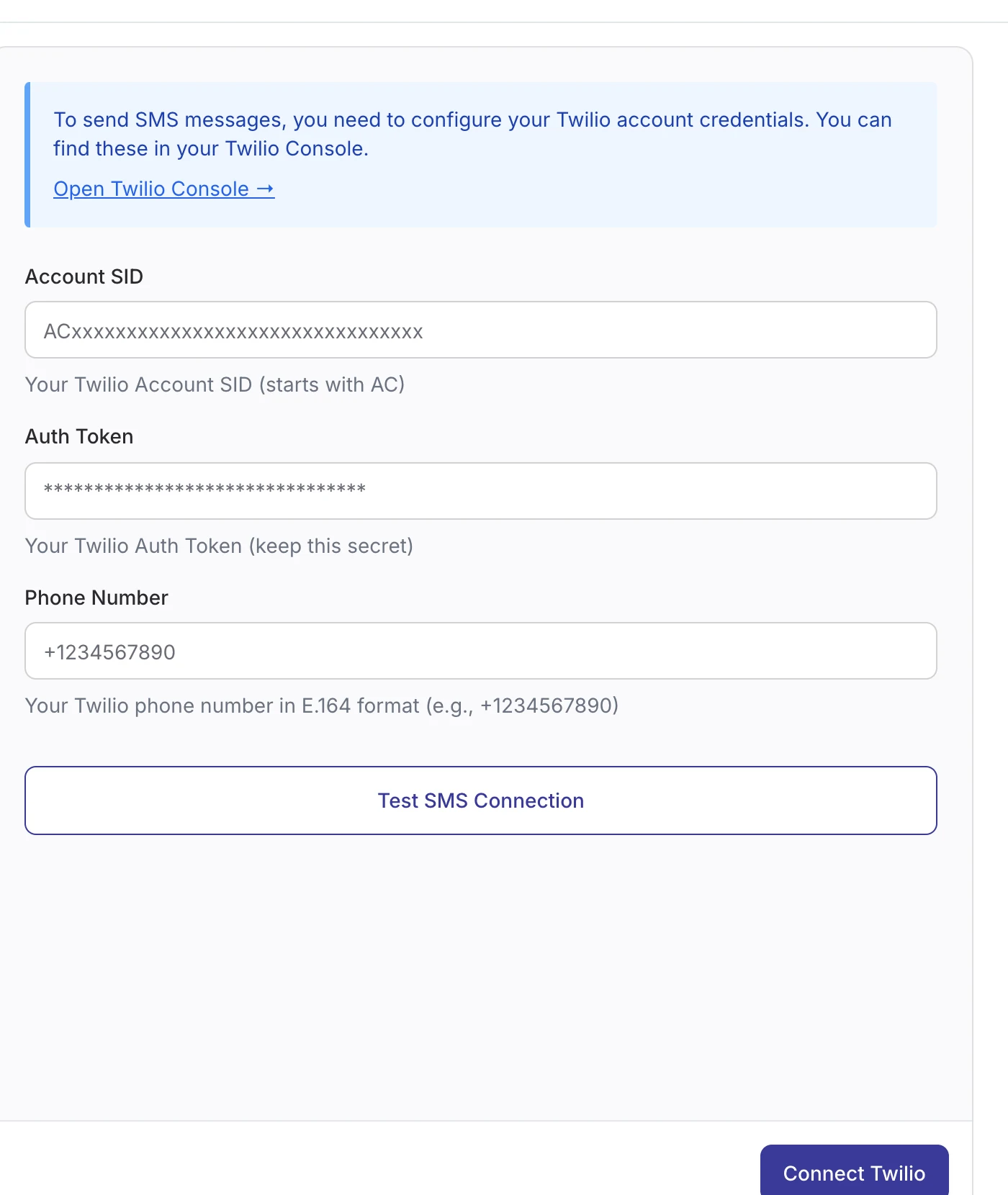
In Twilio, buy an SMS-capable number and copy your Account SID and Auth Token from the Console. In WordPress, open DoubleScale → Integrations → Messaging → Twilio, paste them with your Twilio number (for example +14155550123), click Test SMS Connection, then Connect Twilio. Paste the incoming webhook URL from the same screen into your Twilio number’s settings so replies and STOP requests reach DoubleScale.
Texting students in the US? Register your brand and a campaign for A2P 10DLC in the Twilio Console first. Unregistered messages from 10-digit numbers are filtered by carriers, and registration can take several days.
Step 2: Put phone numbers on student records
The LearnDash Course Completed event identifies the student by email, and DoubleScale matches the contact by that email. The SMS goes to the contact’s Phone field, which must be in international format: a plus sign and the country code, for example +447700900123. Numbers without a country code are skipped rather than misrouted.
| How students join | How to capture the phone |
|---|---|
| Buy the course through WooCommerce | Turn on “Phone number is also WhatsApp number” in a WooCommerce order automation, then copy it to Phone with an Update Contact step: Phone = {{contact:whatsapp}}. This converts local numbers to international format. |
| Register through a form | Add a phone field (ideally with a country picker) and map it to the contact’s Phone in the DoubleScale form integration. Contact Form 7, WPForms, Fluent Forms and Quill Forms work with the free plugin. |
| Existing student list | Import a CSV with email and phone columns. Make sure every number starts with + and the country code. |
Step 3: Build the Course Completed automation
- Open DoubleScale → Automations → Create Automation, name it (“Course completed SMS”) and choose LMS → LearnDash → Course Completed. The LearnDash group appears once LearnDash is active.
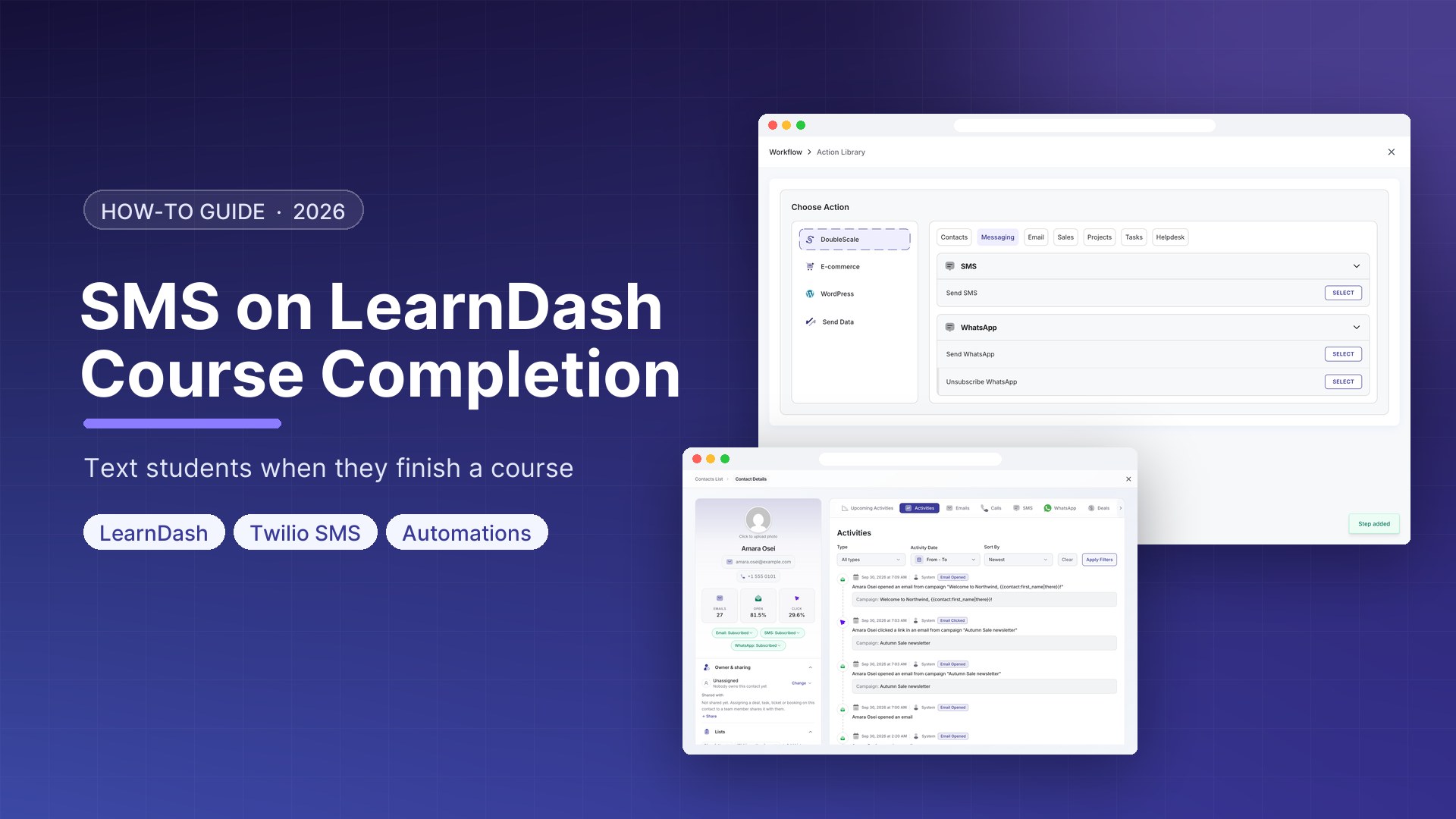
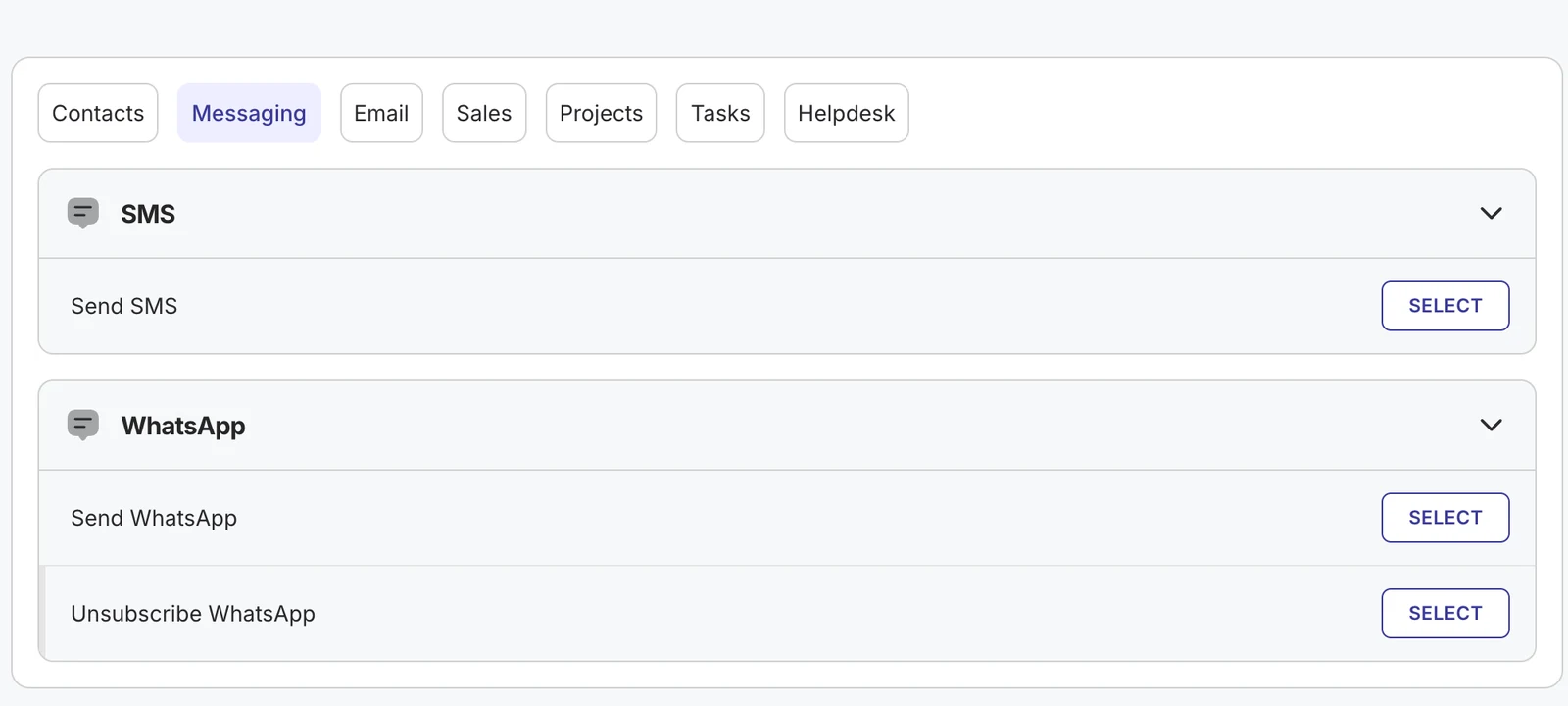
- Click + under the trigger → Action → Messaging → Send SMS.
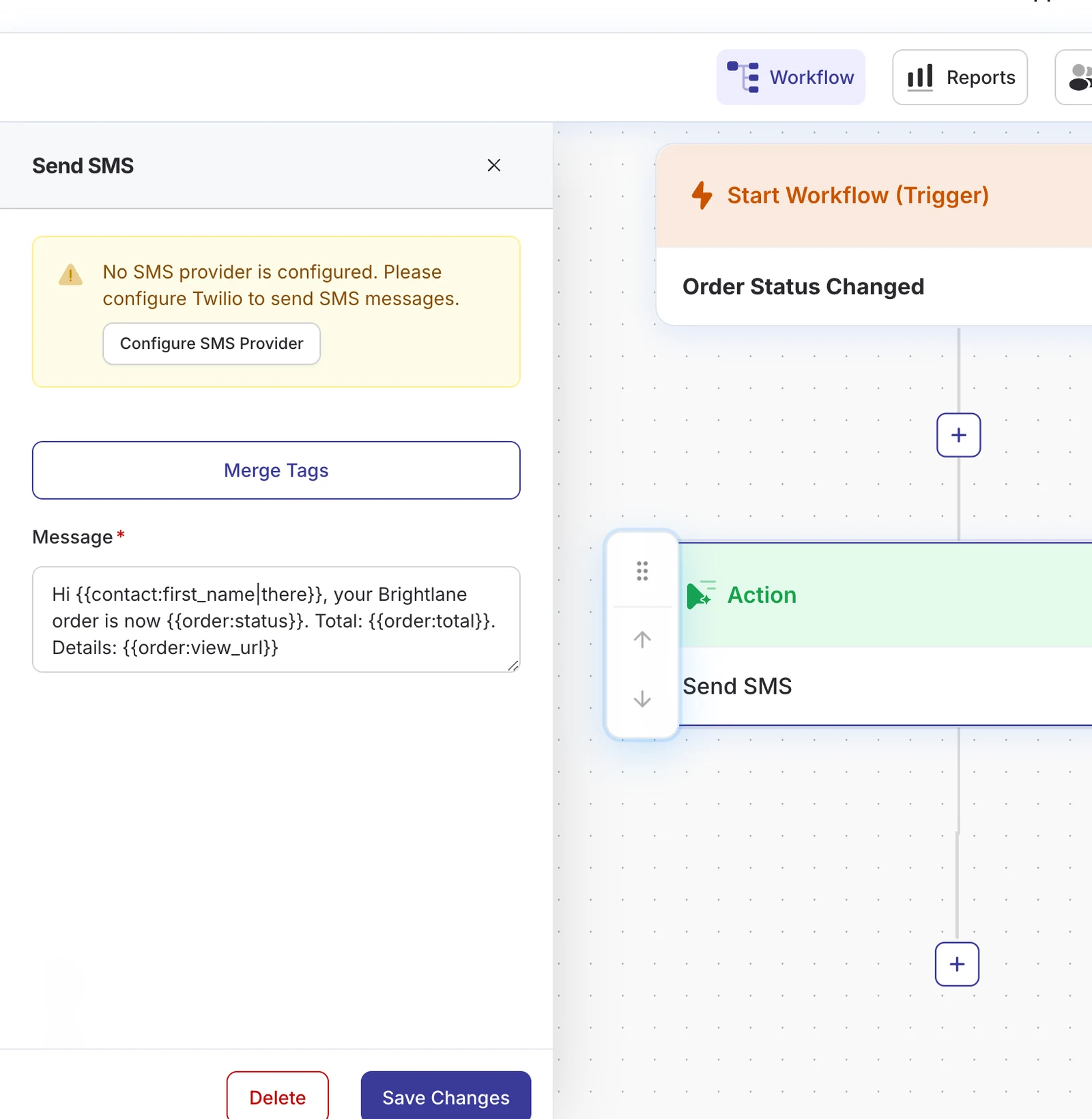
- Write your message and insert merge tags from the Merge Tags button.
- Save the step and set the automation to Active.
Limit it to one course
Course Completed fires for every course. Add a Condition straight after the trigger with the LearnDash rules (completed course, enrolled courses, groups, enrolment dates) and send the SMS only on the matching branch. Conditions can be nested if you also want to check tags or purchases.
Step 4: Write a text that fits in one SMS
One SMS segment is 160 characters, or 70 if the message contains an emoji. DoubleScale adds “Reply STOP to unsubscribe” to every SMS unless your text already includes an opt-out word, so aim for about 130 characters of your own.
| Moment | Message | Merge tags |
|---|---|---|
| Course completed | Brightlane Academy: well done {{contact:first_name|there}}, you finished {{learndash:course_name}}! Resources: {{learndash:course_url}} | name, course, link |
| A week later | Brightlane Academy: how was {{learndash:course_name}}? Reply with a score from 1 to 5. | course |
| First lesson done | Brightlane Academy: great start! The next lesson takes about 10 minutes. | none |
Reply STOP to unsubscribe
A reply-with-a-number review question works well by SMS: replies arrive in the DoubleScale inbox and on the student’s timeline, and the SMS Received trigger can tag or follow up automatically.
More LearnDash moments for SMS
| DoubleScale trigger | Text idea |
|---|---|
| User Enrolled in Course | Welcome, your first lesson is ready, reply if you get stuck |
| Lesson Completed | Progress nudge after the first lesson (once, not every lesson) |
| Topic Completed | Unlock notice for gated content |
| User Added to Group | Cohort start date and live session time |
| User Left Course | Access ended and how to renew |
A LearnDash course completion SMS works because it is rare. Text sparingly. A couple of texts per course reads like a coach; a text per lesson reads like spam, and students who reply STOP are gone for every future course too.
Consent and compliance
- Collect consent when students give their number (“Text me course updates”). The US TCPA, Canadian CASL and EU/UK rules all expect it.
- STOP, UNSUBSCRIBE, CANCEL, END and QUIT replies unsubscribe the student from SMS automatically, and they are skipped from then on.
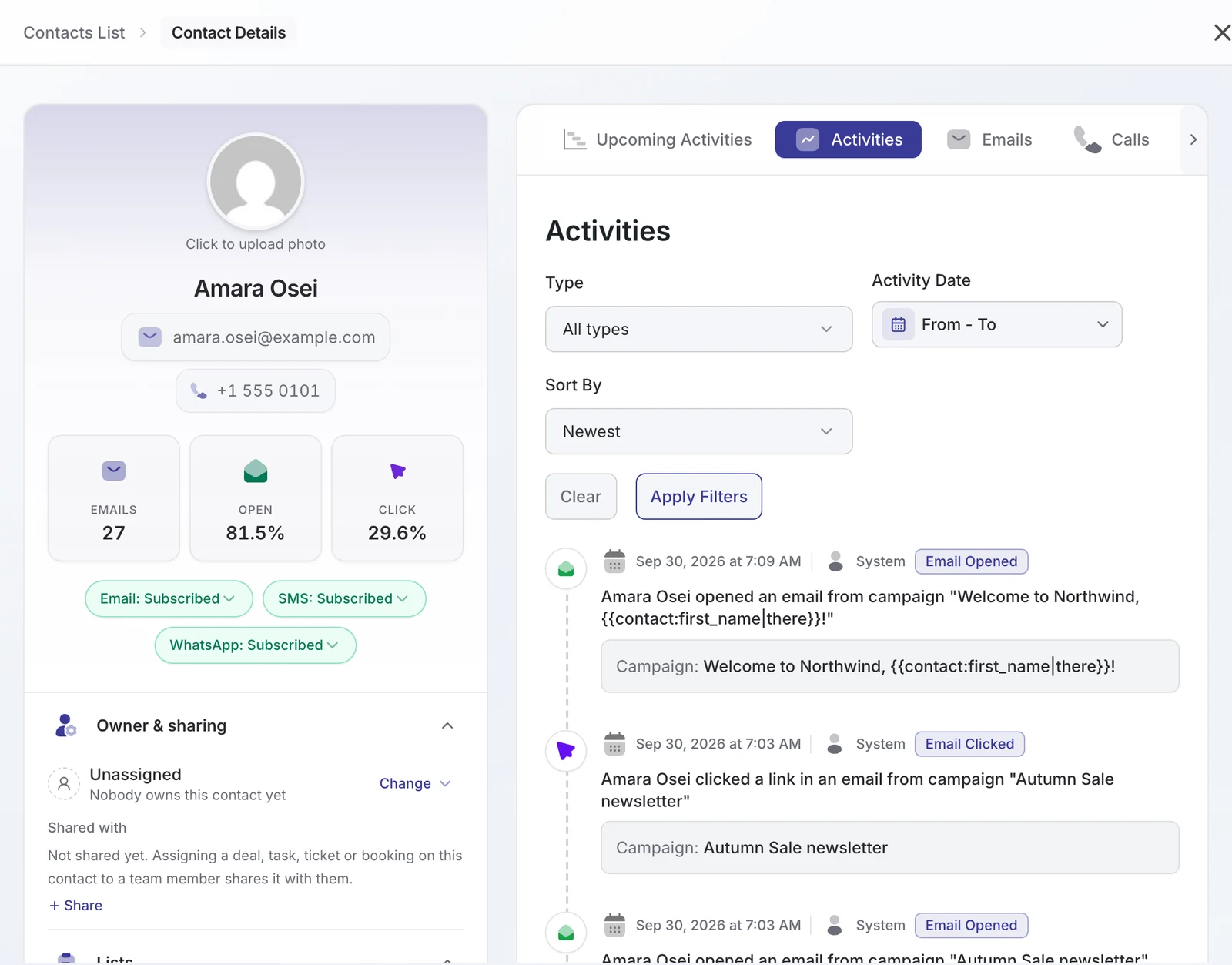
- Each contact shows its SMS status on the profile, so support can see why someone is not getting texts.
Costs
- Twilio charges per segment, plus a monthly number fee and, in the US, carrier and 10DLC registration fees. Check Twilio’s pricing page for your countries.
- DoubleScale Pro starts at $99 a year and adds no per-message fee.
- Keeping each text to one segment is the biggest saving you control.
Troubleshooting
| Problem | Cause | Fix |
|---|---|---|
| No LearnDash triggers in the builder | LearnDash or DoubleScale Pro inactive | Activate both |
| “Contact has no phone number” | Phone never captured | Use one of the methods in step 2 |
| “Invalid phone number format” | Number saved without country code | Store numbers as +countrycode… or use the Update Contact fix |
| “No SMS provider is configured” | Twilio not connected | Complete step 1 |
| US texts filtered or failing | Number not registered for A2P 10DLC | Finish registration or use a verified toll-free number |
Want WhatsApp instead, or as well? See LearnDash course completion WhatsApp notifications. For every LearnDash trigger and action, read LearnDash automation; for store orders, SMS notifications for WooCommerce orders.
FAQ
Can LearnDash send SMS notifications?
Not by itself. LearnDash sends emails and on-screen notices. You need a plugin connected to an SMS provider; DoubleScale Pro uses Twilio and the LearnDash Course Completed trigger.
Does LearnDash store students' phone numbers?
No. Capture them at checkout, on an enrolment form or by import, and store them on the student’s contact record in DoubleScale with the country code.
Can I text only students of a specific course?
Yes. Add a Condition after the trigger with the LearnDash course rules and send the SMS on the matching branch.
How long should the completion SMS be?
Under about 130 characters, so that it stays inside one 160-character SMS after DoubleScale adds “Reply STOP to unsubscribe”. Avoid emoji, which cut the limit to 70.
Can students reply?
Yes, once Twilio’s incoming webhook points to DoubleScale. Replies appear in the inbox and can trigger automations.
DoubleScale Pro connects LearnDash to Twilio SMS and WhatsApp, with conditions, delays and enrolment actions in one workflow.
Get our guides first on GoogleAdd DoubleScale as a preferred source and our articles show up more often in your Top Stories.

Mohamed Magdy, Founder & CEO, DoubleScale
Mohamed Magdy is the founder and CEO of DoubleScale, the all-in-one CRM for WordPress. He writes about CRM, email marketing and automation for WordPress businesses.
Practical CRM tips, once a month
Guides on growing with WordPress: lead capture, email marketing, automations and sales. No spam, unsubscribe anytime.