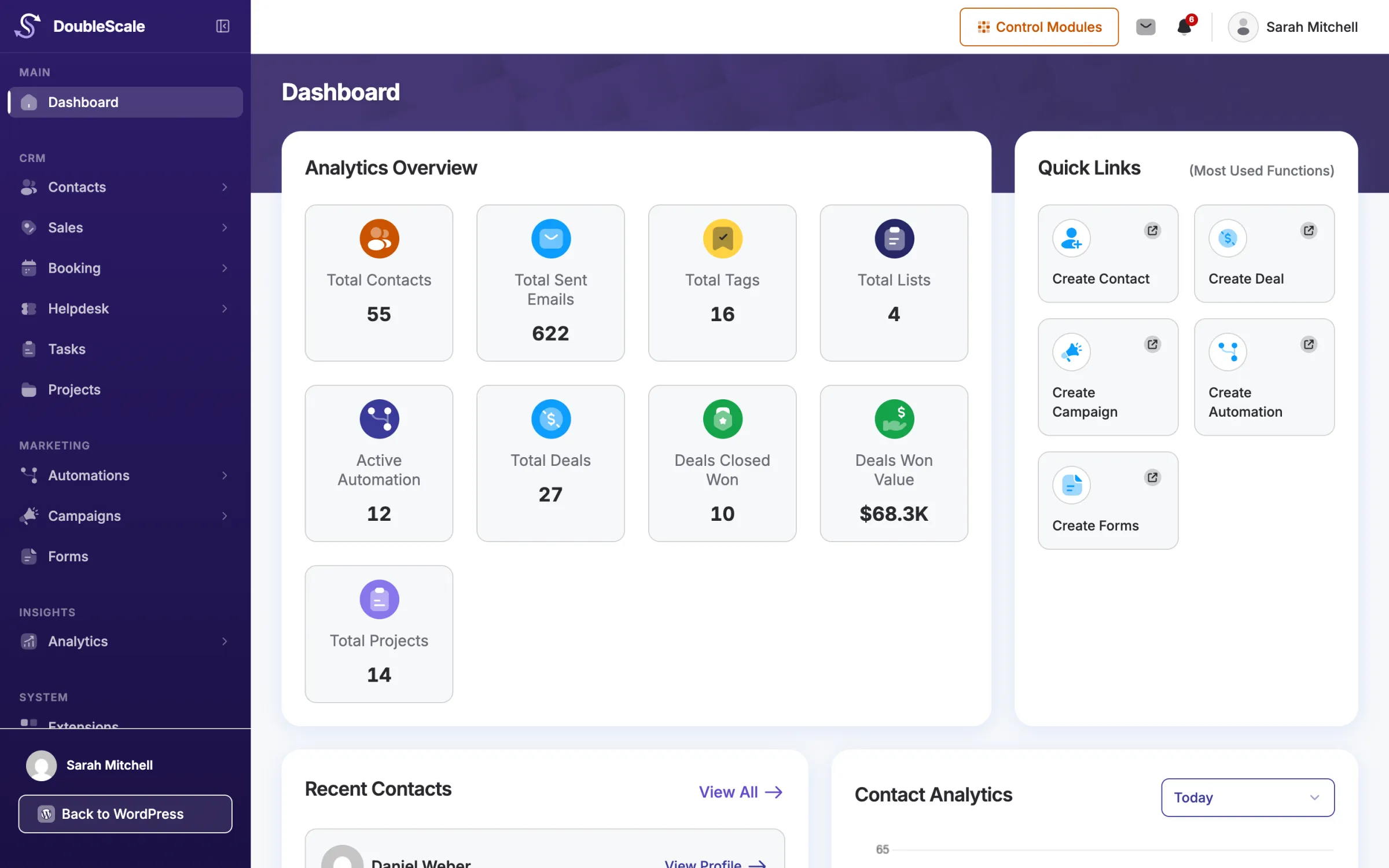








Contacts
Free“What is going on with Felix Bauer? Summarise his last month.”
“Tag everyone who booked a call this week as "hot" and add them to the Q4 list.”
get-contact-timelinelist-contactsadd-contact-tagsadd-contact-lists DoubleScale includes an MCP server. Connect Claude, Cursor or OpenAI Codex, ask in plain words, and the assistant looks things up and gets work done in your CRM: contacts, deals, tickets, proposals, invoices, tasks and reports. It works as one of your team members, with exactly their permissions.
Felix Bauer accepted the online shop proposal. Turn it into an invoice, and tell me before you send anything.
list-proposalsFound "Online shop add-on", $3,800, acceptedget-proposalRead the 4 line itemscreate-invoiceDraft INV-000131 created, nothing emailedDone. Draft invoice INV-000131 for Felix Bauer: 4 lines, $3,800, due in 14 days. It has not been sent. Shall I email it to him now?
Yes, send it.
send-invoiceEmailed to Felix, status SentMCP (Model Context Protocol) is the open standard AI assistants use to work with other software. DoubleScale speaks it, so your assistant can read and update your CRM instead of you copying data back and forth.
In Claude, Codex or Cursor, in your own words: “Which tickets are urgent?” or “Draft a proposal for Grace.”
It chooses from DoubleScale’s tools, such as get-support-summary or create-proposal, and calls them on your site.
Each call runs as the team member who owns the key. They can only see and change what that person could in the admin.
Real examples, with the tools the assistant uses to answer them. Areas marked Pro need DoubleScale Pro.
“What is going on with Felix Bauer? Summarise his last month.”
“Tag everyone who booked a call this week as "hot" and add them to the Q4 list.”
get-contact-timelinelist-contactsadd-contact-tagsadd-contact-lists “Draft a proposal for Grace: three landing pages at $900 each.”
“Which invoices are overdue? Send the reminder for the Vasquez one.”
create-proposallist-invoicessend-invoice “Summarise today's open tickets, most urgent first.”
“Reply to the Bauer ticket: the fix is live, ask him to clear his cache.”
get-support-summaryget-ticket-threadreply-to-ticket “How did last week's newsletter do? Open and click rates, please.”
“Who filled in the webinar form and is not a customer yet?”
get-engagement-summarylist-campaignslist-form-submissions “Which deals have been stuck in Negotiation for two weeks?”
“Move the Nordlicht deal to Won and set the value to $12,400.”
list-dealsget-deal-summaryupdate-deal “Create a follow-up task for each owner of a stalled deal, due Friday.”
“How is the Bauer website project going? What is overdue?”
create-tasks-bulkget-projectlist-tasks “Who are my five hottest leads, and which pages did they read?”
“Which pages got the most visits from contacts this month?”
list-top-leadsget-contact-scoreget-visit-summary “How much did we invoice and collect each month this year?”
“How many new contacts did we get per week since September?”
get-revenue-reportget-contact-growthget-sales-summary One question can pull a contact's emails, deals, tickets and invoices together. The assistant reads the timeline instead of you opening five screens.
Tag 40 contacts, add them to a list, create a task for each or import a pasted spreadsheet. Bulk changes can be previewed before anything is saved.
A deal moved or a project created by the assistant starts the same automations as a change made by hand.
Revenue by month, deal totals by stage, campaign open rates, top leads: ask instead of building a report.
Proposals and invoices are created as drafts. Sending is a separate step the assistant is told to take only when you ask.
"What needs my attention?" sums up your notifications and open tickets, and marks the notifications read when you are done.
Every request is tied to a WordPress user. DoubleScale checks it the same three ways as a login to the admin: is the module on, does this person’s role allow it, and is the record theirs to see.
Your data stays in your WordPress database. The assistant only receives the results of the tools it calls, and you choose which AI provider that is.
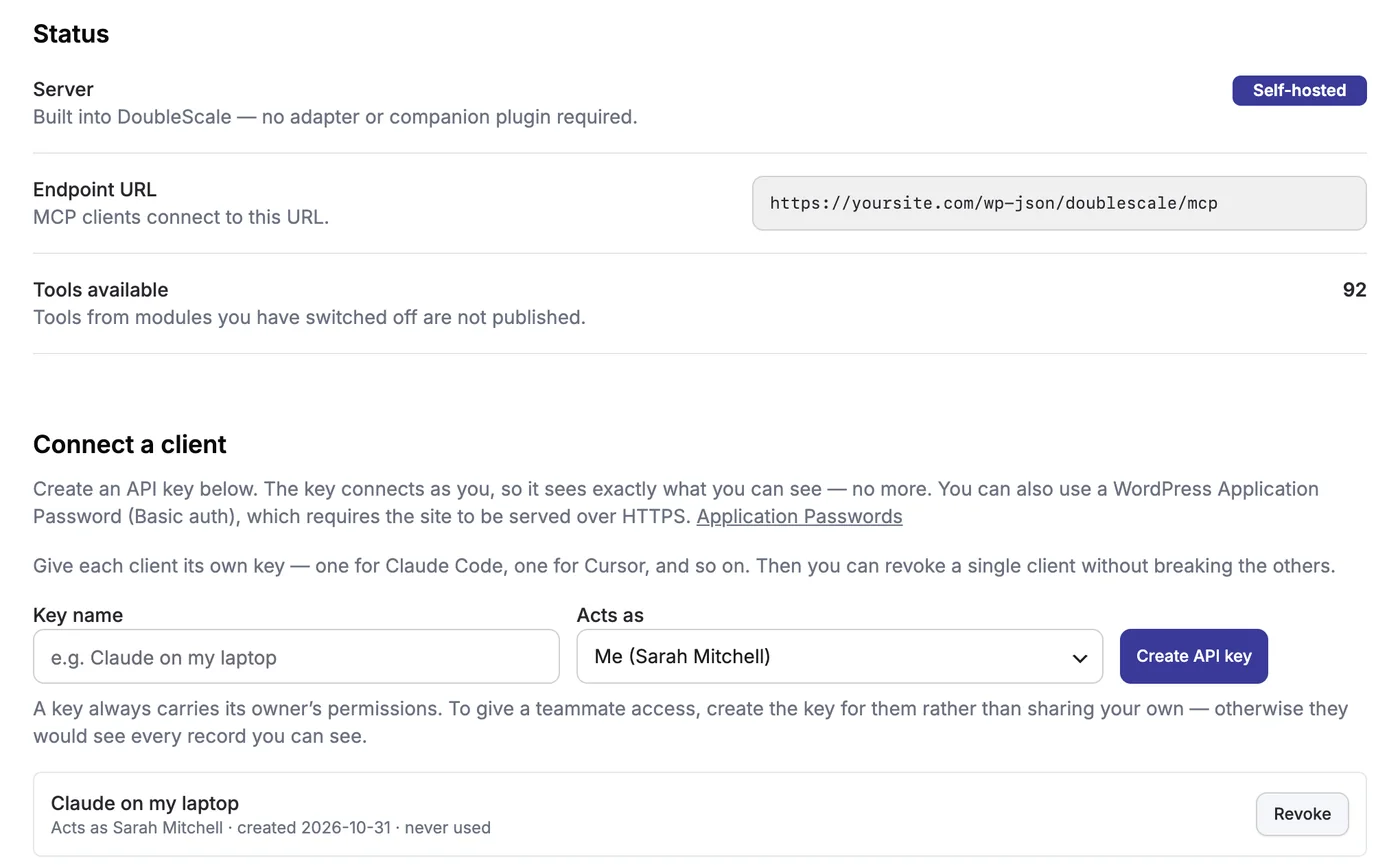
Everything is on one screen: DoubleScale › Settings › MCP for AI Agents.
Switch it on. The screen shows your endpoint URL, yoursite.com/wp-json/doublescale/mcp, and how many tools are available.
Name it after the client (“Claude on my laptop”) and choose who it acts as. Works on local and staging sites too; on HTTPS you can use a WordPress application password instead.
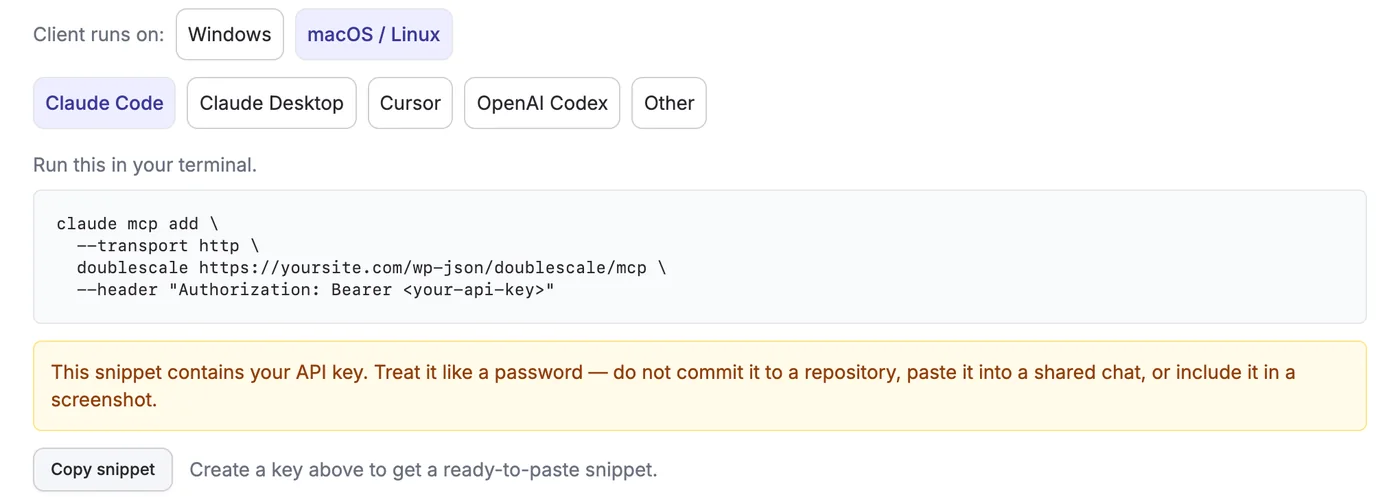
Pick your client and operating system for a ready-to-paste snippet, or email the steps to the key’s owner. Built-in troubleshooting covers the usual errors.
About two thirds only read data; the rest create or update records. Each tool tells the assistant what it does and when to use it, so it picks the right one.
Find, view, create and update contacts one by one or in bulk; notes, call logs, tags and lists; the full timeline of a contact; recent activity across the CRM.
List and read proposals and invoices, create and edit drafts with line items, and send them to the customer when you ask.
List and read tickets with their full thread, open tickets, change status or priority, add internal notes and reply to the customer.
Campaigns and their results, open and click rates for the site or one contact, and your automations.
Bookings and a booking summary, your forms and their submissions.
Your notifications, a summary of what needs attention and marking them read.
Pipelines and stages, deals with their value and stage, create and update deals, and deal totals per stage.
Tasks and projects with their statuses, create and update them one by one or in bulk, and progress summaries.
Read contracts, credit notes and recurring invoice schedules.
Your product catalogue, and reading and setting contact custom fields.
Top leads, one contact's score and level, scoring rules, and which pages contacts read.
Invoiced and collected revenue by month and currency, and contact growth over time.
Every tool, with what it does, is listed in the MCP tools reference.
How the DoubleScale MCP server works.
Yes. It is part of the free DoubleScale plugin on WordPress.org, with more than 50 tools for contacts, activities, proposals, invoices, the helpdesk, campaigns, automations, bookings, forms and notifications. DoubleScale Pro adds tools for deals, tasks, projects, contracts, lead scoring, website visits and reports. You pay your AI provider separately.
Claude Desktop, Claude Code, Cursor and OpenAI Codex have step-by-step setup on the settings screen, and any other MCP client that connects over HTTP works with the same endpoint URL and key.
Your data stays in your WordPress database. When the assistant calls a tool, it receives that tool's result, so that part of your data goes to the AI provider you connected. DoubleScale itself sends nothing anywhere else.
No tool deletes records. Sending a proposal, sending an invoice and replying to a ticket email the customer immediately, so those tools are marked for use only when you explicitly ask, and proposals and invoices are always created as drafts first. As in the admin, opening a ticket can send the customer a confirmation, and changes such as moving a deal can start your automations.
Yes. A key acts as one WordPress user, so it has that person's role and only sees their own records if their role is limited to them. Create a key for a teammate rather than sharing yours, and switch modules off in Control Modules to hide their tools.
Not for DoubleScale API keys: they also work on local and staging sites. WordPress application passwords, the other way to connect, need the site to be served over HTTPS.
Start with the free plugin and add Pro modules when you need them. Unlimited contacts on every plan, and your data stays on your own server.