On this page
- What Makes a Sales Pipeline Worth Using
- DoubleScale: The Native WordPress Approach
- Jetpack CRM: The Lightweight Contender
- WP-CRM System: The Visual Builder
- Groundhogg: The Marketing Automation Hybrid
- The Comparison Table
- How to Choose: Three Questions
- The Honest Truth About WordPress CRM Plugins
- Try Before You Commit
If you’re running a WordPress site and need to track deals through your sales process, you’ve probably realized that spreadsheets stop working pretty quickly. The good news? You don’t need to bolt on an external CRM like Salesforce or HubSpot. Several WordPress plugins now offer legitimate sales pipeline management right inside your dashboard.
I’ve spent the last few months testing the major players in this space, and the differences are bigger than you’d expect. Some plugins treat pipelines as an afterthought—basically just status labels on a list. Others have built genuinely useful visual boards, automation, and reporting that actually help you close more deals.
Here’s what I found.
What Makes a Sales Pipeline Worth Using
Before we get into specific plugins, let’s talk about what separates a real pipeline tool from a glorified contact list.
Visual board view is table stakes. If you can’t drag deals between stages, you’re essentially just filtering a database. The whole point of a pipeline is seeing your deals flow (or get stuck) at a glance.
Customizable stages matter more than most vendors let on. Your sales process isn’t my sales process. I need to rename “Qualified” to “Demo Scheduled” and add a “Contract Sent” stage. Plugins that lock you into their stage names create friction.
Deal values and probability weighting are critical if you’re forecasting revenue. Knowing you have 10 deals in “Proposal” doesn’t tell you much. Knowing you have $50K in weighted pipeline based on stage-specific close rates? That’s useful.
Activity tracking separates the amateurs from the pros. A pipeline without a record of calls, emails, and meetings is just a snapshot. You need context: when did we last touch this deal? What did we promise? Who’s the champion?
Performance matters too. I’ve tested plugins that grind to a halt with 500 contacts. If your pipeline view takes 8 seconds to load, people stop using it.
DoubleScale: The Native WordPress Approach
Let’s start with DoubleScale since, full disclosure, this is our plugin. But I think we’ve built something genuinely different here.
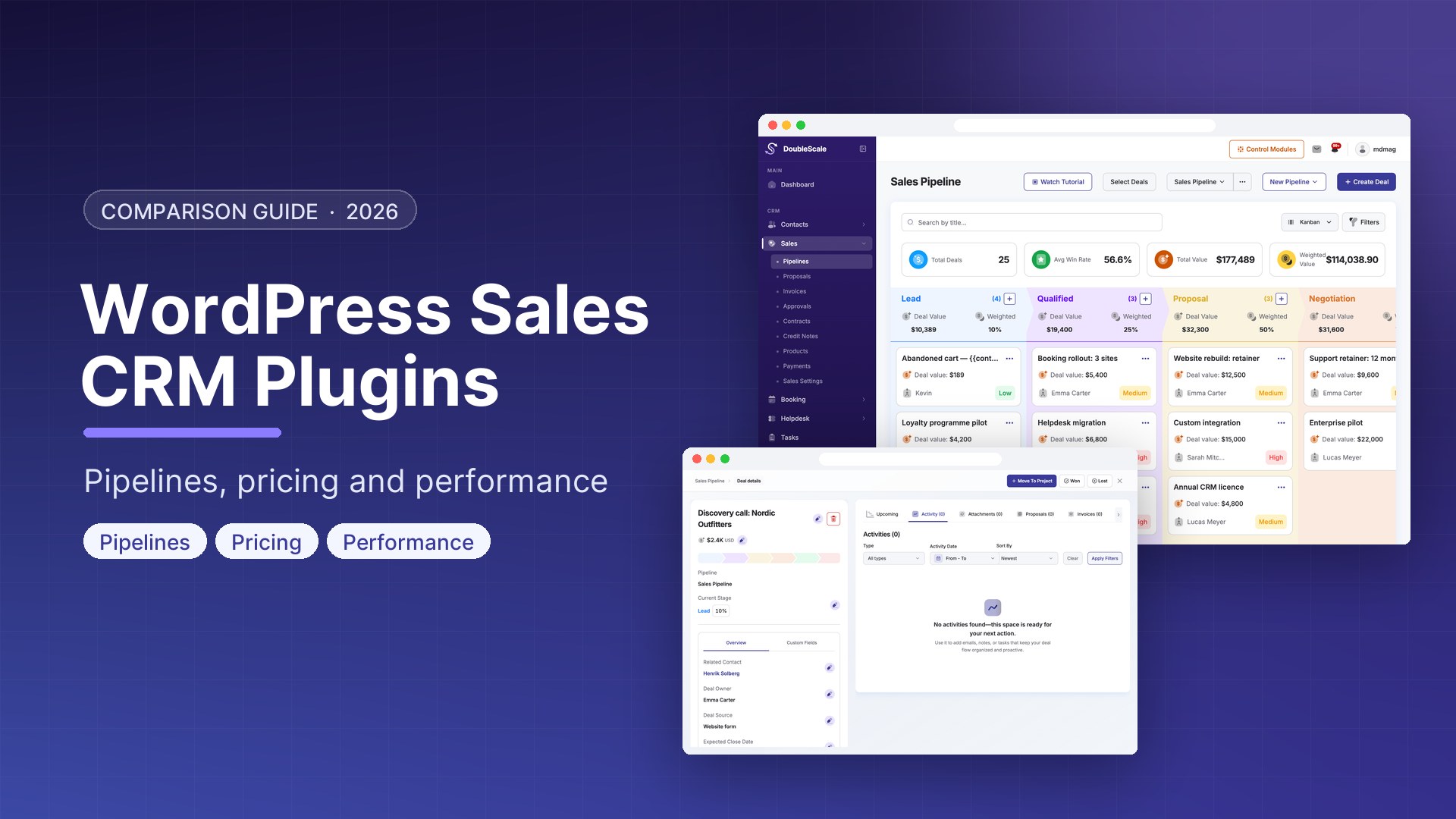
What makes it stand out: DoubleScale treats sales pipelines as a first-class module, not an addon. You get unlimited custom pipelines (most teams use separate pipes for new business vs. upsells), fully customizable stages, and a drag-and-drop board that’s actually fast. We built it in React, so moving deals between stages is instant—no page refreshes.
The deal cards show everything you need at a glance: company, contact, value, last activity, days in stage, probability-weighted amount. Click into a deal and you get the full timeline: notes, tasks, emails (if you’re using our email sync), proposals, invoices. It’s all there.
Automation is where things get interesting. You can trigger workflows when deals move between stages—send an email, create a task, update fields, notify Slack. We see teams using this to automate follow-ups when deals sit too long in “Proposal Sent” or alert managers when a deal hits $50K+.
Pricing: Free version includes one pipeline with basic features. Pro ($99/year for unlimited sites) unlocks unlimited pipelines, custom fields, advanced automations, and team permissions.
Performance: Handles 10,000+ deals without lag. We paginate the board view and lazy-load cards, so even huge pipelines stay responsive.
Best for: WordPress-first teams who want everything under one roof. If you’re already managing support tickets, projects, or bookings in WordPress, DoubleScale gives you a unified CRM without jumping between tools.
Jetpack CRM: The Lightweight Contender
Jetpack CRM (formerly Zero BS CRM) has been around since 2016 and has a loyal following in the WordPress community.
Pipeline approach: Their pipeline view is clean and functional. You get a kanban board, customizable stages, and decent filtering. Deal cards show the essentials, though they’re a bit sparse compared to DoubleScale’s detail-rich cards.
What Jetpack does well is simplicity. The interface doesn’t overwhelm you. You can set up a basic pipeline in minutes, and the learning curve is gentle. They also have solid transaction tracking—you can log payments, invoices, and quotes directly on deals.
Limitations: Automation is limited in the free version. You’ll need extensions ($79-$299/year) for email campaigns, proposals, or advanced workflows. The extensions ecosystem is comprehensive but gets expensive if you need several modules.
Performance-wise, Jetpack CRM is fine for small teams (under 1,000 contacts). Larger databases can feel sluggish, especially when generating reports.
Pricing: Core is free. “Entrepreneur Bundle” ($379/year) includes most extensions. “Agency Bundle” runs $779/year.
Best for: Solopreneurs or small teams who want something straightforward and don’t need heavy automation.
WP-CRM System: The Visual Builder
WP-CRM System takes a different approach: it’s a visual CRM builder. You create custom post types for contacts, companies, and projects, then connect them however you want.
Pipeline implementation: You build pipelines using their “Project” post type. Each project can have custom stages, and you get a kanban view to move things around. It’s flexible but requires more setup than turnkey solutions.
The visual pipeline builder is impressive if you like control. You can create multiple pipeline types (sales, hiring, onboarding), define fields per stage, and set up conditional logic. The tradeoff is complexity—this isn’t something you set up in an afternoon.
Integration strength: WP-CRM System connects nicely with Gravity Forms, Contact Form 7, and WooCommerce. If your leads come from forms, the automatic contact creation is smooth.
Downsides: The interface feels dated compared to modern SaaS tools. Reporting is basic (you’ll export to Excel a lot). And the learning curve is steep—expect to spend time in documentation.
Pricing: Free for single pipelines. Pro ($199/year) unlocks unlimited pipelines and advanced features.
Best for: Teams that need highly customized pipelines and already understand WordPress custom post types.
Groundhogg: The Marketing Automation Hybrid
Groundhogg started as a marketing automation platform (think Mailchimp meets WordPress) but has evolved into a full CRM with surprisingly capable pipeline management.
The unique angle: Groundhogg’s strength is connecting marketing activity to sales outcomes. You can see which email campaigns generated which deals, track lead scores through the pipeline, and trigger nurture sequences when deals stall. If your sales process involves any marketing touches—newsletters, drip campaigns, webinar follow-ups—Groundhogg ties it all together.
Pipeline features: The funnel view is actually a pipeline in disguise. You create stages, drag contacts between them, and attach deal values. It’s not as polished as DoubleScale’s board view, but it’s functional. Deal cards show contact info, tags, and recent activity from both sales and marketing sides.
Where Groundhogg shines is automation. The visual funnel builder lets you create complex workflows: move a deal to “Demo Scheduled,” wait 2 days, send a reminder email, create a task for the sales rep, update the lead score. It’s powerful once you learn the interface, though there’s definitely a learning curve.
Email builder is another standout. You can design nice-looking emails without code, schedule campaigns, and track opens/clicks. Most CRMs make you use external tools for this—Groundhogg has it built in.
The catch: Groundhogg’s interface feels more like a marketing tool than a sales CRM. If your team is used to traditional pipeline boards, there will be an adjustment period. And while the free version is generous, you’ll likely need paid extensions ($100-$500/year) for calendars, SMS, advanced reporting, or WooCommerce integration.
Pricing: Core plugin is free. Extensions range from $100-$500/year. “Business” bundle ($588/year) includes most popular extensions.
Performance: Handles large contact databases well (5,000+ contacts), though the funnel builder can feel sluggish with complex automations.
Best for: Teams that want marketing automation and sales CRM in one tool, especially if you’re nurturing leads over weeks or months before closing. Not ideal for pure sales teams who just want a simple pipeline board.
The Comparison Table
Here’s how they stack up on the features that actually matter:
| Feature | DoubleScale | Jetpack CRM | WP-CRM System | Groundhogg |
|---|---|---|---|---|
| Visual Pipeline | ✓ Drag-drop kanban | ✓ Basic kanban | ✓ Custom builder | ✓ Funnel view |
| Custom Stages | ✓ Unlimited | ✓ Unlimited | ✓ Unlimited | ✓ Unlimited |
| Multiple Pipelines | ✓ Unlimited (Pro) | ✗ Extensions only | ✓ Pro only | ✓ Unlimited funnels |
| Automation | ✓ Visual workflows | ✗ Paid extensions | ✗ | ✓ Advanced funnel builder |
| Deal Probability | ✓ Per stage | ✗ | ✗ | ✗ |
| Activity Timeline | ✓ Full history | ✓ Basic | ✓ Limited | ✓ Marketing + sales |
| Email Integration | ✓ IMAP/SMTP sync | ✓ Extensions | ✗ | ✓ Built-in campaigns |
| Marketing Automation | ✗ | ✗ | ✗ | ✓ Core strength |
| Reporting | ✓ Visual dashboards | ✓ Basic | ✓ Export-heavy | ✓ Marketing-focused |
| Performance (1K+ contacts) | Excellent | Good | Fair | Good |
| Free Version | ✓ 1 pipeline | ✓ Core features | ✓ 1 pipeline | ✓ Core features |
| Paid Pricing | $99/yr unlimited | $379-779/yr | $199/yr | $588/yr bundle |
How to Choose: Three Questions
1. How many deals do you manage per month?
If you’re tracking under 20 active deals, honestly, almost any of these plugins will work. Jetpack CRM can handle that load easily. Once you hit 50+ active deals and 500+ total contacts, you need something built for scale—that’s DoubleScale or Groundhogg territory.
2. Do you need automation?
This is the big differentiator. If you’re still manually sending follow-up emails or creating tasks when deals stall, automation will change your life. DoubleScale has built-in workflows focused on sales actions. Groundhogg has incredibly powerful automation but it’s built around marketing funnels. Jetpack CRM requires paid extensions. WP-CRM System doesn’t offer it at all.
Without automation, you’re just digitizing a manual process. That’s fine for tiny teams, but it doesn’t scale.
3. Is this a pure sales pipeline or part of a marketing funnel?
This question separates DoubleScale from Groundhogg. If you’re managing sales deals that come from qualified leads (outbound, referrals, inbound demo requests), DoubleScale’s pipeline-first approach makes more sense. If you’re nurturing leads through content, webinars, and email campaigns before they become deals, Groundhogg’s marketing-to-sales flow is powerful.
The Honest Truth About WordPress CRM Plugins
Most WordPress CRMs started as contact managers and bolted on pipelines later. You can tell—the pipeline features feel like an afterthought, and performance suffers once you have real data volume.
DoubleScale is one of the few that built sales pipelines as a core module from the start. That’s why the board view is fast, automation is native, and everything feels cohesive. We’re biased, obviously, but we genuinely think it’s the best option if you’re serious about managing sales in WordPress.
That said, if you need marketing automation alongside your CRM and don’t mind a steeper learning curve, Groundhogg is impressive. It’s not as intuitive for pure sales work, but the marketing-to-sales connection is something most WordPress CRMs can’t match.
And if you’re testing the waters and don’t need automation yet, Jetpack CRM is a safe, free starting point. You can always upgrade later.
Try Before You Commit
The beauty of WordPress plugins is that you can test everything for free. Install DoubleScale, Jetpack CRM, WP-CRM System, and Groundhogg on a staging site. Load in 50 test contacts, create some deals, move them through stages. You’ll know in an hour which interface clicks for your team.
Don’t make this decision based on feature lists or marketing pages. Use the tools. Drag some cards around. See what feels right. The best CRM is the one your team actually uses.
—
Want help setting up DoubleScale? Check out our getting started guide or book a demo with our team.
Get our guides first on GoogleAdd DoubleScale as a preferred source and our articles show up more often in your Top Stories.

Mohamed Magdy, Founder & CEO, DoubleScale
Mohamed Magdy is the founder and CEO of DoubleScale, the all-in-one CRM for WordPress. He writes about CRM, email marketing and automation for WordPress businesses.
Practical CRM tips, once a month
Guides on growing with WordPress: lead capture, email marketing, automations and sales. No spam, unsubscribe anytime.