On this page
Most “visitor tracking” plugins answer a marketing question: how many people hit pricing this week. A CRM needs a different answer: which contact hit pricing, after they filled a form last Tuesday, and should that visit start an automation.
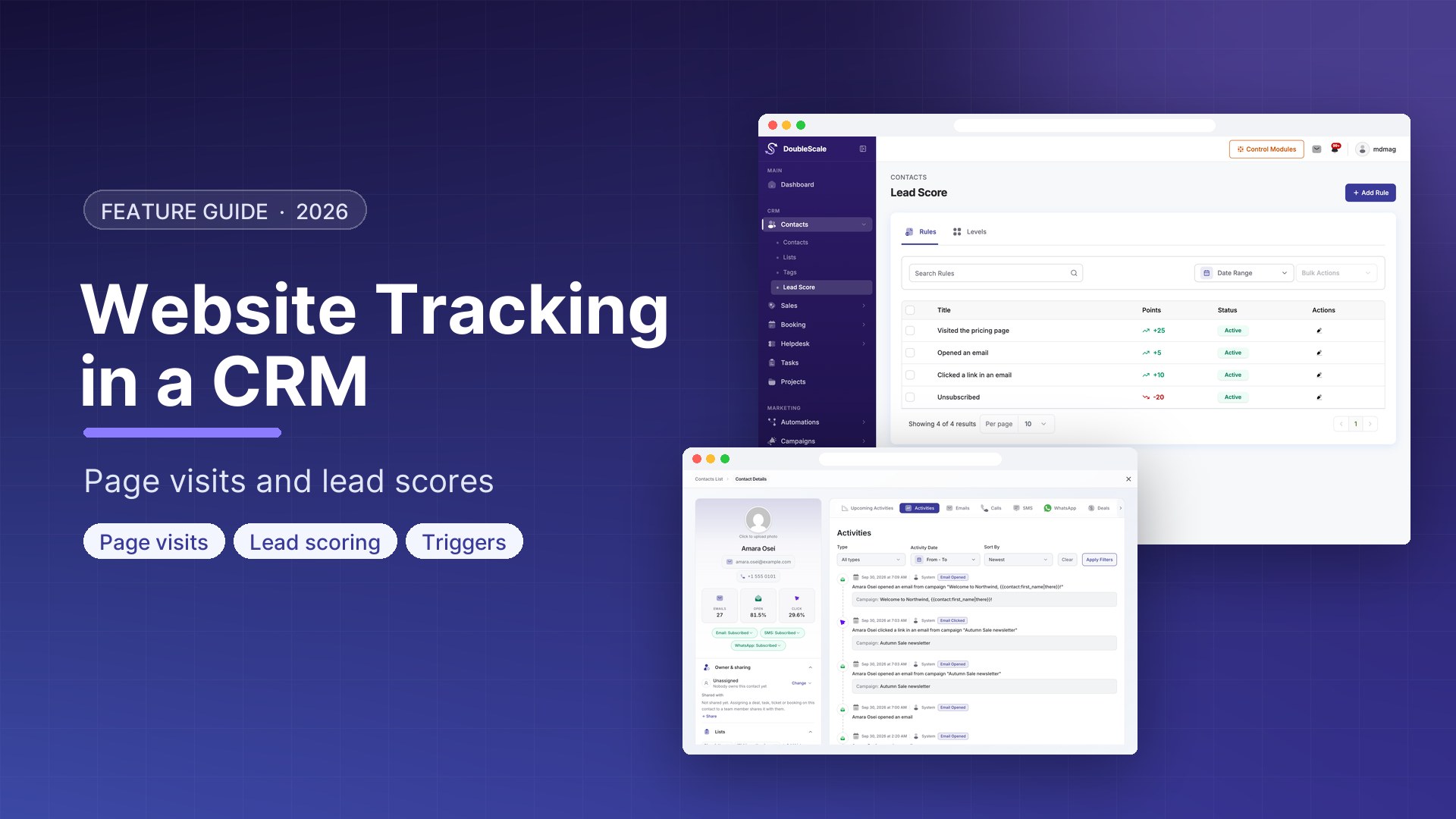
That is WordPress website tracking inside a CRM — first-party page visits on the contact record, not a Google Analytics dashboard. In DoubleScale, website tracking is a Pro module: a tracking cookie, an anonymous visit buffer, and a page-visit table that automations can read.
Here is how it works, what it stores, and where it stops — so you do not confuse it with heatmaps or session replay.
What DoubleScale actually tracks
The module’s job is page visits, visitor cookies, and anonymous visit stitching. On each frontend (and login) page load it can enqueue a small script that POSTs the current URL to /wp-json/doublescale/v1/tracking/page-view.
If DoubleScale already knows the visitor, it writes a row: contact, path, query string, IP address, user agent, timestamp. If it does not, it remembers the path in a cookie (up to 50 pages) and waits until the visitor identifies.
Identification happens when:
- The visitor is a logged-in WordPress user whose email matches a CRM contact, or
- A tracking cookie already holds a contact ID, or
- The person subscribes (or unsubscribes) — anonymous paths collected in the cookie are then written to that contact.
The tracking cookie (doublescale_tracking) lasts 30 days, is HttpOnly, and is rebuilt on login. Anonymous paths live in doublescale_page_visits until they can be attached. A daily job cleans old page-visit rows so the table does not grow forever.
What it is not
- Not Google Analytics, Matomo, or Plausible. There is no traffic source report, no bounce rate, no channel grouping.
- Not session replay, click maps, or a pixel you drop on a third-party site. It tracks this WordPress site.
- Not a consent-banner product. If you need a cookie notice, use your existing privacy plugin and be honest that these cookies exist.
If you need marketing analytics, keep GA4 or a privacy-first analytics plugin. If you need “this contact viewed /pricing three times this week,” use CRM page visits.
Why a CRM visit log beats a dashboard
A marketer wants aggregates. A salesperson wants the last five URLs on the contact. DoubleScale stores visits per contact so the timeline can show path + query, and so automations can filter on them.
Pro ships an automation rule named Page Visited. You can require a path, a count, and a timeframe — for example, visited /pricing at least twice in seven days — then enroll the contact in a sequence, notify the owner, or create a task.
That is the point of first-party CRM tracking: the visit is an event you can act on, not a chart you screenshot on Monday.
How to turn it on
- Run DoubleScale Pro. Website tracking is not in the free plugin.
- Confirm the frontend script is loading on public pages (it also loads on the WordPress login screen).
- Create or import a contact, then visit a page while logged in as that user — or submit a form that creates the contact, then browse.
- Open the contact. You should see page visits with path and query, not a session recording.
- Add an automation rule: Page Visited → path contains
/pricing→ notify owner or start a sequence.
Anonymous browsing before the form is not lost as long as the visit cookie is still there (max 50 paths). After subscribe, those paths are written to the new contact.
Privacy, plainly
Page visits include IP and user agent. The tracking cookie is first-party on your domain. Data stays in your WordPress database, not a vendor’s warehouse. You still need a privacy policy that says you do this, and you should not treat this module as a substitute for lawful basis if you operate under GDPR.
DoubleScale does not sell this data. It also does not pretend the cookie is “strictly necessary” if you use it for sales follow-up. Describe it as CRM analytics on your own site.
Website tracking vs analytics vs lead scoring
| Website tracking (Pro) | Analytics & reports (Pro) | Lead scoring (Pro) | |
|---|---|---|---|
| Question it answers | Which pages did this contact open? | How is the pipeline / revenue / team doing? | How hot is this contact, as a number? |
| Grain | One row per visit | Aggregates and date ranges | Score on the contact |
| Feeds automations? | Yes — Page Visited rule | Reporting, not a trigger | Yes — score thresholds |
Download DoubleScale free · Launch a demo · See Pro pricing
Frequently asked questions
Can WordPress track website visitors inside a CRM?
Yes. DoubleScale Pro records page visits against the CRM contact using a first-party cookie and a REST beacon. Anonymous paths are held in a cookie and stitched when the visitor becomes a contact.
Does this replace Google Analytics?
No. It does not report sessions, sources, or conversions. It answers “what did this person view on our WordPress site?” Keep GA or a privacy analytics tool for marketing reporting.
Is website tracking in the free DoubleScale plugin?
No. The Pro website tracking module owns the cookies, the page-visit table, and the public tracking endpoint.
Can I start an automation when someone hits a page?
Yes. The Page Visited automation rule can match path, count, and timeframe. Typical use: pricing page visits → notify the sales owner or start a short email sequence.
Does it track other websites?
No. The script runs on the WordPress site where DoubleScale is installed. There is no third-party pixel to paste on a Webflow marketing site.

Mohamed Magdy, Founder & CEO, DoubleScale
Mohamed Magdy is the founder and CEO of DoubleScale, the all-in-one CRM for WordPress. He writes about CRM, email marketing and automation for WordPress businesses.
Practical CRM tips, once a month
Guides on growing with WordPress: lead capture, email marketing, automations and sales. No spam, unsubscribe anytime.