On this page
Most WordPress CRMs stop at a REST API and a Zapier app. The next question from operators is different: can Claude, Cursor, or Codex use the CRM — list contacts, check a deal, draft nothing they are not allowed to send — without a vendor middleware plugin.
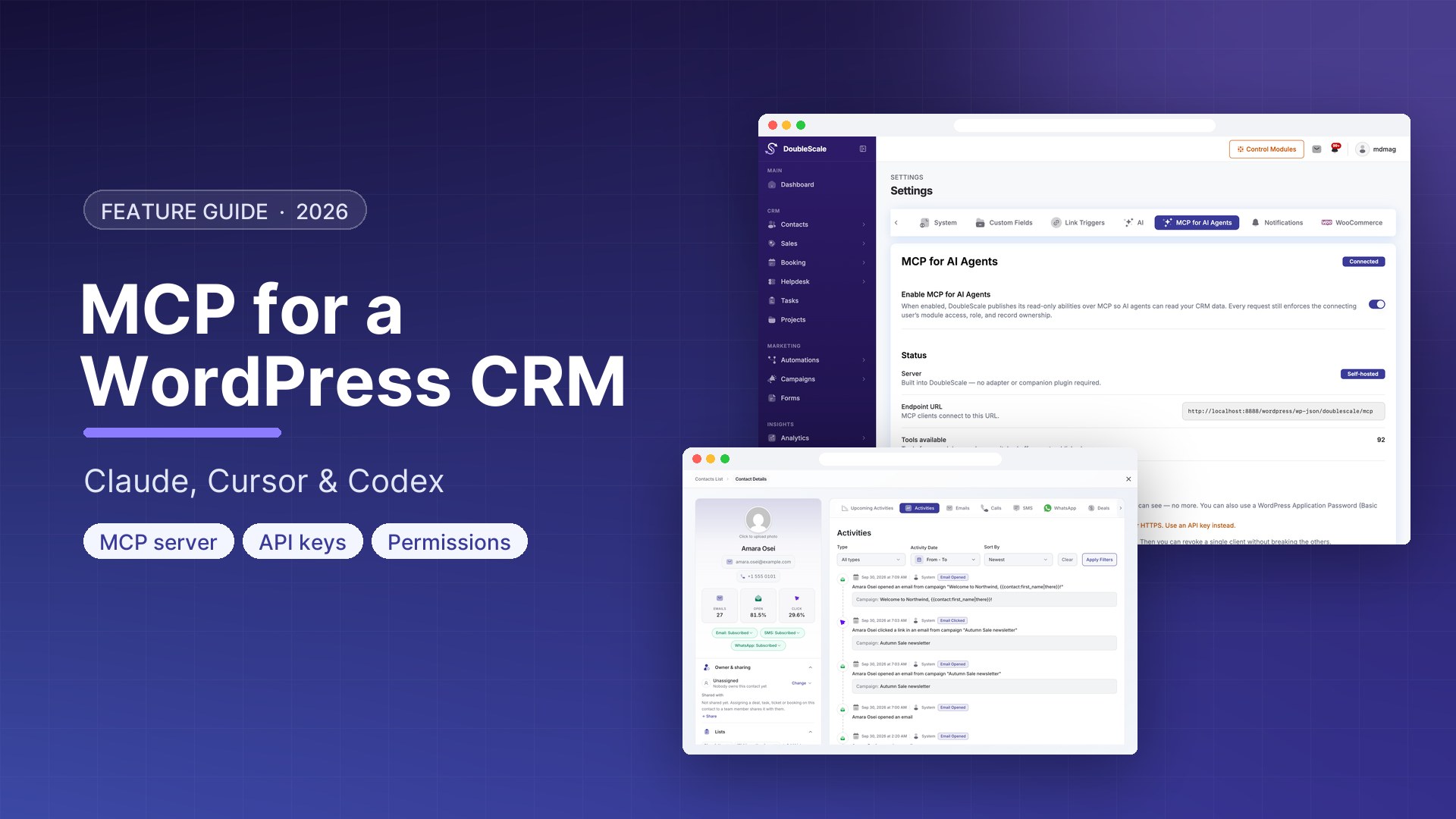
MCP (Model Context Protocol) is that interface. DoubleScale implements it in the free plugin as an opt-in HTTP endpoint. It is off by default. Turning it on publishes CRM abilities as MCP tools, scoped to the WordPress user behind the API key. There is no third-party MCP adapter: if another plugin is deactivated, this endpoint does not go with it.
What DoubleScale MCP is
The endpoint is POST /wp-json/doublescale/mcp on your site. It speaks MCP protocol version 2024-11-05 over JSON-RPC. The surface is deliberately small: tools only — no resources, no prompts.
Each tool is a WordPress ability from an enabled DoubleScale module. If you turn a module off, its tools disappear from tools/list. Results are whatever that connecting user is allowed to see in wp-admin: module gate, role, and record ownership all still apply. DoubleScale does not invent a second permission model for AI.
The handshake tells clients to call a context tool first. That report says which modules are active and which tools are actually usable. Some tools change records or email customers — the tool description and annotations say so. Read them before you let an agent write.
Authentication
Every call must resolve to a WordPress user. The endpoint accepts:
- A DoubleScale MCP API key as
Authorization: Bearer …or theX-DoubleScale-Keyheader (for clients that cannot set a custom Authorization value), or - A WordPress application password (HTTP Basic), or
- An already-authenticated session, which is only useful for same-origin testing.
Keys are created in DoubleScale → Settings → MCP. Administrators can see every key; a CRM user can manage their own. The site-wide on/off switch is hidden from people who cannot govern MCP. Default is off: publishing CRM data to external agents is a deliberate action, not a surprise after a plugin update.
What you need
- WordPress 6.9+ (or any install where the Abilities API functions exist). MCP lists tools from
wp_get_abilities(). - The free DoubleScale plugin. Pro modules contribute extra tools only when Pro is installed and those modules are on.
- The MCP toggle enabled, plus at least one API key (or an application password) for the user the agent should impersonate.
Settings include copy-paste configs for Claude Code, Claude Desktop, Cursor, Codex, and a generic “other” client. Claude Desktop’s snippet uses a small Node helper because that app expects stdio; Cursor and Claude Code can talk HTTP directly. This transport cannot push a live tools/list refresh — clients send X-DoubleScale-Tools-Version so a stale cache is flagged.
What it is not
- Not a license to skip roles. A key owned by a sales rep will not return company-wide revenue reports that require a sales manager.
- Not ChatGPT browsing your wp-admin. It is a protocol endpoint. You still choose the client and the user.
- Not on by default, and not a reason to paste a key into a public repo.
A safe first setup
- Update WordPress so the Abilities API is present (6.9+).
- In DoubleScale → Settings → MCP, enable the endpoint. Copy the endpoint URL.
- Create an API key for a user whose role matches what the agent should do — not an administrator if you only wanted “list my deals.”
- Add the server in Cursor (Settings → Tools & MCP) or Claude Code with the Bearer key or
X-DoubleScale-Key. - Ask the agent for context first, then a read-only question (“how many open deals do I own?”). Only then allow writes.
If you do not want any model to reach contacts, leave the toggle off. In-site abilities used by the DoubleScale admin keep working either way.
Download DoubleScale free · Launch a demo · See Pro pricing
Frequently asked questions
What is MCP in a WordPress CRM?
MCP is a standard way for AI clients to call tools. DoubleScale exposes its CRM abilities (contacts, deals, reports, and whatever modules are on) at /wp-json/doublescale/mcp, authenticated as a WordPress user.
Is MCP part of DoubleScale Pro?
The endpoint, the opt-in switch, and API keys ship in the free plugin. Pro only adds more tools because Pro modules register more abilities (inbox, contracts, analytics, and so on).
Does this depend on another MCP plugin?
No. The protocol lives in DoubleScale. A vendor MCP plugin being updated or removed cannot take this integration down.
Can the agent email my customers?
Only if a published tool does that and the connecting user is allowed to. Read each tool’s description. Start with a read-scoped user if you are testing.
Why is MCP off by default?
Because it publishes CRM data to whatever client holds the key. An admin has to enable it on purpose.

Mohamed Magdy, Founder & CEO, DoubleScale
Mohamed Magdy is the founder and CEO of DoubleScale, the all-in-one CRM for WordPress. He writes about CRM, email marketing and automation for WordPress businesses.
Practical CRM tips, once a month
Guides on growing with WordPress: lead capture, email marketing, automations and sales. No spam, unsubscribe anytime.