On this page
A CRM that cannot take a reply is a contact database with extra steps. The inbound email sits in Gmail. The SMS sits in Twilio’s console. The WhatsApp ping sits in a phone. By the time someone asks “did they write back?”, the thread is three products away from the deal.
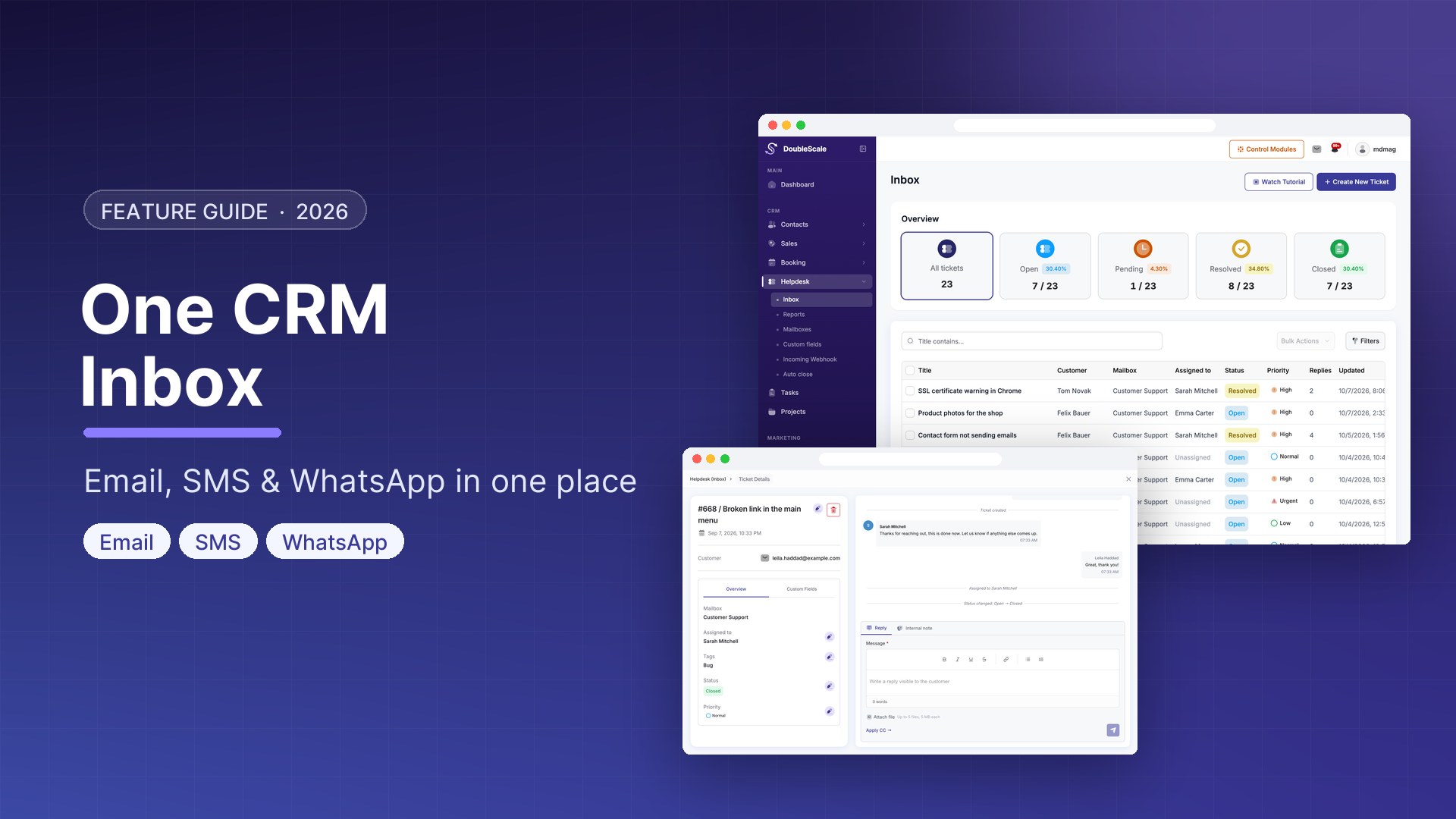
A WordPress CRM inbox is the opposite of that: one conversation list, on the same contact as the pipeline, with email, SMS, and WhatsApp in the same thread. In DoubleScale, that surface is the Inbox module in DoubleScale Pro — not the Helpdesk ticket queue, and not a bulk WhatsApp campaign tool.
Here is what a unified WordPress inbox actually does, what it does not, and how to run it without mixing it up with support tickets.
Inbox is not Helpdesk
DoubleScale has two different “inboxes.” Mixing them up is the fastest way to buy the wrong plan.
- Helpdesk (core in the free plugin) is tickets: status, priority, mailbox/department, assignment, customer portal, internal notes. See WordPress helpdesk setup.
- Inbox (Pro) is messaging: inbound email, SMS, and WhatsApp on the CRM contact. Shared company threads are visible to CRM users. A staff member’s connected Gmail/Outlook mailbox stays private to that user.
Use Helpdesk when the customer opened a case. Use Inbox when you are having a 1:1 conversation that should live on the contact timeline.
What the DoubleScale Inbox covers
The Pro module description is exact: a unified messaging inbox for email, SMS, and WhatsApp conversations. In practice that means:
- Email in and out — IMAP polling for inbound mail (about every minute when inbound email is enabled), plus 1:1 replies from the contact. Staff can connect Gmail or Outlook with OAuth so their own mailbox is not dumped into a shared pile.
- SMS — Twilio as the message provider. Incoming webhooks land on the contact; outgoing 1:1 SMS is sent from the same inbox, not from a spreadsheet.
- WhatsApp — Meta Cloud API. Templates to open a conversation; free-form replies inside Meta’s 24-hour customer-care window. There is no WhatsApp broadcast campaign type. The dedicated walkthrough is WordPress WhatsApp marketing and automation.
- Bounce handling — webhooks for Amazon SES, Brevo, Elastic Email, Mailgun, Pepipost, Postal, Postmark, SendGrid, SMTP2GO, and SparkPost, so a hard bounce does not sit forever as “delivered.”
SMS and WhatsApp threads are always shared (they are company channels). Personal mailbox emails are scoped to the connected WordPress user. That split is intentional: a sales inbox should not leak a colleague’s private mail.
What it is not
- Not a bulk WhatsApp or SMS blaster. Campaigns for WhatsApp are blocked at the API; 1:1 + automations is the model.
- Not Front, Missive, or a shared Gmail replacement for the whole company. It is a CRM conversation list.
- Not the support ticket inbox. Agents who need statuses and a customer portal should work in Helpdesk. DoubleScale does not add SLA clocks or CSAT to either surface.
How the channels actually connect
Turn on inbound email in Pro settings. DoubleScale polls IMAP on a recurring job. You can also connect per-user Gmail or Outlook apps so a rep sends from their own identity. Outbound campaign mail still goes through your SMTP setup — Inbox is the conversation layer, not a second mail server.
SMS
Configure Twilio as the SMS provider. Inbound messages hit a provider-agnostic webhook, get matched to a contact by phone, and show as received SMS in the inbox. Replies use the SMS sender on that contact.
Connect a Meta WhatsApp Business number. Inbound messages are processed from the Meta webhook into the same inbox. Opening a conversation outside the 24-hour window still requires an approved template. That is Meta’s rule, not a DoubleScale preference.
A workflow that does not leak channels
- Install DoubleScale + DoubleScale Pro. Inbox is a Pro module; it is not a toggle in the free plugin.
- Connect SMTP for outbound mail, Twilio for SMS, and Meta Cloud API for WhatsApp — only the channels you actually use.
- Enable inbound email if replies to CRM mail should land in Inbox. Connect Gmail/Outlook OAuth for staff who must send from their own mailbox.
- Open Inbox in the DoubleScale app. Filter by email, SMS, or WhatsApp when you are hunting one channel; leave it unfiltered when you want the contact’s latest reply, regardless of channel.
- Reply from the thread. The message is stored on the contact. Automations can still fire on received WhatsApp, SMS, or email — Inbox does not replace automations, it feeds them.
Inbox vs a shared Gmail vs Helpdesk
| Job | Shared Gmail | Helpdesk tickets | DoubleScale Inbox (Pro) |
|---|---|---|---|
| See the deal next to the reply | No | Yes — on the ticket’s contact | Yes — the conversation is the contact |
| SMS + WhatsApp in the same list | No | No (tickets are a different object) | Yes |
| Status / priority / assignment | Labels, if you are lucky | Yes — that is the point | No — this is messaging, not a case |
| Customer portal | No | Yes | No — portal is for tickets, bookings, documents |
Download DoubleScale free · Launch a demo · See Pro pricing
Frequently asked questions
Is there a WordPress plugin with a unified CRM inbox?
Most WordPress CRMs stop at email campaigns. DoubleScale Pro adds a unified inbox for inbound email, SMS (Twilio), and WhatsApp (Meta), stored on the CRM contact. It is not a Front/Missive clone and it is not the Helpdesk ticket queue.
Does the free DoubleScale plugin include Inbox?
No. Contacts, Helpdesk, campaigns, and the client portal shell ship in the free plugin. The unified messaging inbox — IMAP inbound, Twilio SMS, Meta WhatsApp, Gmail/Outlook OAuth, bounce webhooks — is DoubleScale Pro.
Can I send WhatsApp broadcasts from the inbox?
No. WhatsApp in DoubleScale is 1:1 inbox + automations + approved templates. Bulk WhatsApp campaigns are disabled. Use email campaigns for broadcasts; use WhatsApp when a person is actually talking to you.
Will my team see each other’s Gmail?
No. Per-user mailbox emails are scoped to that WordPress user. Shared inbound messages (including SMS and WhatsApp) are visible to CRM users. That is the designed split.
Do bounce webhooks replace SMTP?
No. SMTP still sends. Bounce handlers tell the CRM when SES, SendGrid, Mailgun, and similar providers report a bounce, so the contact list stays honest.

Mohamed Magdy, Founder & CEO, DoubleScale
Mohamed Magdy is the founder and CEO of DoubleScale, the all-in-one CRM for WordPress. He writes about CRM, email marketing and automation for WordPress businesses.
Practical CRM tips, once a month
Guides on growing with WordPress: lead capture, email marketing, automations and sales. No spam, unsubscribe anytime.