On this page
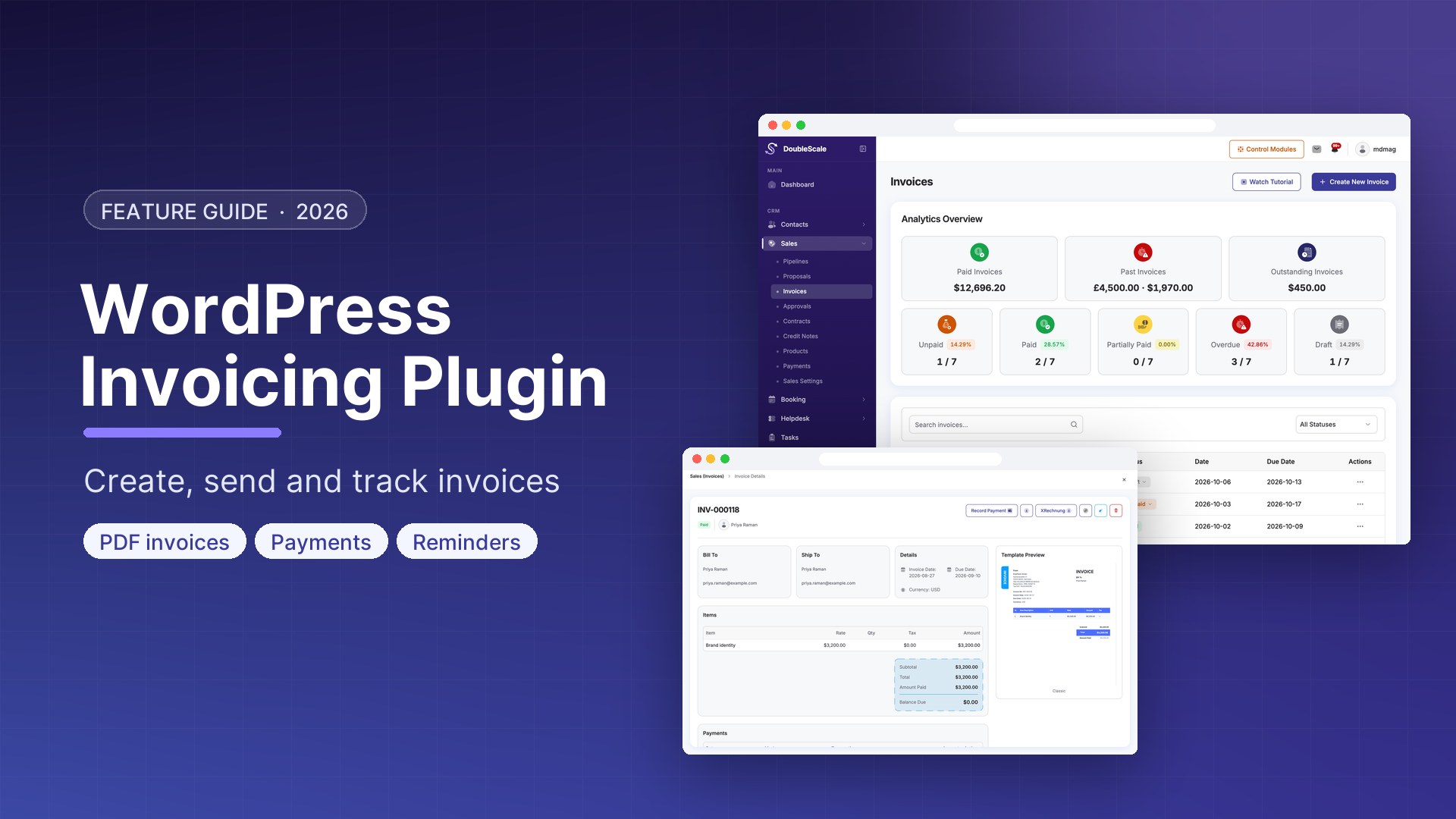
For freelancers, agencies, coaches, and consultants running WordPress sites, a built-in invoicing system eliminates the need for a separate billing tool. DoubleScale Pro includes an invoicing module that connects directly to your CRM contacts, allowing you to generate professional invoices, send payment requests, track payment status, and automate payment reminders — all within WordPress.
What DoubleScale Invoicing Includes
- Professional PDF invoices with your brand logo and colours
- Proposals with e-signature acceptance
- Contracts with e-signature
- Stripe and PayPal payment links embedded in invoices
- Payment status tracking: sent, viewed, paid, overdue
- Automated payment reminders via email or SMS
- Invoice templates for recurring services
- Tax calculations with multi-tax support
- Invoice history in each contact CRM profile
Creating Your First Invoice
- Go to DoubleScale, Sales, Invoices, New Invoice
- Select a contact
- Set invoice date and due date
- Add line items: description, quantity, unit price, tax rate
- Add any discount
- Add notes or payment terms
- Preview the PDF
- Click Send — the invoice is emailed to the client with a payment link
Setting Up Payment Gateways
Stripe
Go to DoubleScale, Settings, Payments, Add Stripe. Connect your Stripe account via OAuth. Invoices include a Pay with Card button that opens a Stripe Checkout page.
PayPal
Go to DoubleScale, Settings, Payments, Add PayPal. Enter your PayPal Client ID and Secret. Invoices include a Pay with PayPal button.
Automating Payment Reminders
Trigger: Invoice Overdue. Email: Your invoice #{{invoice.number}} for {{invoice.total}} is overdue. Pay now: {{invoice.payment_url}}. Wait 7 days. If still unpaid: SMS reminder with short URL. Wait 14 days. If still unpaid: notify internal team for escalation.
Proposals with E-Signature
- Go to DoubleScale, Sales, Proposals, New Proposal
- Build the proposal: cover page, service sections, pricing table, terms
- Add an e-signature block
- Send to the client — they view and sign online
- When signed, DoubleScale creates a contract record and optionally auto-creates an invoice from the proposal pricing table

Mohamed Magdy, Founder & CEO, DoubleScale
Mohamed Magdy is the founder and CEO of DoubleScale, the all-in-one CRM for WordPress. He writes about CRM, email marketing and automation for WordPress businesses.
Practical CRM tips, once a month
Guides on growing with WordPress: lead capture, email marketing, automations and sales. No spam, unsubscribe anytime.