On this page
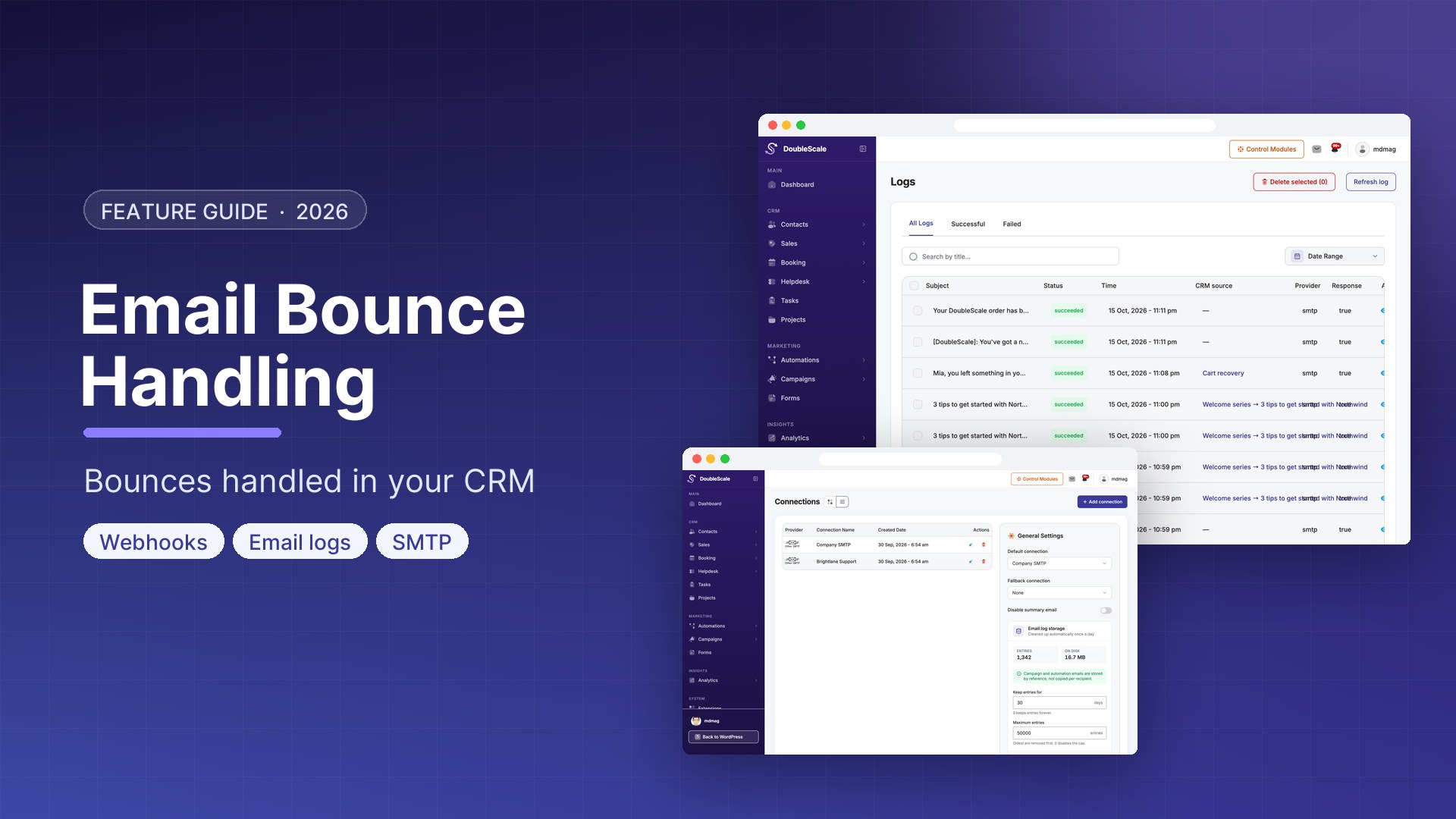
SMTP gets the message out. WordPress email bounce handling is what stops you sending the next one to a dead address. Without it, WordPress email marketing looks fine in the campaign report and quietly burns your sender reputation: mailbox full, domain gone, Gmail dropping you into spam because you kept mailing 400 hard failures.
DoubleScale Pro does not guess from a bounce mailbox. It takes the event webhook your ESP already fires — SendGrid, Amazon SES, Mailgun, and seven others — and marks the matching CRM contact. Soft bounces are counted. Hard bounces set email_status to bounced, which excludes that contact from email campaigns. This lives in the Pro Inbox module, next to SMTP, not instead of it.
What WordPress email bounce handling is (and is not)
A bounce is the provider telling you delivery failed. A hard bounce is permanent (unknown user, invalid domain). A soft bounce is temporary (full mailbox, greylist). DoubleScale records both against the contact:
- Soft — increments a counter. The default limit is 3 (filterable as
doublescale_soft_bounce_limit). Until then the contact stays mail-able. The reason and last date are stored on the contact. - Hard —
email_statusbecomesbounced. Email campaigns skip that status. Reason, type, date, diagnostic code, and provider are stored as contact meta.
Three soft bounces in a row are converted to a hard bounce. That is how a “mailbox full for a month” stops being a campaign recipient without you editing a CSV.
This is not:
- A replacement for SMTP. SMTP sends. Bounce webhooks listen.
- A shared bounce inbox you poll with IMAP. DoubleScale uses the ESP’s event API / SNS / webhook.
- A full complaint-and-feedback-loop product. Most handlers process bounce (and similar) events. Mailgun also accepts
complainedandunsubscribedon the same webhook and currently treats them as a hard bounce on the contact — not a separate email-status of “complained.”
Providers DoubleScale already speaks
| Provider | What you wire |
|---|---|
| Amazon SES | SNS topic for bounces; DoubleScale confirms the SNS subscription |
| SendGrid | Event webhook: Bounced, Dropped (hard), Blocked (soft) |
| Mailgun | Event webhook: bounced, failed, plus complained / unsubscribed if you enable them |
| Brevo | hard_bounce / invalid_email vs soft_bounce / blocked |
| Postmark, SparkPost, Elastic Email, SMTP2GO, Postal, Pepipost | Each has a dedicated handler and setup notes in the CRM |
There is no generic “paste any JSON” bounce endpoint. If your ESP is not in that list, keep using their suppression list, or map it with custom code on doublescale_contact_bounced / doublescale_contact_soft_bounced.
How the webhook is secured
DoubleScale generates a bounce security key and gives you a permalink-stable URL:
https://yoursite.com/?doublescale_webhook=bounce&provider=sendgrid&key=…
The same payload is also accepted at /wp-json/doublescale/v1/webhooks/bounce/{provider} with the same key. The query-string form is the one to paste into ESPs that break when permalinks change. Requests are rate-limited per provider/IP. A missing or wrong key is rejected. Amazon SES also verifies the SNS signature (there is a test-only filter to skip that — leave it off in production).
Unknown emails are logged and ignored. The webhook does not create contacts from bounces.
Setup, in order
- Install DoubleScale Pro. Bounce handlers boot with Inbox; they are not a free-plugin feature.
- Send through an ESP DoubleScale already handles (see the SMTP guide for sending). Bounce handling without that ESP’s webhook is a no-op.
- In DoubleScale, copy the bounce webhook URL for that provider (the key is created when URLs are first requested).
- Paste it into the ESP’s bounce / event settings. Enable bounce events. For SES, subscribe the URL to the SNS bounce topic and allow the confirmation to complete.
- Send a test to a known invalid address on a contact you control. The contact should move to Bounced (hard) or show a soft-bounce count.
After that, campaign sends already skip bounced email status. You do not need a separate “suppression list” plugin for those contacts.
SMTP vs bounce vs unsubscribes
| SMTP | Bounce webhooks (Pro) | Unsubscribe | |
|---|---|---|---|
| Job | Deliver the message | Hear that delivery failed | The person asked to stop |
| Contact field | — | email_status = bounced (hard) |
email_status = unsubscribed |
| Who initiates | Your site | The ESP | The contact (or you) |
Do not treat a bounce as an unsubscribe, and do not treat an unsubscribe as a bounce. They are different legal and list-hygiene events. Mailgun’s unsubscribed event on the bounce webhook is the awkward overlap: DoubleScale currently records it as a hard bounce. Prefer DoubleScale’s own unsubscribe links for list-unsubscribe, and use the ESP webhook for actual delivery failures.
Download DoubleScale free · Launch a demo · See Pro pricing
Frequently asked questions
Does WordPress have email bounce handling in a CRM?
DoubleScale Pro does. ESP webhooks (SES, SendGrid, Mailgun, Brevo, Postmark, and others) mark the CRM contact bounced. Soft bounces count to a limit of three, then become hard. Email campaigns skip bounced contacts.
Is bounce handling in the free DoubleScale plugin?
No. The handlers, webhook, and security key ship in DoubleScale Pro (Inbox). The free plugin still has an email_status of bounced if you set it manually — it will not fill it from SendGrid.
Do I still need an SMTP plugin?
You need a sending path. DoubleScale’s SMTP module can be that path. Bounce webhooks are a separate listener. Using Gmail SMTP without a bounce webhook means you will not get these events.
Will a bounce create a new contact?
No. The email must already exist as a CRM contact. Unknown addresses are logged and dropped.
Can I automate on a bounce?
Hard and soft bounces fire doublescale_contact_bounced and doublescale_contact_soft_bounced. Use those for custom code. There is no dedicated “contact bounced” automation trigger in the builder catalog today — the list hygiene is the status change itself.

Mohamed Magdy, Founder & CEO, DoubleScale
Mohamed Magdy is the founder and CEO of DoubleScale, the all-in-one CRM for WordPress. He writes about CRM, email marketing and automation for WordPress businesses.
Practical CRM tips, once a month
Guides on growing with WordPress: lead capture, email marketing, automations and sales. No spam, unsubscribe anytime.