On this page
- Pipedrive vs Zoho CRM at a glance
- Feature-by-feature checklist
- Pipedrive and Zoho CRM in short: what we like and what we don't
- What each costs
- Pipeline and daily use
- Automation and customisation
- Reporting and forecasting
- Marketing and the wider suite
- Support and onboarding
- Who should choose which
- A third option: DoubleScale
- So, which should you choose?
- Questions people ask
- More head-to-head comparisons
Pipedrive and Zoho CRM are two of the most popular CRMs for small businesses, and they appeal to different instincts. Pipedrive is the clean, visual pipeline that salespeople pick up in minutes. Zoho CRM packs more features into each price tier, starts free, and connects to the rest of the Zoho suite.
Here is how they compare on price, pipeline, automation and fit. Prices were checked on October 20, 2026.
Editor’s note: On WordPress? We also cover DoubleScale: a pipeline, email, booking and invoices for one flat price. We include it as a third option because many readers comparing Pipedrive and Zoho CRM run their business on WordPress. Every price for the two brands comes from their own pricing pages.
Pick Pipedrive if adoption matters most and you want a focused pipeline your reps will use every day.
Pick Zoho CRM if you want a free start, more automation and customisation per dollar, or other Zoho apps.
Pipedrive vs Zoho CRM at a glance
| Pipedrive | Zoho CRM | DoubleScale | |
|---|---|---|---|
| Free plan | No (14-day trial) | Yes, 3 users | Free plugin |
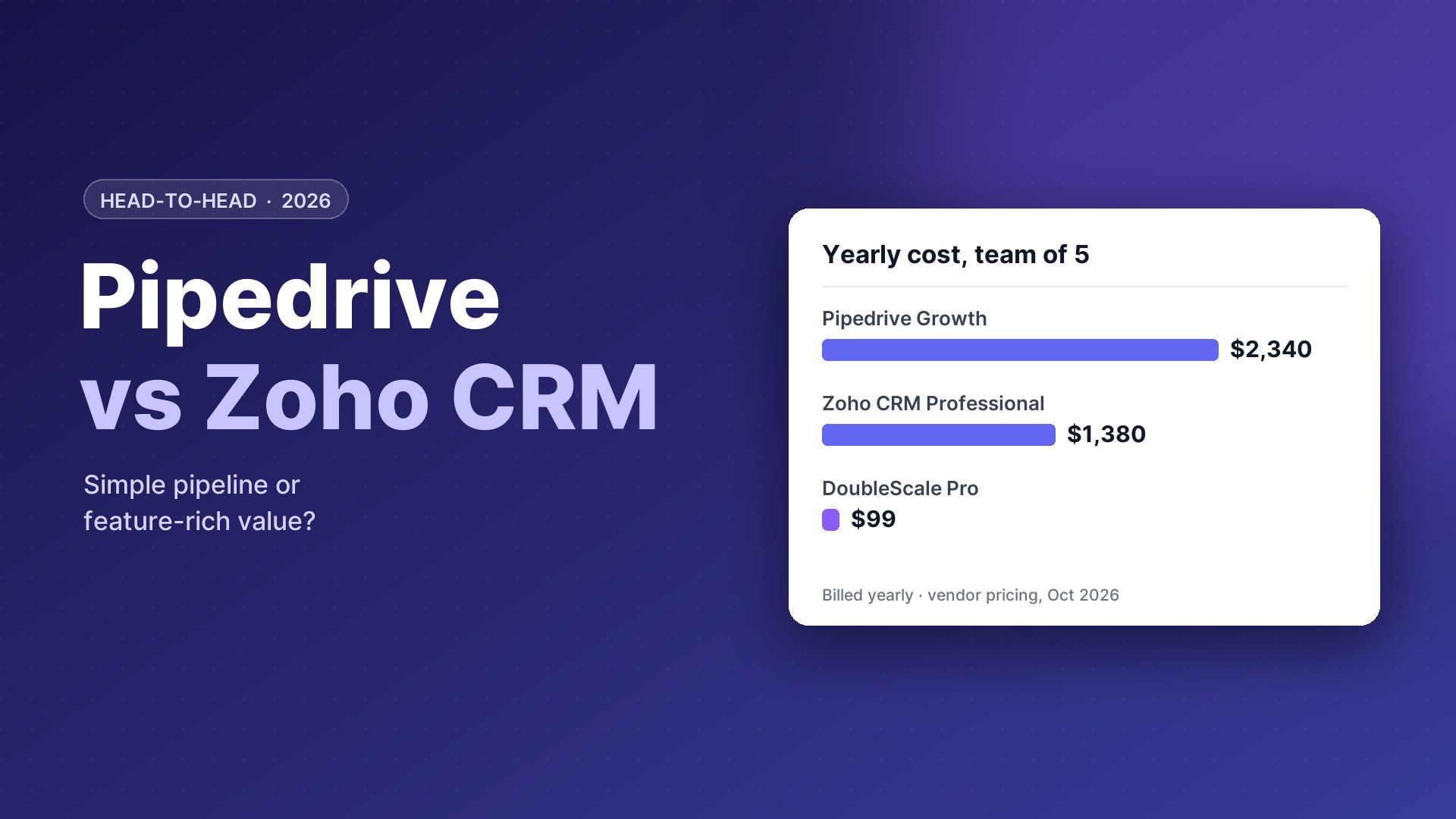
| Entry paid | $14/seat/mo yearly | $14/user/mo yearly | Pro $99/yr per site |
| Popular plan | Growth $39/seat/mo | Professional $23/user/mo | Unlimited users |
| Strength | Ease of use, visual pipeline | Features per dollar, suite | All-in-one inside WordPress |
| Email marketing | Campaigns add-on | Zoho Campaigns | Included |
Vendor pricing pages, October 20, 2026.
Feature-by-feature checklist
| Feature | Pipedrive | Zoho CRM |
|---|---|---|
| Free plan | — | 3 users |
| Visual pipeline | ✓ | ✓ |
| Activity-based selling | ✓ | Basic |
| Guided processes | — | Blueprint |
| Quotes and invoices | Smart Docs | Professional |
| Custom modules | — | Enterprise |
| Email marketing | Campaigns add-on | Zoho Campaigns |
| Live chat | LeadBooster add-on | SalesIQ |
| AI assistant | ✓ | Zia |
| 24/7 support included | ✓ | — |
| Mobile app | ✓ | ✓ |
Pipedrive and Zoho CRM in short: what we like and what we don't
Pipedrive
Pros
- Easiest to use and adopt
- Activity reminders keep deals moving
- 24/7 support on every plan
- Clean, visual reports
Cons
- No free plan
- Higher price at the mid tier
- Marketing tools are add-ons
Zoho CRM
Pros
- Free for up to 3 users
- More automation per dollar
- Native suite of business apps
- Deep customisation on higher plans
Cons
- Busier interface
- Steeper learning curve
- Premium support costs extra
What each costs
Pipedrive: $14, $39, $59, $79 per seat a month yearly ($24 to $99 monthly), plus add-ons.
Zoho CRM: free for three users; $14, $23, $40, $52 per user a month yearly ($20 to $65 monthly).
| Team of 5, billed yearly | Pipedrive | Zoho CRM |
|---|---|---|
| Entry | $840 (Lite) | $840 (Standard) |
| Popular | $2,340 (Growth) | $1,380 (Professional) |
| Advanced | $3,540 (Premium) | $2,400 (Enterprise) |
Same entry price; Zoho is cheaper from the mid tier.
Our take: Zoho CRM has the edge.
Pipeline and daily use
Both tools offer a Kanban pipeline, but they are built on different philosophies.
Pipedrive
Pipedrive is designed for reps first. The pipeline is the home screen, every deal has a next activity, and deals that stall are highlighted. Email, calls and meetings are logged from the deal card. Most teams need very little training, and the mobile app makes it easy to update deals between meetings.
Zoho CRM
Zoho opens on modules (leads, contacts, deals) with list, Kanban and canvas views. It follows the classic CRM model where leads are converted into contacts and deals. It is flexible and can be shaped around your process, but it presents more options, so new users take longer to feel at home.
Our take: Pipedrive has the edge.
Automation and customisation
Zoho goes further for less money. Standard includes workflow rules and scoring; Professional adds Blueprint, which guides reps through a process step by step and enforces required actions, plus validation rules and inventory with quotes and invoices. Enterprise adds custom modules, Canvas layouts, sandbox and Zia AI. Pipedrive’s automations cover common sales tasks and get more powerful with each plan, but it does not offer the same depth of process control.
Our take: Zoho CRM has the edge.
Looking elsewhere?See also Zoho CRM vs HubSpot and Pipedrive vs HubSpot.
Reporting and forecasting
Pipedrive’s Insights dashboards are visual and quick to build, with goals per rep and revenue forecasts based on expected close dates. Zoho offers standard and custom reports, dashboards, forecasts by territory or role, and Zia predictions on higher plans; deeper analytics are available through Zoho Analytics.
Our take: it depends on what you need: Pipedrive for simplicity, Zoho for depth.
Marketing and the wider suite
Zoho CRM connects natively to Zoho Campaigns, SalesIQ (live chat), Desk, Books, Projects and Bookings, and Zoho One bundles them all. Pipedrive relies on its own add-ons (Campaigns, LeadBooster, Projects, Smart Docs) and on a marketplace of hundreds of third-party integrations.
Our take: Zoho CRM has the edge.
Looking elsewhere?Comparing more pipeline CRMs? See Pipedrive alternatives.
Support and onboarding
Pipedrive includes 24/7 support by chat and email in several languages on every plan, plus onboarding help on higher plans. Zoho includes basic support and sells premium support separately. In practice, Pipedrive needs less support because it does less; Zoho rewards teams who invest time in learning it.
Our take: Pipedrive has the edge.
Who should choose which
Choose Pipedrive if
- Adoption by reps is your biggest concern
- You want a CRM running today
- You prefer simple over configurable
Choose Zoho CRM if
- You want to start free
- You need guided processes and more automation
- You use or plan to use other Zoho apps
Runs your entire business
A third option: DoubleScale
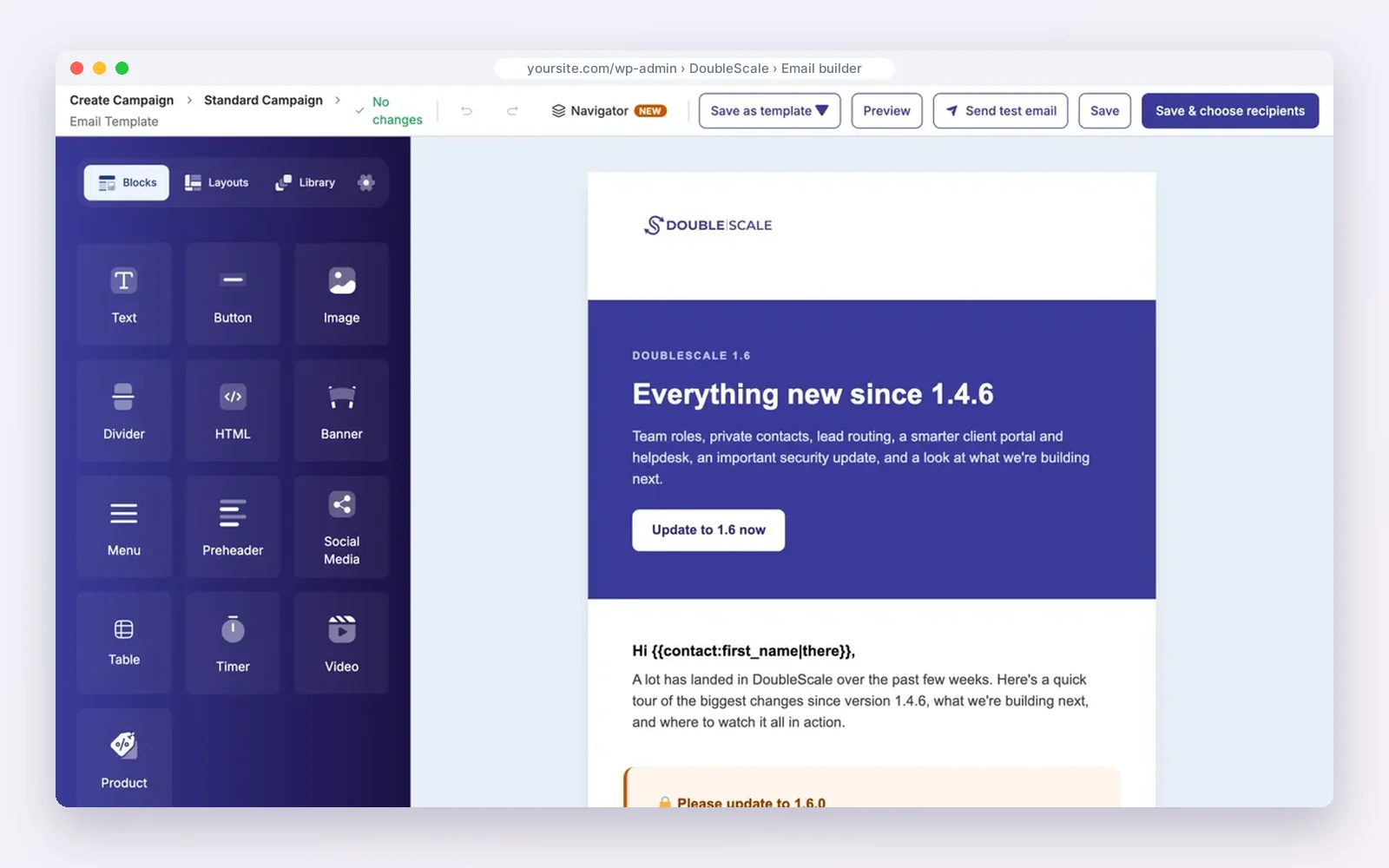
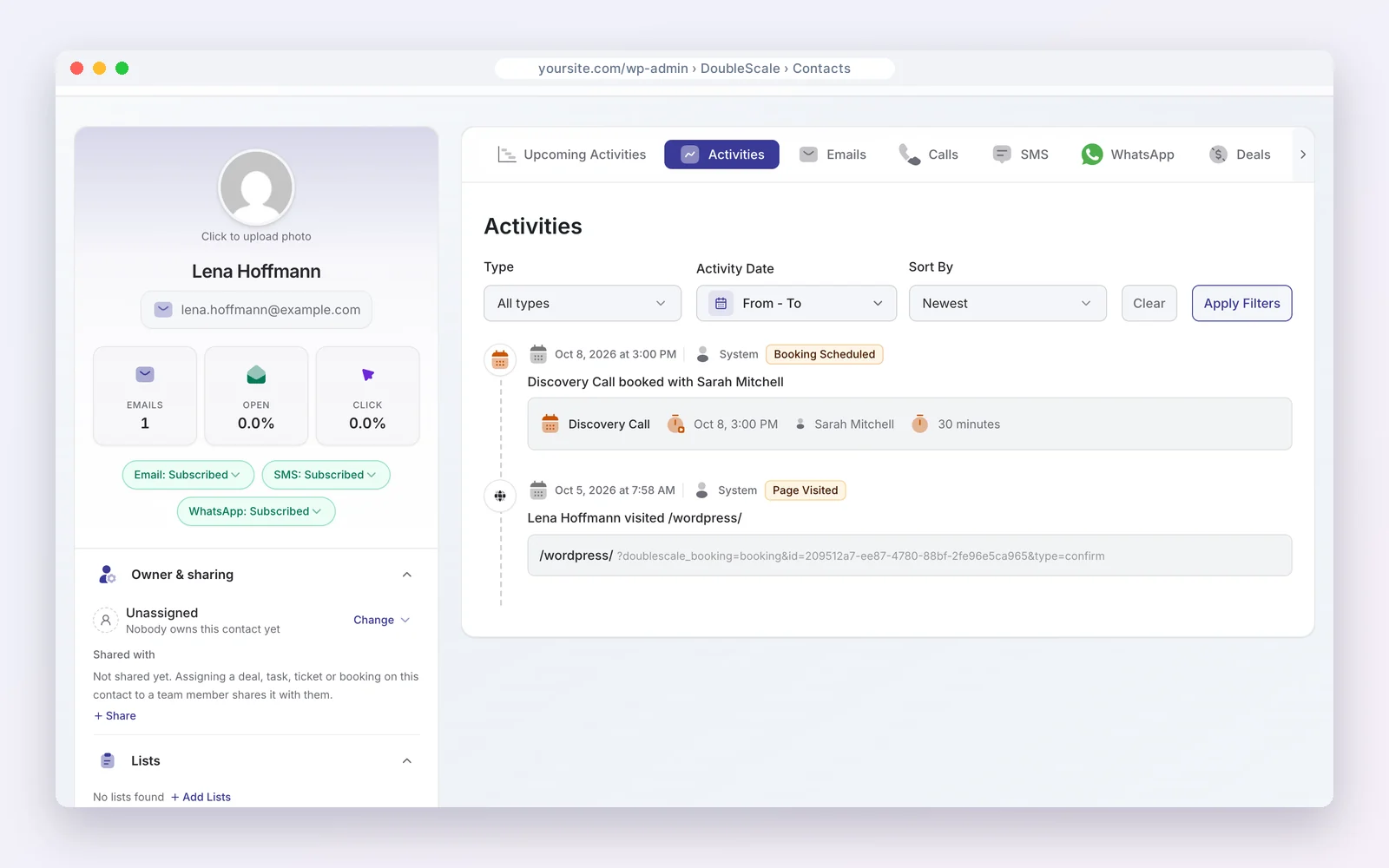
If your website runs on WordPress, DoubleScale gives your whole team a CRM with pipelines, email, booking, invoices and a helpdesk for one flat price per site.
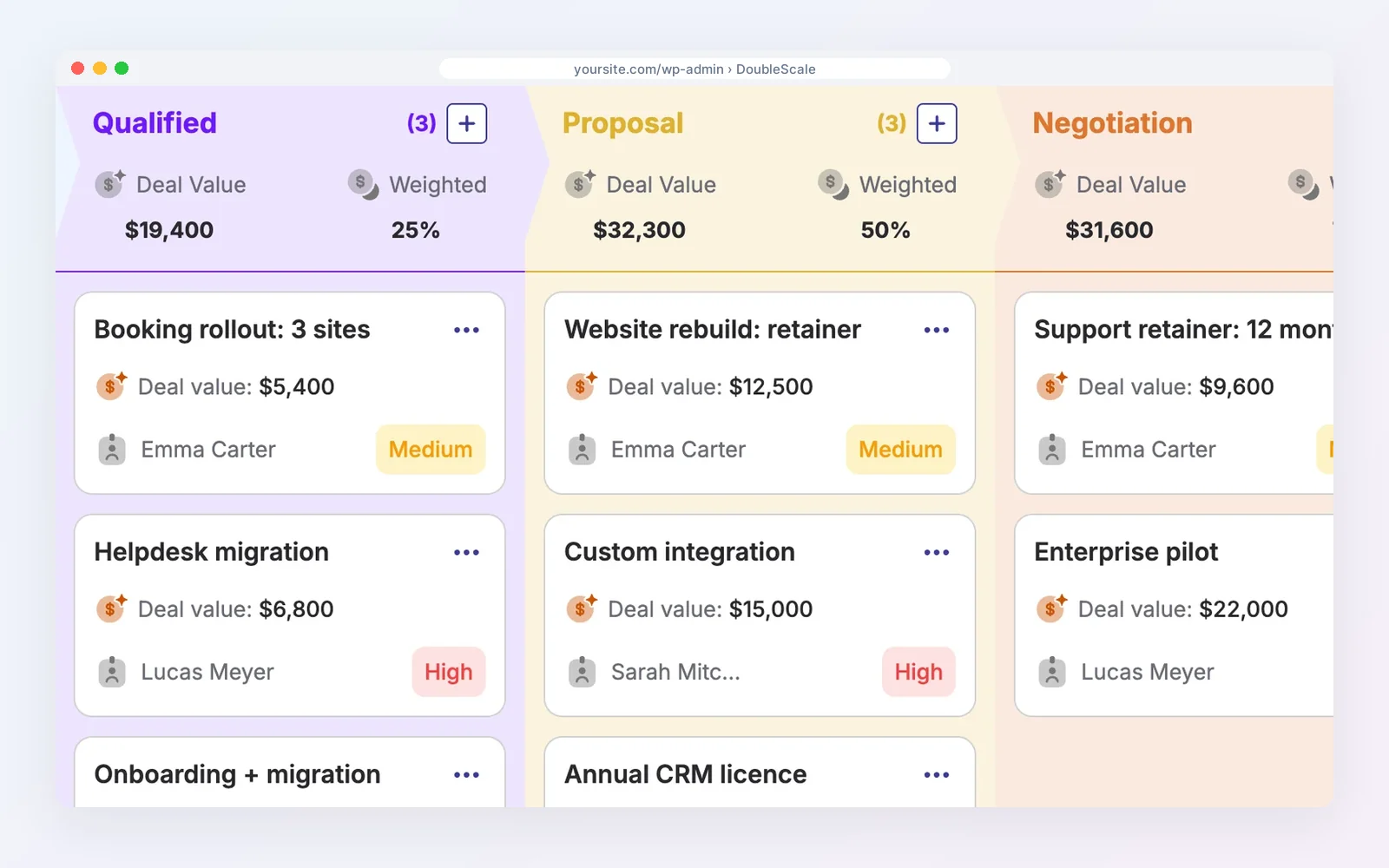
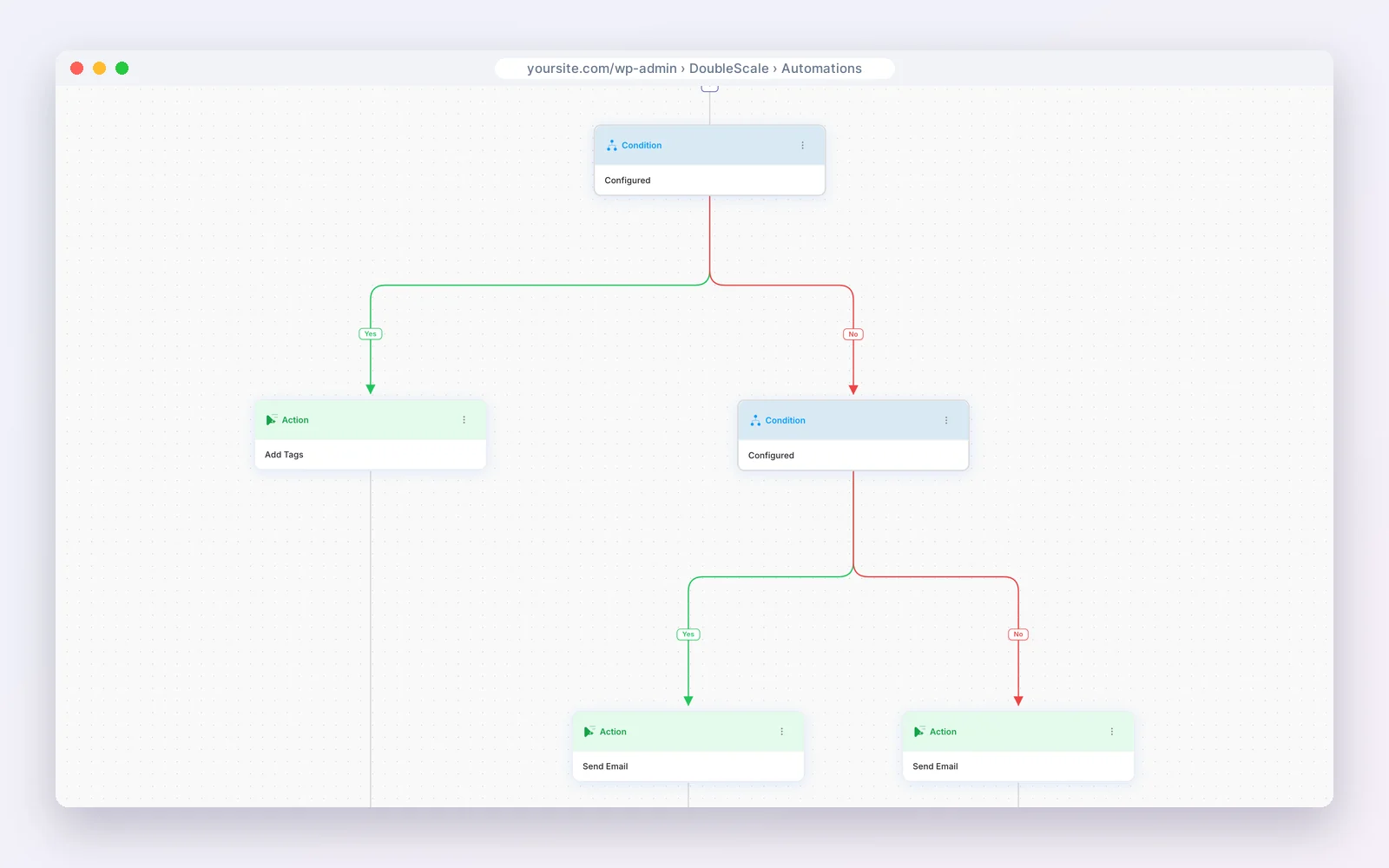
The free plugin covers contacts, email campaigns through your own provider, visual automations, booking pages, proposals, invoices and a helpdesk. Paid plans (from $99 a year per site, any number of users) add deal pipelines with forecasts, all 32 automation triggers, email sequences, lead scoring, contracts, SMS and WhatsApp.
Modular by design. Turn on only the modules you need from one Control Modules panel; everything else stays out of your way.
- Email campaigns
- Automations
- Sales pipelines
- Proposals & invoices
- Contracts
- Booking
- Helpdesk
- Forms
- Projects
- Tasks
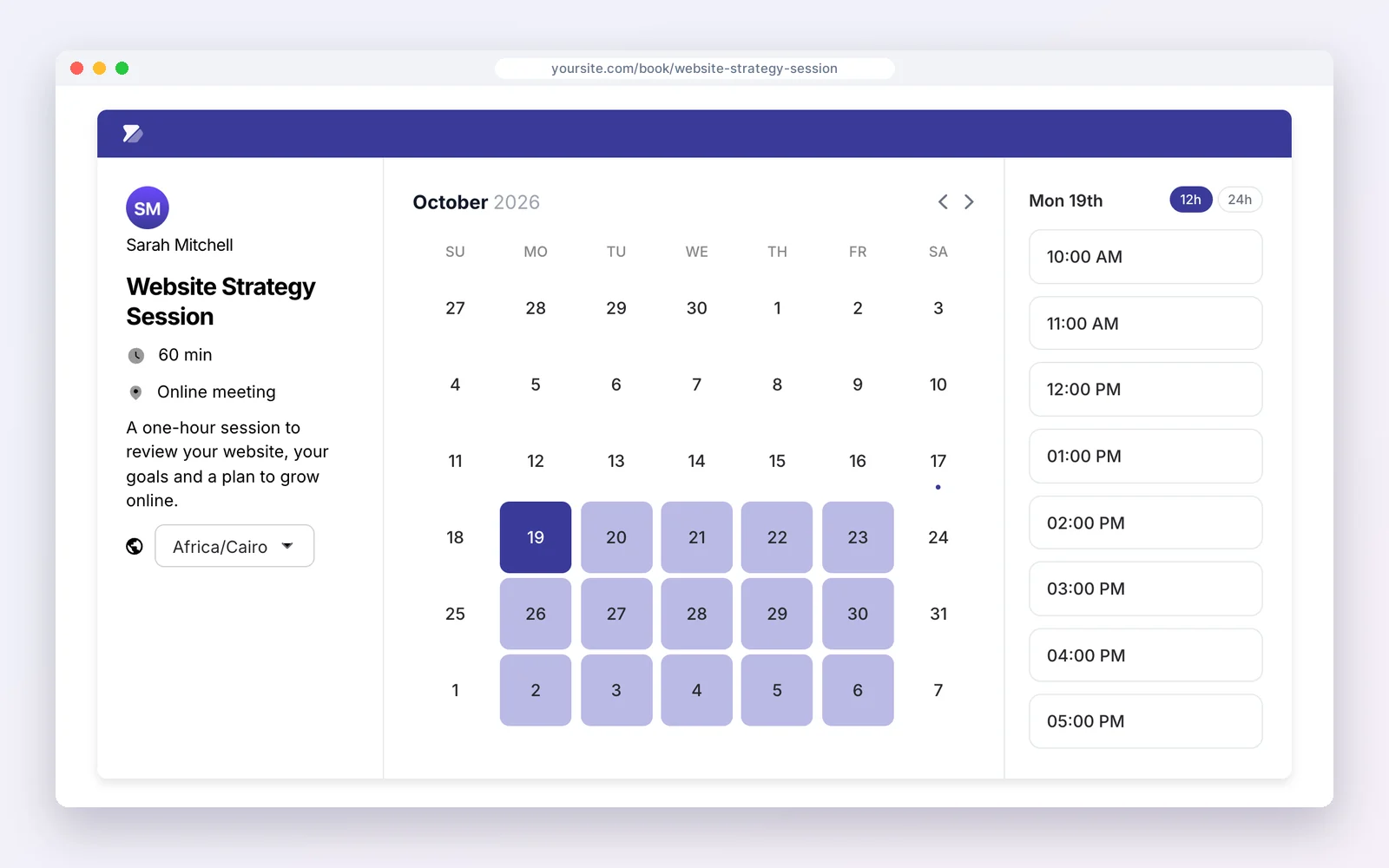
Free on WordPress.org · Unlimited contacts · Pro from $99/yr per site
DoubleScale is the better pick if…
- You sell from a WordPress site and want no per-seat pricing.
- You want quotes, invoices and support on the same record as the deal.
- You want your customer data on your own server.
Stick with the big platforms if…
- You need an enterprise platform with a large app marketplace.
- Your business does not run on WordPress.
- You need built-in calling or AI forecasting.
See also DoubleScale pipelines.
Disclosure: we make DoubleScale. The screens above are real, and every price for the other tools comes from their own pricing pages.
So, which should you choose?
| Your situation | Choose |
|---|---|
| Reps who want the easiest pipeline | Pipedrive |
| Free start for up to 3 users | Zoho CRM |
| More automation per dollar | Zoho CRM |
| Other Zoho apps in use | Zoho CRM |
| Business on WordPress, flat price | DoubleScale |
How we compared: every price was read on the vendor’s own pricing page on October 20, 2026 (USD). Prices change often, so check the vendor’s page before you buy.
Questions people ask
Is Pipedrive better than Zoho CRM?
Pipedrive is easier to use; Zoho CRM offers more features per dollar and a free plan.
Which is cheaper?
Both start at $14 a seat yearly, but Zoho is cheaper at the mid tier: $23 against $39 per user a month.
Does Pipedrive have a free plan?
No, it has a 14-day trial. Zoho CRM is free for up to three users.
Which is better for a small sales team?
Pipedrive if adoption and simplicity matter most; Zoho if budget and automation matter more.
More head-to-head comparisons
- ActiveCampaign vs HubSpot
- GoHighLevel vs HubSpot
- HubSpot vs Salesforce
- Pipedrive vs HubSpot
- Zoho CRM vs HubSpot
- Salesforce vs GoHighLevel
- GoHighLevel vs Pipedrive
- Pipedrive vs Salesforce
- Zoho CRM vs Salesforce
Deals, quotes, contracts and invoices inside WordPress.
Get our guides first on GoogleAdd DoubleScale as a preferred source and our articles show up more often in your Top Stories.

Mohamed Magdy, Founder & CEO, DoubleScale
Mohamed Magdy is the founder and CEO of DoubleScale, the all-in-one CRM for WordPress. He writes about CRM, email marketing and automation for WordPress businesses.
Practical CRM tips, once a month
Guides on growing with WordPress: lead capture, email marketing, automations and sales. No spam, unsubscribe anytime.