On this page
- Omnisend vs Mailchimp at a glance
- Feature-by-feature checklist
- Omnisend and Mailchimp in short: what we like and what we don't
- What each costs
- Ecommerce automations
- Newsletters, editor and templates
- Segmentation
- SMS and other channels
- Landing pages, forms and websites
- Reporting and support
- Who should choose which
- A third option: DoubleScale
- So, which should you choose?
- Questions people ask
- More head-to-head comparisons
Mailchimp is the email tool most businesses start with; Omnisend was built specifically for online stores. Both send newsletters and abandoned-cart emails, but Omnisend puts ecommerce automation and SMS at the centre, while Mailchimp covers a broader range of businesses.
Here is how they compare for a store. Prices were checked on October 20, 2026.
Editor’s note: Selling on WooCommerce? We also cover DoubleScale, which runs store automations inside WordPress for a flat price. We include it as a third option because many readers comparing Omnisend and Mailchimp run their business on WordPress. Every price for the two brands comes from their own pricing pages.
Pick Omnisend if you run an online store and want ecommerce automations, SMS and unlimited emails (on Pro) at a fair price.
Pick Mailchimp if you are not mainly ecommerce, or you want the most familiar newsletter tool with lots of templates and integrations.
Omnisend vs Mailchimp at a glance
| Omnisend | Mailchimp | DoubleScale | |
|---|---|---|---|
| Built for | Online stores | All kinds of businesses | Businesses on WordPress |
| Free plan | 250 contacts, 500 emails/mo | 250 contacts, 500 emails/mo | Free plugin |
| Paid from | Standard $16/mo | Essentials $13/mo | $99/yr per site |
| At 10,000 contacts | Standard $132, Pro $150/mo | Essentials $110, Standard $135/mo | $99/yr + sending |
| SMS | From $0.007 per message | Add-on in some countries | SMS and WhatsApp (Pro) |
Vendor pricing pages, October 20, 2026.
Feature-by-feature checklist
| Feature | Omnisend | Mailchimp |
|---|---|---|
| Free plan | 250 contacts | 250 contacts |
| Pre-built ecommerce workflows | ✓ | Standard and up |
| Product recommendations | ✓ | ✓ |
| A/B testing | ✓ | Essentials and up |
| Gamified popups | ✓ | — |
| Landing pages | ✓ | ✓ |
| Website builder | — | ✓ |
| SMS | ✓ | Add-on, limited countries |
| Web push | ✓ | — |
| AI content tools | Basic | ✓ |
| 24/7 support | ✓ | — |
| Integrations | Hundreds | 300+ |
Omnisend and Mailchimp in short: what we like and what we don't
Omnisend
Pros
- Built around store data and flows
- SMS and web push included
- 24/7 support
- Unlimited emails on Pro
Cons
- Fewer non-ecommerce templates
- Fewer integrations outside ecommerce
- Pro needed for best SMS rates
Mailchimp
Pros
- Polished editor and templates
- Familiar to most marketers
- AI and content tools
- Websites and surveys included
Cons
- Ecommerce flows strongest on higher plans
- SMS limited and extra
- Prices rise quickly as lists grow
What each costs
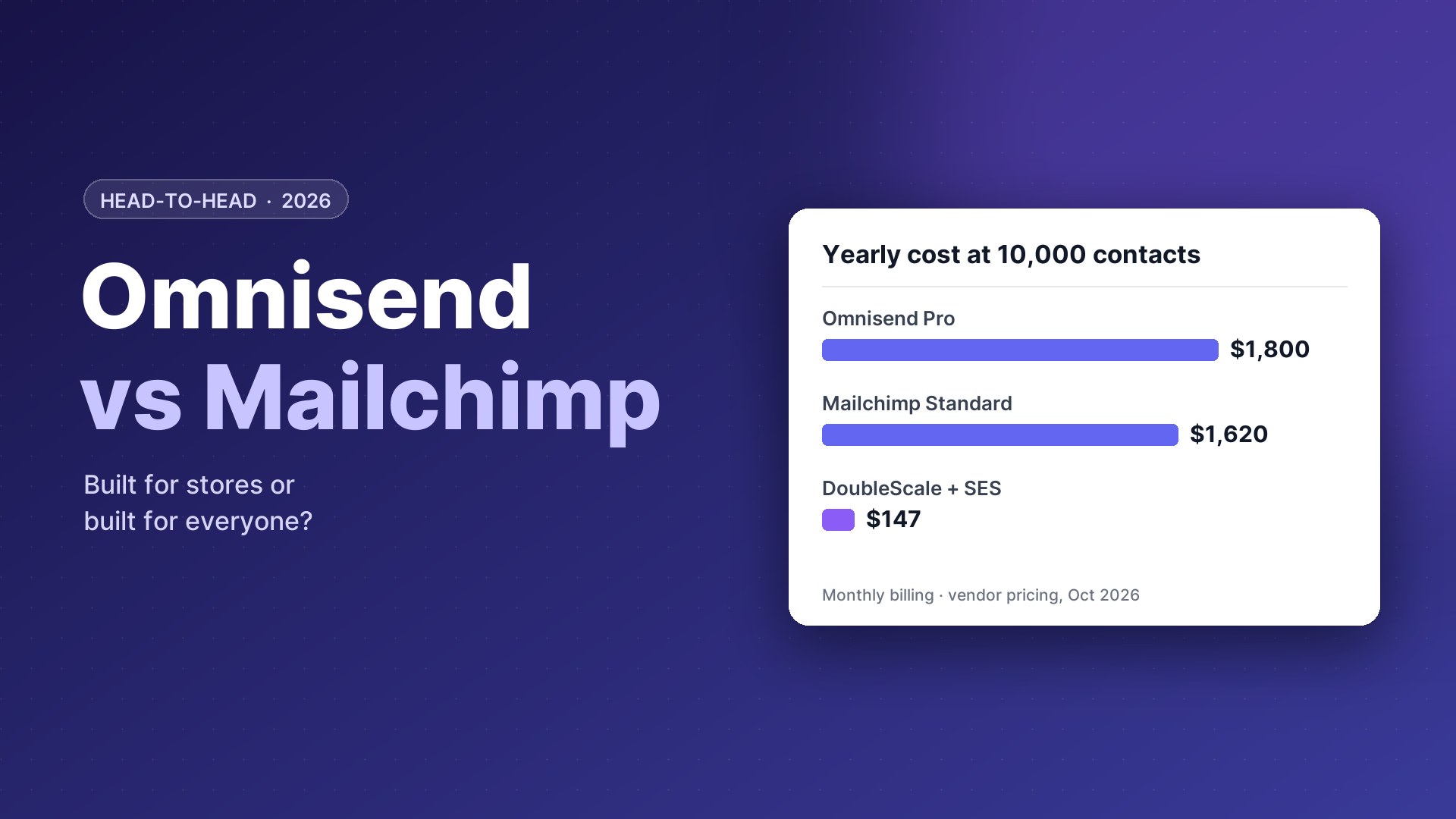
Omnisend Standard costs $16 a month at 500 contacts, $44 at 2,500 and $132 at 10,000; Pro costs $59 up to 2,500 and $150 at 10,000, with unlimited emails.
Mailchimp Essentials costs $13 a month at 500 contacts, $45 at 2,500 and $110 at 10,000; Standard costs $20, $60 and $135; Premium starts at $350. New customers currently get 50% off for 12 months.
| Contacts | Omnisend Standard | Omnisend Pro | Mailchimp Essentials | Mailchimp Standard |
|---|---|---|---|---|
| 500 | $16 | $59 | $13 | $20 |
| 2,500 | $44 | $59 | $45 | $60 |
| 10,000 | $132 | $150 | $110 | $135 |
Per month, monthly billing, before promotions.
Close on price; the difference is ecommerce depth.
Our take: the two are evenly matched here, so this should not decide your choice.
Ecommerce automations
Both platforms send abandoned-cart and post-purchase emails, but they start from different points.
Omnisend
Omnisend was built for stores. Workflows for welcome, abandoned cart, browse and product abandonment, order and shipping confirmation, cross-sell, birthdays and win-back come ready to switch on, with messages already written. Email, SMS and web push can sit in the same workflow, and product recommendations are based on what each shopper viewed or bought.
Mailchimp
Mailchimp’s Customer Journey builder covers welcome, abandoned cart and product follow-up flows, with more branching and ecommerce triggers on Standard and above. It connects to Shopify, WooCommerce and other platforms, but store data is less central to the product than it is in Omnisend.
Our take: Omnisend has the edge.
Newsletters, editor and templates
Mailchimp’s editor, template library and content tools are some of the most polished available, with AI-assisted copy, a Content Optimizer and a creative assistant that builds on-brand designs. Omnisend’s editor is clean and fast, with product picker blocks and discount codes built in, but fewer non-ecommerce templates. If much of your email is newsletters, editorial or events, Mailchimp feels more at home.
Our take: Mailchimp has the edge.
Looking elsewhere?Leaving Mailchimp? See Mailchimp alternatives and Klaviyo vs Mailchimp.
Segmentation
Omnisend segments on shopping behaviour out of the box: purchase count, last order, products viewed, average order value, discount usage. Mailchimp offers pre-built segments, tags and groups, predictive demographics and purchase-likelihood scores on Standard and above, and advanced segment logic on Premium.
Our take: Omnisend has the edge for store data; Mailchimp Premium for advanced logic.
SMS and other channels
Omnisend includes SMS with per-message pricing from about $0.007 in the US, plus web push notifications, managed in the same automations. Mailchimp’s SMS is a paid add-on available in a limited set of countries, and it does not offer web push.
Our take: Omnisend has the edge.
Landing pages, forms and websites
Mailchimp includes landing pages, sign-up forms, surveys and a simple website builder. Omnisend offers popups, sign-up boxes, landing pages and gamified forms such as Wheel of Fortune and scratch cards, designed to grow store lists quickly.
Our take: the two are evenly matched here, so this should not decide your choice.
Reporting and support
Both report revenue per campaign and automation. Mailchimp adds comparative reports, surveys and audience insights on higher plans. Omnisend offers 24/7 email and live chat support on all plans; Mailchimp provides email and chat support on paid plans, with phone support on Premium.
Our take: Omnisend has the edge for support.
Who should choose which
Choose Omnisend if
- You run an online store
- You want SMS in your flows
- You want ready-made ecommerce automations
Choose Mailchimp if
- Your email is mostly newsletters or content
- You want the most familiar tool
- You need surveys or a simple website
Runs your entire business
A third option: DoubleScale
If your website or store runs on WordPress, DoubleScale sends unlimited email campaigns to unlimited contacts, with WooCommerce automations, SMS and WhatsApp, for one flat price per site.
You connect your own sending provider (Amazon SES costs about $0.10 per 1,000 emails). The free plugin includes the drag-and-drop builder, segments, tracking and visual automations; paid plans (from $99 a year per site) unlock all 32 automation triggers, abandoned cart recovery, email sequences, lead scoring, SMS and WhatsApp.
Modular by design. Turn on only the modules you need from one Control Modules panel; everything else stays out of your way.
- Email campaigns
- Automations
- Sales pipelines
- Proposals & invoices
- Contracts
- Booking
- Helpdesk
- Forms
- Projects
- Tasks
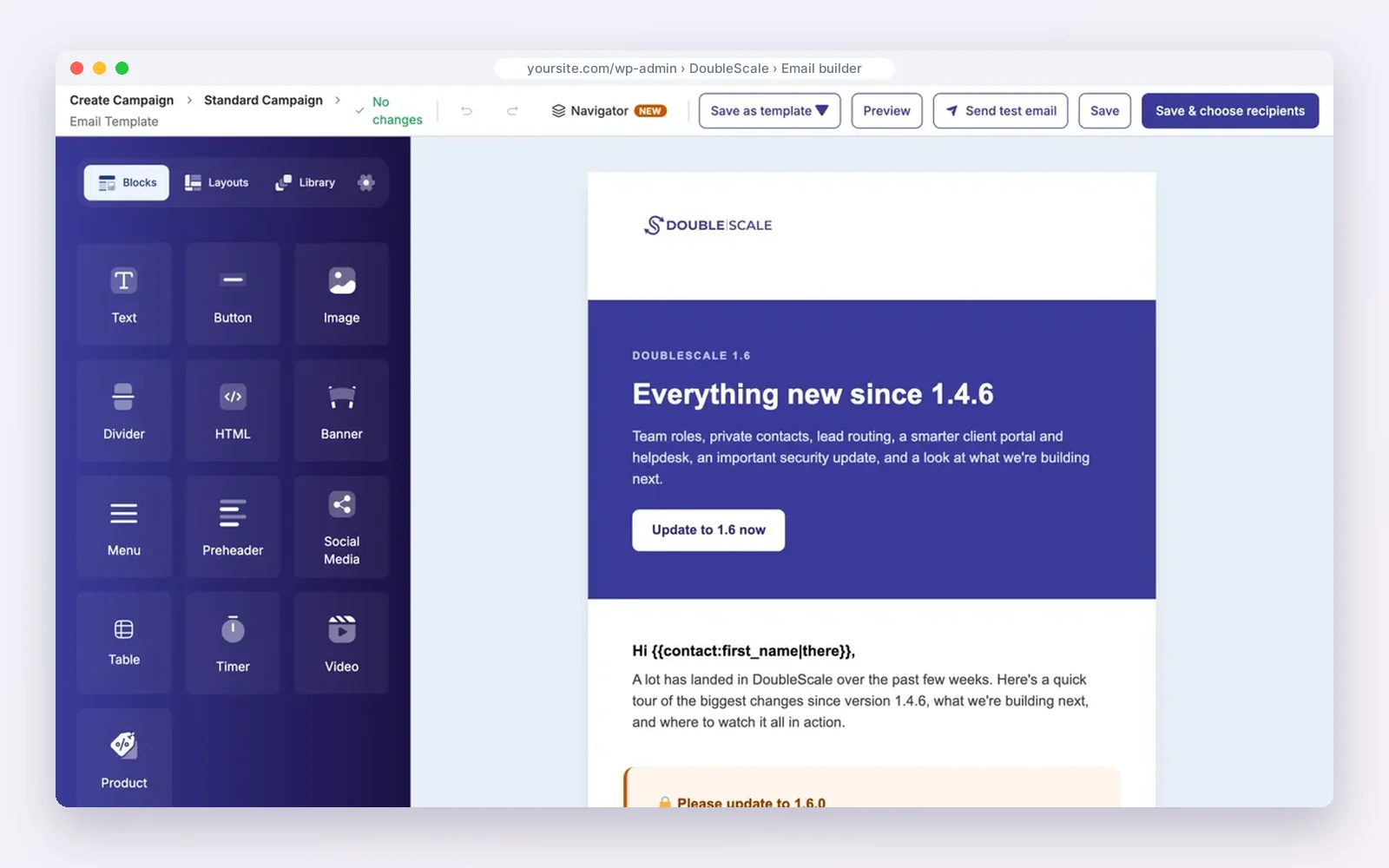
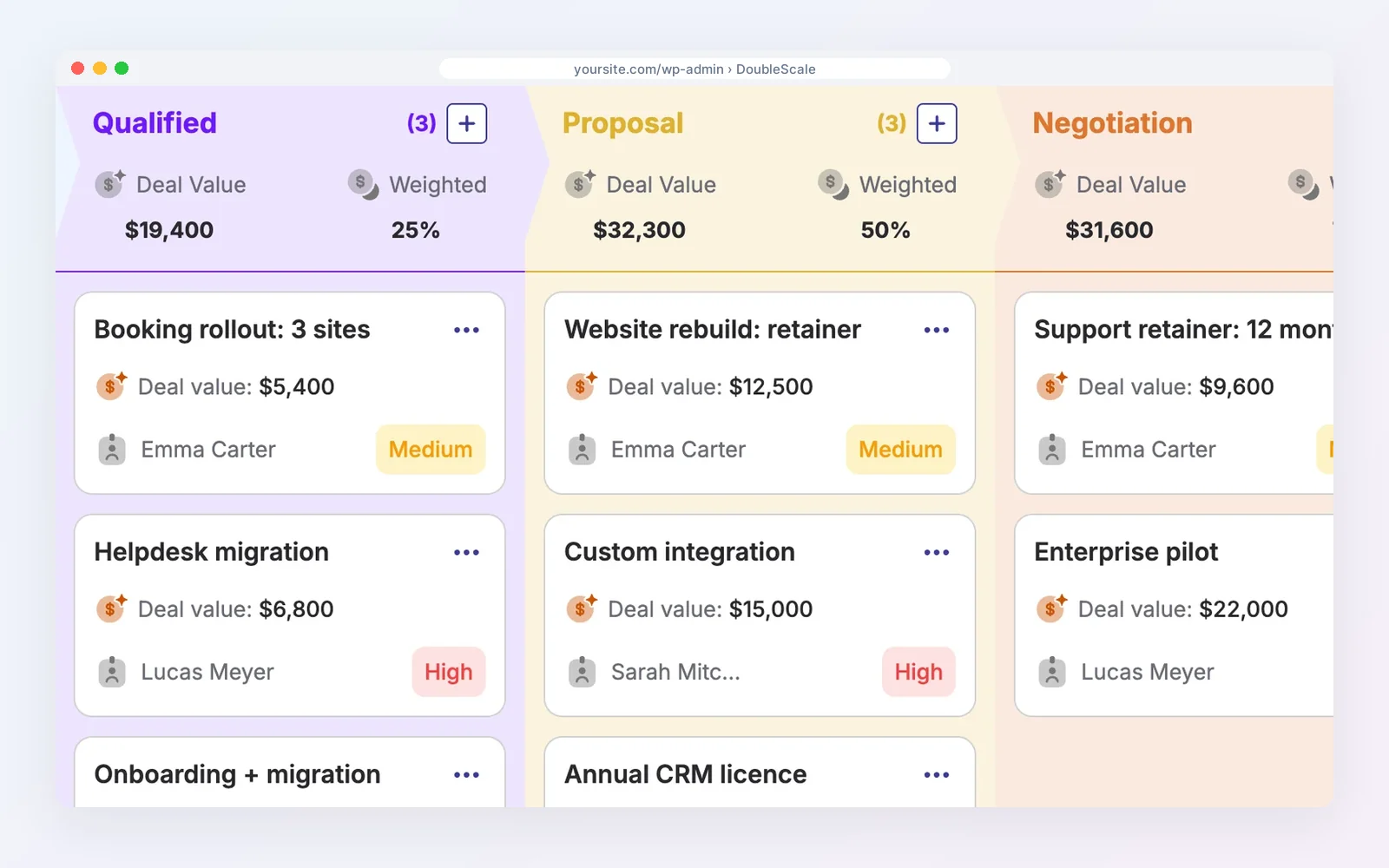
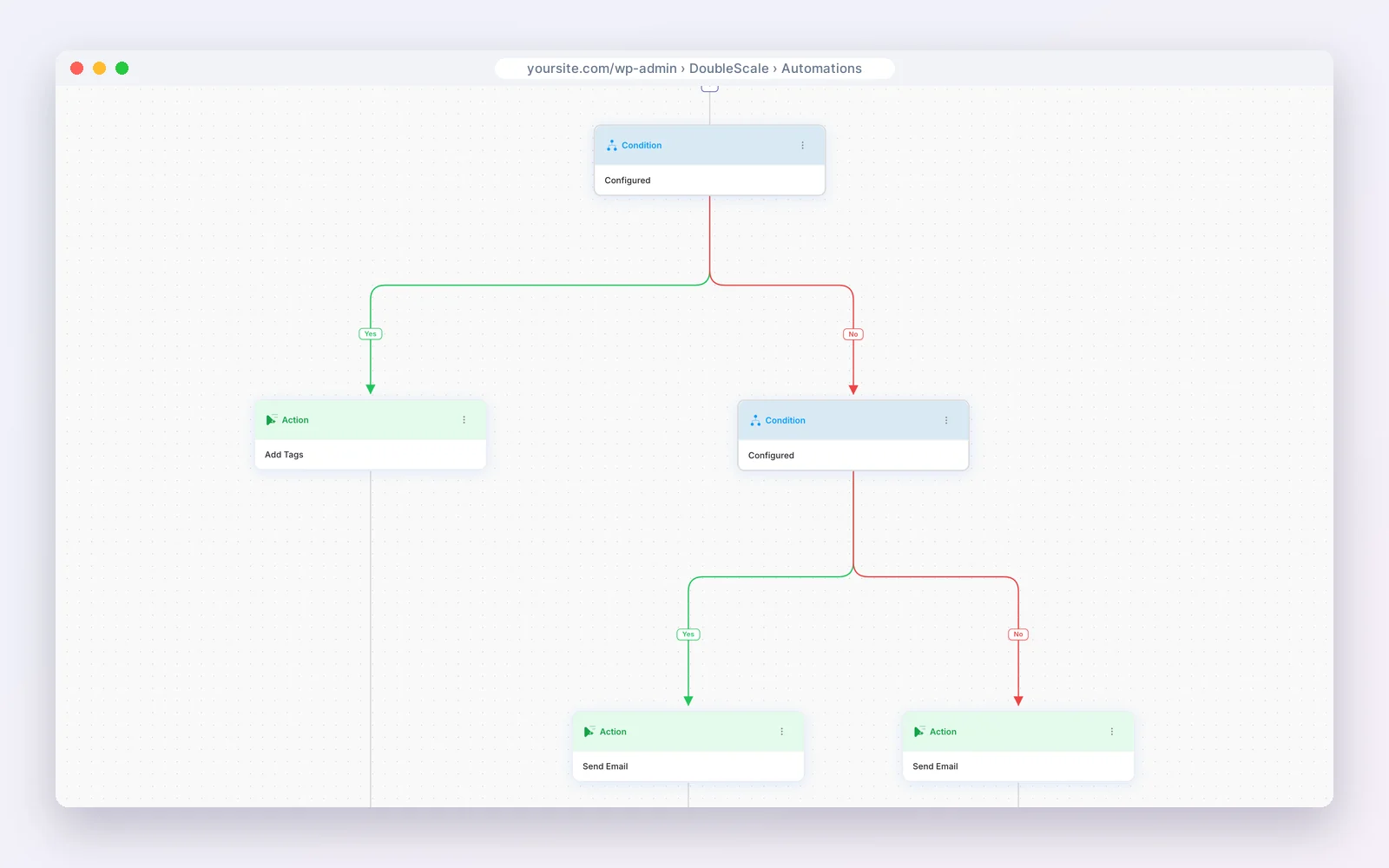
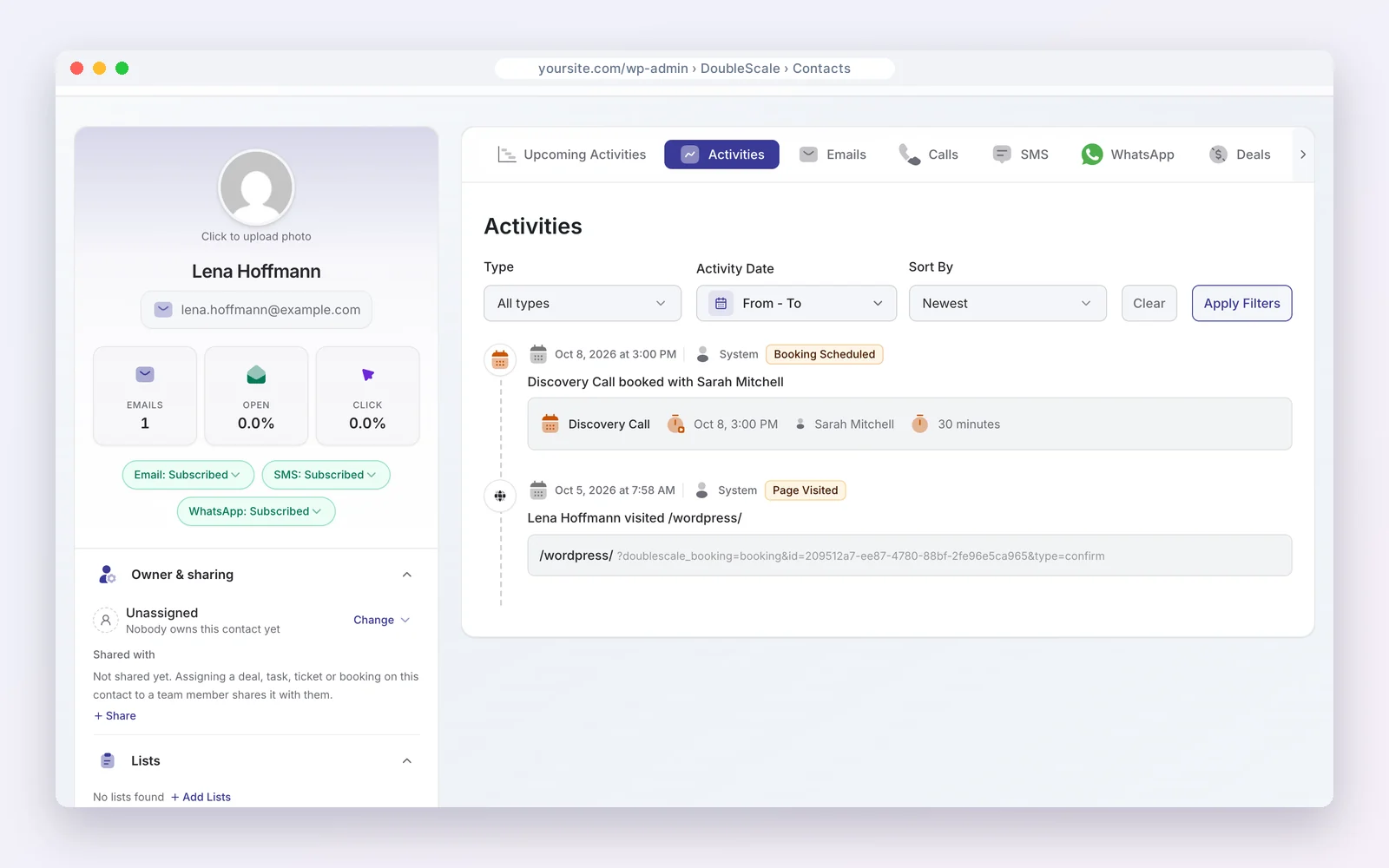
Free on WordPress.org · Unlimited contacts · Pro from $99/yr per site
DoubleScale is the better pick if…
- Your list is growing and per-contact pricing hurts.
- You want email, SMS and WhatsApp in one workflow.
- You want subscribers on the same record as orders and tickets.
Stick with the big platforms if…
- You do not want to set up a sending provider.
- You rely on A/B testing or predictive analytics.
- Your store does not run on WordPress.
See also WooCommerce abandoned cart recovery and DoubleScale vs Mailchimp.
Disclosure: we make DoubleScale. The screens above are real, and every price for the other tools comes from their own pricing pages.
So, which should you choose?
| Your situation | Choose |
|---|---|
| Online store wanting ecommerce flows and SMS | Omnisend |
| Not mainly ecommerce | Mailchimp |
| Most familiar newsletter tool | Mailchimp |
| Unlimited emails at a fixed tier | Omnisend Pro |
| WooCommerce store, flat price, WhatsApp | DoubleScale |
How we compared: every price was read on the vendor’s own pricing page on October 20, 2026 (USD). Prices change often, so check the vendor’s page before you buy.
Questions people ask
Is Omnisend better than Mailchimp for ecommerce?
For most online stores, yes: its automations, product recommendations and SMS are built for ecommerce.
Which is cheaper?
They are close: at 10,000 contacts, Mailchimp Essentials is $110 a month and Omnisend Standard $132; Omnisend Pro at $150 adds unlimited emails.
Do both have free plans?
Yes: 250 contacts and 500 emails a month on each.
Which works with WooCommerce?
Both, through integrations. DoubleScale runs WooCommerce automations inside WordPress without a sync.
More head-to-head comparisons
- ActiveCampaign vs Mailchimp
- Mailchimp vs MailerLite
- Klaviyo vs Mailchimp
- Klaviyo vs Omnisend
- ActiveCampaign vs Klaviyo
- Brevo vs Mailchimp
- ActiveCampaign vs MailerLite
Unlimited contacts, with every order on the customer’s record.
Get our guides first on GoogleAdd DoubleScale as a preferred source and our articles show up more often in your Top Stories.

Mohamed Magdy, Founder & CEO, DoubleScale
Mohamed Magdy is the founder and CEO of DoubleScale, the all-in-one CRM for WordPress. He writes about CRM, email marketing and automation for WordPress businesses.
Practical CRM tips, once a month
Guides on growing with WordPress: lead capture, email marketing, automations and sales. No spam, unsubscribe anytime.