On this page
- Quick picks
- WordPress CRM plugins compared at a glance
- What is a WordPress CRM?
- How we compared these WordPress CRM plugins
- 1. DoubleScale: best all-in-one WordPress CRM
- 2. FluentCRM: best for email marketing automation
- 3. HubSpot for WordPress: best free cloud CRM
- 4. Groundhogg: best for funnels and agencies
- 5. Jetpack CRM: best for freelancers who invoice
- 6. FunnelKit Automations: best for WooCommerce stores
- 7. WP ERP: best CRM with HR and accounting
- 8. WP-CRM System: best for simple client and project tracking
- What about email-only plugins like MailPoet?
- Which WordPress CRM should you choose?
- How to set up a WordPress CRM in 6 steps
- Common mistakes when choosing a WordPress CRM
- FAQs about WordPress CRM plugins
- The bottom line
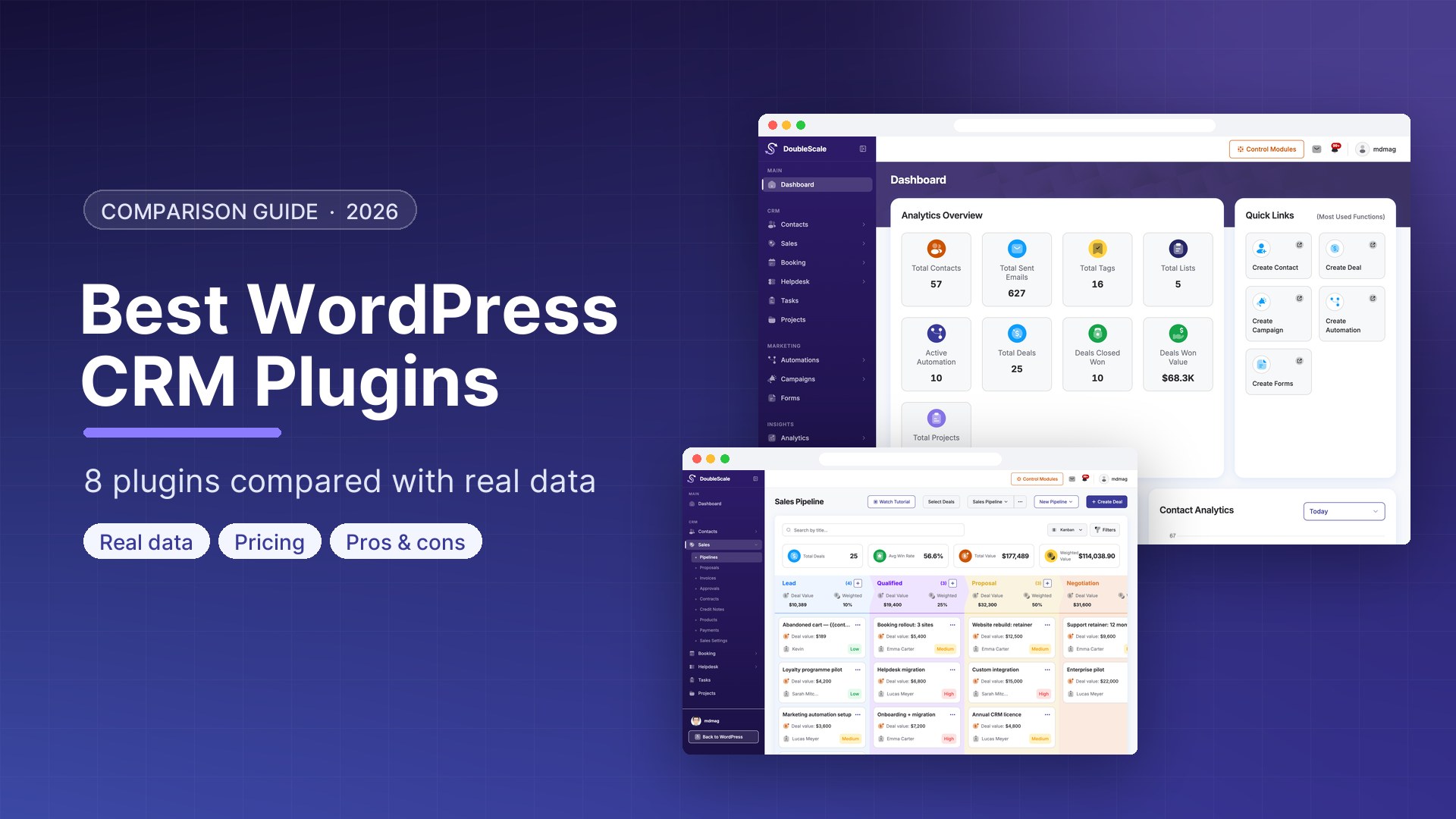
The best WordPress CRM plugins in 2026 are DoubleScale (best all-in-one CRM), FluentCRM (best for email marketing automation), HubSpot for WordPress (best free cloud CRM), Groundhogg (best for funnels and agencies), Jetpack CRM (best for freelancers who invoice), FunnelKit Automations (best for WooCommerce stores), WP ERP (best CRM with HR and accounting) and WP-CRM System (best for simple client and project tracking).
The right one depends on what you need besides contact records: email campaigns, a sales pipeline, booking, support tickets or invoicing. This guide compares all eight on price, features, where your data lives, and how many WordPress sites actually use them.
Disclosure: this article is written by the DoubleScale team, and DoubleScale is one of the plugins we compare. To keep the comparison fair, every install count, rating and price below comes from a public source (WordPress.org and each vendor’s pricing page), checked on October 10, 2026, and every plugin gets its honest weaknesses, including ours.
Quick picks
- Best all-in-one WordPress CRM: DoubleScale. CRM, email, SMS, WhatsApp, automation, sales pipeline, booking and helpdesk in one plugin, from $99/year with unlimited contacts.
- Best for email marketing automation: FluentCRM. The most popular self-hosted email CRM, with 80,000+ active installs.
- Best free cloud CRM: HubSpot for WordPress. A free CRM for up to two users, with your data in HubSpot’s cloud.
- Best for funnels and agencies: Groundhogg. Visual funnel automation with white-label agency licences.
- Best for freelancers who invoice: Jetpack CRM. A simple CRM with quotes, invoices and a client portal in the free core.
- Best for WooCommerce stores: FunnelKit Automations. Revenue-focused email and cart recovery for WooCommerce.
- Best CRM with HR and accounting: WP ERP. CRM, HR and accounting modules in one suite.
- Best for simple client and project tracking: WP-CRM System. Lightweight contacts, tasks and projects.
WordPress CRM plugins compared at a glance
| Plugin | Best for | Free version | Paid plans from | Active installs | WordPress.org rating |
|---|---|---|---|---|---|
| DoubleScale | All-in-one CRM, marketing, sales and support | Yes, unlimited contacts | $99/year (1 site) | 80+ (launched 2026) | 5.0/5 (6 reviews) |
| FluentCRM | Email marketing automation | Yes | $129/year (1 site, list price) | 80,000+ | 4.8/5 (249 reviews) |
| HubSpot for WordPress | Free cloud CRM | Yes, up to 2 users | About $15/seat/month, billed annually | 200,000+ | 4.3/5 (207 reviews) |
| Groundhogg | Funnels and agencies | Yes, core plugin | $20/month, billed annually | 2,000+ | 4.9/5 (149 reviews) |
| Jetpack CRM | Freelancers who invoice | Yes, core plugin | $11/month, billed yearly | 30,000+ | 4.3/5 (152 reviews) |
| FunnelKit Automations | WooCommerce stores | Yes | $149/year (1 site, list price) | 20,000+ | 5.0/5 (346 reviews) |
| WP ERP | CRM plus HR and accounting | Yes, core modules | $228/year (1 user) | 5,000+ | 4.4/5 (149 reviews) |
| WP-CRM System | Simple client and project tracking | Yes, core plugin | $99/year (1 site) | 700+ | 3.9/5 (15 reviews) |
Install counts and ratings are WordPress.org figures as of October 10, 2026. Vendors often run discounts, so check the live price before you buy.
What is a WordPress CRM?
A WordPress CRM is a customer relationship management plugin that runs inside your WordPress site. It stores your leads, customers and their history (form submissions, emails, orders, deals, bookings and support conversations) so you can follow up with the right person at the right time, from your WordPress dashboard.
The difference from a regular CRM is where it lives. A cloud CRM such as Salesforce, Pipedrive or HubSpot is a separate service: your website sends data to it through an integration, and you manage customers in another app. A WordPress CRM plugin keeps the data in your own WordPress database and works directly with the plugins you already run, such as WooCommerce, your form builder, your LMS or your membership plugin.
WordPress CRM plugin vs cloud CRM
| WordPress CRM plugin | Cloud CRM | |
|---|---|---|
| Where data lives | Your own WordPress database | The vendor’s servers |
| Pricing model | Usually a flat yearly licence | Usually per user and often per contact |
| WordPress integration | Native: forms, WooCommerce, LMS, users | Through a connector plugin or Zapier |
| Setup | Install a plugin | Create an account and connect your site |
| Hosting responsibility | You (backups, performance, email delivery) | The vendor |
| Best for | WordPress-first businesses that want control and predictable cost | Larger teams already standardised on a SaaS stack |
The 3 types of WordPress CRM
When people say “WordPress CRM”, they usually mean one of three setups. Knowing which one you need narrows the list quickly.
- A CRM plugin that runs inside WordPress. Contacts, deals and emails live in your own WordPress database and you work from the WordPress dashboard. DoubleScale, FluentCRM, Groundhogg, Jetpack CRM and WP ERP work this way. Best when your business runs on WordPress and you want one flat price and full control of your data.
- A connector to a cloud CRM. A plugin such as HubSpot for WordPress or WP Fusion sends form entries, users and orders from WordPress to a SaaS CRM (HubSpot, Salesforce, Pipedrive, ActiveCampaign), and you manage customers in that app. Best when your sales team already lives in a cloud CRM.
- A form-to-CRM integration. Your form plugin (Gravity Forms, WPForms, Contact Form 7) or a tool like Zapier pushes each submission to a CRM. It is the lightest setup, but you only capture what forms collect, with no WooCommerce orders, user history or on-site activity.
If you are unsure, start with a CRM plugin: it captures the most data with the least setup, and most can still sync with a cloud tool later.
Why use a WordPress CRM?
- Every lead is captured automatically. Forms, WooCommerce checkouts, bookings and registrations create or update contacts without copy and paste.
- One history per customer. Emails, orders, deals, bookings and support tickets sit on the same record, so anyone on your team can pick up a conversation.
- Faster follow-up. Automations send the welcome email, reminder or offer the moment someone acts, instead of days later.
- Predictable cost. Most WordPress CRMs charge a flat yearly fee per site rather than per user or per contact, so growing your list does not raise the bill.
- Your data stays yours. Customer records live on your own server, which simplifies privacy reviews and avoids lock-in.
What a WordPress CRM should do
At a minimum, a WordPress CRM should:
- Capture leads automatically from your forms, WooCommerce checkout and user registrations, without copy and paste.
- Keep one timeline per contact, so you can see every email, order, deal and conversation in one place.
- Segment your audience with tags, lists and rules, so the right people get the right message.
- Follow up for you with email campaigns and automations triggered by what contacts do.
- Stay fast as your list grows into the tens of thousands of contacts.
Beyond that, the plugins on this list split into two groups: email-first CRMs (FluentCRM, Groundhogg, FunnelKit Automations) and business-management CRMs that add sales pipelines, invoices, booking or support (DoubleScale, Jetpack CRM, WP ERP, WP-CRM System). Knowing which group you need narrows the choice quickly.
How we compared these WordPress CRM plugins
We looked at each plugin against six criteria that decide whether a WordPress CRM works for a real business:
- Scope: which jobs it covers on its own (CRM, email, automation, sales, booking, support, invoicing) and which need extra plugins or paid add-ons.
- Total cost: the real price of the features most businesses need, not only the entry plan, including per-user or per-contact charges.
- Data ownership: whether customer data stays in your WordPress database or lives on the vendor’s servers.
- WordPress integration: native support for WooCommerce, popular form builders, LMS and membership plugins.
- Adoption and maintenance: active installs, WordPress.org rating and how recently the plugin was updated, which show whether a plugin is proven and maintained.
- Ease of use: how quickly a non-technical owner can import contacts and send a first campaign.
Data sources: WordPress.org plugin statistics and each vendor’s public pricing and documentation pages, all checked on October 10, 2026. We update this comparison when prices or features change.
1. DoubleScale: best all-in-one WordPress CRM
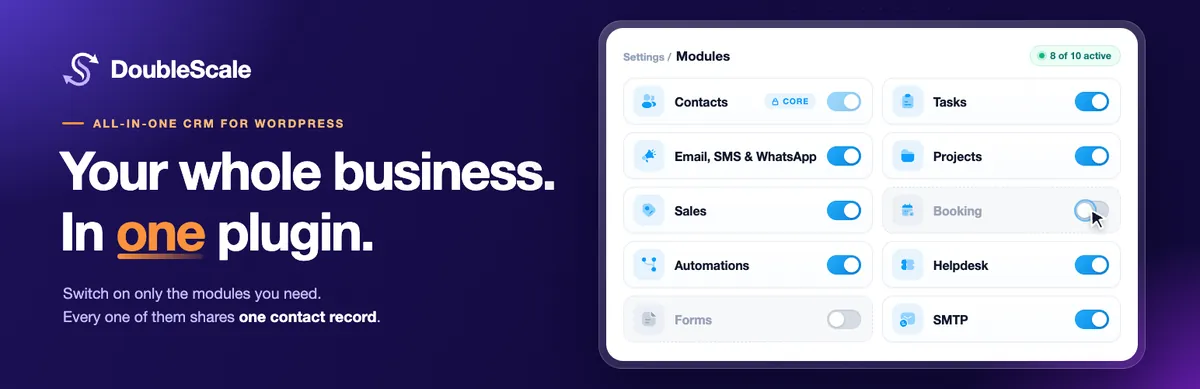
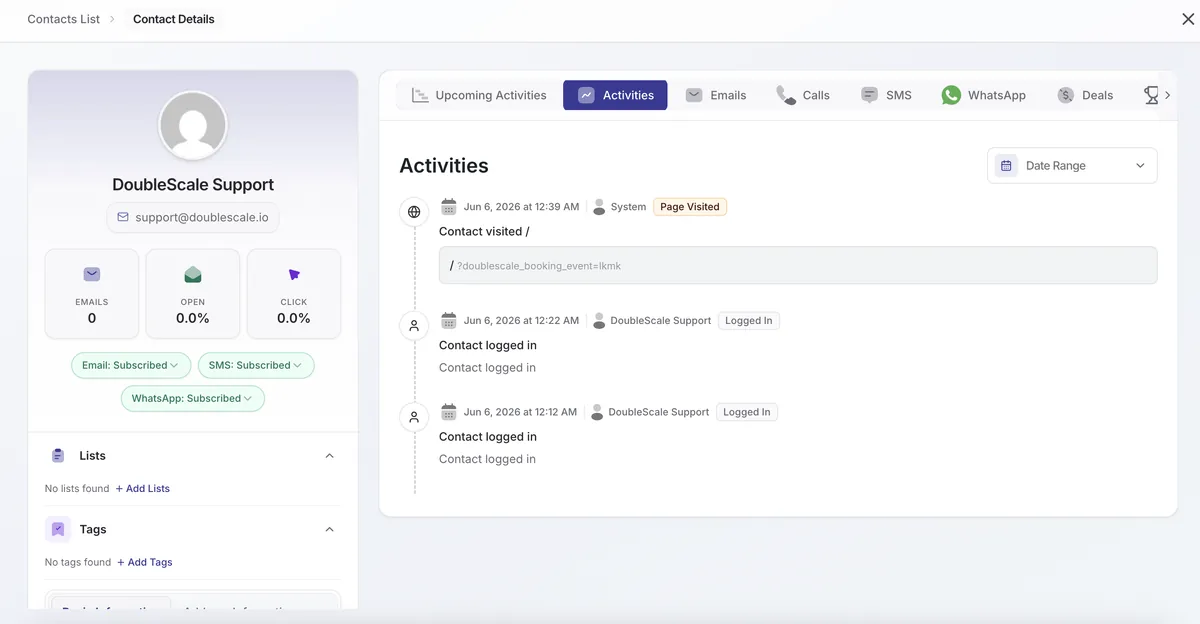
DoubleScale is a self-hosted CRM that replaces several separate tools: a CRM, an email marketing service, an SMS and WhatsApp tool, a scheduling app, a helpdesk and an SMTP plugin. Every campaign, deal, invoice, booking and ticket attaches to the same contact record, stored in your WordPress database.
Key features
- Unlimited contacts with tags, lists, dynamic segments, CSV import and a full activity timeline
- Email campaigns and newsletters with a drag-and-drop builder, A/B testing, sequences and delivery tracking
- Visual automation builder with 100+ triggers across forms, WooCommerce, LMS, membership, bookings and tickets
- SMS campaigns through Twilio and WhatsApp campaigns with Meta-approved templates (Pro)
- Sales pipelines, proposals, invoices with online payments, contracts and credit notes
- Appointment booking with availability rules, reminders and a booking page on your own site
- Helpdesk with a shared inbox, support portal and email notifications
- Built-in SMTP routing through 20+ providers, including Amazon SES, SendGrid, Mailgun and Postmark
- Control Modules: switch off any module you don’t need to keep the admin focused
Pros
- Replaces 4 to 6 separate subscriptions with one plugin and one contact record
- No per-contact or per-user pricing: unlimited contacts and unlimited team members
- A generous free version on WordPress.org that already includes email campaigns, automations, booking and a helpdesk
- Data stays on your own server
Cons
- The newest plugin on this list, so its community and third-party tutorials are still small
- SMS, WhatsApp, deals and pipelines, invoicing with payments, and integrations such as Gravity Forms and Elementor Forms need Pro
- Broader than a solo blogger needs if all you want is a newsletter
Pricing: free on WordPress.org. Pro costs $99/year for 1 site, $199/year for up to 5 sites, and $399/year for up to 25 sites with white labelling, with a 14-day money-back guarantee. See DoubleScale pricing.
Best for: small businesses, agencies, coaches and online stores that want CRM, marketing, sales and support in one place without SaaS bills that grow with their list.
2. FluentCRM: best for email marketing automation

FluentCRM is the most widely used self-hosted email marketing CRM for WordPress, with more than 80,000 active installs. It focuses on newsletters, segmentation and automation funnels, and it is part of a larger family of Fluent plugins.
Key features
- Unlimited contacts with tags, lists and dynamic segments
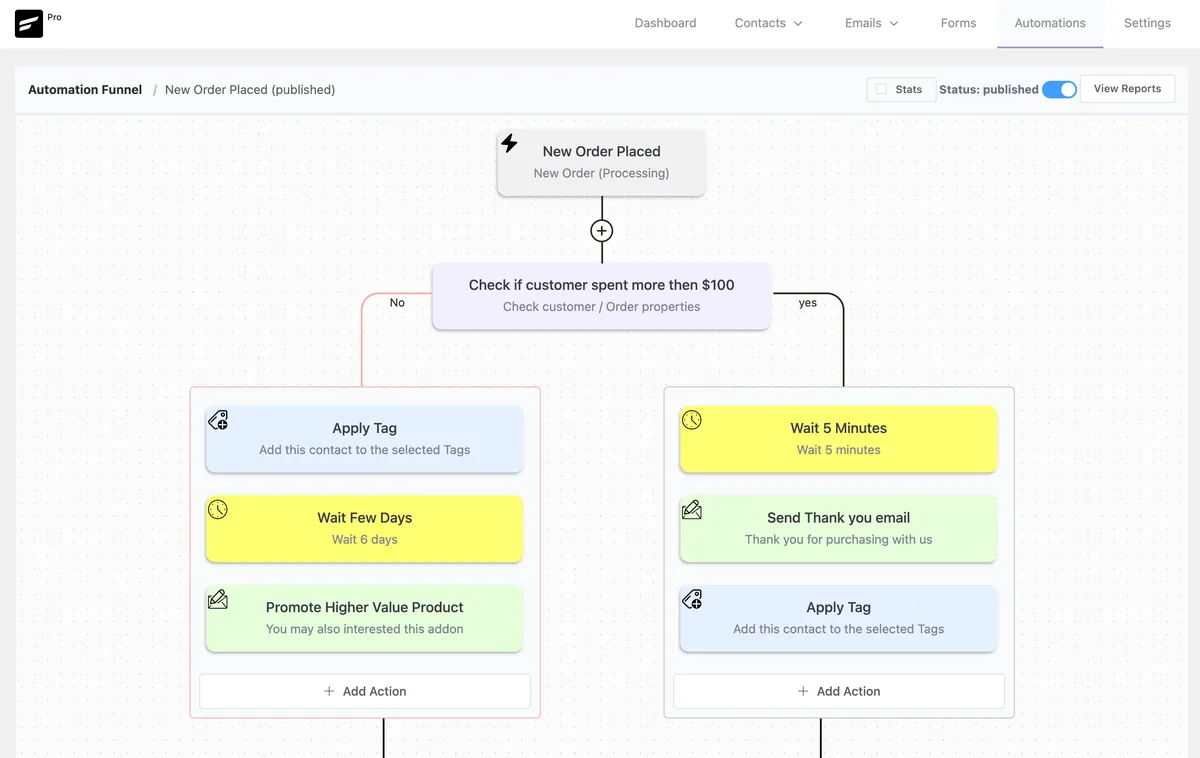
- Email campaigns, sequences and a visual automation builder
- Deep integrations with WooCommerce, LMS and membership plugins
- Companies (B2B contact grouping) and reporting
Pros
- Mature, fast and widely adopted, so help and tutorials are easy to find
- Strong email automation for a flat yearly price
- A free version that covers the basics of email marketing
Cons
- No built-in sales pipeline for tracking deals
- Booking, helpdesk and project management are separate paid plugins (FluentBooking, Fluent Support and Fluent Boards)
- You still need an email sending service and an SMTP plugin, such as the free FluentSMTP
Pricing: free version on WordPress.org. FluentCRM Pro lists at $129/year for a single site, often discounted.
Best for: content creators, course sellers and stores whose main need is email marketing. See our DoubleScale vs FluentCRM comparison if you also need sales and support.
3. HubSpot for WordPress: best free cloud CRM
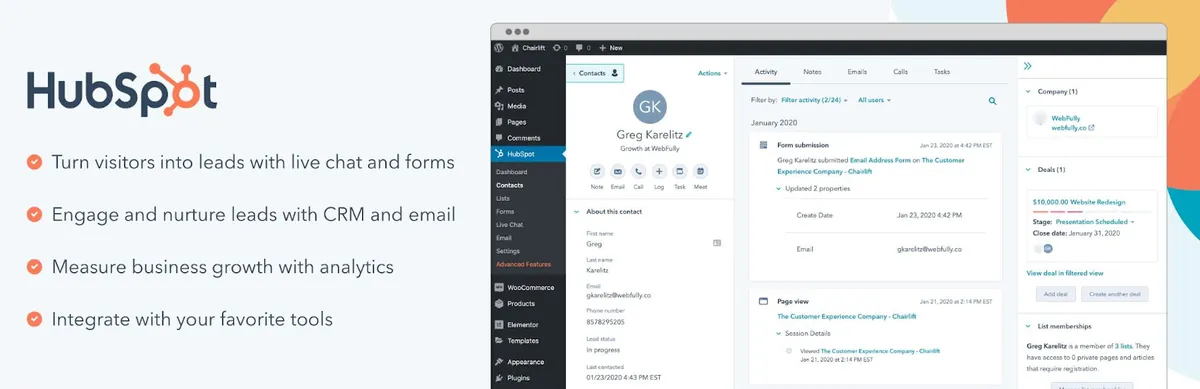
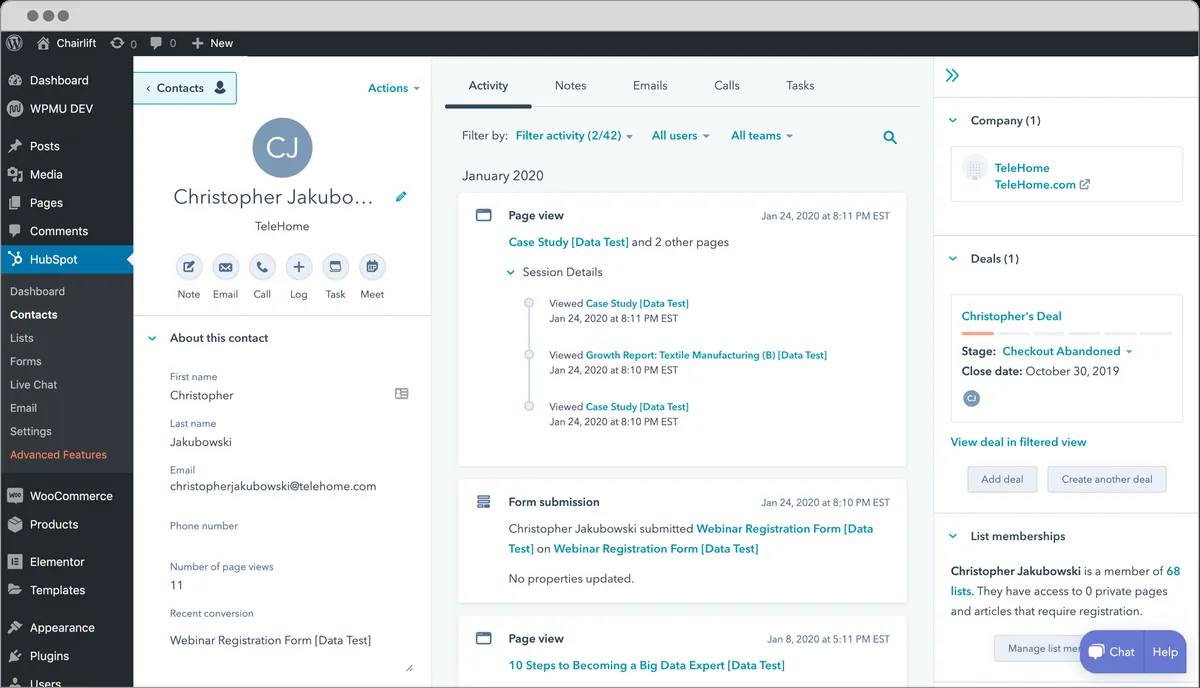
HubSpot’s WordPress plugin connects your site to HubSpot’s cloud CRM. It adds forms, pop-ups, live chat and analytics to WordPress and sends every lead to your HubSpot account, where you manage contacts, deals and emails.
Key features
- Free CRM with contact, company and deal records
- Forms, pop-ups and live chat on your WordPress site
- Marketing emails, meeting scheduling and ticketing in the HubSpot platform
- A large ecosystem of HubSpot apps and integrations
Pros
- A capable CRM at no cost for small teams
- Polished cloud software with nothing to host or maintain
- Room to grow into HubSpot’s marketing, sales and service products
Cons
- Your customer data lives on HubSpot’s servers, not in WordPress
- The free plan supports up to two users, and costs rise with seats and marketing contacts on paid plans
- Automation and many marketing features require a paid plan
Pricing: free CRM for up to two users. Starter plans cost about $15 per seat per month billed annually ($20 per seat per month as list price), and HubSpot frequently runs first-year promotions.
Best for: teams that are comfortable with a SaaS CRM and may later move to HubSpot’s paid products. If you want the same toolkit self-hosted, see DoubleScale vs HubSpot.
4. Groundhogg: best for funnels and agencies
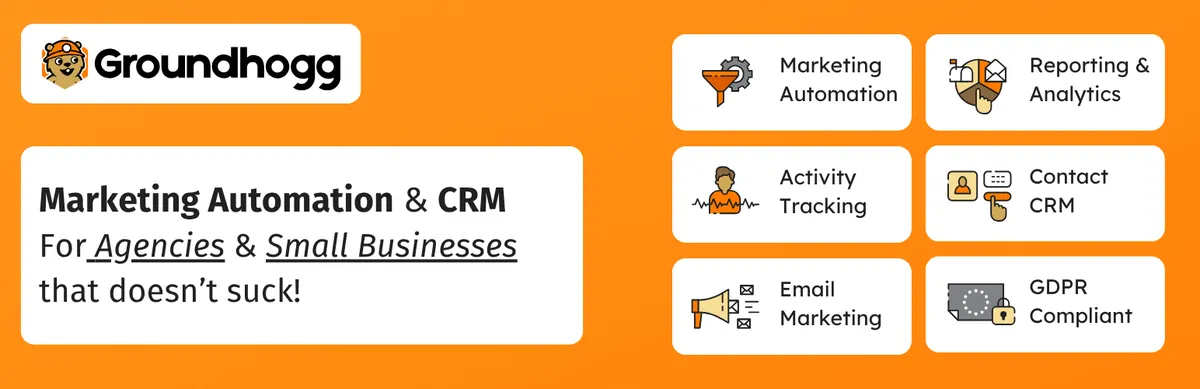
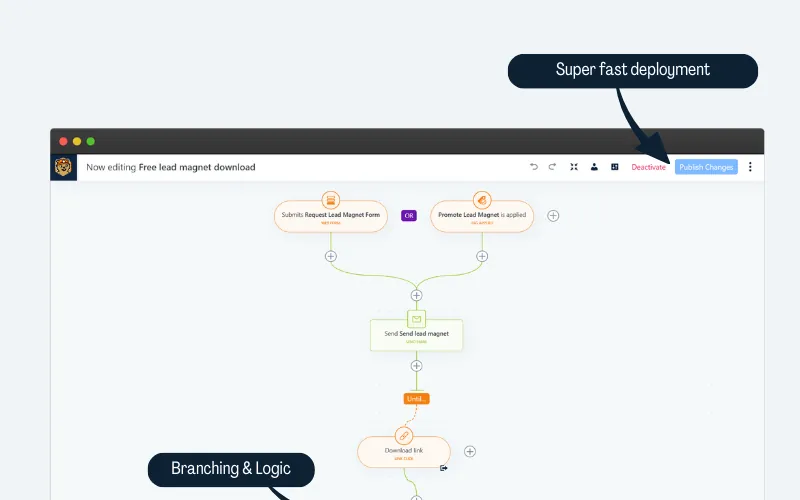
Groundhogg is a self-hosted CRM and marketing automation plugin built around visual funnels. Its pricing is aimed at people who manage several sites, with white-label agency licences.
Key features
- Contact management, email broadcasts and funnel-style automation
- Sales, CRM and marketing add-ons on paid plans
- SMTP, SMS, ecommerce and membership integrations on higher plans
- White labelling for agencies
Pros
- One of the most flexible funnel builders available for WordPress
- Highly rated by its users (4.9/5 on WordPress.org)
- Agency licences cover up to 25 sites
Cons
- Form, SMTP, SMS and ecommerce integrations are spread across pricing tiers
- Billed annually only, and pricier than flat-licence plugins once you need the Pro tier
- A smaller user base than FluentCRM or Jetpack CRM
Pricing: free core plugin. Paid plans, billed annually, are Basic $20/month (1 site), Plus $40/month (3 sites), Pro $50/month (5 sites) and Agency $100/month (25 sites).
Best for: marketers and agencies who think in funnels and want to resell or white-label the CRM.
5. Jetpack CRM: best for freelancers who invoice
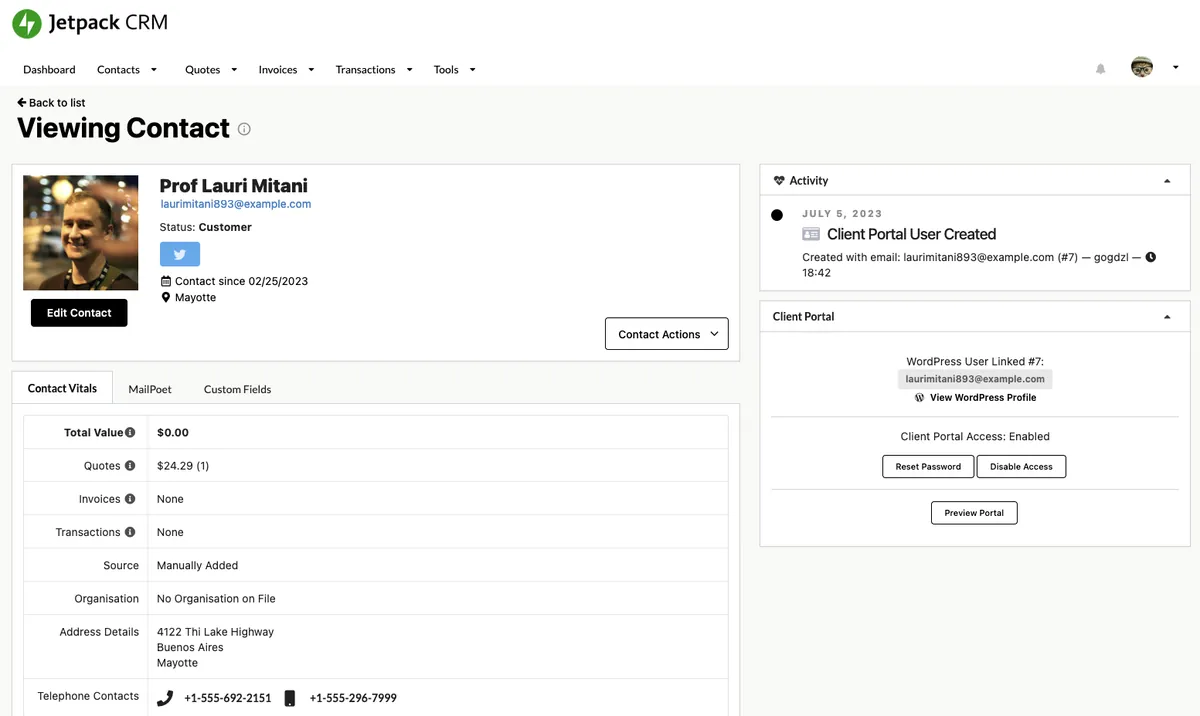
Jetpack CRM, formerly Zero BS CRM and now part of Automattic, is a straightforward CRM for freelancers and small businesses. Its free core already handles contacts, companies, quotes, invoices and transactions.
Key features
- Contact and company management with a sales funnel view
- Quotes, invoices and transaction tracking in the free core
- A client portal where customers can view their invoices
- 30+ extensions, including Stripe, PayPal, Gravity Forms and WooCommerce sync
Pros
- Simple to learn, with no marketing-tool complexity
- Invoicing included without a separate billing plugin
- Backed by Automattic, the company behind WordPress.com
Cons
- Email marketing and automation are basic compared with email-first CRMs
- Many useful features are extensions, and all 30+ require the Entrepreneur plan
- No built-in booking or helpdesk
Pricing: free core plugin. Freelancer costs $11/month billed yearly (4 extensions) and Entrepreneur $17/month billed yearly (all 30+ extensions).
Best for: freelancers and service businesses that mainly need to track clients and send invoices.
6. FunnelKit Automations: best for WooCommerce stores
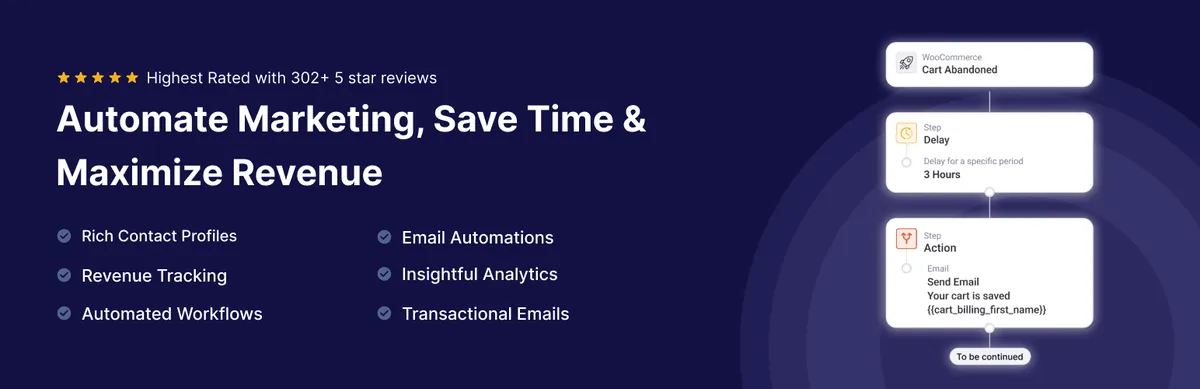
FunnelKit Automations, formerly Autonami, is an email marketing automation and CRM plugin built for WooCommerce. It is often paired with FunnelKit’s funnel builder and checkout tools.
Key features
- Email and SMS automations triggered by WooCommerce events
- Abandoned cart recovery and post-purchase sequences
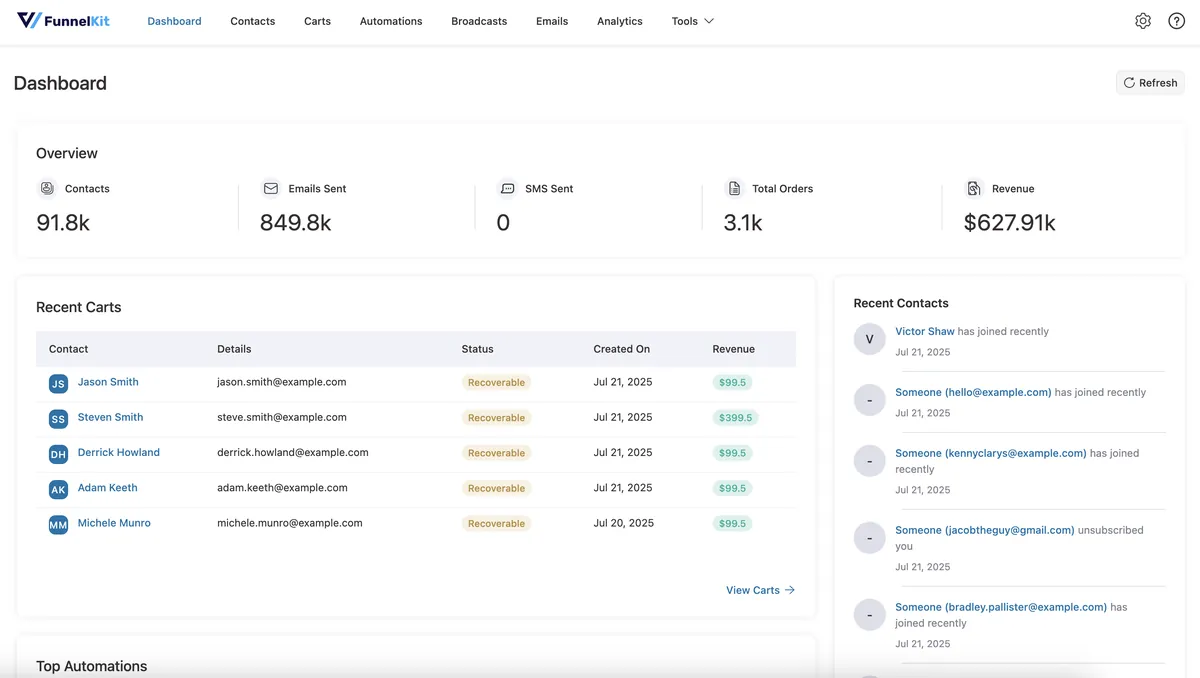
- Broadcasts, contact segmentation and revenue reporting
- A contact CRM built on WooCommerce order data
Pros
- Excellent fit for WooCommerce stores that want revenue attribution
- 5.0/5 rating from 346 WordPress.org reviews
- Works hand in hand with FunnelKit’s checkout and funnel tools
Cons
- Built around WooCommerce, so it suits service businesses less well
- No sales pipeline, booking or helpdesk
- The full feature set is spread across several FunnelKit products
Pricing: free version on WordPress.org. Automations alone lists at $149/year for one site (often discounted), and it is included in FunnelKit’s Professional and Elite bundles.
Best for: WooCommerce stores focused on email-driven revenue.
7. WP ERP: best CRM with HR and accounting
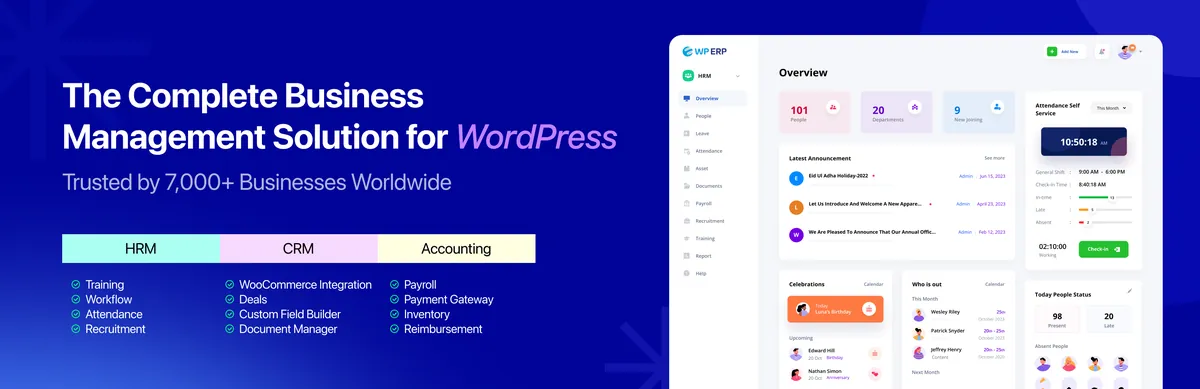
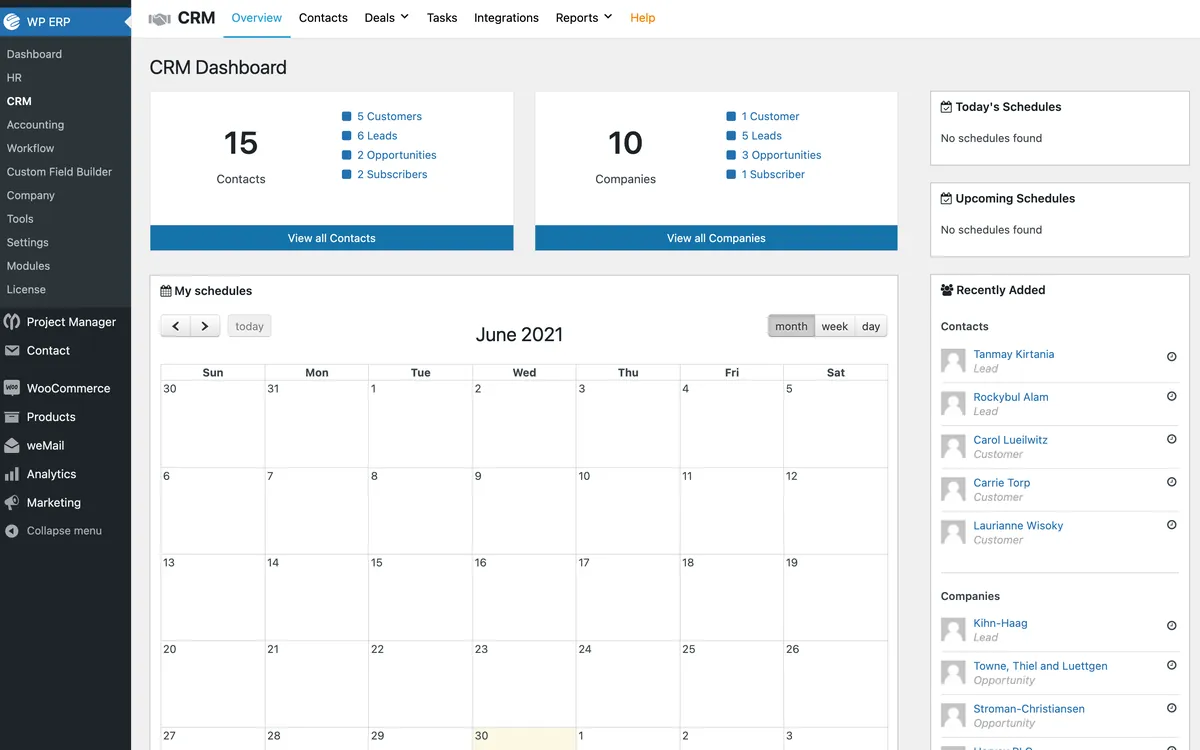
WP ERP is a business suite with three core modules: CRM, HR and accounting. It suits companies that want to run more than customer relationships inside WordPress.
Key features
- CRM core with contacts, companies and activities
- HR management and accounting modules in the free core
- Deals pipeline, workflow automation and WooCommerce integration on the Growth plan
- Mobile app on the Scale plan
Pros
- The only plugin here that covers HR and accounting as well as CRM
- Free core modules with unlimited users
Cons
- Pro pricing is per user, which adds up for growing teams
- The deals pipeline and automation need the Growth plan or higher
- Email marketing is basic
Pricing: free core. Billed yearly, Starter costs $228/year (1 user), Growth $468/year (3 users) and Scale $948/year (10 users), with extra users at $24/year each.
Best for: small companies that want CRM, HR and bookkeeping in one WordPress dashboard.
8. WP-CRM System: best for simple client and project tracking

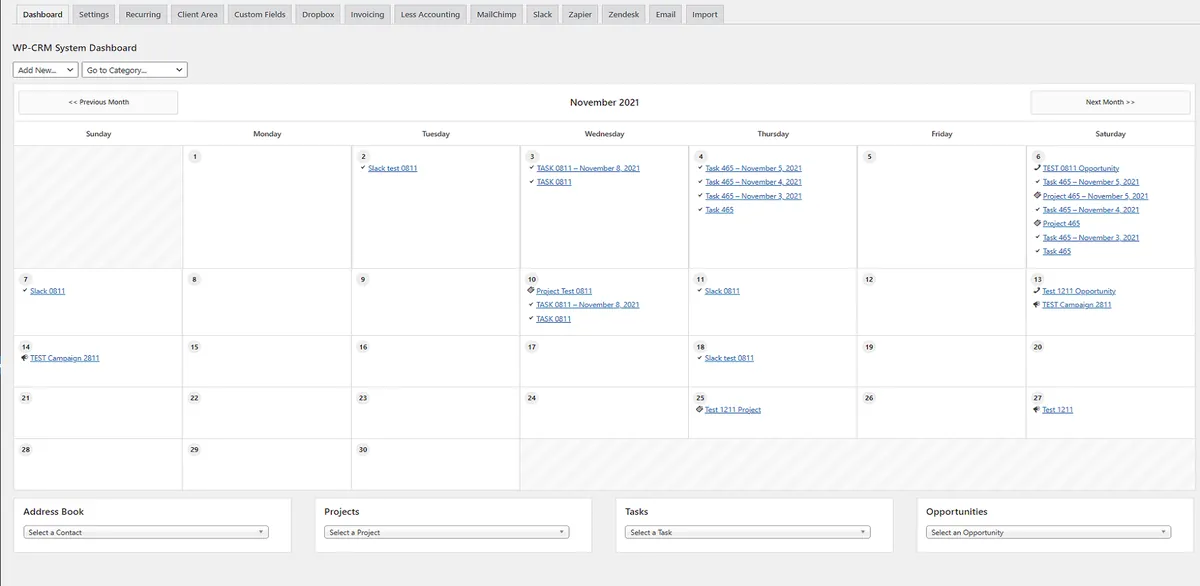
WP-CRM System is a lightweight CRM for managing contacts, organisations, tasks, projects and opportunities inside WordPress.
Key features
- Contacts, organisations, opportunities, tasks and projects
- Custom fields, a client area and invoicing through paid extensions
- Connectors for Gravity Forms, Ninja Forms, WooCommerce, Mailchimp, Zapier and Slack on higher plans
Pros
- Very simple and easy to understand
- Works for basic client and project tracking with no marketing features to learn
Cons
- No built-in email marketing or automation
- A small user base (700+ active installs)
- Most integrations require the Enhanced plan or higher
Pricing: free core plugin. Plus costs $99/year, Enhanced $199/year and Professional $249/year for unlimited sites.
Best for: solo consultants who want a simple contact and project list without a marketing system.
What about email-only plugins like MailPoet?

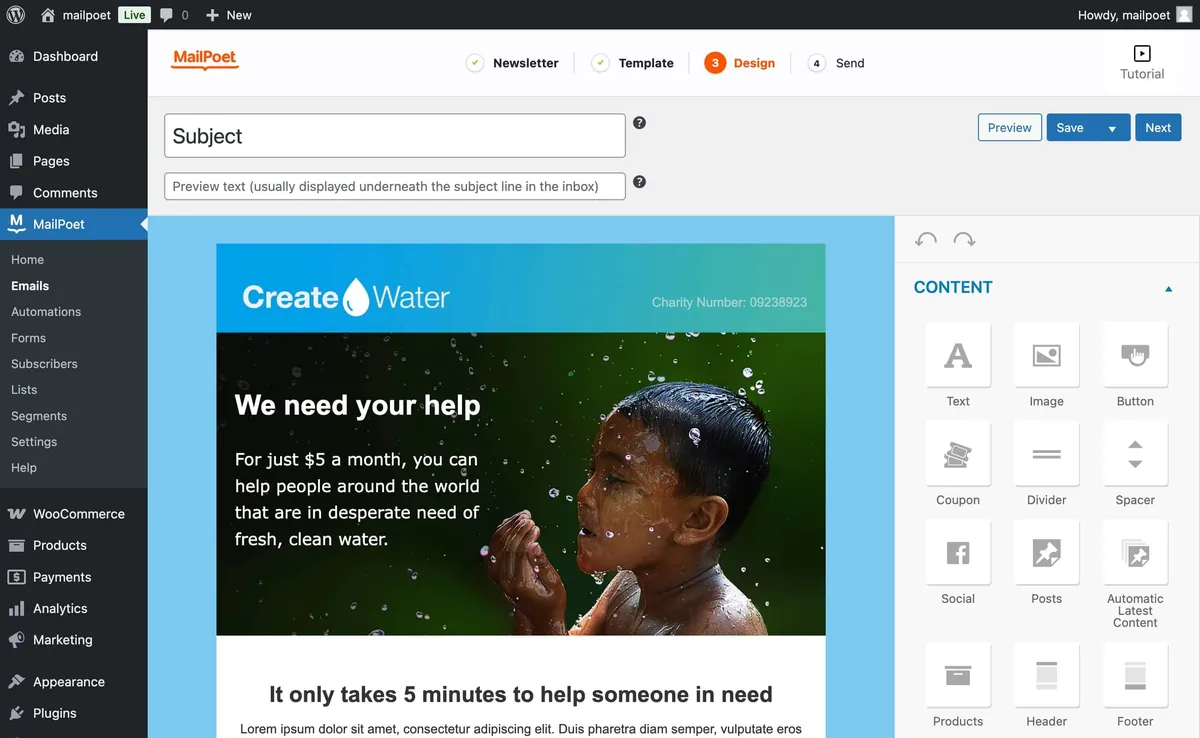
MailPoet (500,000+ active installs) is a popular newsletter plugin, but it is an email marketing tool rather than a CRM: it has no sales pipeline, deals, booking or support. Its free Starter plan covers up to 500 subscribers and 5,000 emails a month through MailPoet’s sending service. If you only need newsletters for a small list, it is a reasonable choice. If you need to manage leads and customers, choose a CRM from the list above.
Which WordPress CRM should you choose?
- You want one tool for marketing, sales and support: DoubleScale. It replaces a CRM, email tool, scheduler, helpdesk and SMTP plugin.
- You mainly send newsletters and automated emails: FluentCRM, or DoubleScale if the same contacts also need deals, invoices, bookings or support tickets.
- You run a WooCommerce store: FunnelKit Automations for revenue-focused email, or DoubleScale if you also need support tickets and WhatsApp.
- You are an agency managing client sites: Groundhogg or DoubleScale Enterprise, both with white labelling.
- You are a freelancer who sends invoices: Jetpack CRM, or DoubleScale if you also want proposals, contracts and booking.
- You want a free CRM and don’t mind the cloud: HubSpot for WordPress.
- You also need HR and accounting: WP ERP.
Still deciding between two plugins? Our detailed comparisons cover DoubleScale vs FluentCRM, DoubleScale vs HubSpot, DoubleScale vs Groundhogg, DoubleScale vs Jetpack CRM and DoubleScale vs FunnelKit. If budget is the deciding factor, see our list of the best free WordPress CRM plugins.
How to set up a WordPress CRM in 6 steps
Setting up a WordPress CRM takes an afternoon, not a project. The steps are the same for most plugins:
- Install the plugin. Go to Plugins > Add New, search for the CRM and click Install, then Activate.
- Run the setup wizard. Set your business details, sending address and the modules you want to use.
- Import your existing contacts. Upload a CSV, or import from WordPress users, WooCommerce customers or your previous CRM. DoubleScale can import directly from FluentCRM, MailerLite, ActiveCampaign, Pipedrive and GoHighLevel.
- Connect your forms and email delivery. Link your form builder so new leads arrive automatically, and connect an SMTP provider so your emails reach the inbox.
- Build one automation and test it. Start with a welcome email for new subscribers, submit a test form and confirm the contact, tag and email all appear.
- Monitor performance. Watch open and click rates, deliverability and site speed for the first few weeks, then add more automations.
For a detailed walkthrough, read how to set up a CRM in WordPress.
Common mistakes when choosing a WordPress CRM
- Comparing entry prices instead of total cost. A $99 plugin that needs three more paid plugins for booking, support and SMTP can cost more than an all-in-one tool.
- Ignoring per-user and per-contact pricing. Costs that look small at 500 contacts can multiply as your list and team grow.
- Forgetting email delivery. A self-hosted CRM still needs a reliable sending service. Budget for one, or choose a CRM with SMTP built in.
- Installing more than you need. A CRM with modules you can switch off keeps the dashboard simple for your team.
- Not testing on a staging site. Import a sample of contacts and run one automation end to end before moving your whole list.
FAQs about WordPress CRM plugins
What is the best CRM for WordPress?
For most small businesses, the best WordPress CRM is the one that covers your main jobs without extra plugins. DoubleScale is the best all-in-one choice because it combines CRM, email, SMS, WhatsApp, automation, sales, booking and support. FluentCRM is the best choice if you only need email marketing, and HubSpot is the best free option if you are happy to keep data in the cloud.
Is there a free WordPress CRM?
Yes. DoubleScale, FluentCRM, Groundhogg, Jetpack CRM, FunnelKit Automations, WP ERP and WP-CRM System all have free versions, and HubSpot offers a free cloud CRM for up to two users. DoubleScale’s free version includes unlimited contacts, email campaigns, automations, booking and a helpdesk. See our full list of free WordPress CRM plugins.
What are the types of WordPress CRM?
There are three: a CRM plugin that runs inside WordPress (such as DoubleScale or FluentCRM), a connector that syncs WordPress with a cloud CRM (such as HubSpot for WordPress or WP Fusion), and a simple form-to-CRM integration through your form plugin or Zapier.
How do I connect WordPress to a CRM?
If you use a CRM plugin, there is nothing to connect: install it and link your forms and WooCommerce in its settings. For a cloud CRM, install its official WordPress plugin or a connector such as WP Fusion, sign in to your CRM account, then map your forms and user fields to CRM fields.
Will a CRM plugin slow down my WordPress site?
A well-built CRM runs in the WordPress admin and in background jobs, so it should not slow down the pages your visitors see. Choose a plugin that sends email in batches through a background queue, and use a proper SMTP provider. Larger lists of 100,000+ contacts benefit from good hosting with enough database resources.
Which WordPress CRM is best for WooCommerce?
DoubleScale, FluentCRM and FunnelKit Automations all integrate deeply with WooCommerce, with abandoned cart recovery and purchase-based automations. FunnelKit Automations focuses on store revenue, while DoubleScale adds support tickets, bookings and invoices to the same customer record, alongside email, SMS and WhatsApp.
Can I send newsletters and email campaigns from WordPress?
Yes. Most CRM plugins on this list include email campaigns. You write and send the newsletter from WordPress, and the CRM sends it through an SMTP provider such as Amazon SES, SendGrid or Mailgun, which keeps sending costs low even for large lists.
How many contacts can a WordPress CRM handle?
Self-hosted CRMs like DoubleScale and FluentCRM have no contact limit, so the practical limit is your hosting. Sites with tens of thousands of contacts run well on standard managed WordPress hosting, and larger lists need more database and memory resources.
What is the difference between a WordPress CRM plugin and a regular CRM?
A WordPress CRM plugin runs inside your WordPress site and stores data in your own database, usually for a flat yearly price. A regular cloud CRM is a separate service that stores your data on its servers and usually charges per user or per contact. The plugin route gives you more control and predictable costs, and the cloud route removes hosting and maintenance work.
The bottom line
Pick the CRM that fits the work you actually do every week. If you mainly send email, FluentCRM is a proven choice. If you are happy in the cloud, HubSpot’s free CRM is hard to beat. If you want contacts, marketing, sales, booking and support to live in one place on your own server, try DoubleScale free from WordPress.org or explore the live demo first.
Get our guides first on GoogleAdd DoubleScale as a preferred source and our articles show up more often in your Top Stories.

Mohamed Magdy, Founder & CEO, DoubleScale
Mohamed Magdy is the founder and CEO of DoubleScale, the all-in-one CRM for WordPress. He writes about CRM, email marketing and automation for WordPress businesses.
Practical CRM tips, once a month
Guides on growing with WordPress: lead capture, email marketing, automations and sales. No spam, unsubscribe anytime.