






Black Friday Up to 50% off lifetime licenses · pay once, use DoubleScale for life · ends in 00d 00h 00m 00s See the dealGet deal
DoubleScale
Live chat and AI assistant

Live chat that answers first, and your team when it matters

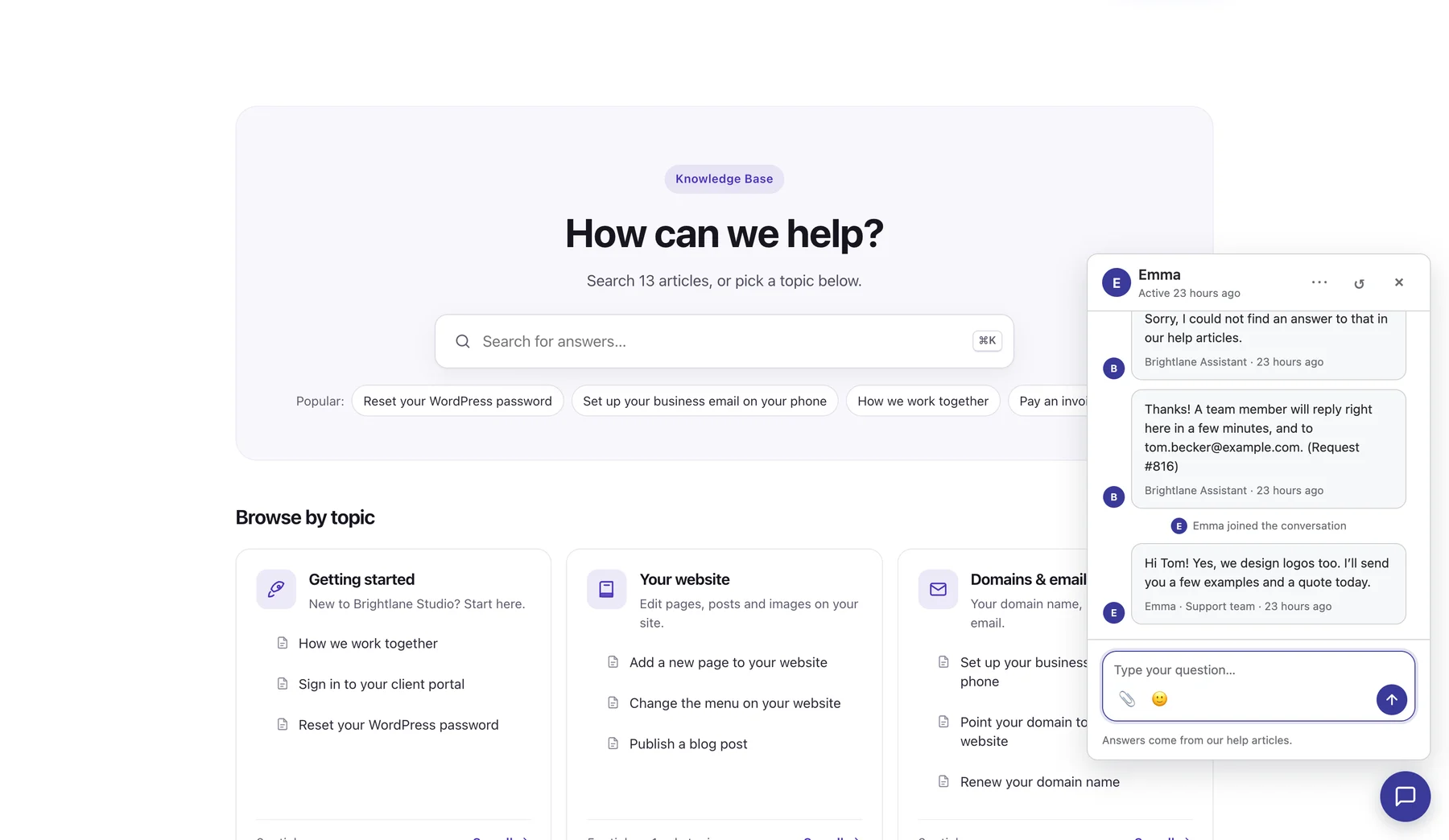
An AI assistant answers visitors from your own help articles, day and night. When a question needs a person, the chat goes to your team, and every conversation lands in your helpdesk as a ticket, right inside WordPress.
  • Included in every Pro plan
  • No per-agent seats
  • Your own AI key
yoursite.com
The DoubleScale chat on a company website: the assistant could not answer, so it created a request and a team member joined the conversation
How it works

From question to answer, without losing anyone

The assistant takes the simple questions. Your team takes the rest. Nothing gets lost between them.

  1. 1

    The assistant answers

    It reads your published help articles and the site pages you pick, and answers with links to its sources.

  2. 2

    A person takes over

    When it can’t help, or the visitor asks to talk to a person, the chat goes to your team.

  3. 3

    It’s a ticket

    Every chat is a ticket in your helpdesk inbox, with the whole conversation and the contact attached.

AI assistant

An assistant that knows your business, not the internet

It answers only from what you published: your knowledge base and the pages you choose. When it doesn’t know, it says so and offers your team.
  • Bring your own AI: OpenAI, Anthropic (Claude), Google Gemini, or any OpenAI-compatible service. Usage is billed by your provider, at their prices.
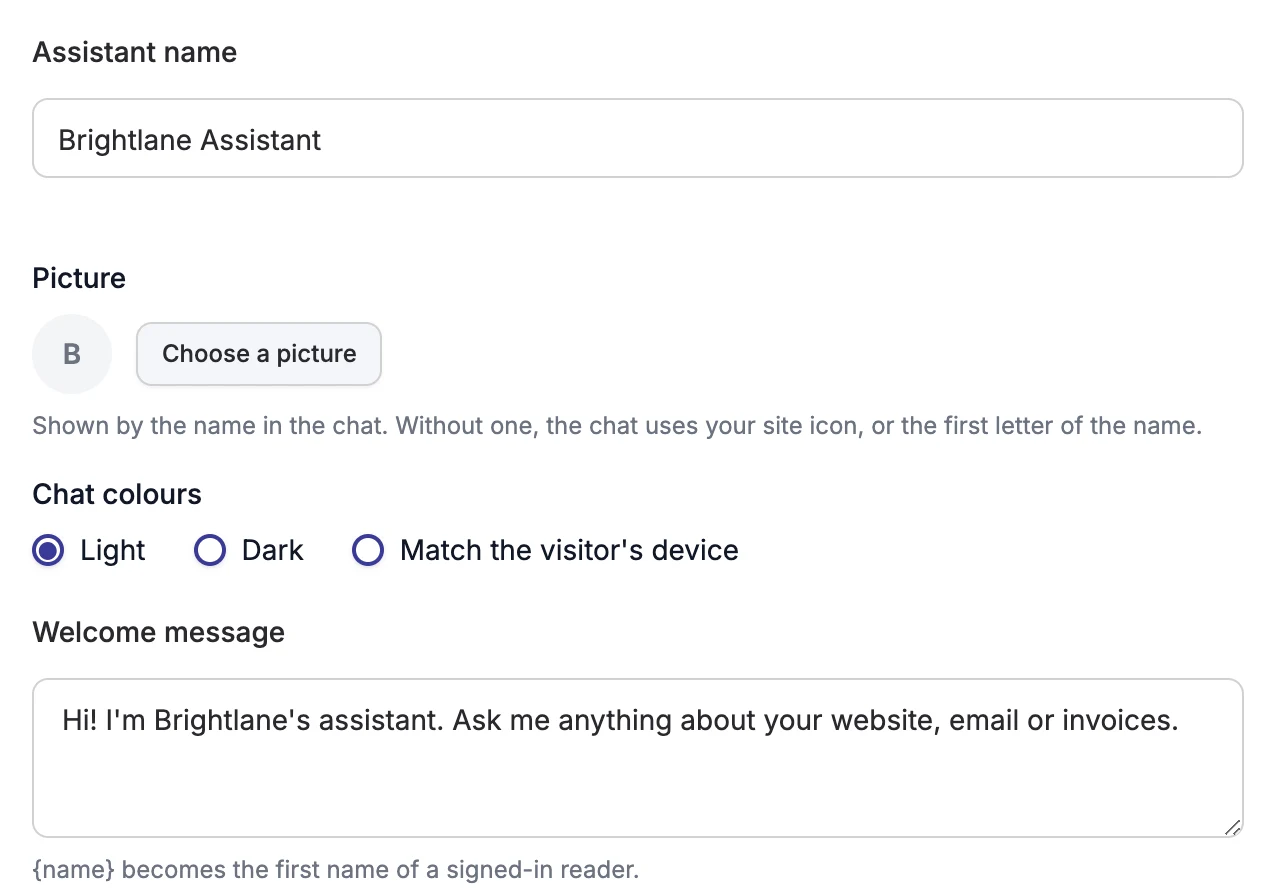
  • Make it yours: name, picture, colours, welcome message, tone and the reply when it has no answer.
  • Quick replies and ready answers for the questions you get every day.
  • Limits and privacy settings, and a Try it panel to test answers before visitors see them.
yoursite.com/wp-admin › Knowledge Base › AI Assistant
AI Assistant settings in DoubleScale: assistant name, picture, chat colours and welcome message
Live chat in your helpdesk

Reply in real time, from the inbox you already use

Chats open as tickets beside your email tickets, so your team works one queue with one history per customer.
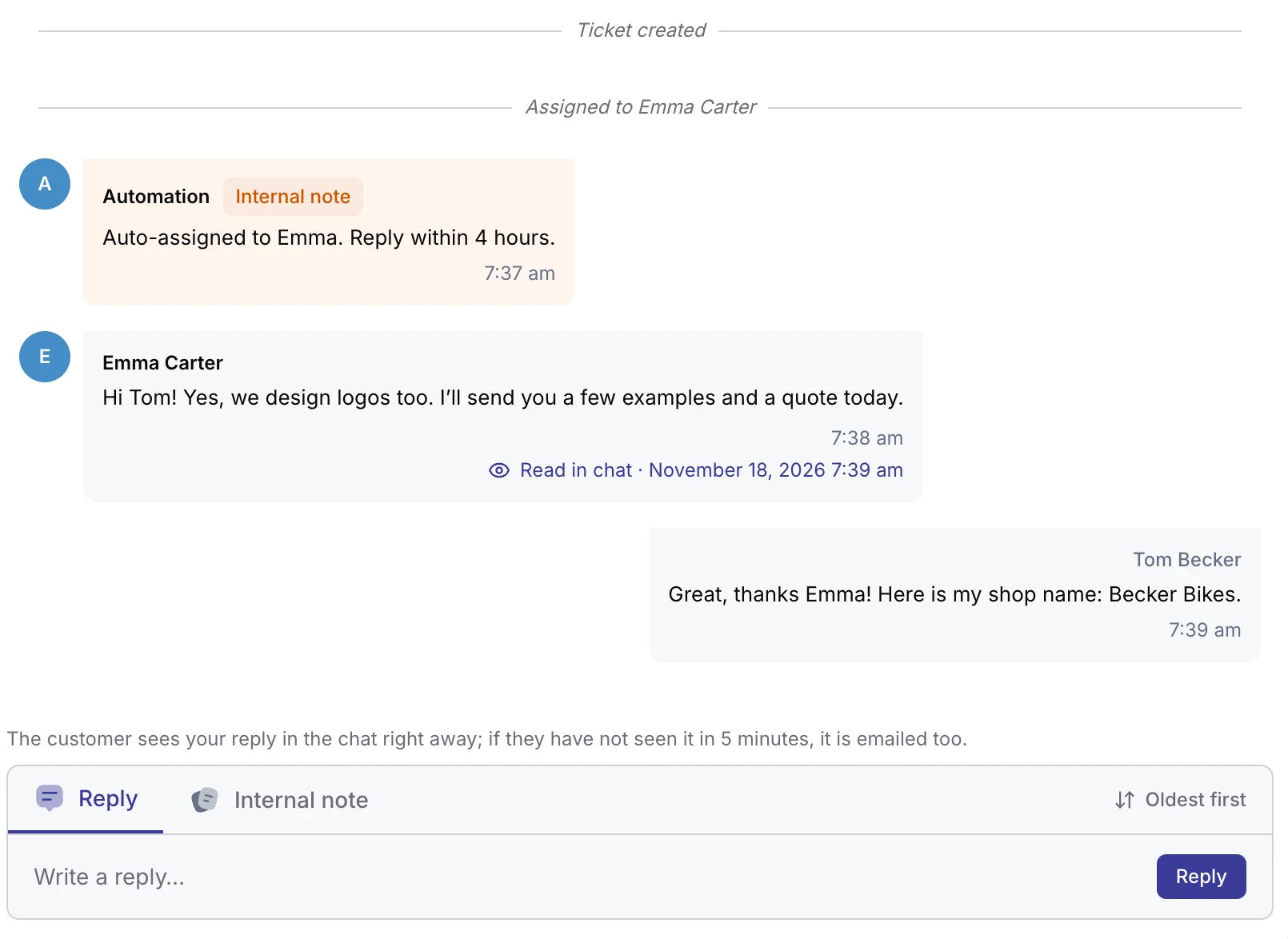
  • Real-time replies with Sent, Delivered and Read in chat on every message.
  • Never a lost reply: if the visitor left, your answer is emailed after 5 minutes, and you see when it’s opened.
  • A chat icon in the header with an unread badge, plus desktop alerts for new chats.
  • Live chats beside the ticket, to jump between open conversations.
yoursite.com/wp-admin › Helpdesk › Ticket
A live chat as a ticket in the DoubleScale helpdesk: the assistant conversation, the handover to Emma, her reply marked Read in chat, and the reply box
Where it shows

On your site, in your portal, in your colours

Turn live chat on in Helpdesk settings and choose exactly where it appears and who answers.
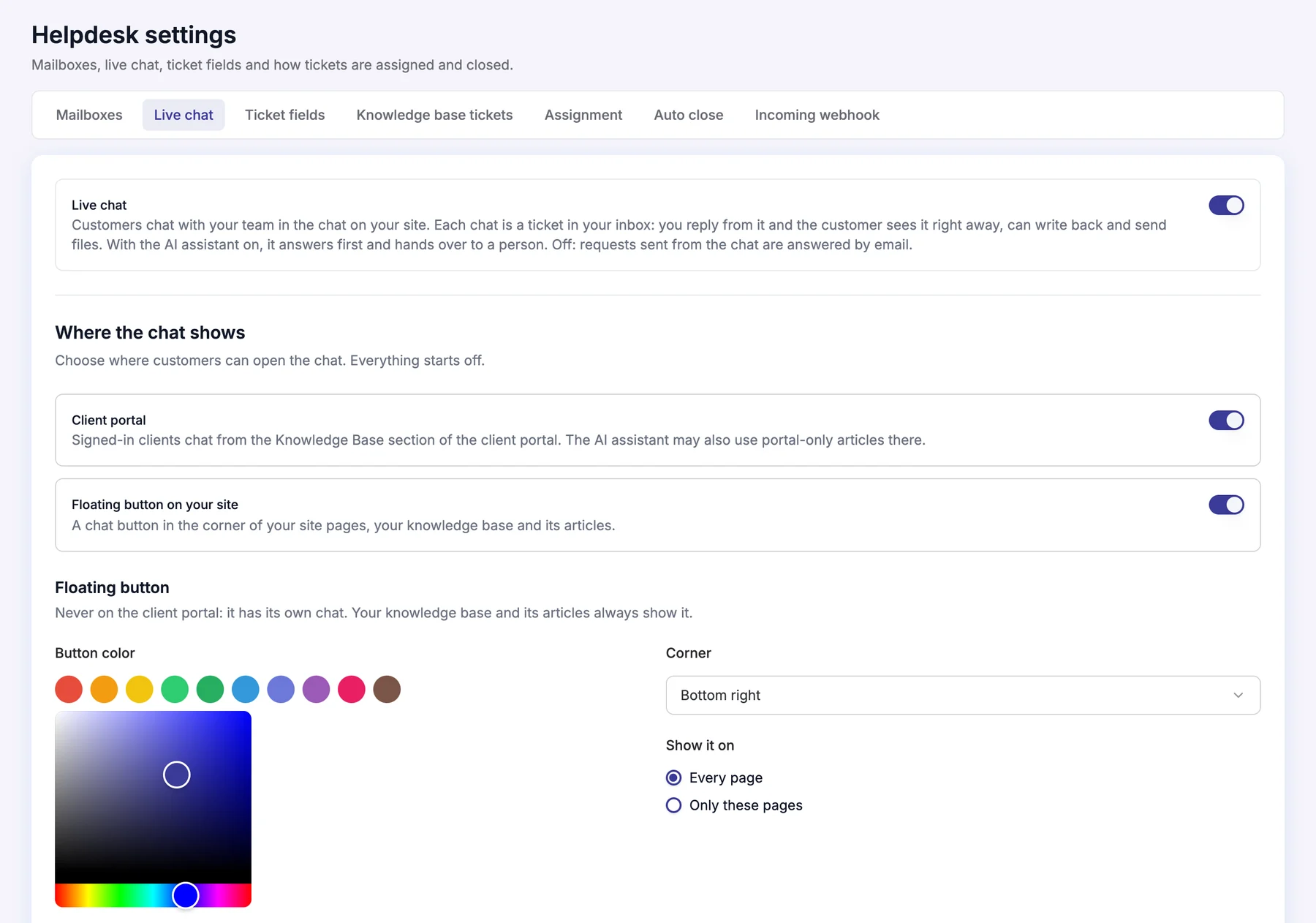
  • A floating chat button on every page, or only the pages you list.
  • Inside the client portal, for signed-in clients.
  • Your colour, the corner you prefer, and your own greetings.
  • Choose which team members answer chats.
yoursite.com/wp-admin › Helpdesk › Settings › Live chat
Live chat settings in Helpdesk: live chat on, the client portal and floating button, button colour, corner and the pages it shows on
Reports

Know what the assistant answered, and what it couldn’t

Every conversation is counted by outcome: answered, not answered, or sent to support, with the ratings visitors gave. Questions without an answer are grouped, so you know which article to write next.
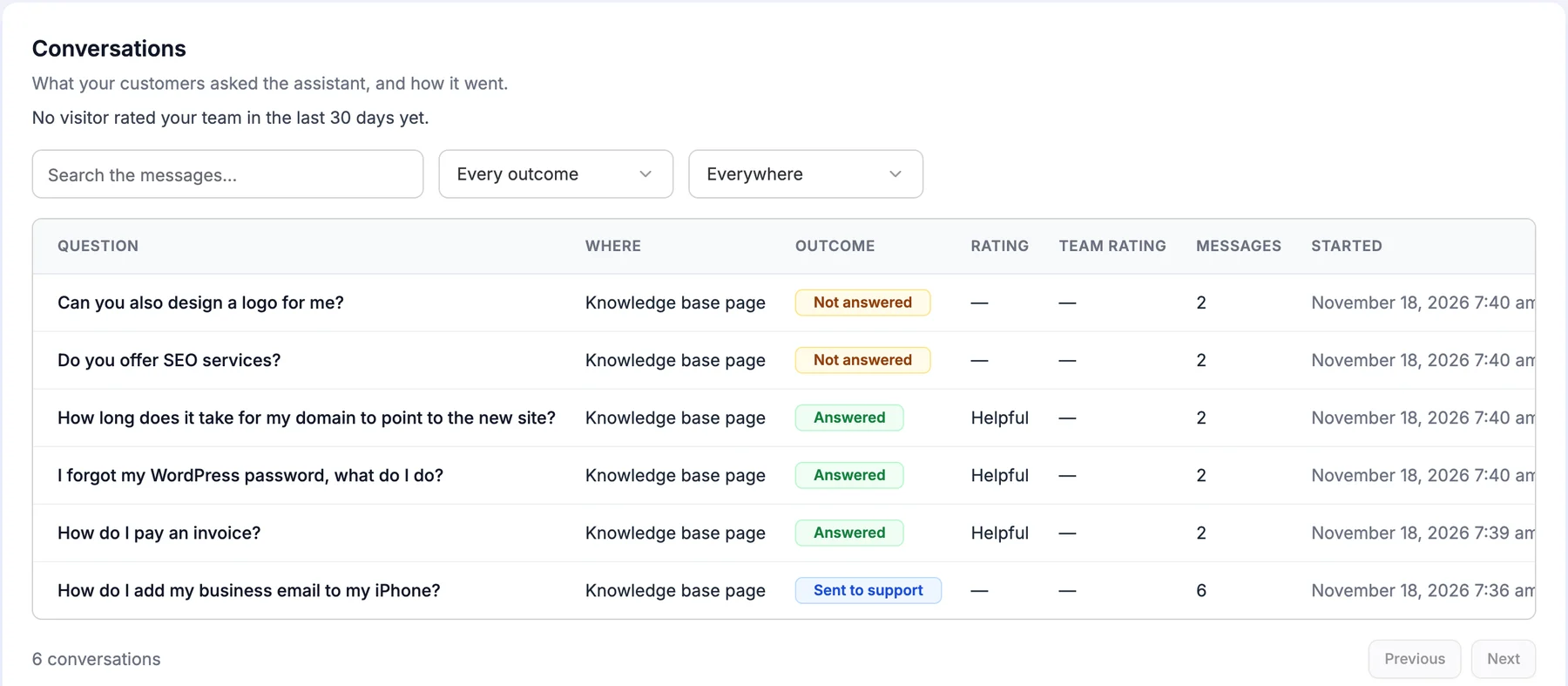
yoursite.com/wp-admin › Knowledge Base › AI Assistant › Conversations
AI assistant conversations by outcome: answered, not answered and sent to support, with ratings
Why teams pick it

Chat without another monthly bill

No per-seat pricing

Live chat and the assistant come with every DoubleScale Pro plan. Add your whole team.

Your AI, your key

Pick OpenAI, Claude, Gemini or a compatible service. You pay your provider directly for what you use.

One inbox

Chats and email tickets in the same helpdesk, with the same assignments, statuses and notes.

Connected to your CRM

Every chat is linked to the contact, so you see their deals, invoices and past tickets.

Follows up by email

If the visitor closed the tab, your reply reaches them by email automatically.

On your own site

Conversations stay in your WordPress database, not in another company’s app.

Free in DoubleScale

Answers start with your knowledge base

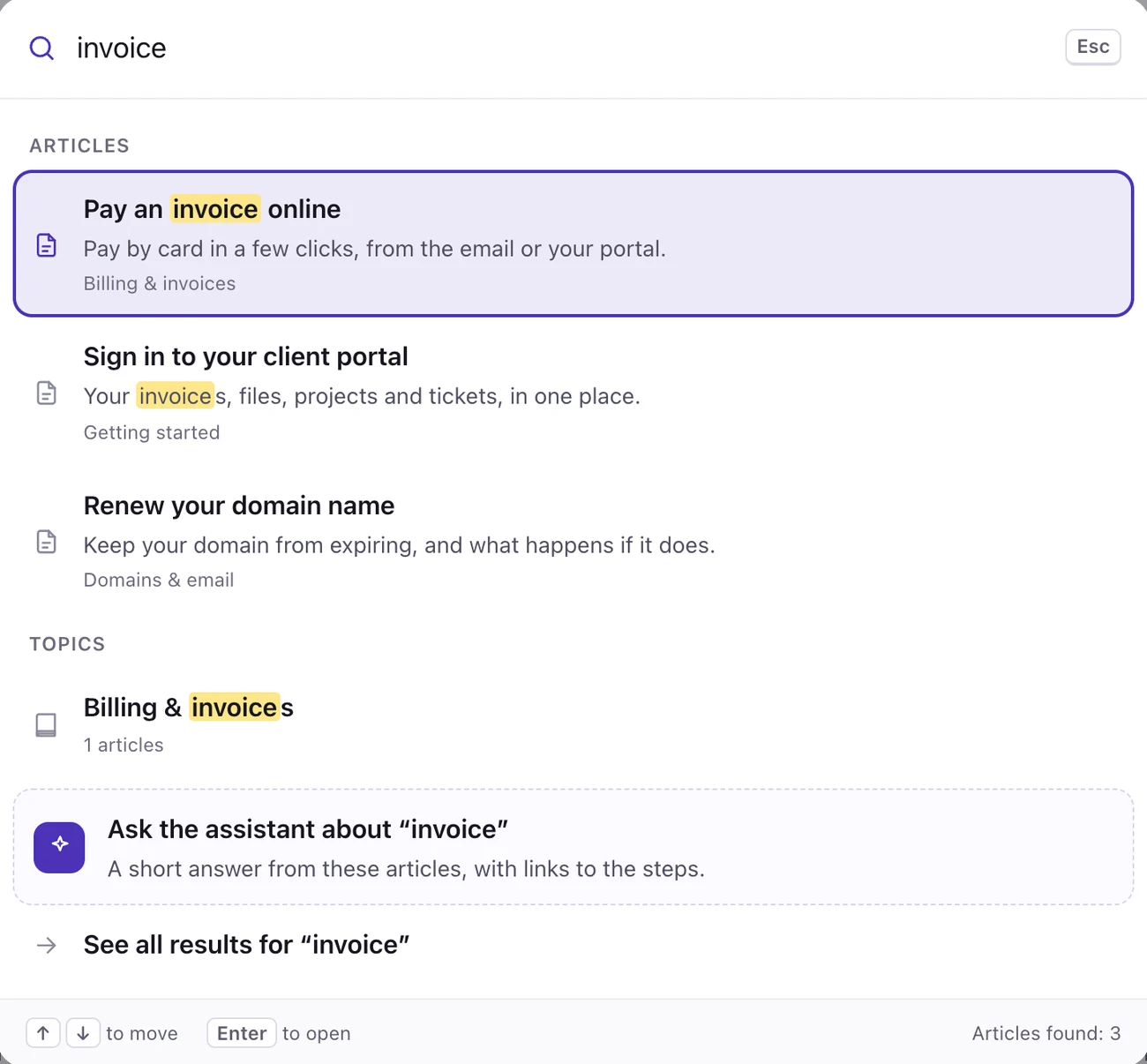
The assistant answers from the articles you write in the DoubleScale knowledge base: a searchable help center on your site and in your client portal, free in the core plugin.

Searching the knowledge base: matching articles appear while you type
FAQ

Live chat questions

How live chat and the AI assistant work in DoubleScale.

Which plan includes live chat and the AI assistant?

Both come with every DoubleScale Pro plan, with no extra per-agent fee. The knowledge base they answer from is free in the core plugin.

Do I pay for the AI separately?

You connect your own key from OpenAI, Anthropic (Claude), Google Gemini or an OpenAI-compatible service, and your provider bills you for what you use. DoubleScale adds no AI fee.

Can I use live chat without the AI assistant?

Yes. Live chat is set up in Helpdesk settings and works on its own: visitors chat with your team and every chat becomes a ticket.

What happens if the visitor leaves before we reply?

If your reply isn’t read in the chat within 5 minutes, DoubleScale emails it to the visitor, and the ticket shows when the email was sent and opened.

Where are conversations stored?

In your own WordPress database, as helpdesk tickets linked to your contacts. Questions sent to the assistant go to the AI provider you chose to generate the answer.

Get started today

Run your whole business from WordPress

Start with the free plugin and add Pro modules when you need them. Unlimited contacts on every plan, and your data stays on your own server.
  • Free forever plan
  • Unlimited contacts
  • 14-day money-back guarantee
Compare plans and pricing