















Summary tiles
The numbers and dates you care about at the top: domains, go-live date, platform, care plan.
Websites and domains. Properties. Vehicles. Policies. Equipment. Create your own record types in DoubleScale, give each one its own fields, decide who can open it, and see it next to the contacts, companies and projects it belongs to.
A web agency looks after websites. A property manager looks after buildings. A garage looks after cars. When those live in spreadsheets, nobody sees them next to the client, the invoice and the ticket. Custom objects put them in the CRM, where the rest of the story already is.
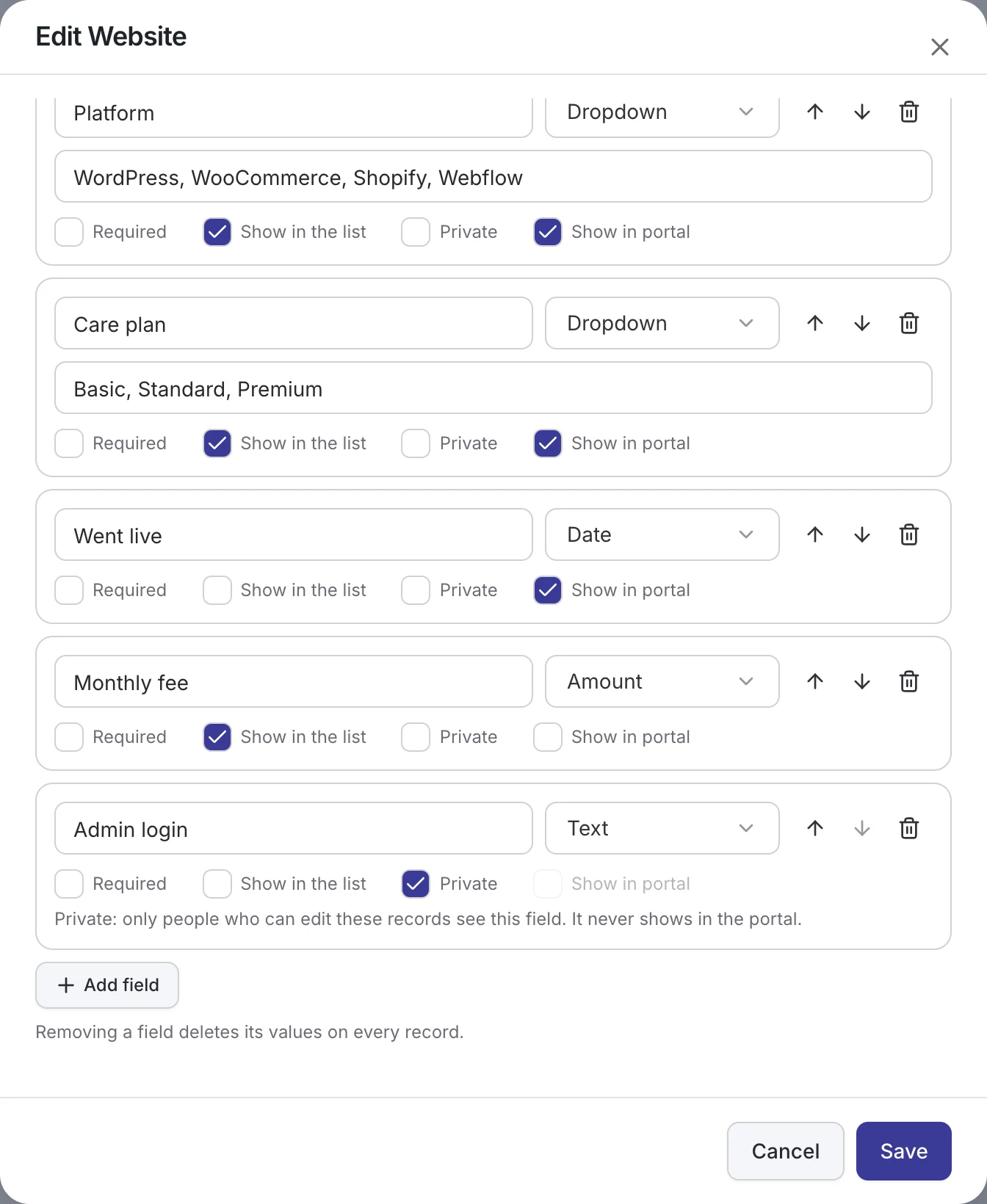
Name it (Websites, Properties, Vehicles), say what it belongs to, and add the fields you need.
Each record gets its own page, with notes, files, tasks, activity and links to the people and work around it.
Choose who works on it, automate reminders from its dates, show it to clients, and use it from your AI app.
Set up a type in Settings, in a few minutes. Every type has its own fields, its own list and its own place in the menu.
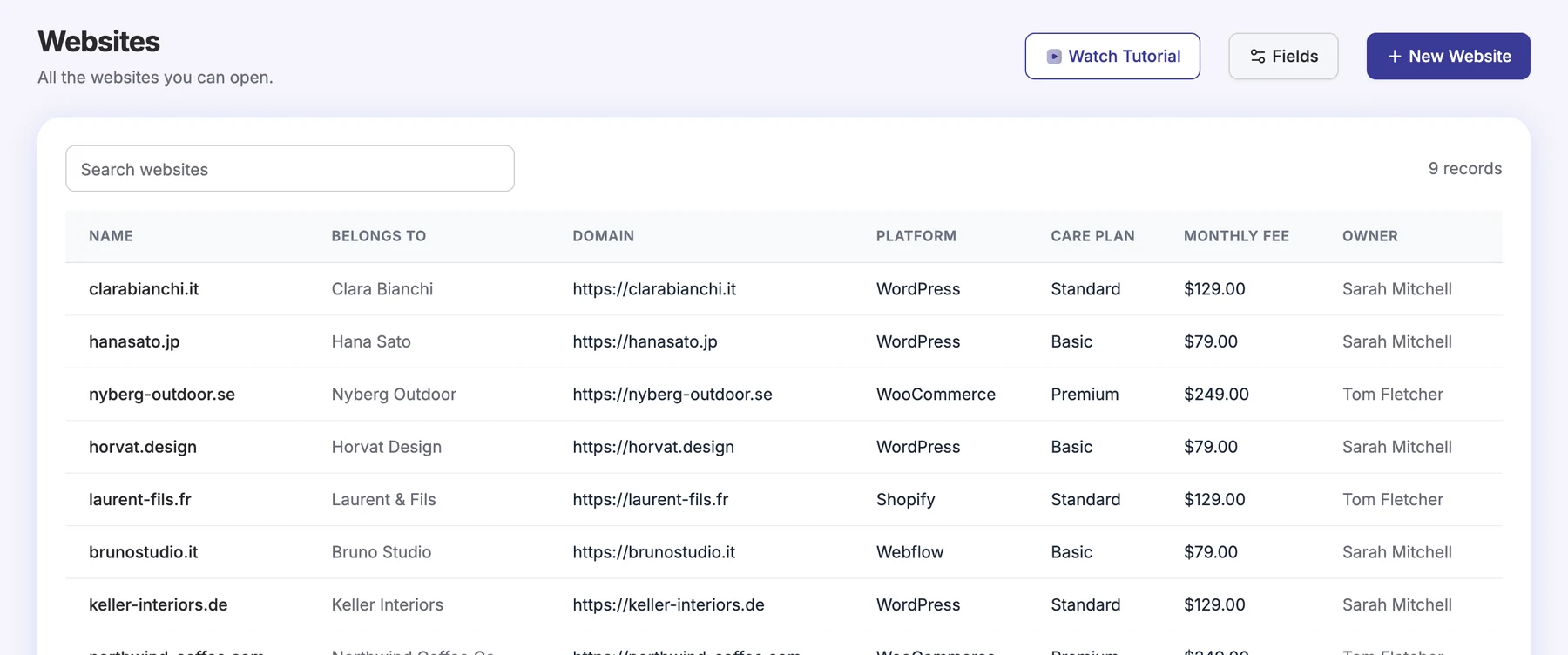
Each record type gets its own entry in the Records menu. Search it, scan the fields you marked “Show in the list”, and open any record in one click. You only see the records you are allowed to open.
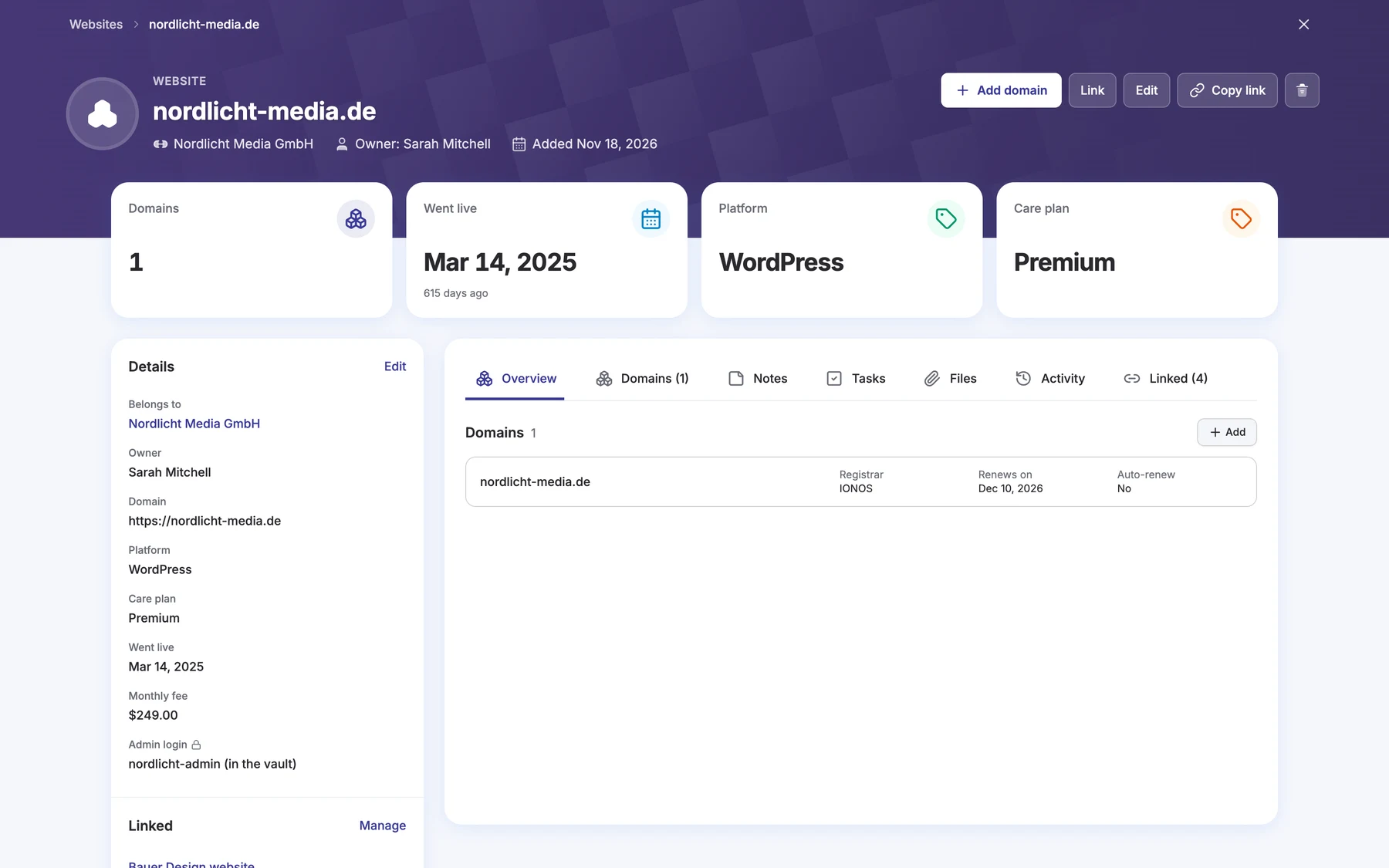
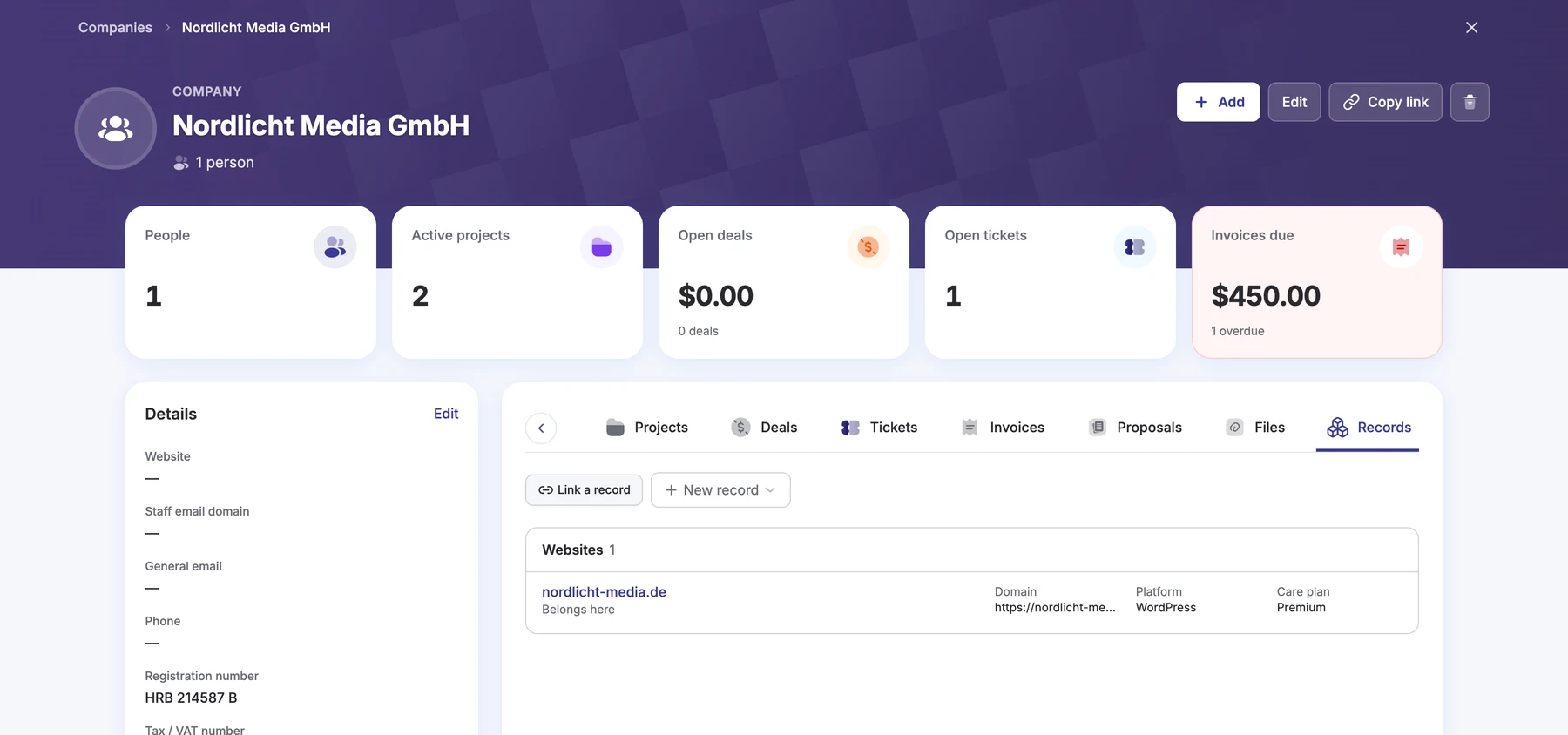
Open a record and you get the full picture: its details, what sits under it, and everything the team has said and done about it.
The numbers and dates you care about at the top: domains, go-live date, platform, care plan.
Domains under a website, certificates under a person. Add and open them from the parent.
Link the project, the deal and the support ticket around it, and give each link a role.
Handover documents, contracts and photos, kept with the record they belong to.
Give the team work to do on this record, with an owner and a due date.
A timeline of what changed and who changed it, so nothing happens in silence.
We follow a web agency: a Websites type, a Domains type under it, a renewal reminder, a client portal and the AI connection.
A record is never an island. It appears where your team already works, so the website is one click from the client, the project and the open ticket.
Records can hold sensitive details, so access is part of every type from the start, not an afterthought.
Set it from the type itself or on the Team screen, at Agent or Manager level.
Someone who works only on records gets the Team Member role and nothing else in the CRM.
Mark a field Private and only people who can edit the record see it. It never shows in the portal.
Let people open a record because they work on the project or the client it is linked to.
Keep a type to the people you tick, however the record is linked.
A project member and a team member open only what you allowed, with private fields hidden.
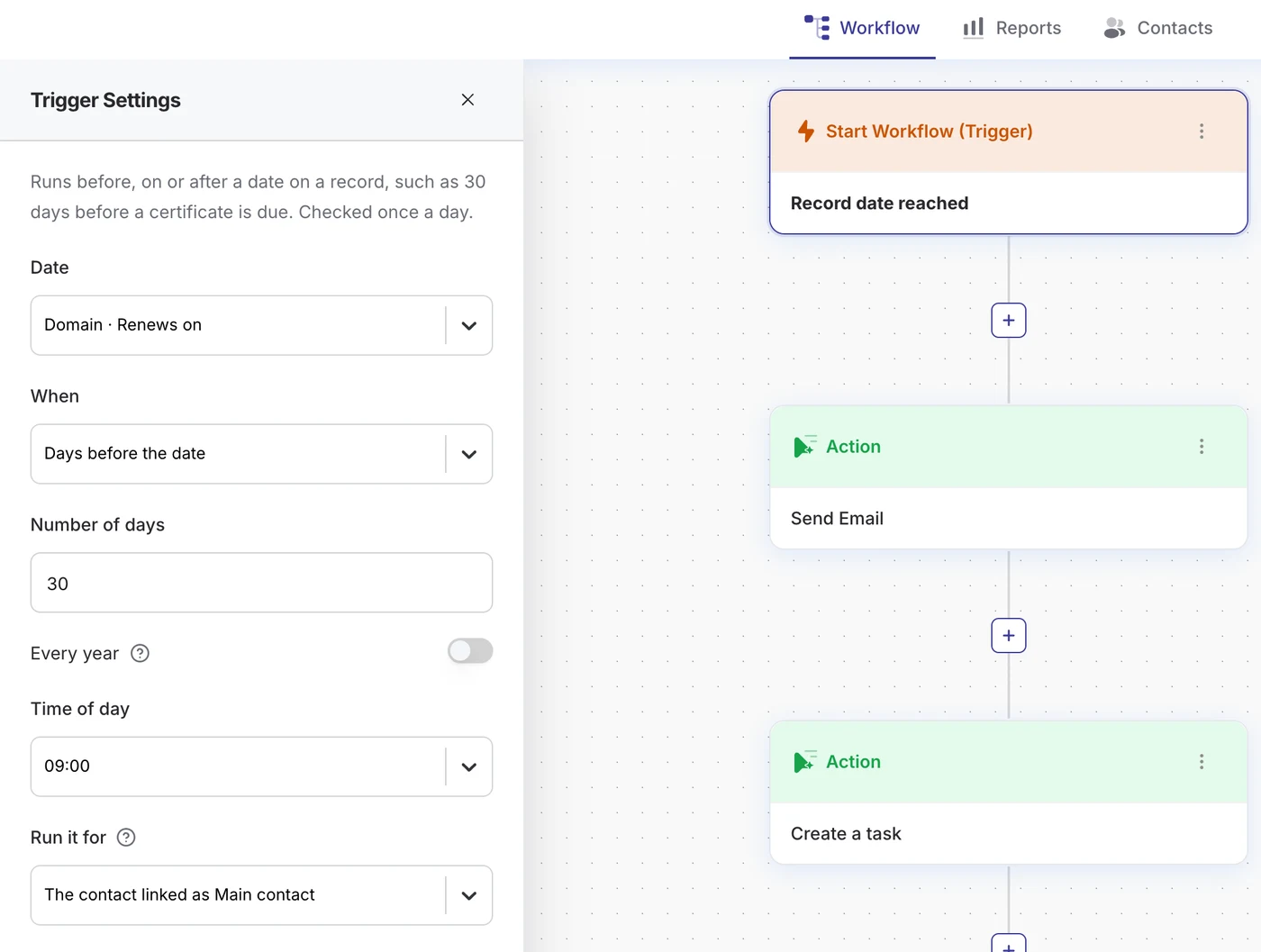
Records plug into the same automation builder as the rest of DoubleScale, so a date on a record can start the work.
Switch a record type on for the portal, then choose field by field what clients see. Clients see the records that belong to them or to their company, read only.
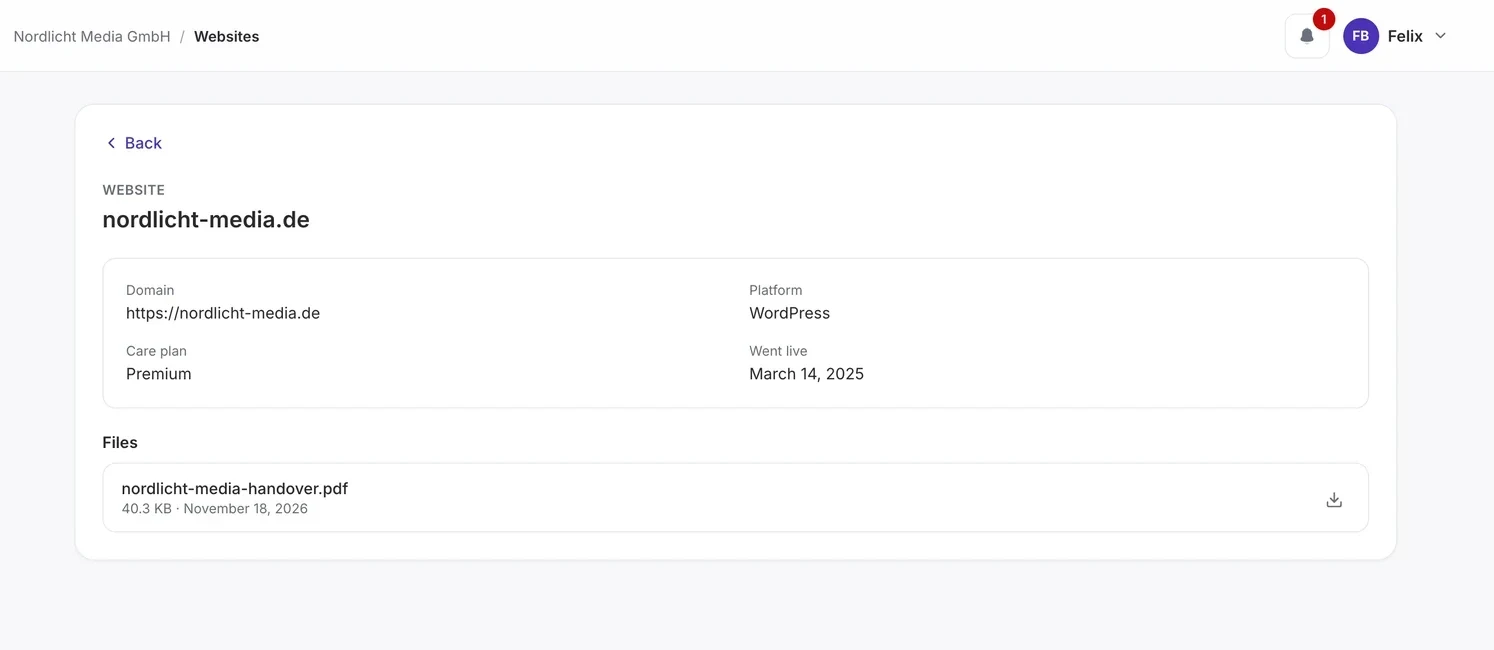
Websites and domains with platform, care plan, renewal dates and a private admin login.
Properties and units that belong to an owner or a company, with leases, files and viewings.
Vehicles linked to a customer, with service dates, mileage and reminders before the next service.
Policies and certificates, with expiry dates that start renewal emails by themselves.
Equipment, licences and contracts per client, with the history of every change.
Certifications, programs and engagements tracked beside the client and the project.
Custom objects is an add-on for DoubleScale Pro. Install it from Extensions, switch it on in Control Modules, and set up your first record type in Settings.
How custom objects work in DoubleScale.
Custom objects is an add-on that comes with the Plus and Agency plans. You install it from Extensions and switch it on in Control Modules.
Up to ten. Each type has its own fields, its own list in the Records menu, and can sit under another type, such as Domains under Websites.
Yes. Mark a field Private and only people who can edit the record see it. You can also limit a whole type to the people you tick, and private fields never show in the client portal.
If you switch it on. In the client portal, clients see the records of the types you chose, with only the fields you chose, read only. Notes, tasks and activity stay internal.
Yes. Use the Record added, Record changed and Record date reached triggers, for example to email a client and create a task 30 days before a domain renews.
Yes. With the MCP server on, your AI app can find, read and update records using your API key. It acts as you, so it can open only the records you can open.
Start with the free plugin and add Pro modules when you need them. Unlimited contacts on every plan, and your data stays on your own server.