



























Spam protection on by default
A hidden trap field, a minimum fill-in time and a limit per hour, plus Cloudflare Turnstile, reCAPTCHA or hCaptcha if you want a challenge.
Build contact forms, quizzes, surveys and booking requests inside DoubleScale. Every answer lands on the right contact, starts your automations and shows up in your results, with no other form plugin and no copy-and-paste in between.
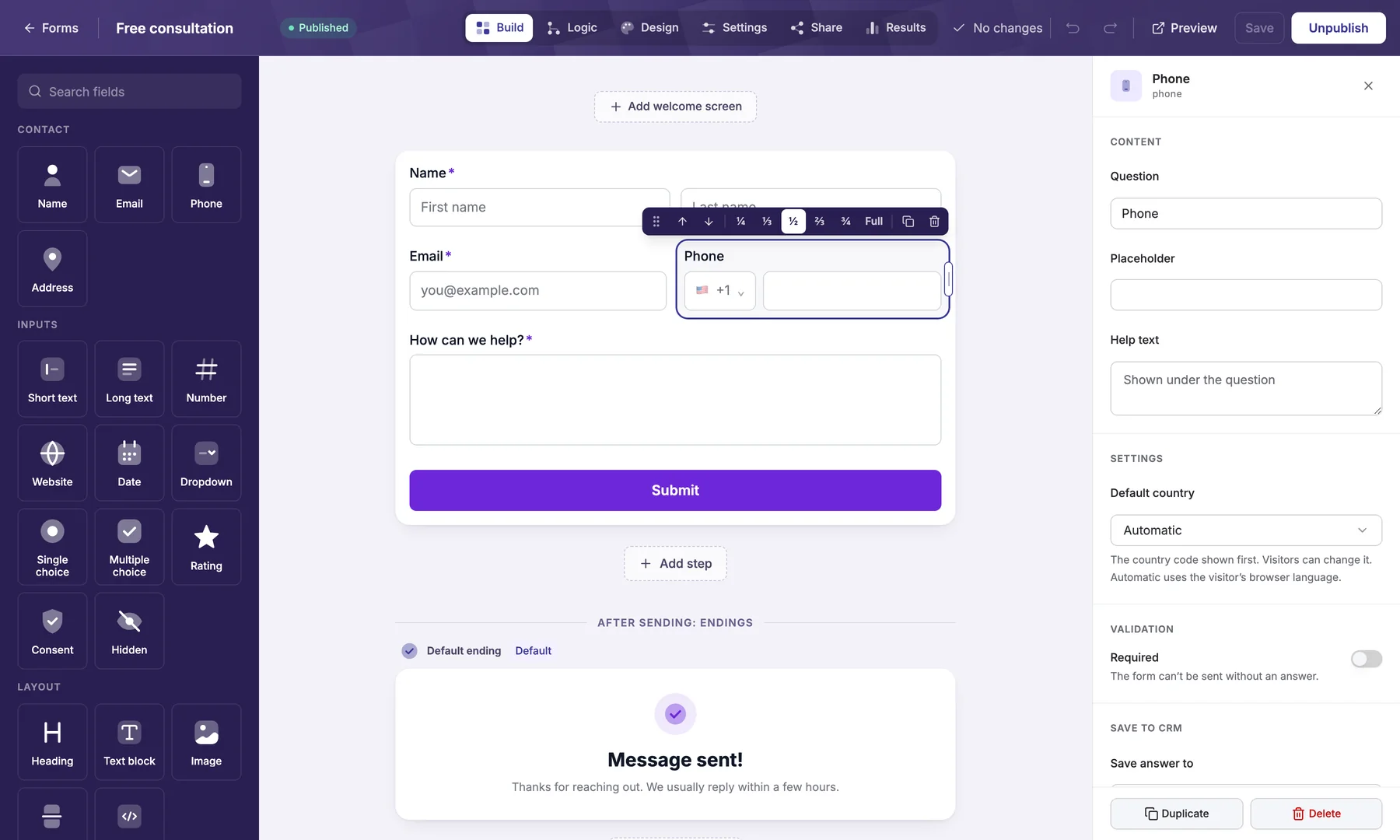
The form is part of your CRM, so there is nothing to connect: what people type becomes a contact, a note, a ticket or a trigger.
Try any template as a working form first, then use it, or start from a blank one.
Drag in questions, set the look, and decide what each answer is saved to.
Publish on its own page or embed it. Leads arrive as contacts, with the numbers beside them.
Every template opens as a form you can actually fill in: answer the questions, see the checks, and see which thank-you screen your answers lead to. Nothing is saved or sent until you use it.
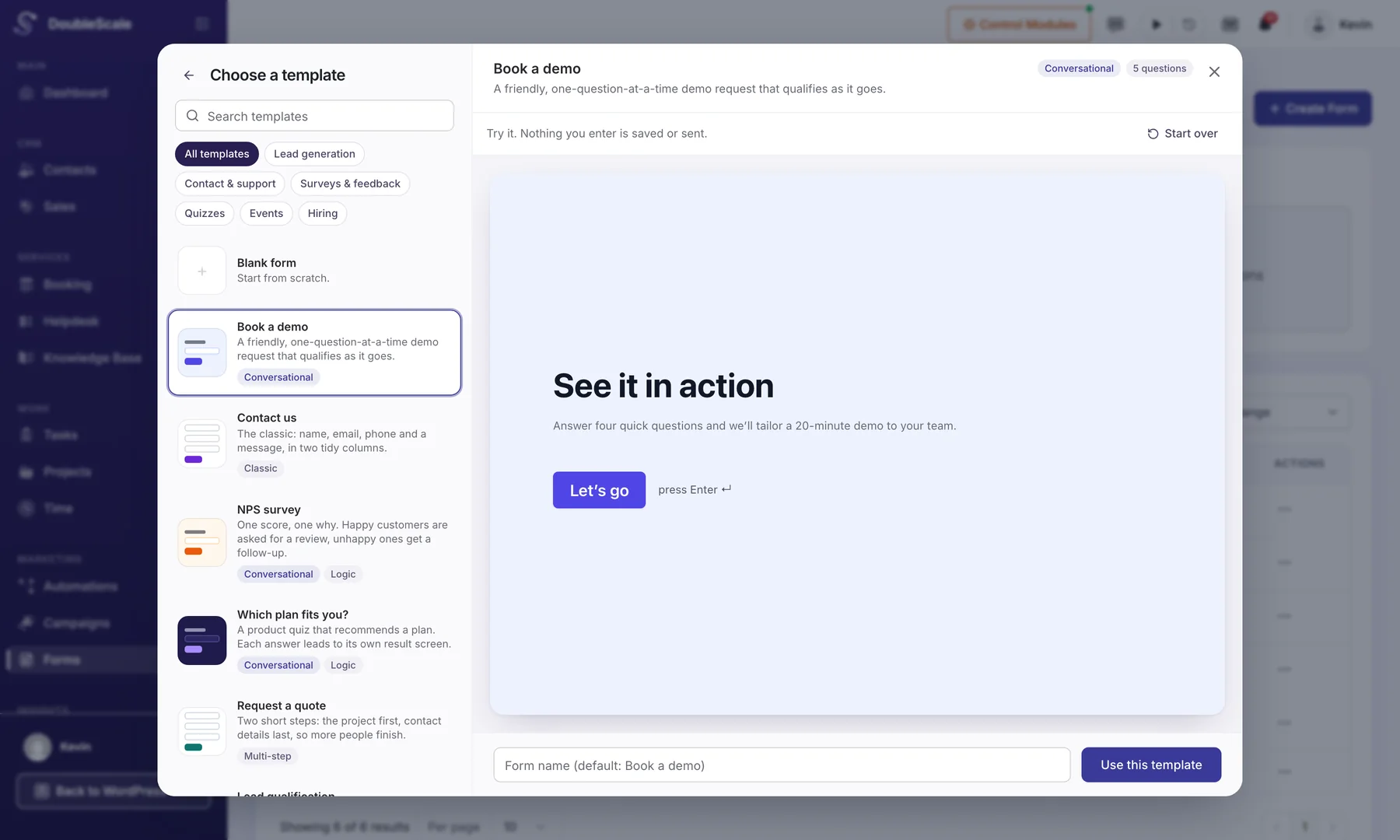
Drop questions onto the form, reorder them, set their width, and edit everything in the panel beside it. The form you see is the form visitors get.
Pick a colour preset or set your own, and check the form on desktop and on a phone before you publish.
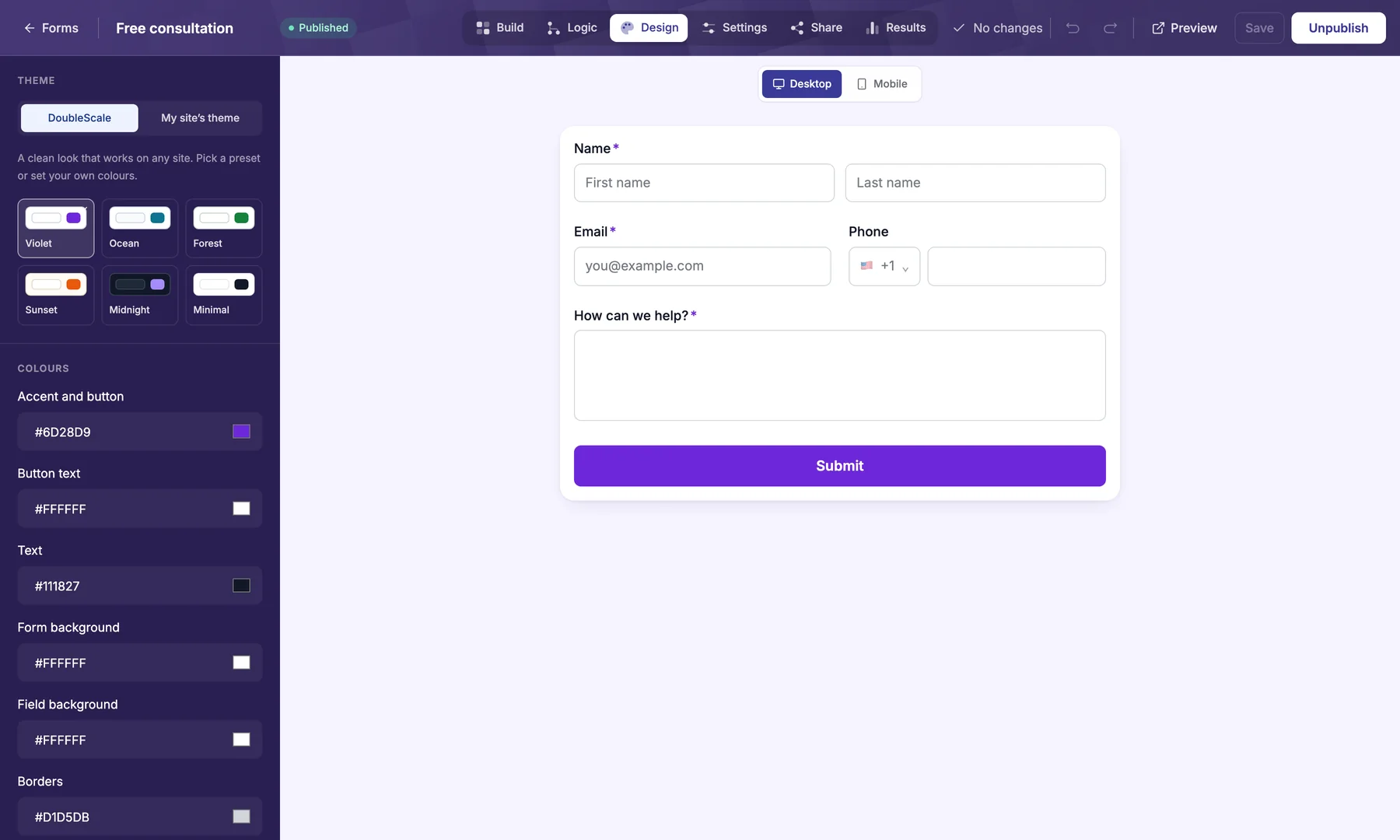
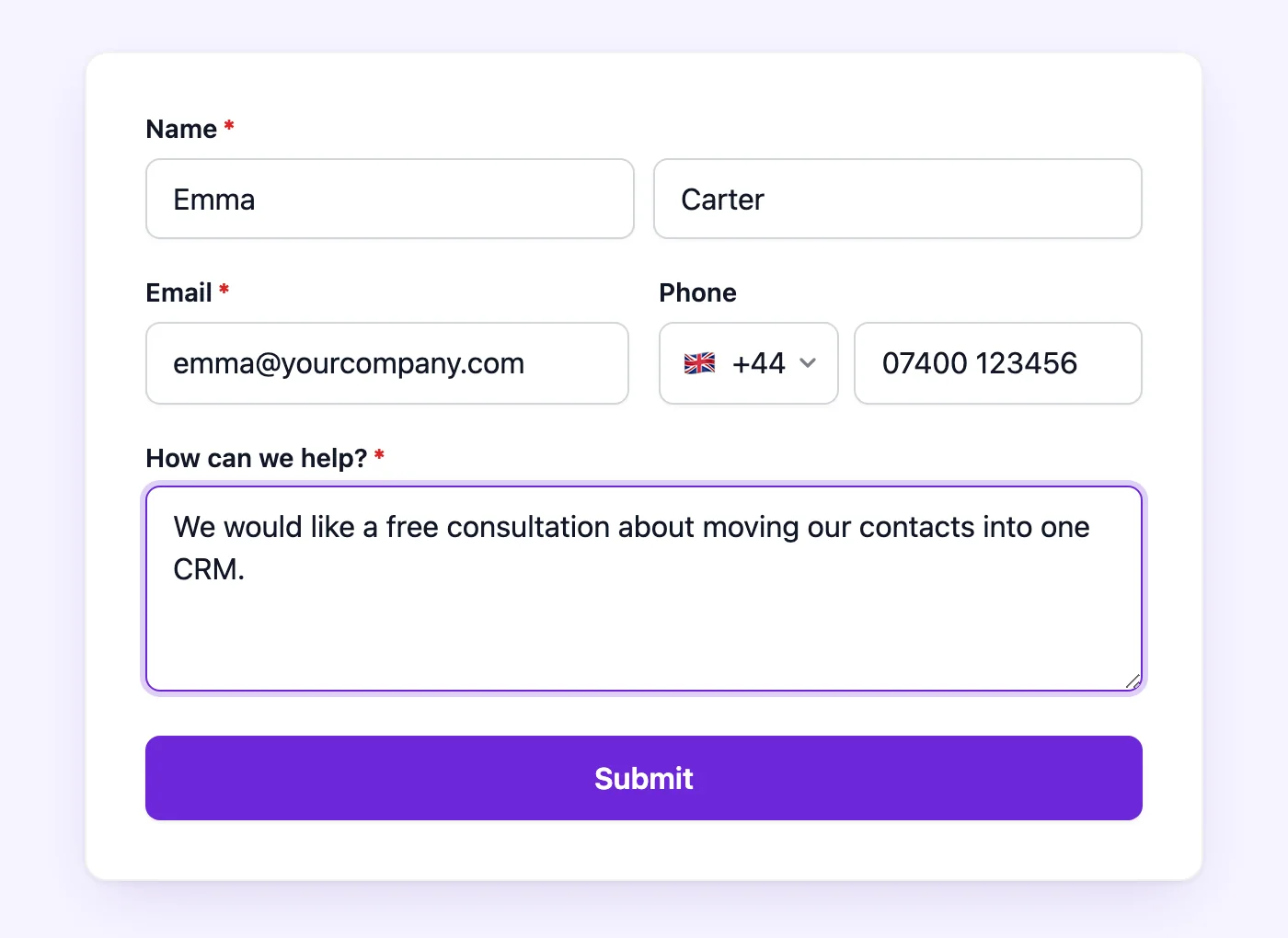
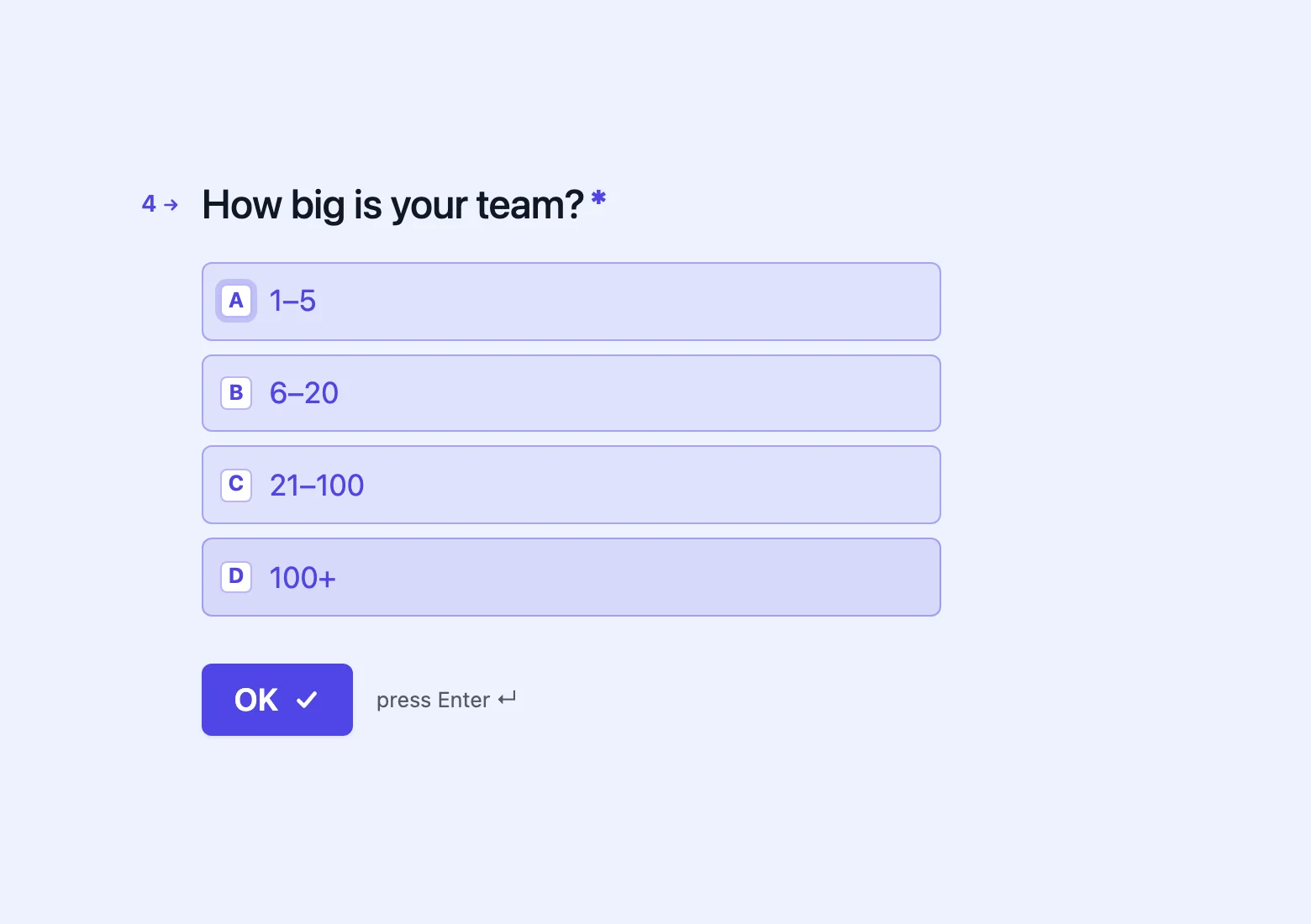
Switch layouts any time. Your questions, logic and settings stay exactly as they are.
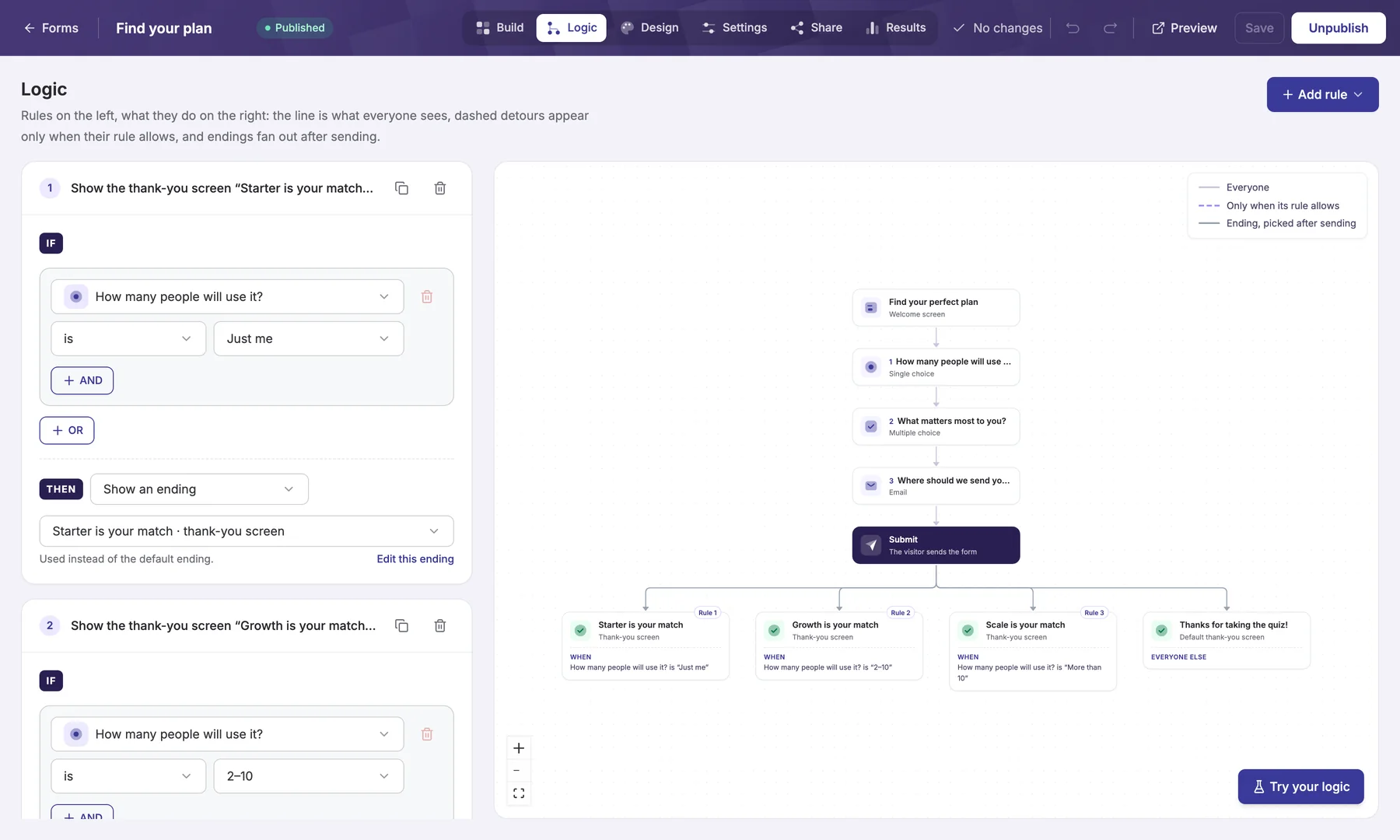
Show or hide questions, skip steps, send people to a page, or pick the thank-you screen that fits their answers. The logic map draws the whole route, so you see exactly what each visitor sees.
No mapping screens in another plugin. You decide on the form itself what happens to each submission.
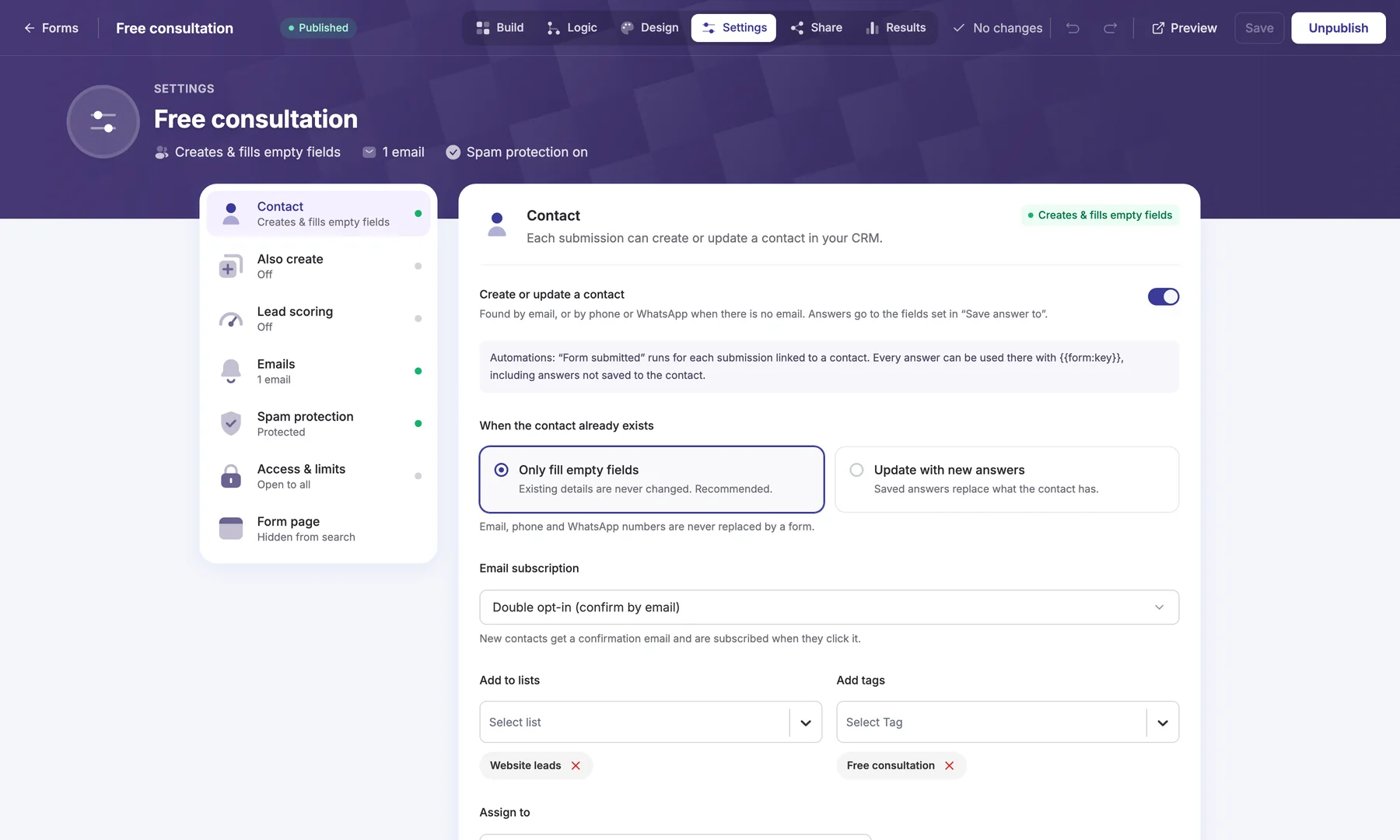
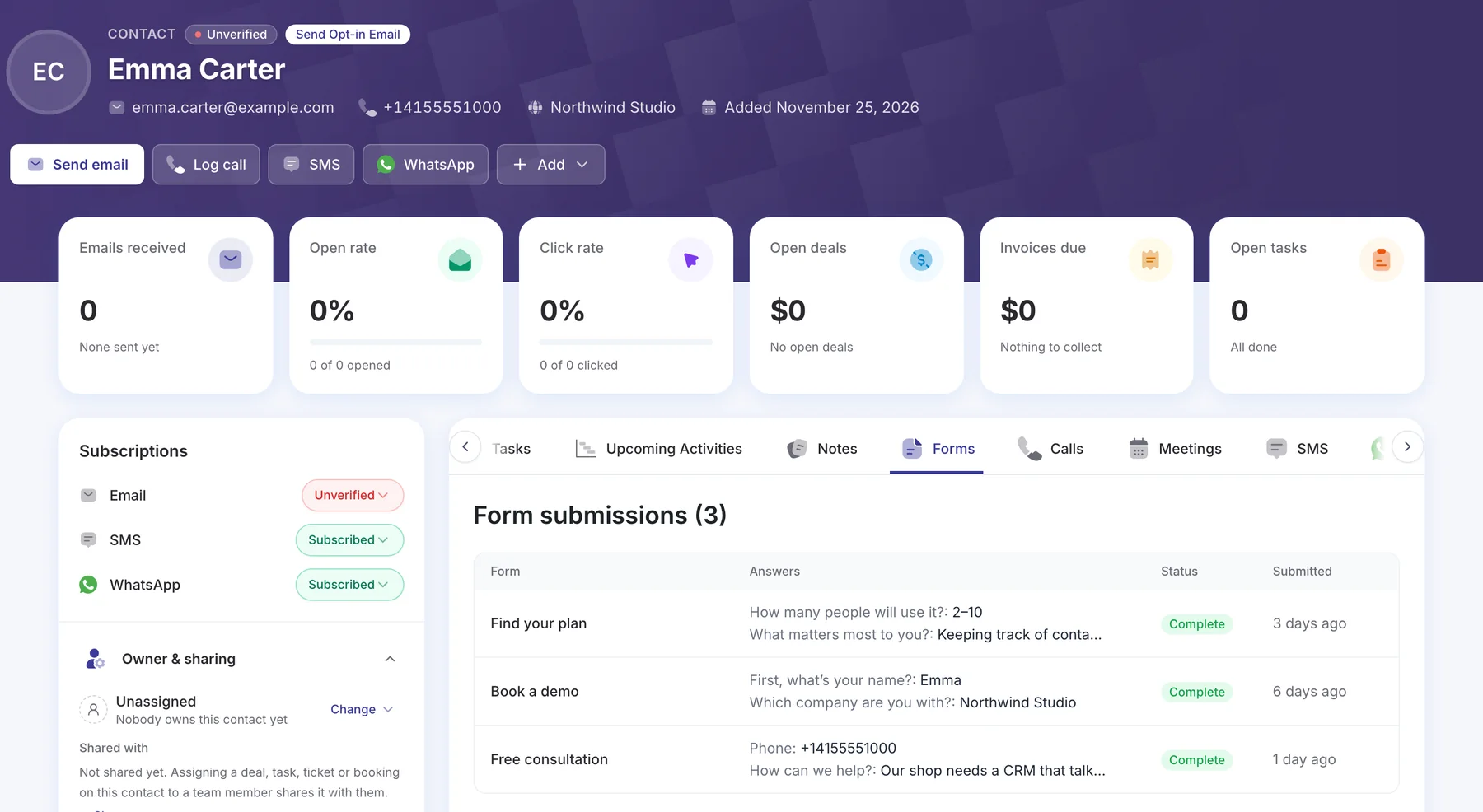
Open a contact and every form they sent is on its own Forms tab, with the answers and when they arrived. And every submission can start an automation.
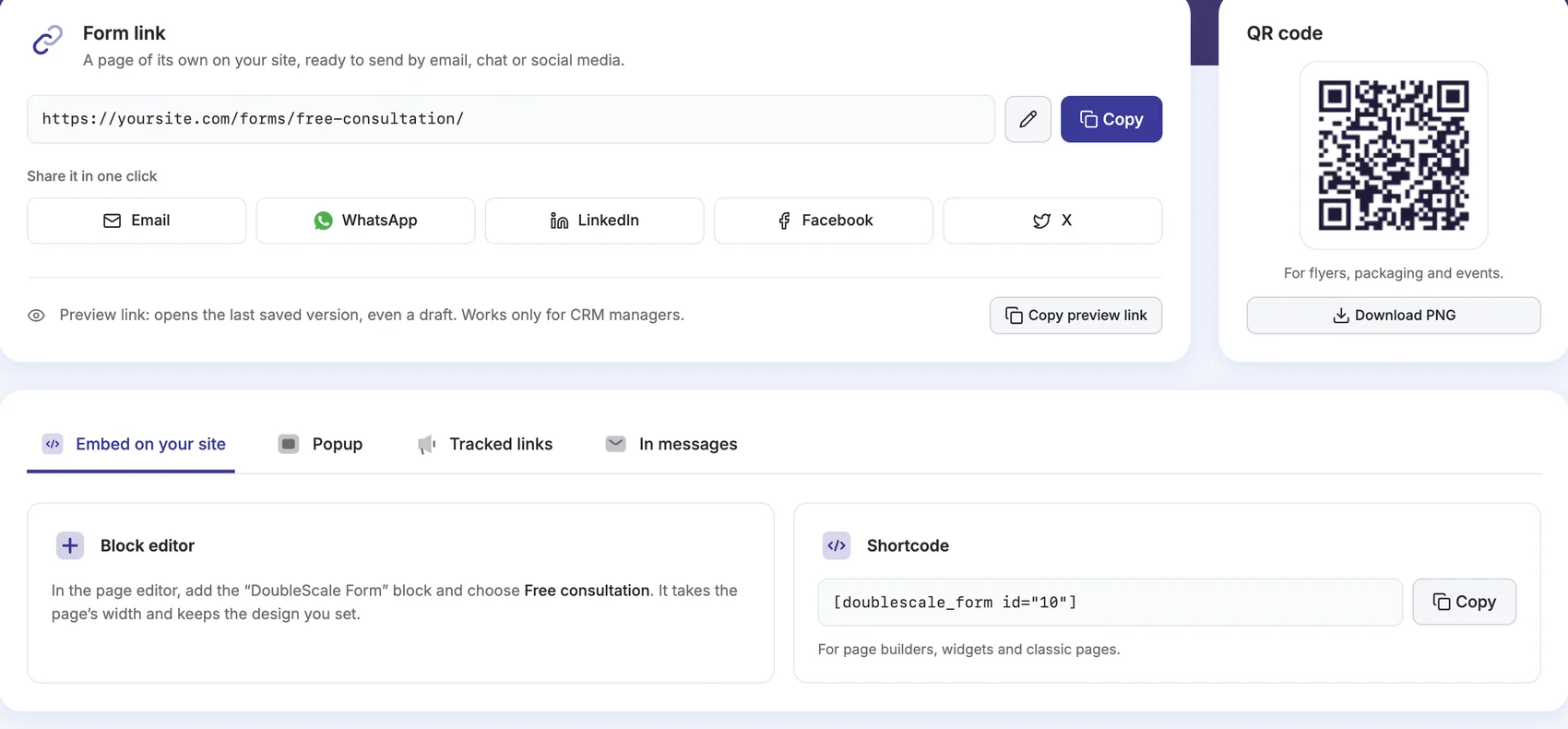
Publish and you have a link on your own domain, ready for email, chat or social media. Or put the form right inside any page.
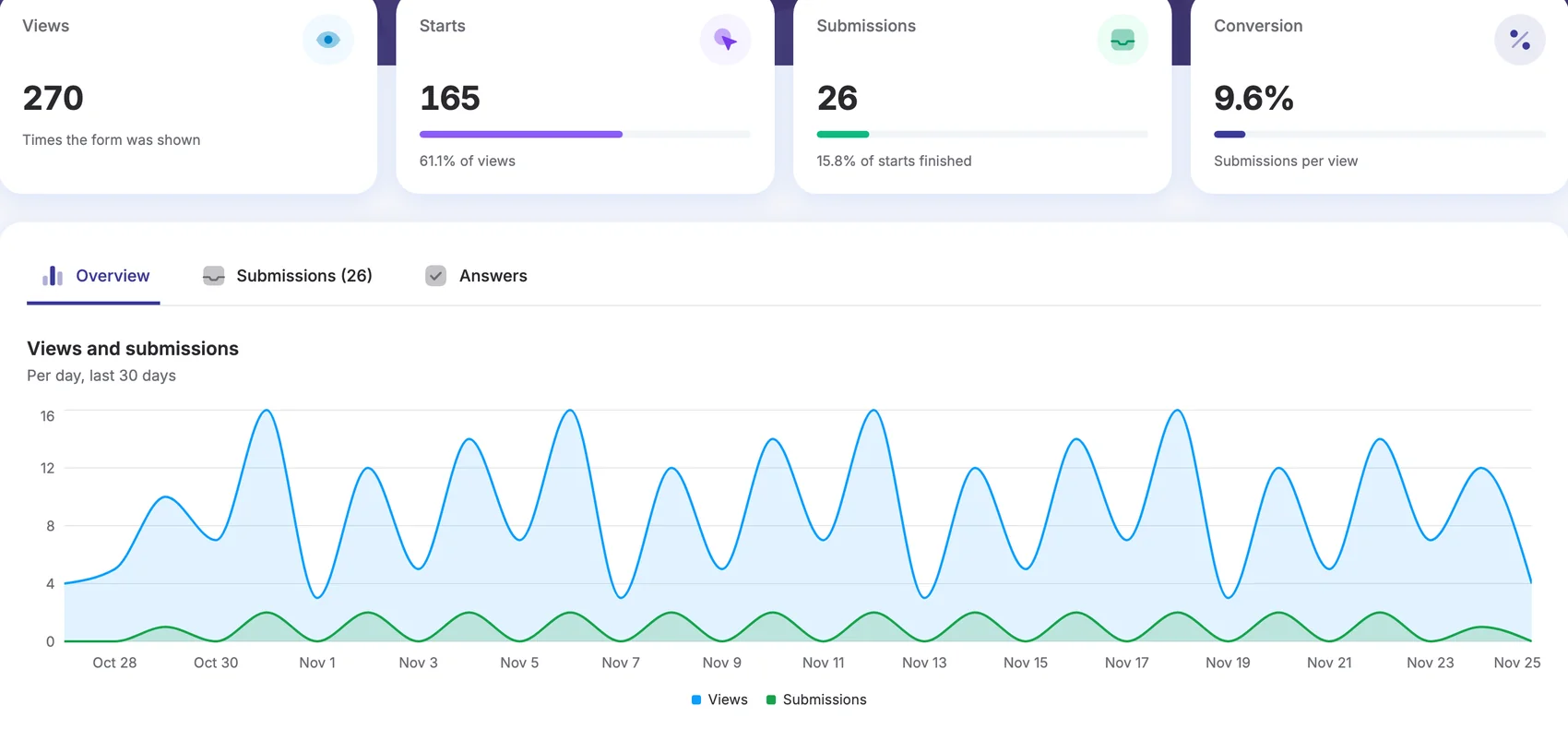
Views, starts, submissions and conversion, day by day, with where visitors came from and what they used.
A hidden trap field, a minimum fill-in time and a limit per hour, plus Cloudflare Turnstile, reCAPTCHA or hCaptcha if you want a challenge.
Tell your team about each submission and send the visitor a confirmation, both with the answers as merge tags.
Every form and every layout works on small screens, and the builder has a mobile preview so you see what visitors see.
Consent questions for email, SMS and WhatsApp. An unticked box never subscribes anyone, and an unsubscribed contact is never re-subscribed by a form.
Let visitors send files with their answer. They are stored in a protected folder on your server, and you open them from the submission.
Give points for what someone answered or where they came from, and see your hottest leads first.
A form sent without an email by a visitor you already know goes to that contact, and entries sent before a visitor is identified are linked to them afterwards.
Contact Form 7, WPForms, Gravity Forms and more still connect to the same contacts, lists and automations.
Forms and answers live in your own WordPress database. No per-submission pricing and nothing sent to a third party.
The form builder is in the free DoubleScale plugin. DoubleScale Pro adds the advanced parts.
How the DoubleScale form builder works.
Yes. The builder, the templates, the classic layout, contact settings, sharing, results and spam protection are all in the free DoubleScale plugin. Multi-step and conversational layouts, logic, file uploads, lead scoring, pop-ups and a few other advanced parts come with DoubleScale Pro.
No, but you can keep them. DoubleScale has its own forms, and it still connects Contact Form 7, WPForms, Gravity Forms and other form plugins, so entries from those keep creating contacts and starting automations.
Each question can be saved to a contact field. The form finds the person by email, or by phone or WhatsApp when there is no email, and creates them or updates them. You choose whether existing details are only filled in or replaced, which lists and tags they get, and who owns them.
The phone question has a country picker with a default country. The number is checked against real phone number rules and saved on the contact with its country code and no spaces, for example +14155551000, so it works for SMS and WhatsApp.
The form is shown in your page, not in an iframe, so it uses your site’s fonts and width if you want. Choose a colour preset, set your own colours, or inherit your theme. Every form also has its own page with its own address.
In your own WordPress database, with the contact. Uploaded files (Pro) go to a protected folder on your server. Nothing is sent to DoubleScale, and there is no limit or price per submission.
Start with the free plugin and add Pro modules when you need them. Unlimited contacts on every plan, and your data stays on your own server.