On this page
- What you need
- Step 1: Get a Twilio number that is allowed to text
- Step 2: Connect Twilio to DoubleScale
- Step 3: Get phone numbers into international format
- Step 4: Build the SMS automation
- Step 5: Write messages that fit in one SMS
- Step 6: Consent, quiet hours and opt-outs
- Step 7: Test and launch
- What SMS order notifications cost
- Troubleshooting
- Add WhatsApp for customers who prefer it
- FAQ
A text message is the most reliable way to reach a customer about their order. It needs no app, works on every phone and is usually read within minutes. For shipping updates, delivery windows and payment problems, that speed matters.
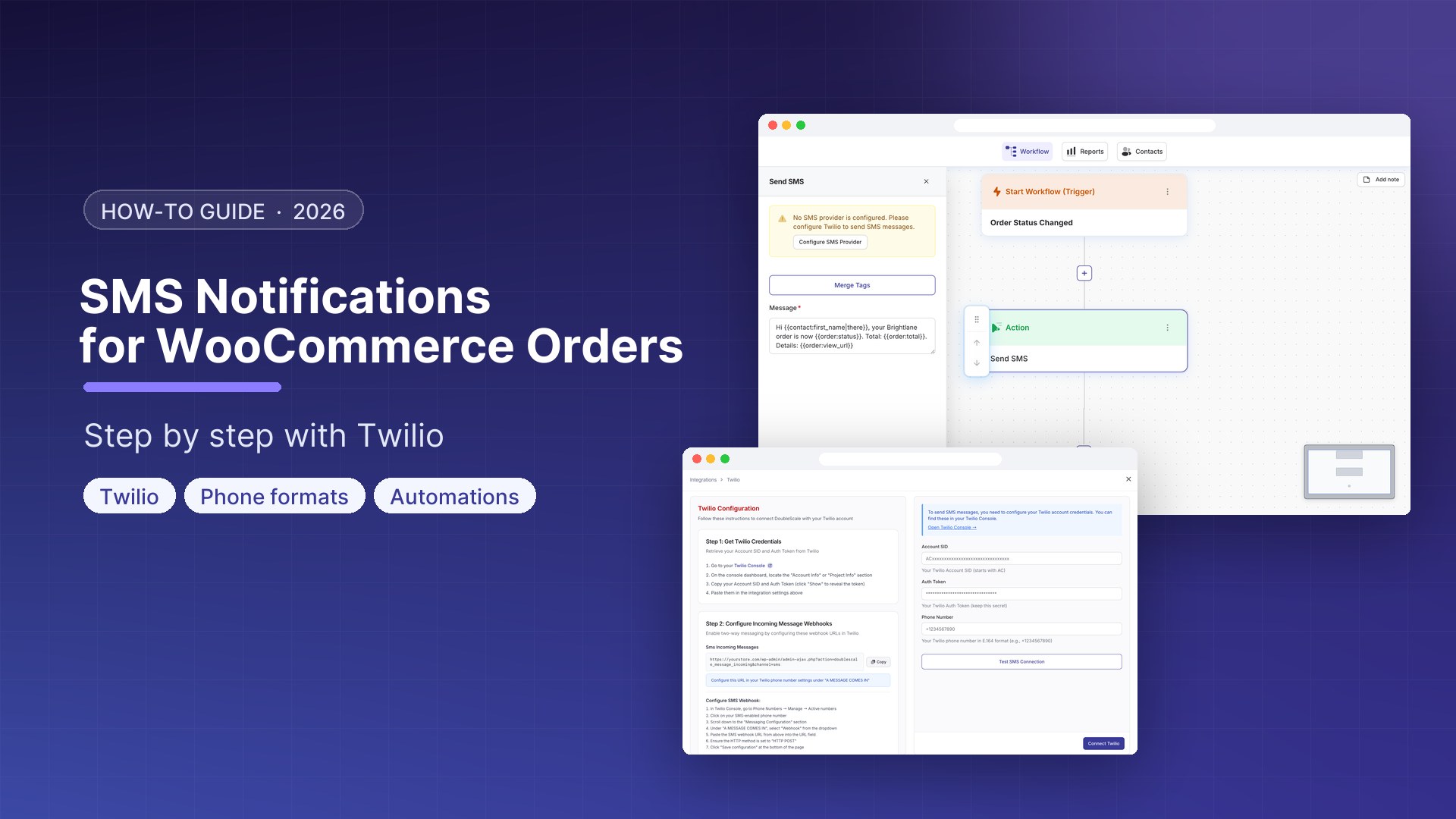
This guide walks through sending SMS notifications for WooCommerce orders automatically with Twilio and DoubleScale: connecting the account, getting phone numbers into the right format (the step most setups get wrong), writing messages that fit in one SMS, and staying compliant. We build DoubleScale, so the screenshots are ours; the Twilio, formatting and compliance advice applies to any SMS plugin.
1. Create a Twilio account and get an SMS-capable number (register it for A2P 10DLC if you text US customers). 2. Connect Twilio in DoubleScale under Integrations → Messaging. 3. Collect phone numbers in international format at checkout. 4. Create an automation: WooCommerce “Order Status Changed” → “Send SMS”. 5. Keep each message under 160 characters, test on your own order, and switch it on.
What you need
✓ WooCommerce and DoubleScale Pro (from $99 a year; SMS is a Pro feature).
✓ A Twilio account with an SMS-capable phone number.
✓ For US recipients: a registered A2P 10DLC brand and campaign, or a verified toll-free number.
✓ Customer consent to receive texts, collected at checkout.
Step 1: Get a Twilio number that is allowed to text
- Sign up at twilio.com and buy a phone number with SMS capability in the country you text from.
- If you text people in the US from a regular 10-digit number, register your business and use case for A2P 10DLC in the Twilio Console. Unregistered traffic is heavily filtered by US carriers. A verified toll-free number is the usual alternative for smaller senders.
- Outside the US, check Twilio’s country guidelines: some countries require a pre-registered sender, and some block messages from unknown senders.
- From the Twilio Console dashboard, copy your Account SID (starts with AC) and Auth Token.
Budget a few days for US registration. 10DLC brand and campaign vetting is not instant, and carriers charge registration and per-message fees on top of Twilio’s price. Start it before you build anything else.
Step 2: Connect Twilio to DoubleScale
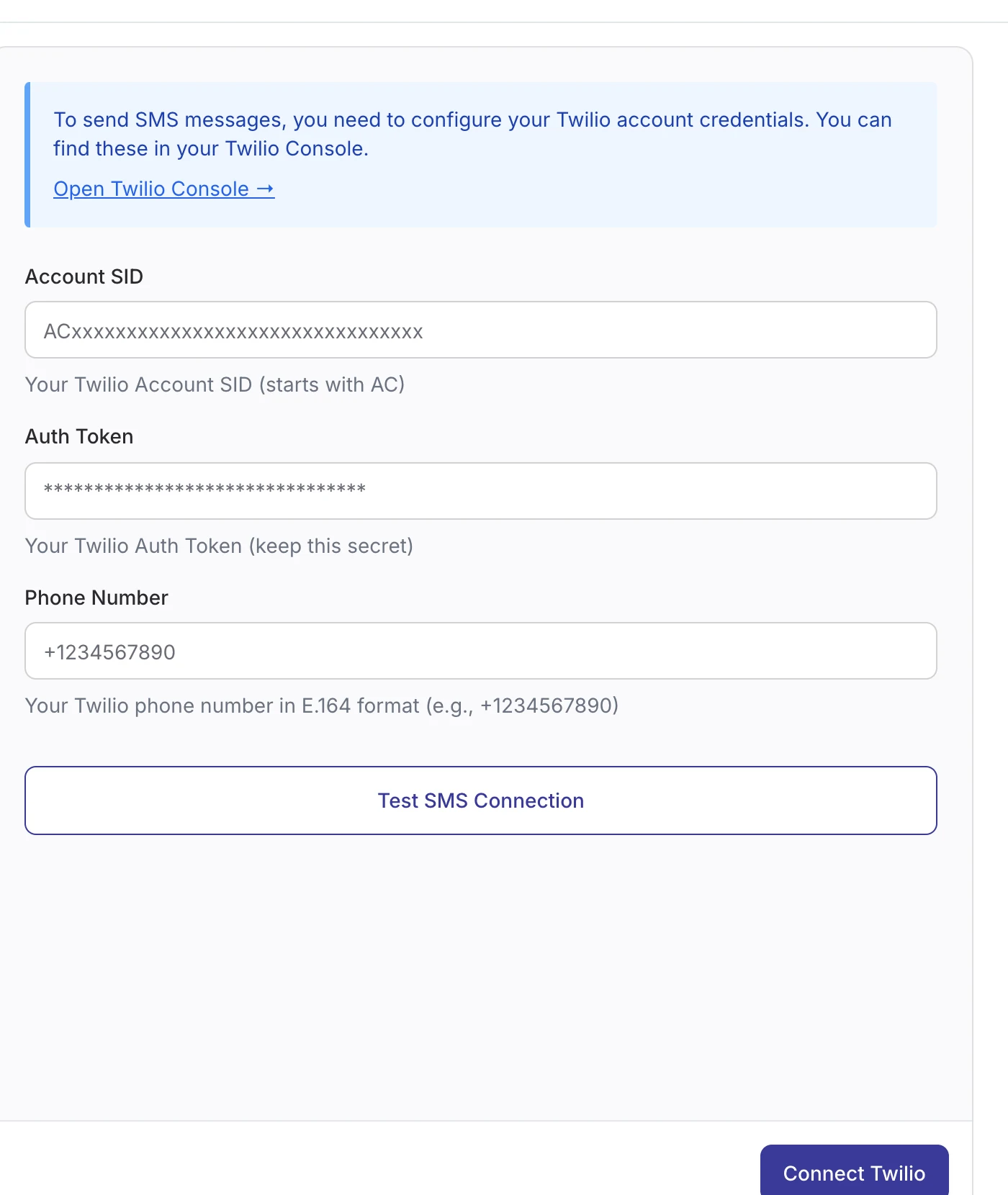
In WordPress, open DoubleScale → Integrations → Messaging, click Connect Now on Twilio, paste the Account SID, Auth Token and your Twilio number in international format (for example +14155550123), then click Test SMS Connection and Connect Twilio.
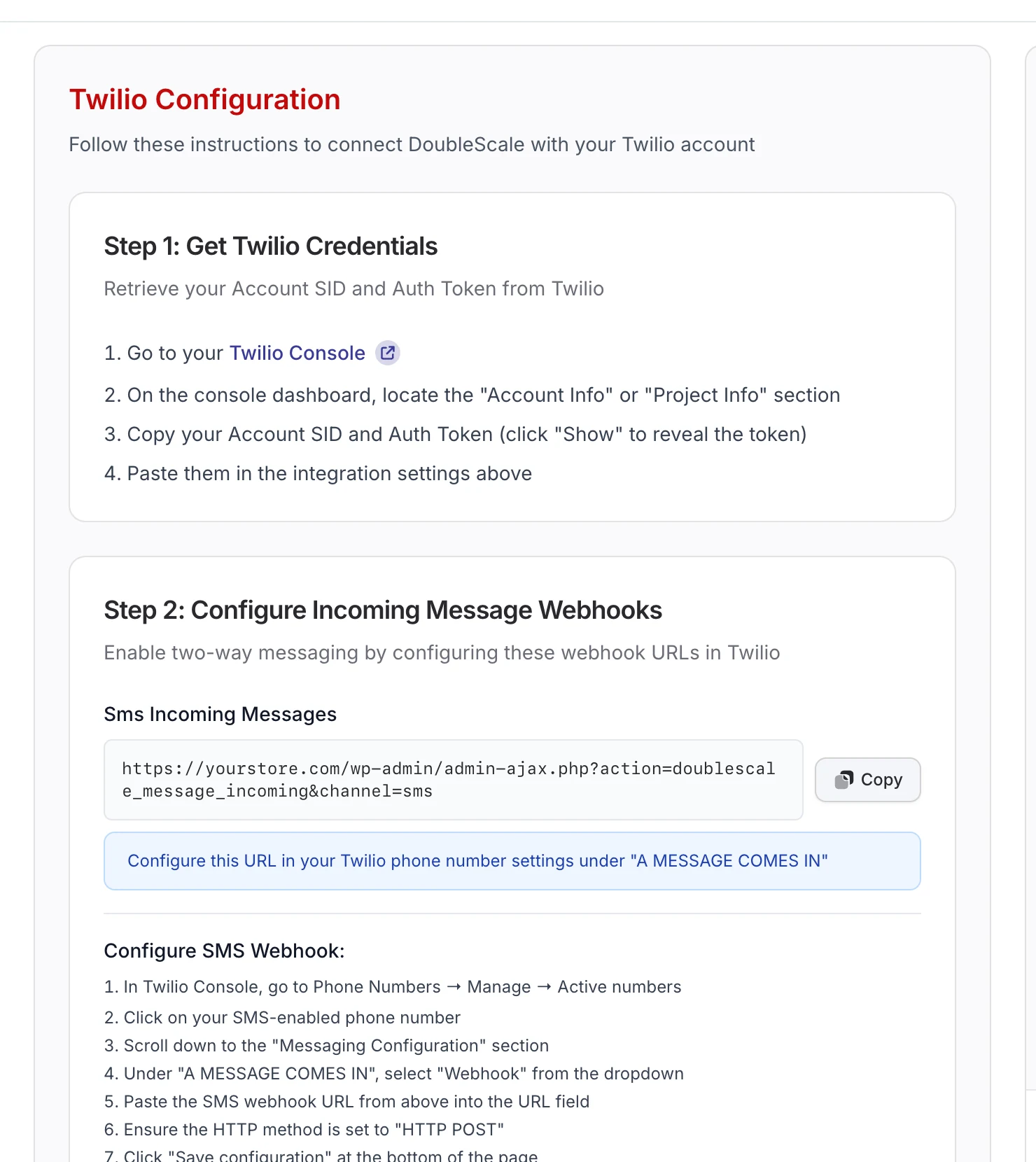
To receive replies, and to process STOP requests, copy the incoming-message webhook URL from the same screen into your Twilio number’s settings under A message comes in (Webhook, HTTP POST).
Step 3: Get phone numbers into international format
This is the step that quietly breaks most WooCommerce SMS setups. Twilio, and DoubleScale’s Send SMS action, need numbers in international E.164 format: a plus sign, the country code and the number, for example +447700900123. Customers usually type 07700 900123. DoubleScale saves the billing phone as typed (digits only), and a number without its country code is skipped with “Invalid phone number format” rather than sent to the wrong person.
Two ways to fix it:
- Best: use a checkout phone field with a country picker that saves numbers with the country code. Several free checkout field plugins do this.
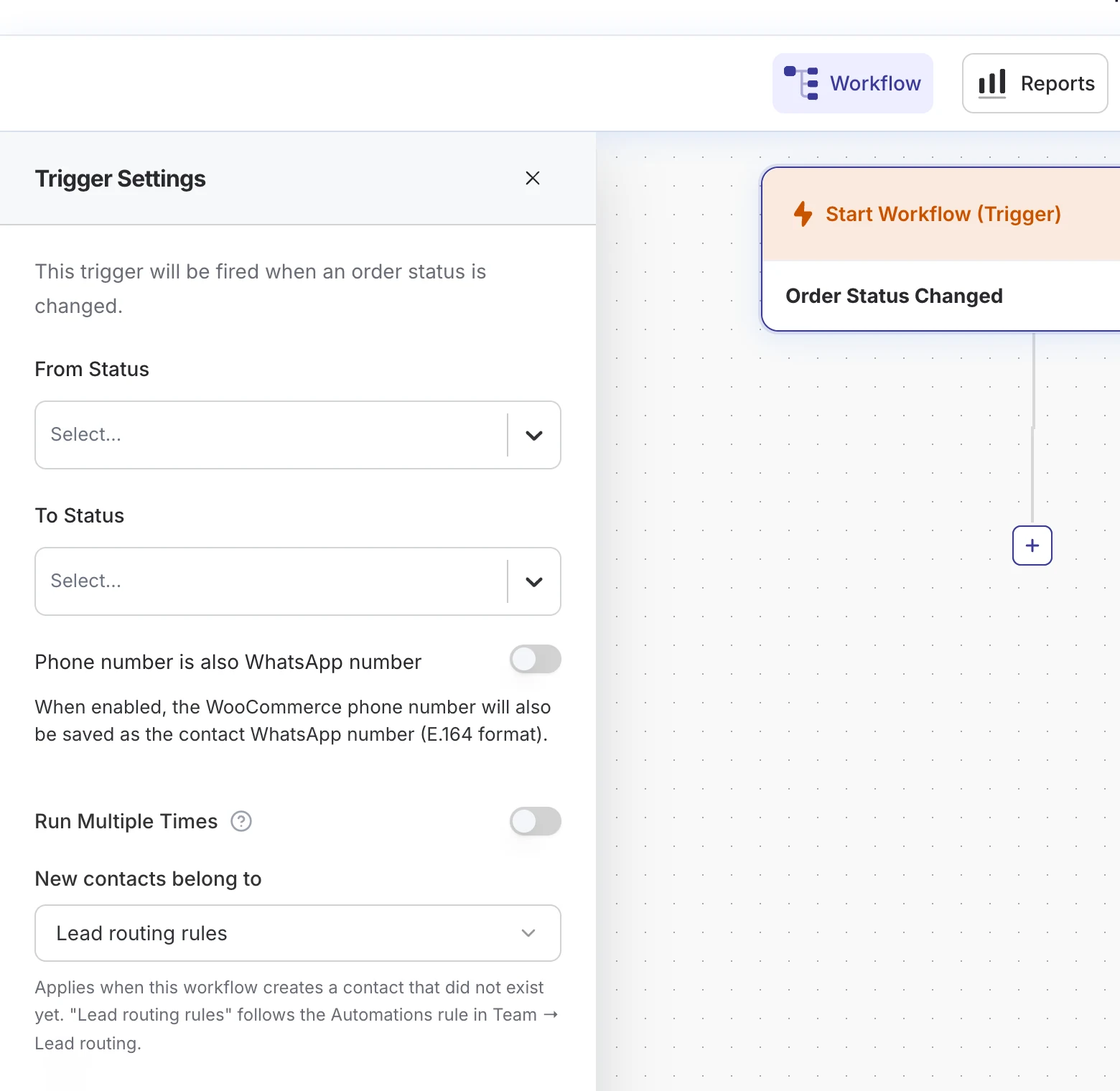
- Inside DoubleScale: turn on Phone number is also WhatsApp number in the WooCommerce trigger. DoubleScale converts the billing phone to international format using the billing country and stores it as the contact’s WhatsApp number. Then add an Update Contact step before Send SMS that sets Phone to
{{contact:whatsapp}}. The contact now has a sendable number for both channels.
Step 4: Build the SMS automation
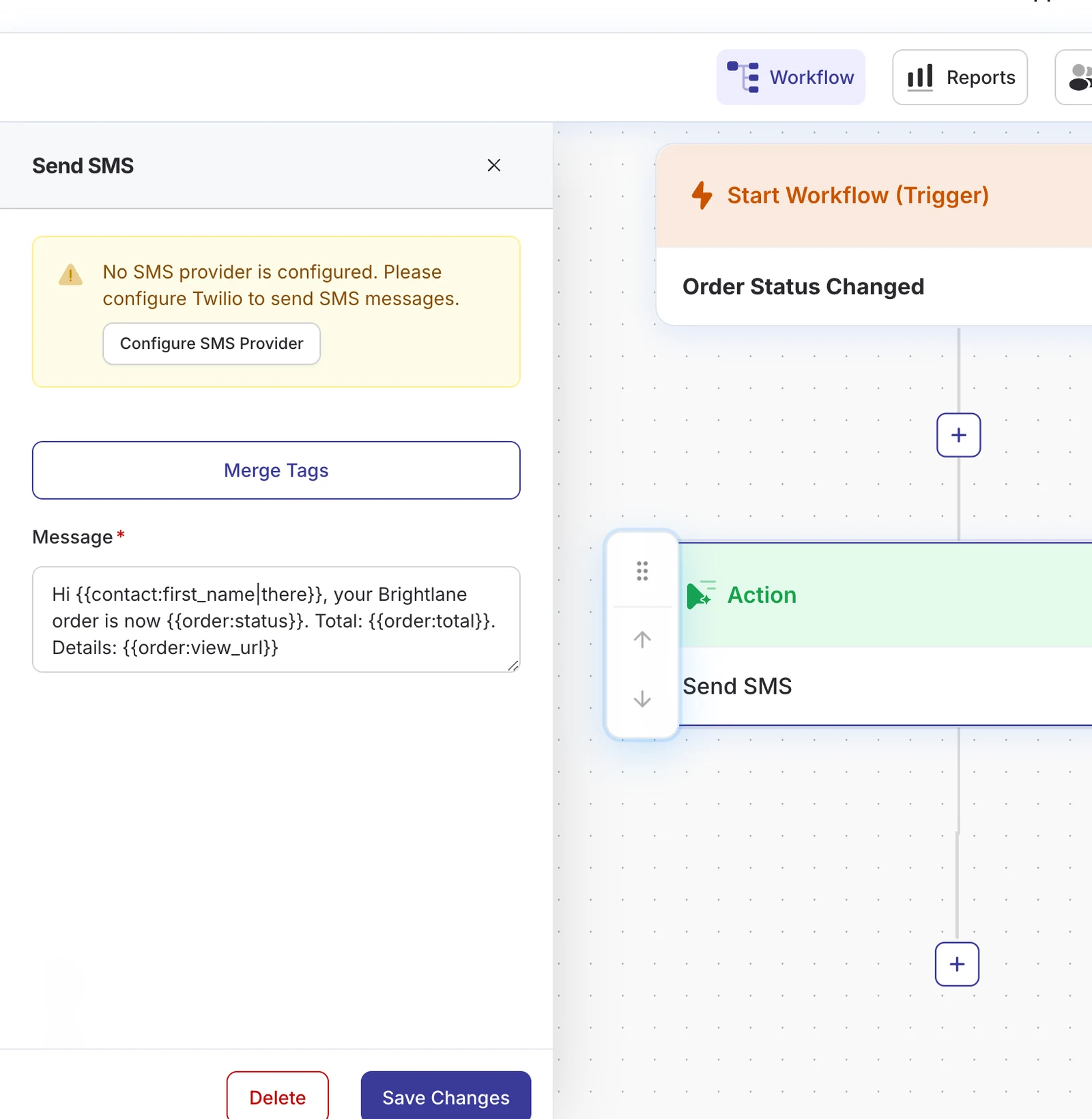
- Go to Automations → Create Automation, name it and choose E-commerce → WooCommerce → Order → Order Status Changed.
- Set the To Status you want to text about, for example Processing.
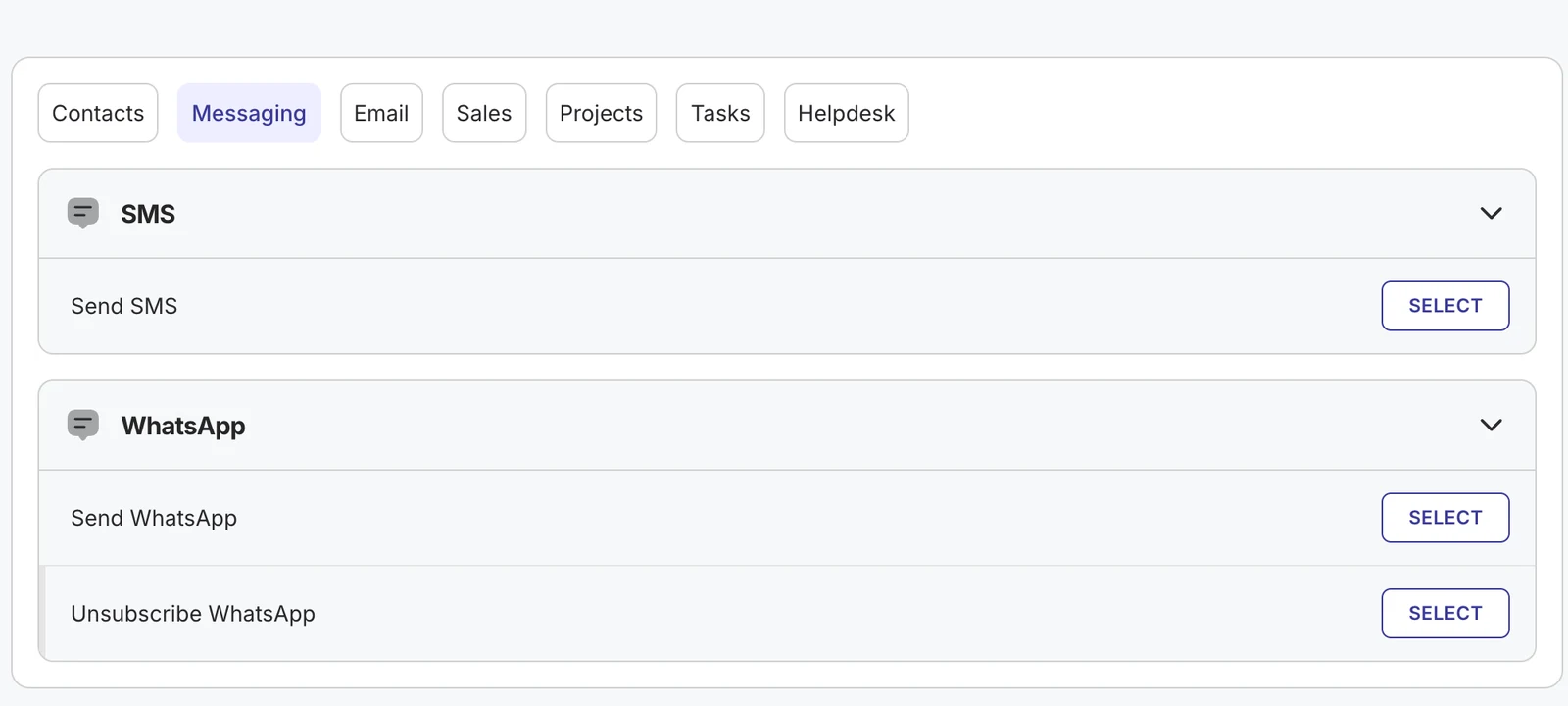
- Click + → Action → Messaging → Send SMS.
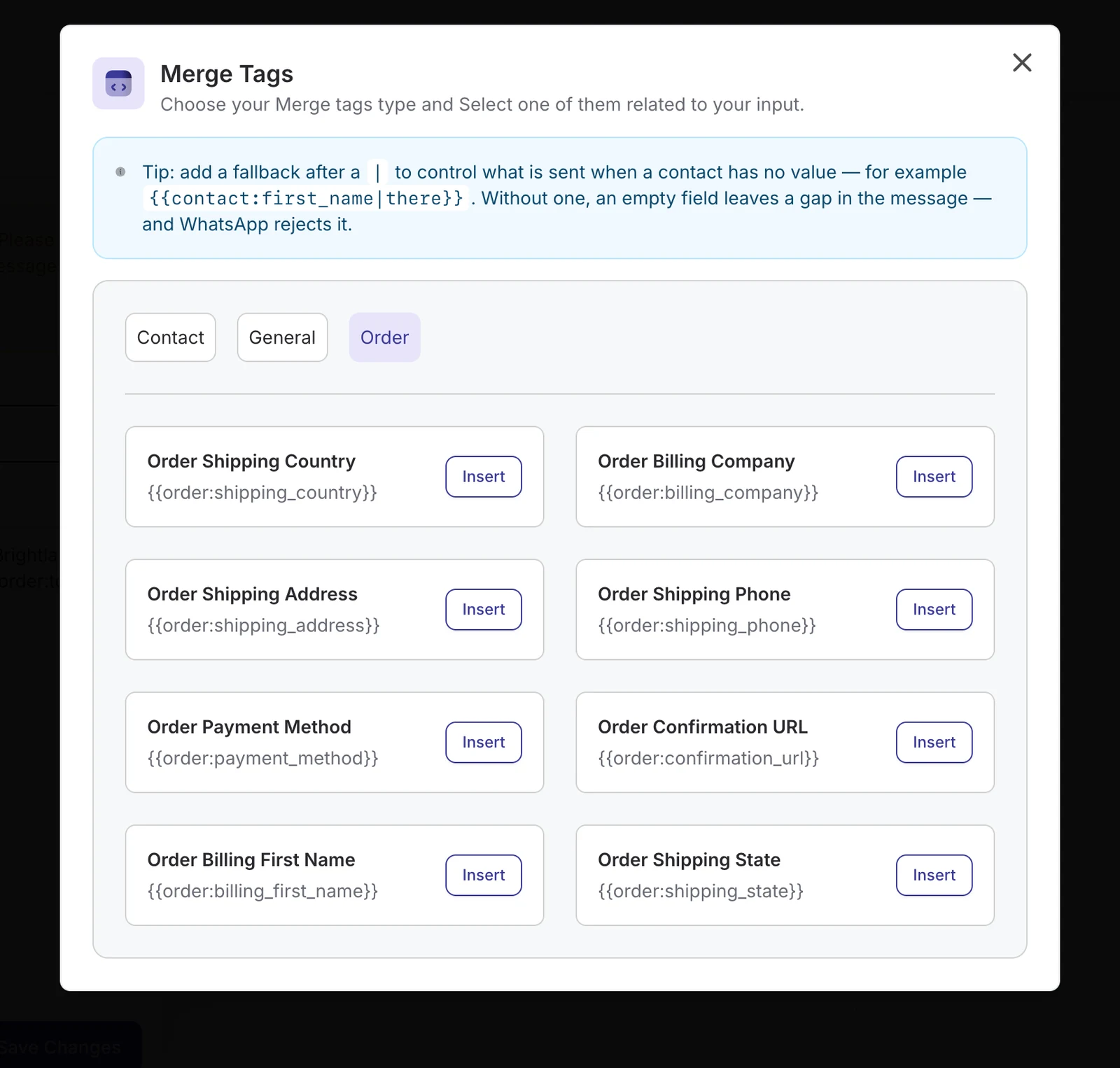
- Write the message and insert merge tags with the Merge Tags button: contact fields, order total, status, view link and payment link.
- Save and add one automation per status that needs its own wording.
Step 5: Write messages that fit in one SMS
A standard SMS segment holds 160 characters. Add a single emoji or a non-Latin character and the limit drops to 70, and longer texts are split into several billed segments. DoubleScale also adds “Reply STOP to unsubscribe” to every SMS unless your message already contains an opt-out word, so leave room for it.
| Status | Message | Length |
|---|---|---|
| Processing | Brightlane: thanks {{contact:first_name|there}}! Your order ({{order:total}}) is confirmed and being packed. | about 95 characters |
| Shipped / Completed | Brightlane: your order is on its way. Details: {{order:view_url}} | about 60 + link |
| Pending payment | Brightlane: your order is waiting for payment. Finish here: {{order:payment_url}} | about 70 + link |
| Refunded | Brightlane: we have refunded your order. It can take 3 to 5 days to appear. | about 75 characters |
Reply STOP to unsubscribe
- Start with your store name so people recognise the sender.
- One message, one purpose. Skip marketing in transactional texts.
- Use the order link instead of pasting addresses or item lists.
- Always add a fallback to merge tags, such as
{{contact:first_name|there}}.
Step 6: Consent, quiet hours and opt-outs
SMS notifications for WooCommerce orders are transactional, but most countries still expect consent before you text. In the US, the TCPA and carrier rules require prior consent; in the EU and UK, GDPR and PECR apply. Add a checkbox at checkout (“Text me updates about my order”) and only enrol customers who ticked it.
- When a customer replies STOP, UNSUBSCRIBE, CANCEL, END or QUIT, DoubleScale marks them as unsubscribed from SMS and skips them in every future automation.
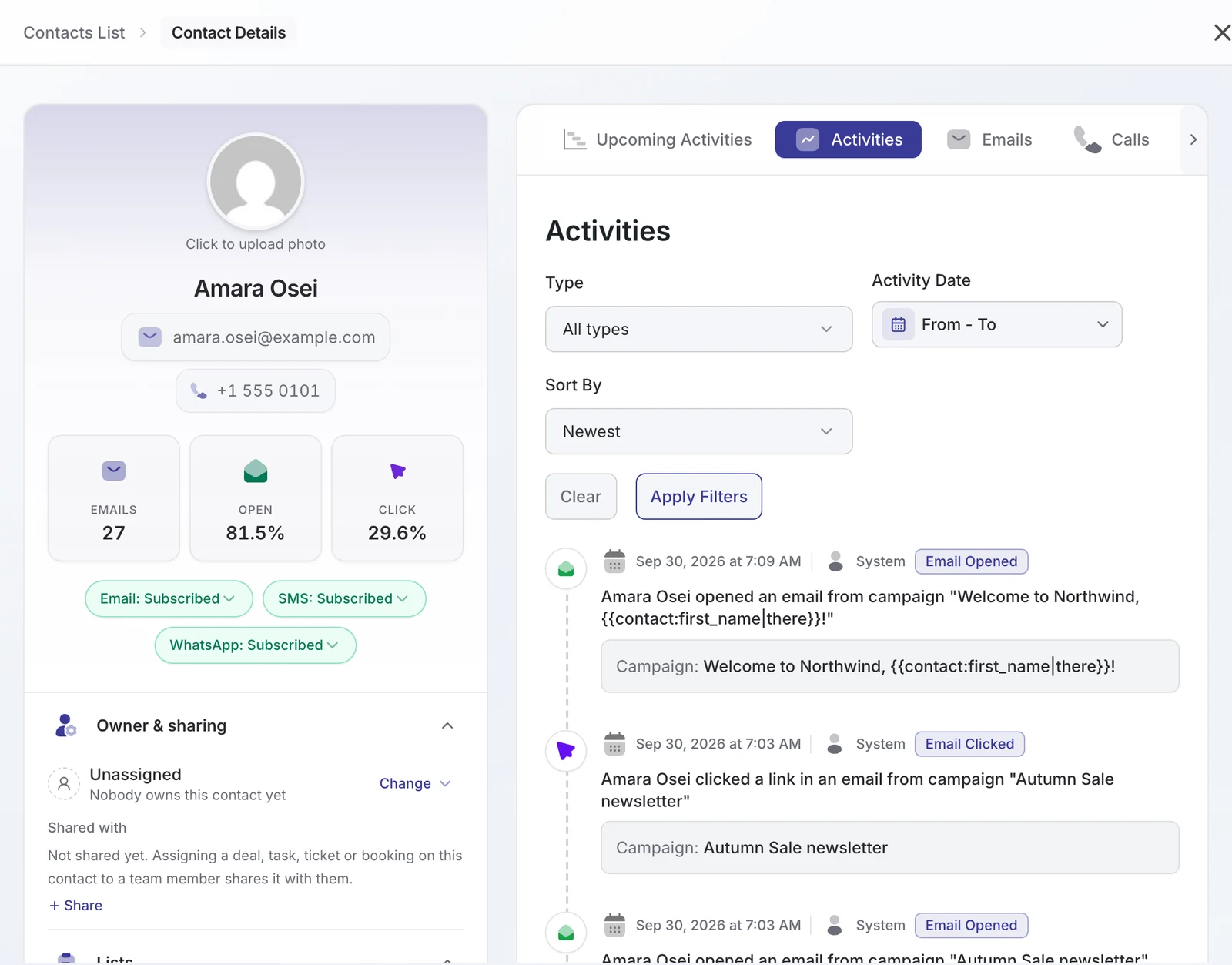
- Each contact shows its SMS status on the profile, next to email and WhatsApp.
- Order texts send the moment the status changes, so a status you update at 11pm texts the customer at 11pm. Batch manual status changes during the day, or add a Delay step for statuses you change late.
Step 7: Test and launch
- Place a test order with your own number in international format.
- Move it through each status in WooCommerce and check your phone.
- Open the contact in DoubleScale to see the sent message and delivery status on the timeline.
- Check the automation’s Reports and Contacts tabs, then set the automation to Active.
What SMS order notifications cost
- Twilio charges per message segment, plus carrier fees in the US and a monthly number fee. Prices vary by country, so check Twilio’s SMS pricing page for yours.
- US registration: one-time brand and campaign fees for A2P 10DLC, plus a small monthly campaign fee.
- DoubleScale Pro: from $99 a year for one site, with no per-message markup.
- Keeping messages to one segment is the easiest way to halve your bill.
Troubleshooting
| Symptom | Cause | Fix |
|---|---|---|
| “No SMS provider is configured” | Twilio not connected | Finish step 2 and run Test SMS Connection |
| Skipped: “Invalid phone number format” | Number saved without country code | Use a country-code phone field or the Update Contact fix in step 3 |
| Skipped: “Contact has no phone number” | Phone not collected at checkout | Make the phone field required |
| Twilio error 30034 or heavy filtering (US) | Number not registered for A2P 10DLC | Complete registration or use a verified toll-free number |
| STOP replies not unsubscribing | Incoming webhook not set in Twilio | Paste the webhook URL under “A message comes in” |
| Customers get two or three texts per update | Message too long or contains emoji | Shorten to 160 plain characters |
Add WhatsApp for customers who prefer it
Many shoppers outside the US prefer WhatsApp. You can send both from the same automation, or WhatsApp to some countries and SMS to others. See WhatsApp notifications for WooCommerce orders, and for recovering unpaid carts by text, the abandoned cart recovery guide. Our WordPress SMS marketing overview covers campaigns and two-way texting.
FAQ
Can WooCommerce send SMS notifications by default?
No. WooCommerce only sends emails. You need a plugin connected to an SMS provider such as Twilio; DoubleScale Pro does this through its automation builder.
Why are my order texts not sending?
The most common reason is phone format: numbers must include the country code (for example +447700900123). Other causes are a missing phone number, an unsubscribed contact, or, in the US, an unregistered 10DLC number.
How long can an order SMS be?
160 characters for a single standard SMS, or 70 if you use emoji or non-Latin characters. DoubleScale adds “Reply STOP to unsubscribe”, so plan for about 130 characters of your own text.
Do I need customer consent for order texts?
Yes in most countries. Collect it with a checkbox at checkout. DoubleScale handles STOP replies automatically.
Can customers reply to the SMS?
Yes, once the Twilio incoming webhook is set. Replies appear in the DoubleScale inbox and on the contact timeline, and can trigger automations.
Which SMS providers does DoubleScale support?
Twilio. WhatsApp is sent through the official Meta WhatsApp Cloud API.
DoubleScale Pro sends WooCommerce order SMS through Twilio, with merge tags, opt-out handling and replies in WordPress.
Get our guides first on GoogleAdd DoubleScale as a preferred source and our articles show up more often in your Top Stories.

Mohamed Magdy, Founder & CEO, DoubleScale
Mohamed Magdy is the founder and CEO of DoubleScale, the all-in-one CRM for WordPress. He writes about CRM, email marketing and automation for WordPress businesses.
Practical CRM tips, once a month
Guides on growing with WordPress: lead capture, email marketing, automations and sales. No spam, unsubscribe anytime.