















On this page
- What should a support team expect from a knowledge base plugin?
- WordPress knowledge base plugins compared
- How we chose these plugins
- 1. DoubleScale: best for a KB connected to helpdesk, chat and CRM
- 2. BetterDocs: best docs-first plugin with the biggest community
- 3. Heroic KB: best for knowing which articles still create tickets
- 4. Echo KB: best free plugin with an AI chat
- 5. weDocs: best budget option with BetterDocs migration
- 6. EazyDocs: best for structured product documentation
- 7. Helpie KB: best for teams that edit docs on the front end
- Ticket deflection: how do you work out what a knowledge base saves?
- What happens when the article doesn’t help?
- Public, client-only and internal articles: who can read what?
- How do you write the articles your tickets ask for?
- How do you tell which articles actually reduce tickets?
- Are WordPress knowledge base plugins secure?
- Which knowledge base plugin should you choose?
- Frequently asked questions
- Related guides
- Sources
The best WordPress knowledge base plugin for a support team is the one that is wired into the place your tickets live. A help center on its own answers the easy questions. A help center that sits next to your ticket form, your live chat and your customer records also tells you which questions it failed to answer, and that is where the ticket savings come from.
For that job we rank DoubleScale first: its knowledge base is free, it shares one WordPress database with the helpdesk, client portal and CRM, and with Pro an AI assistant answers from your articles before handing the chat to a person. BetterDocs is the most mature docs-only option, Heroic KB has the best ticket analytics, and Echo KB, weDocs, EazyDocs and Helpie KB each fit a narrower need.
DoubleScale: best when the knowledge base should feed your helpdesk, live chat and CRM (KB free, AI chat in Pro).
BetterDocs: best docs-first plugin, with the largest install base, multiple KBs and an FAQ builder.
Heroic KB: best analytics on which articles still turn into tickets (paid only).
Echo KB: best free plugin with an AI chat built in (your own OpenAI key).
weDocs / EazyDocs / Helpie KB: cheaper docs builders for simpler setups.
What should a support team expect from a knowledge base plugin?
A support team needs a knowledge base that reduces tickets, and that takes four things beyond nice article pages. Most roundups judge layouts and blocks. We judged the parts that decide whether a customer gets an answer or ends up in your queue.
- Search that finds the answer while the customer types. If the right article doesn’t show for the customer’s words, it doesn’t exist.
- A next step when the article fails. A ticket form, a chat or a handoff on the same page, so the customer doesn’t go hunting for your email address.
- Access levels. Public answers for everyone, guides for paying clients only, and internal how-tos your team can see but customers can’t.
- Feedback you can act on. Views and “Was this helpful?” votes at a minimum, and ideally a list of the questions nobody has written up yet.
WordPress knowledge base plugins compared
Here is the short version. Prices are regular prices for one site; several vendors are running Black Friday sales at the time of writing, and we note those in each entry.
| Plugin | Free version | Paid from (1 site) | WordPress.org installs | AI chat on your docs |
|---|---|---|---|---|
| DoubleScale | Yes, full KB | $99/yr Pro* | 90+ | Pro, your own AI key |
| BetterDocs | Yes | $69/yr | 30,000+ | Add-on $69/yr, needs Pro |
| Heroic KB | No | $169/yr | Not on WordPress.org | Top plan only ($599/yr) |
| Echo KB | Yes | Add-ons from $105 | 10,000+ | Free, your own OpenAI key |
| weDocs | Yes | $39/yr | 5,000+ | Add-on $7.99/mo |
| EazyDocs | Yes | $49/yr | 2,000+ | Via free Antimanual plugin |
| Helpie KB | No | $59/yr | Not on WordPress.org | Not stated by vendor |
*DoubleScale Pro is $99/yr (1 site) during Black Friday and $124/yr from 2 December 2026; the knowledge base itself is free. Checked 19 November 2026.
How we chose these plugins
We started from the plugins that rank for “wordpress knowledge base plugin” and the ones support teams actually shortlist, then dropped anything abandoned or untested with current WordPress. We checked every price, feature list and security record on the vendor sites and WordPress.org on 19 November 2026. We did not run a hands-on test of every paid tier, so where a vendor page doesn’t state something, we say so instead of guessing.
We weighted four criteria: what happens after a failed search, access control, feedback and analytics, and total cost for one site including any AI add-on. Security records come from WPScan and Patchstack. Install counts and ratings come from the WordPress.org plugin API.
1. DoubleScale: best for a KB connected to helpdesk, chat and CRM
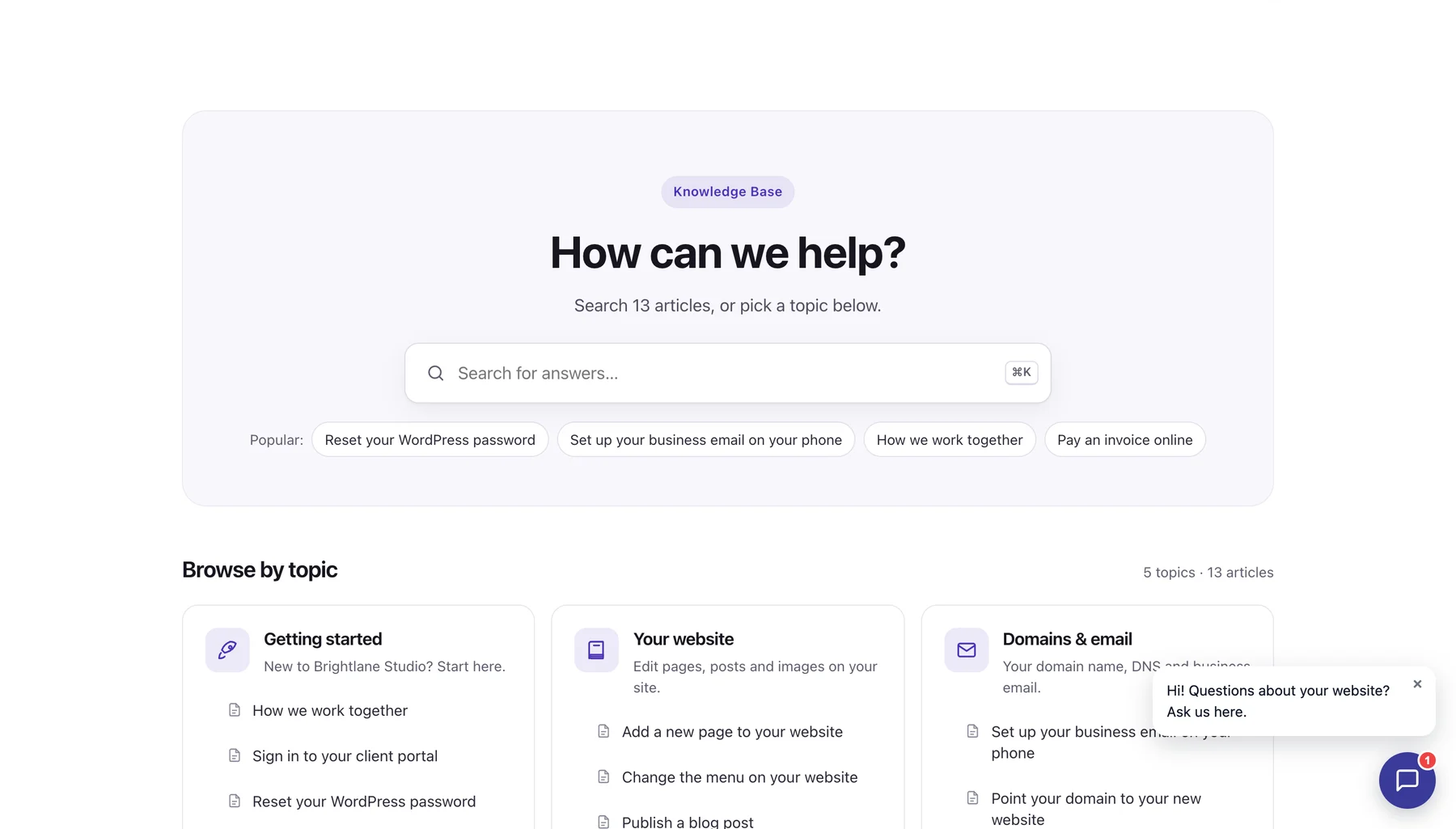
DoubleScale is an all-in-one WordPress CRM, and its knowledge base is in the free plugin. Articles are written in the block editor and published to a help center on your site, inside the client portal, or for your team only, in the same database as your tickets and contacts.
When the article doesn’t help
The help center can show a ticket form to anyone with an email address (optional email confirmation) or only to signed-in customers, and the ticket lands in the helpdesk inbox. With Pro, an AI assistant answers from your published articles with numbered source links, and when it can’t help the chat goes to your team as live chat.
Measuring it
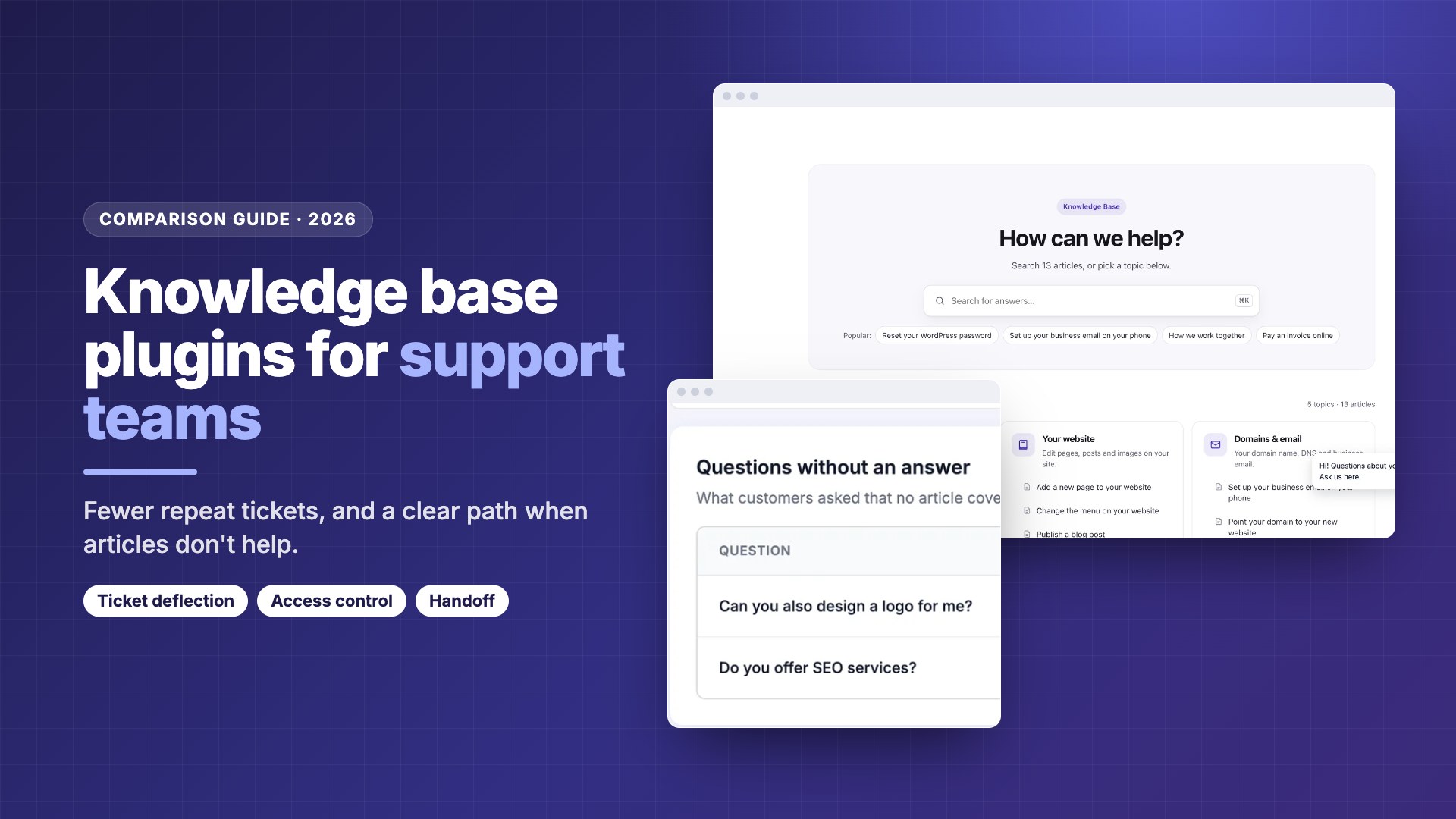
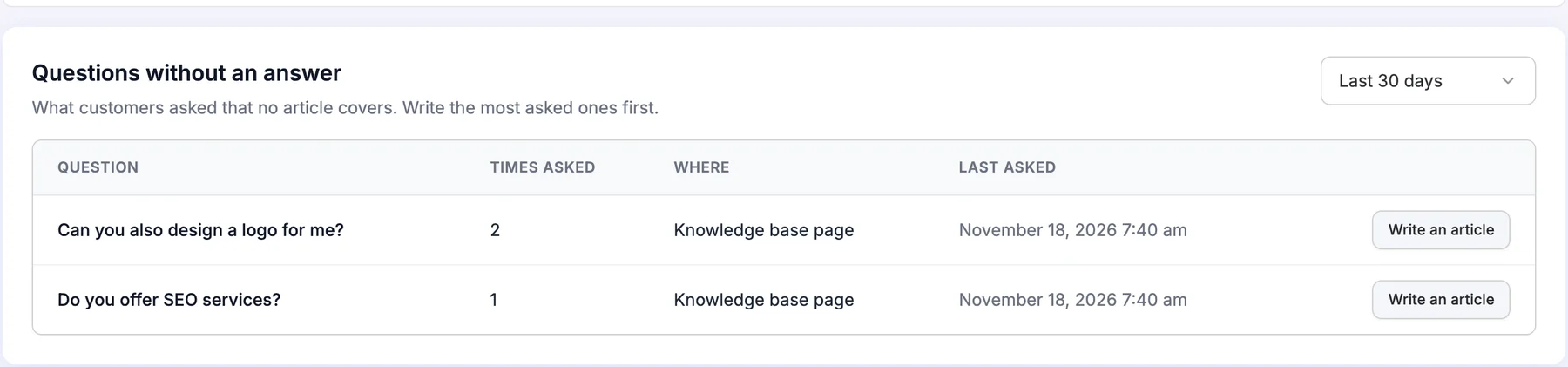
The Articles screen shows views and the share of readers who found each article helpful. Pro adds “Questions without an answer”: what people asked the assistant that no article covers, grouped and counted, with a button to write the article.
- ✓Knowledge base, client-only articles and ticket form are free
- ✓Articles, tickets, chats and contacts in one WordPress database
- ✓AI and live chat with no per-agent or per-resolution fee
- ✓BetterDocs import, old links 301 to new articles
- ✕Young: launched November 2026, 90+ installs
- ✕One help center with topics, no multiple KBs, glossary or tags
- ✕AI assistant and live chat need Pro plus your own AI key
- ✕No built-in multilingual switcher
Best for: support teams that want help articles, tickets, live chat and customer records in one plugin they host themselves.
2. BetterDocs: best docs-first plugin with the biggest community
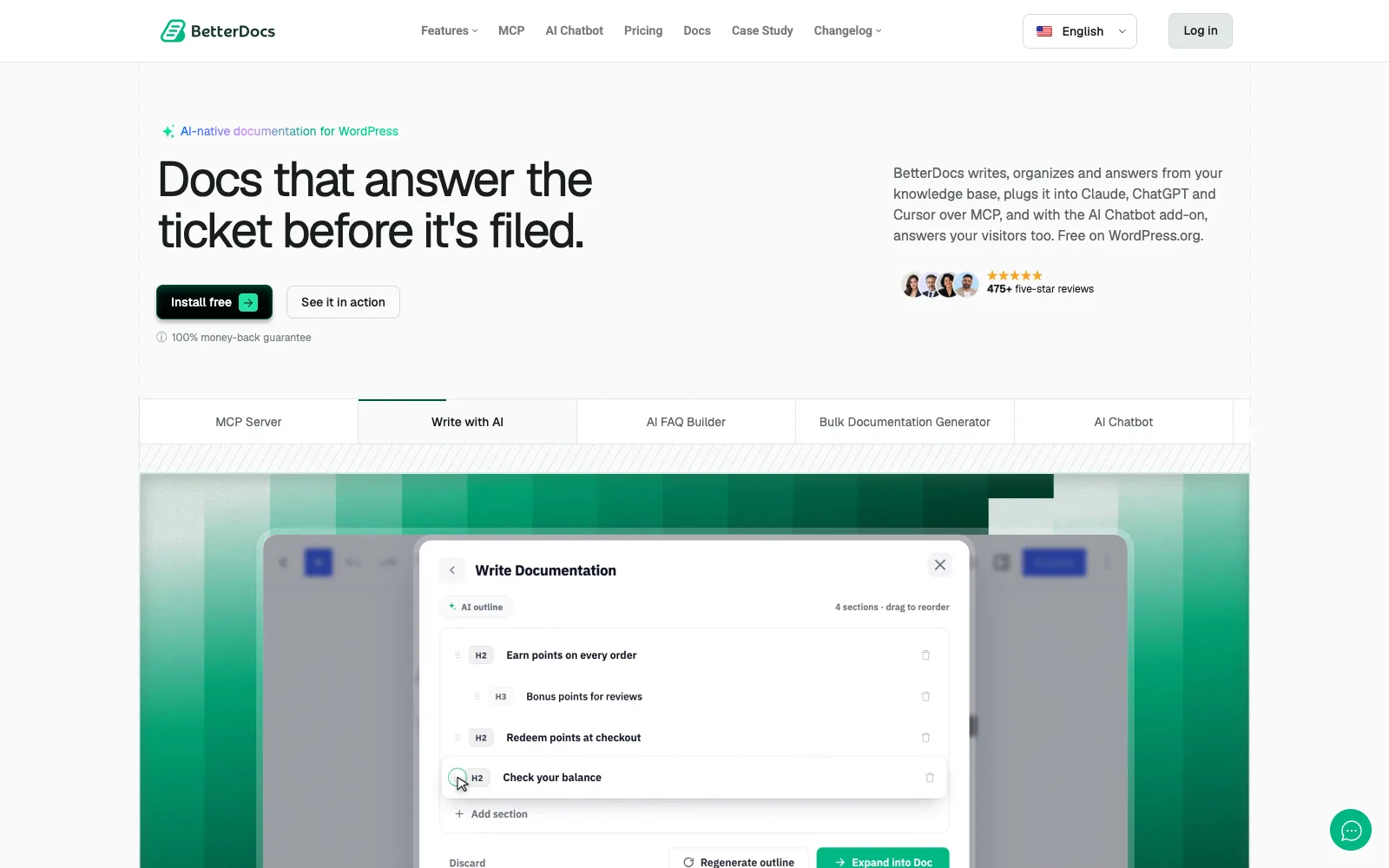
BetterDocs, from WPDeveloper, is the most installed knowledge base plugin on WordPress.org, with 30,000+ active installs and a 4.8 rating from 517 reviews. It is a documentation tool first: layouts, live search, an FAQ builder, Gutenberg blocks, Elementor widgets and WPML support are in the free version.
When the article doesn’t help
The free plugin has reactions and a feedback form. Pro adds AI Instant Answer, and the separate AI Chatbot add-on ($8.99/month or $69/year per site, Pro required) answers from your docs with source links using your own OpenAI or Gemini key. There is no built-in ticket inbox, so tickets need another plugin or service.
Measuring it
Analytics, popular docs and AI Content Intelligence are Pro features. The free version also ships an MCP server and Write with AI using your own key, and since 4.9.6 there is a “Delete Data on Uninstall” setting.
- ✓Largest install base and very active development
- ✓Multiple and internal knowledge bases (Pro)
- ✓Glossary, FAQ builder, Elementor and FSE templates
- ✓Help Scout migration and CSV/XML import-export
- ✕Analytics, internal KBs and AI answers are Pro; chatbot costs extra on top
- ✕14 patched vulnerabilities from 2024 to 2026, nine of them in 2026
- ✕No helpdesk, so the “contact us” step lives elsewhere
- ✕Running a Black Friday sale at the time of writing; check renewal terms
Best for: teams that want a mature, design-flexible docs site and already have a separate helpdesk.
3. Heroic KB: best for knowing which articles still create tickets
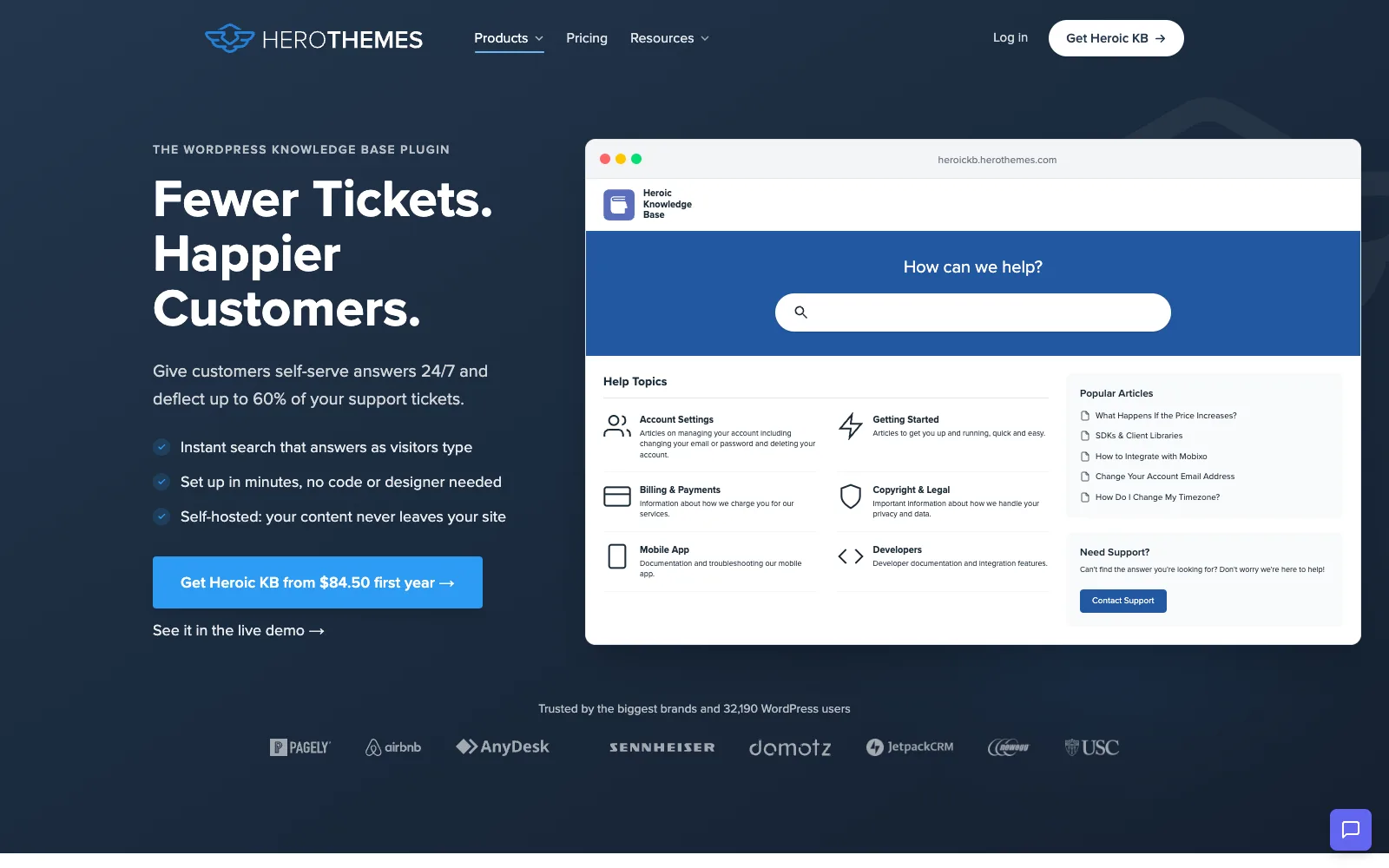
Heroic KB from HeroThemes is a paid-only plugin sold on its own site, not on WordPress.org. It is built around search and analytics rather than page building, and its higher plans connect the knowledge base to inboxes and contact forms.
When the article doesn’t help
On the Pro + AI plan, a search field can sit inside WPForms, Formidable or Gravity Forms so people search before they submit, and suggested articles appear inside Heroic Inbox or Help Scout mailboxes. The AI assistant, powered by HelpJet, answers from your knowledge base on that plan only.
Measuring it
From the Plus plan, search analytics show popular and empty searches, and “transfer analytics” show which articles generate the most support tickets. That is the most direct deflection report in this list. Slack can receive notifications such as new article feedback.
- ✓Transfer analytics tie articles to tickets
- ✓Search-before-submit field for three popular form plugins
- ✓Restrict the whole KB, a category or an article to logged-in users (Plus)
- ✓Theme and FAQ builder included
- ✕No free version; Plus is $349/yr for 3 sites, Pro + AI $599/yr for 5
- ✕The 50% intro price is first year only, renewals at full price
- ✕AI and integrations only on the top plan
- ✕Not on WordPress.org, so no public install or WPScan record to check
Best for: support teams with a separate helpdesk that want hard numbers on which articles fail to deflect tickets.
4. Echo KB: best free plugin with an AI chat
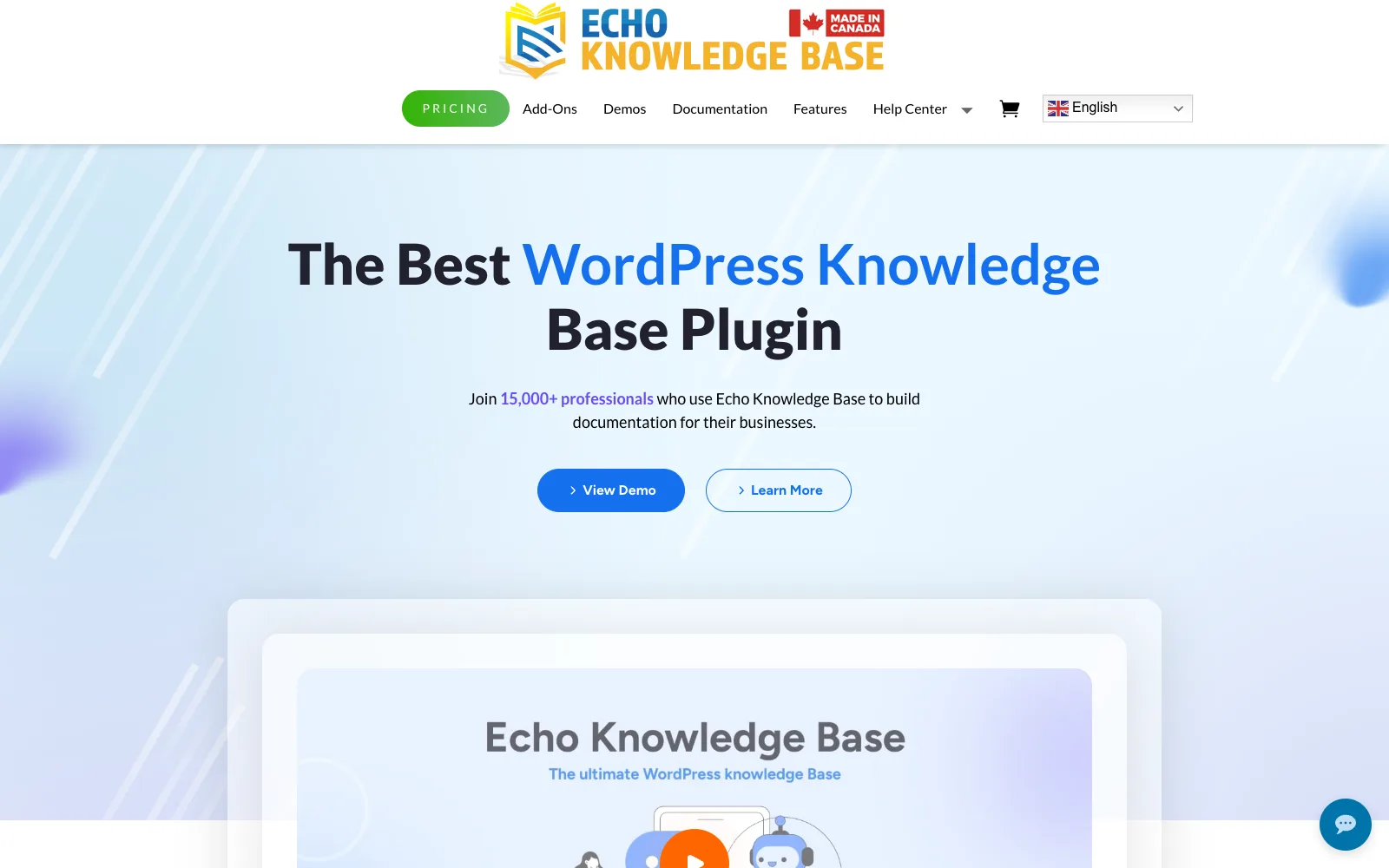
Echo KB (listed as “Echo Knowledge Base” on WordPress.org) has 10,000+ installs and a 4.9 rating from 124 reviews. Its free version is unusually broad: five levels of categories, FAQs, a glossary with tooltips, a front-end visual editor, and support for Gutenberg, Elementor, Beaver, Divi and Visual Composer.
When the article doesn’t help
AI Chat (off by default) answers from your KB, FAQs and notes using your own OpenAI key, and AI Search adds an “Ask AI” button. Human agent handoff, training on pages and posts, and AI chat access control are paid AI extras. There is no ticket inbox of its own.
Measuring it
View counts are free. Search analytics come with the Advanced Search add-on and feedback voting is also paid. Pricing is a set of add-on bundles: Basic $105, Professional $200 and Access Control $380 at regular price, with lower first-year and renewal figures shown.
- ✓Free AI chat and AI search with your own key
- ✓Deep hierarchy, glossary and many page builders in free
- ✓Multisite support
- ✓Very well rated on WordPress.org
- ✕Multiple KBs, access control and import/export are paid add-ons
- ✕Bundle pricing is hard to compare at a glance
- ✕4 patched vulnerabilities, including a critical one (CVSS 9.8) fixed in 11.31.0 in 2024
- ✕Handoff to a person is a paid extra
Best for: sites that want a free knowledge base with an AI chat and are happy to pay for add-ons later.
5. weDocs: best budget option with BetterDocs migration
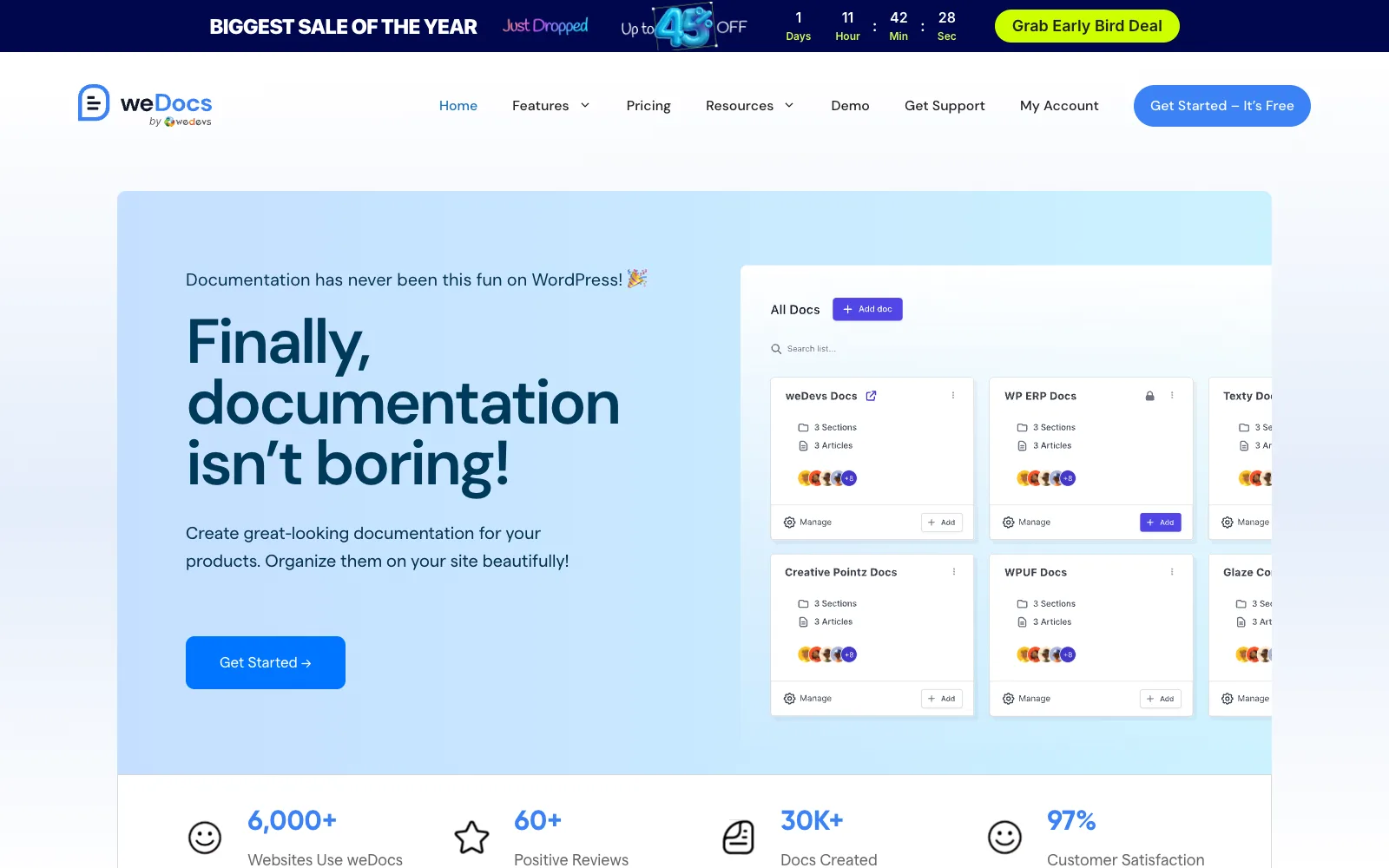
weDocs from weDevs has 5,000+ installs and a 4.6 rating from 69 reviews. The free plugin gives you unlimited docs and knowledge bases with three levels of nesting, drag-and-drop ordering, a Ctrl/Cmd+K quick search, an AI doc writer, and a one-click BetterDocs migration.
When the article doesn’t help
Paid plans add a floating contact form and an assistant widget, and the AI Chatbot add-on answers from your docs. The pricing page doesn’t say whether the chatbot hands over to a person or the form. Role-based permissions and private docs are paid.
Measuring it
A basic analytics dashboard and voting are free; advanced analytics are paid. Yearly plans are $39 (1 site), $59 (5), $79 (10) and $149 (unlimited) at regular price, and lifetime starts at $125. A Black Friday sale is running at the time of writing.
- ✓Generous free tier with unlimited KBs
- ✓One-click BetterDocs migration
- ✓Floating contact form on paid plans
- ✓Dokan vendor docs support
- ✕Only three nesting levels in free
- ✕11 patched vulnerabilities from 2024 to 2026, all medium, latest fixed in 2.6.2
- ✕Some WordPress.org reviews report scripts loading on every page
- ✕AI chatbot is a monthly add-on on top of a plan
Best for: small teams that want a low-cost docs site and a simple contact form fallback.
6. EazyDocs: best for structured product documentation
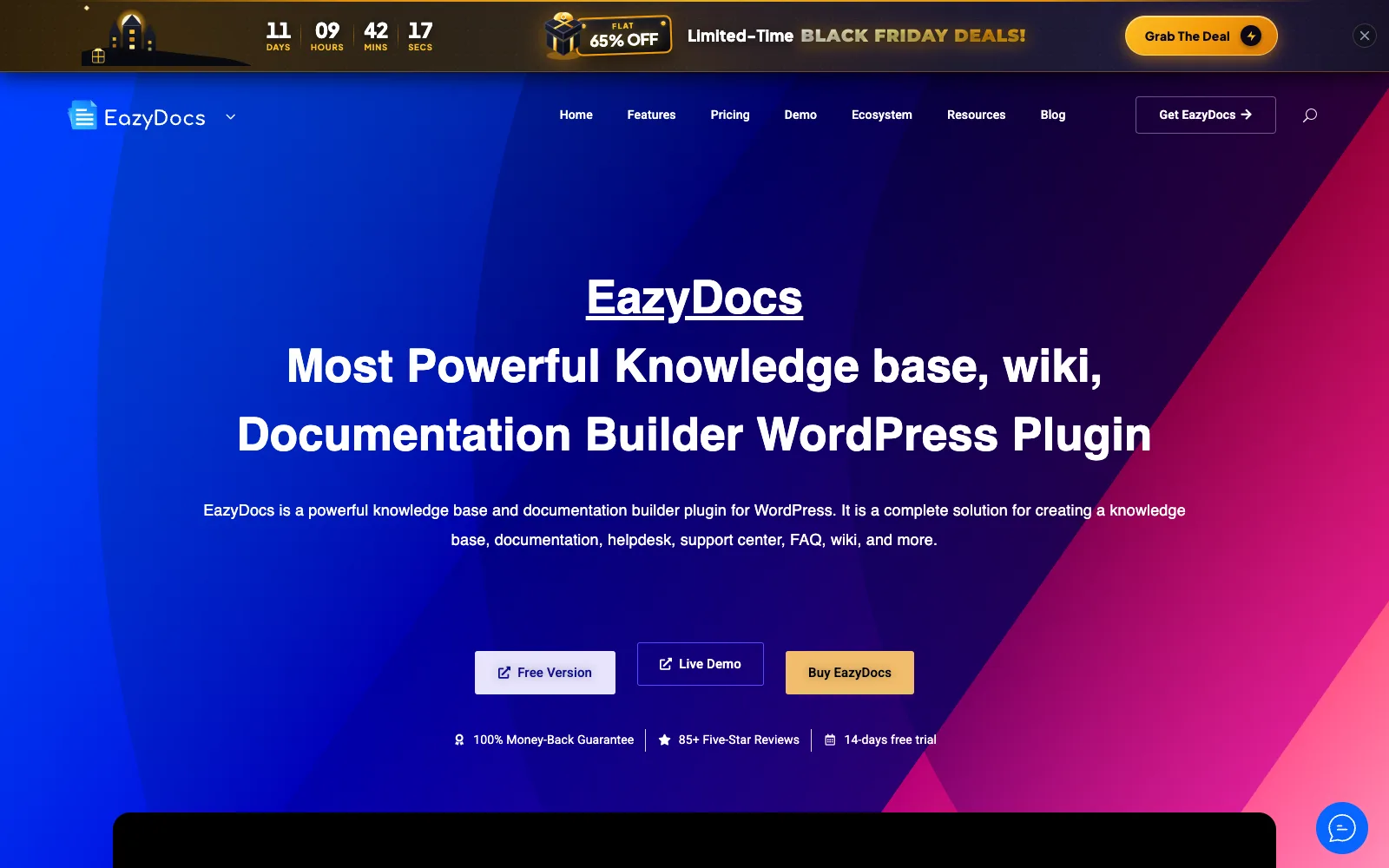
EazyDocs from Spider Themes has 2,000+ installs and a 4.7 rating from 100 reviews. It is a drag-and-drop documentation builder with four levels in free, a sticky sidebar, automatic table of contents, Schema.org markup, Markdown and CSV import-export, and a BetterDocs migration.
When the article doesn’t help
AI comes from a second free plugin, Antimanual, which adds a chatbot trained on your docs using your own OpenAI, Anthropic or Gemini key. Pro adds a Doc Helper Assistant. The vendor’s 70% ticket-reduction figure is marketing we couldn’t verify. There is no ticket inbox.
Measuring it
Views and voting are free; analytics and search insights are in Pro Max ($59/yr regular). Lifetime licences are $129 and $149 regular. A Black Friday sale is running at the time of writing, with a 14-day trial and 30-day refund.
- ✓Deep, tidy hierarchy for product docs
- ✓Markdown import-export and BetterDocs migration
- ✓Lifetime option at a low regular price
- ✓Nothing new on WPScan for EazyDocs itself since April 2025
- ✕AI needs a second plugin plus your own key
- ✕Analytics only in the top tier
- ✕Past issues include a Contributor+ file inclusion (7.2) fixed in 2.8.1
- ✕Admin support chat loads an external iframe (can be disabled)
Best for: software teams publishing long, nested product documentation on a small budget.
7. Helpie KB: best for teams that edit docs on the front end
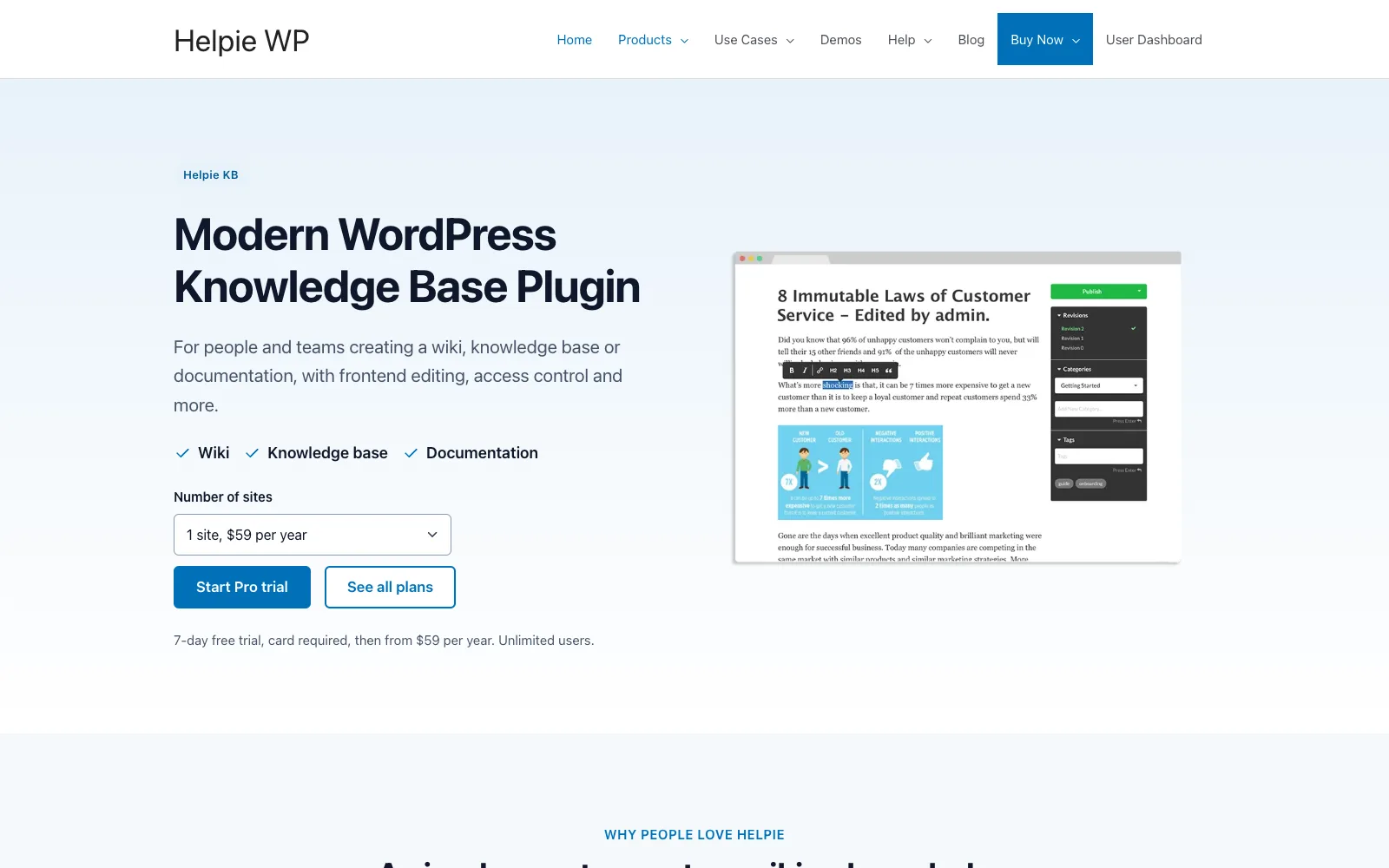
Helpie KB from Helpie WP is a paid knowledge base sold on its own site; the free plugin on WordPress.org is Helpie FAQ (8,000+ installs), which is an FAQ accordion rather than a full knowledge base. Helpie KB is aimed at wiki-style teams: articles can be edited and published from the front end, with revision history.
When the article doesn’t help
The vendor page doesn’t describe a ticket form, chat or AI handoff, so plan on a separate contact form or helpdesk. User access control lets you keep some content to signed-in users.
Measuring it
Insights report views, searches and votes, and voting comes in classic and emoji styles. Every plan has every feature: $59 for 1 site, $149 for 5 and $299 for 30 a year, with a 7-day trial that needs a card and a 30-day refund window.
- ✓Front-end editing and publishing roles
- ✓Revision history and templates
- ✓Search insights included in every plan
- ✓Cheapest per site at the 30-site tier
- ✕No free knowledge base version
- ✕Multiple KBs, import and AI not stated on the vendor site
- ✕Helpie FAQ has had 2 patched issues (most severe 5.3, fixed 1.46); Helpie KB itself not checked
- ✕Trial requires a card
Best for: internal or wiki-style teams where many people write and edit articles from the front end.
Ticket deflection: how do you work out what a knowledge base saves?
Ticket deflection is the number of tickets that never get opened because a customer found the answer first. You can’t count tickets that didn’t happen directly, so you estimate it from two things you can measure: how often people who have a question find the right article, and how often that article ends the conversation.
Here is a worked example. Every number below is an assumption chosen to show the method, not a benchmark, so replace them with your own.
| Step | Assumption | Result |
|---|---|---|
| Tickets per month | 600 | 600 |
| Share caused by your top 5 questions | 25% (count this from a month of tickets) | 150 tickets |
| Customers who find the article before writing | 40% | 60 people |
| Of those, the article fully answers | 50% | 30 tickets avoided |
| Handling time per ticket | 10 minutes | 5 hours saved a month |
Illustrative numbers only. The formula: tickets on a topic x findability x usefulness = tickets avoided.
Two things fall out of this. First, the biggest lever is usually findability, not writing quality: an article nobody reaches deflects nothing, which is why search on the help center and links inside your ticket form matter more than layout. Second, be conservative. A page view is not a deflected ticket. Count only the drop in tickets on that topic after the article goes live, and use helpful votes as a sanity check.
What happens when the article doesn’t help?
The moment a customer gives up on your help center decides whether you get a clear ticket or an annoyed email. The best setups put the next step on the same page and carry the context along with it. Here is how each plugin handles it, based on the vendor pages.
| Plugin | Ticket from the help center | Chat or AI answer | Hands over to a person |
|---|---|---|---|
| DoubleScale | Yes, free, lands in its helpdesk | AI assistant from your articles (Pro) | Same chat goes to your team; becomes a ticket |
| BetterDocs | Feedback form only; no inbox | Instant Answer (Pro), AI Chatbot add-on | Not documented on the pricing page |
| Heroic KB | Search field inside WPForms, Formidable, Gravity Forms | HelpJet AI on Pro + AI | Via Heroic Inbox or Help Scout |
| Echo KB | No | Free AI Chat (your key) | Agent handoff is a paid extra |
| weDocs | Floating contact form (paid) | AI Chatbot add-on | Not stated |
| EazyDocs | No | Antimanual chatbot (your key) | Not stated |
| Helpie KB | Not stated | Not stated | Not stated |
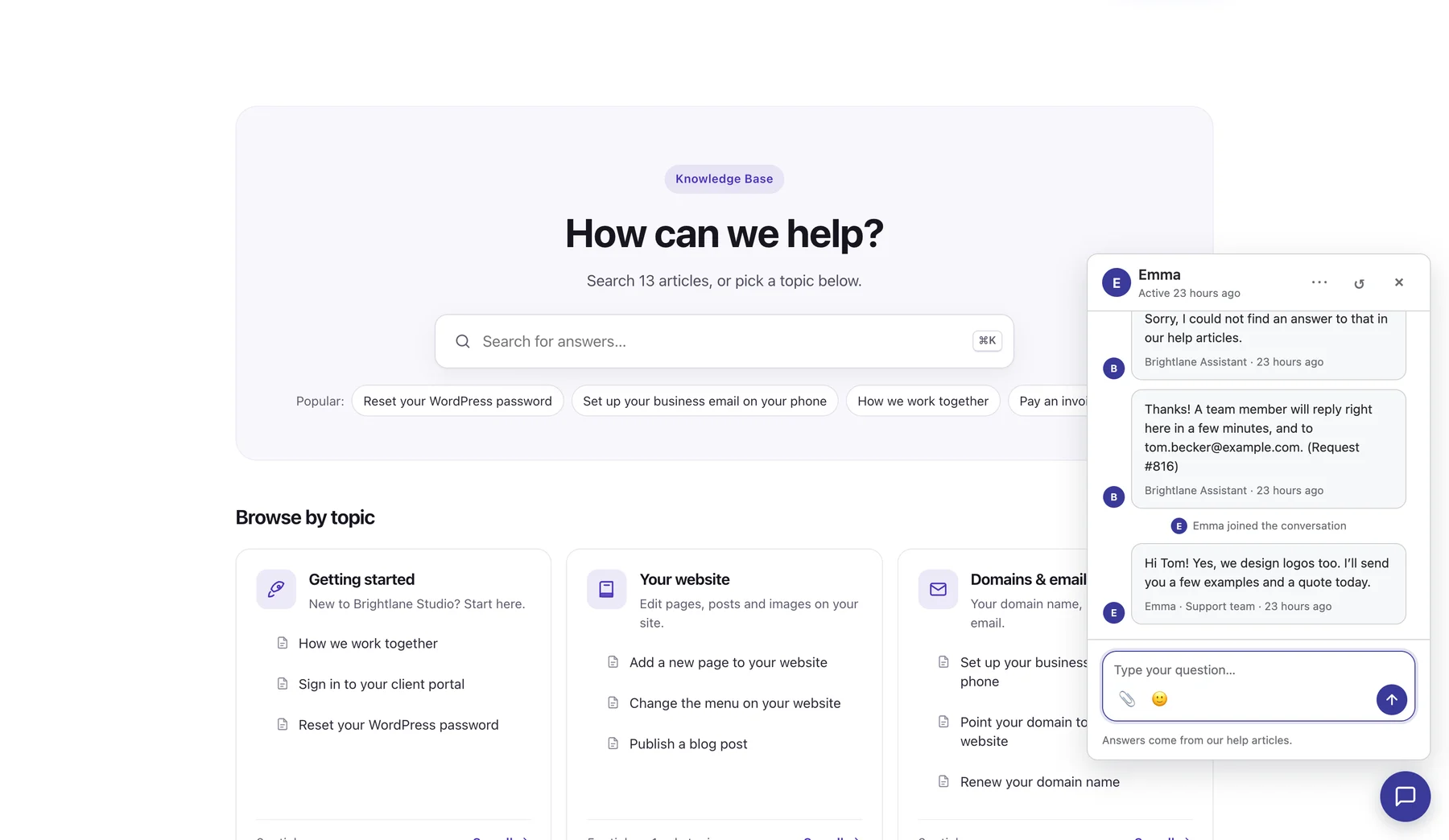
If you already run a separate helpdesk, a docs plugin plus a form that searches before submitting (Heroic’s approach) works. If you don’t, you are choosing two or three plugins and hoping they agree on who the customer is. That is the gap DoubleScale was built for: the chat, the ticket and the article sit on the same contact record.
Public, client-only and internal articles: who can read what?
Most support teams need three audiences: the public, signed-in customers, and the team itself. Public articles reduce pre-sales and how-to questions, client-only guides cover the things you only explain to paying customers, and internal articles keep replies consistent across agents.
| Plugin | Public | Signed-in customers only | Internal / team only |
|---|---|---|---|
| DoubleScale | Free | Free (“Client portal only”) | Free (“Team only”) |
| BetterDocs | Free | Role-restricted internal KB (Pro) | Internal KB (Pro) |
| Heroic KB | Yes | Logged-in restriction by KB, category or article (Plus) | Password or intranet mode (Plus) |
| Echo KB | Free | Access Manager add-on (user, role, group) | Access Manager add-on |
| weDocs | Free | Private docs (paid) | Role-based permissions (paid) |
| EazyDocs | Free | Private or password docs (Pro) | User role management (Pro) |
| Helpie KB | Yes | User access control | User access control |
DoubleScale is the only one here where all three levels are in the free version, and client-only articles show inside the client portal next to the customer’s tickets and invoices. The trade-off is simplicity: it has one help center with topics, not several separate knowledge bases, so a company running distinct docs sites for different products will find BetterDocs or Echo KB more flexible.
How do you write the articles your tickets ask for?
Start from your ticket queue, not a blank outline. The articles that deflect tickets are the ones answering questions customers already ask, in the words they use. This five-step loop works with any helpdesk.
- 1Pull 60 to 90 days of ticketsExport or filter your closed tickets and skim subjects and first messages. You want volume, not perfection.
- 2Group them by question, not by product area“How do I change my card” and “update billing details” are the same article. Count each group.
- 3Write the top five first, using the customer’s wordsPut the phrasing customers use in the title and summary, because that is what search matches. Number the steps and add a screenshot where people get stuck.
- 4Link the article from your repliesWhen the question comes in again, reply with the link (DoubleScale has Copy link on every article page). Customers learn the help center exists, and you learn whether the article works.
- 5Review what search and the assistant couldn’t answerCheck empty searches, low helpful votes and, in DoubleScale Pro, “Questions without an answer”. Write those next, then repeat monthly.
How do you tell which articles actually reduce tickets?
You tell by comparing tickets on a topic before and after the article goes live, and by watching two signals in between: helpful votes and the questions that still arrive. No plugin here measures true deflection for you, but some get closer than others.
- Heroic KB (Plus and up) has transfer analytics showing which articles generate the most support tickets, plus empty-search reports.
- DoubleScale shows views and the share of readers who found each article helpful, free; Pro groups the questions the AI assistant couldn’t answer and counts chats by outcome (answered, not answered, sent to support).
- BetterDocs, Echo KB and EazyDocs keep search and article analytics in paid tiers or add-ons; Helpie KB includes insights on every plan.
A practical rule: an article with plenty of views, a low helpful rate and no drop in tickets on its topic needs rewriting, not promoting. An article with few views and a high helpful rate needs promoting, usually by linking it from your ticket form and saved replies.
Are WordPress knowledge base plugins secure?
Yes, if you keep them updated: every plugin here with a public record has patched its known issues in the current version. The counts below come from WPScan, checked on 19 November 2026. More entries often reflect more popularity and more researcher attention, so read them alongside how quickly fixes ship.
| Plugin | Entries 2024 to 2026 | Most severe | Fixed in |
|---|---|---|---|
| DoubleScale | 1 | Subscriber+ file upload via the portal (8.8, Oct 2026) | 1.6.0 |
| BetterDocs | 14 | Unauthenticated PHP object injection (9.8, 2024) | 3.3.4 |
| Echo KB | 4 | Unauthenticated PHP object injection (9.8, 2024) | 11.31.0 |
| weDocs | 11 | All medium; latest in November 2026 | 2.6.2 |
| EazyDocs | 6 (incl. one Freemius SDK issue) | Contributor+ local file inclusion (7.2) | 2.8.1 |
| Helpie FAQ | 2 | Unauthenticated info exposure (5.3) | 1.46 |
| Heroic KB, Helpie KB | Not checked (not on WordPress.org) | n/a | n/a |
Which knowledge base plugin should you choose?
- Choose DoubleScale if you want the help center, ticket form, live chat, AI answers and customer records in one place, and you are comfortable with a young plugin and bringing your own AI key.
- Choose BetterDocs if you want the most established docs plugin, multiple knowledge bases, a glossary and page-builder templates, and you already have a helpdesk.
- Choose Heroic KB if reporting on which articles still turn into tickets matters more than a free tier.
- Choose Echo KB if you want an AI chat on your docs without paying for a plugin licence first.
- Choose weDocs or EazyDocs for low-cost product documentation, and Helpie KB if many people edit articles from the front end.
Whatever you pick, the plugin matters less than the loop: write from tickets, link articles in replies, and rewrite the ones that don’t move the ticket count. If you are also choosing the helpdesk side, our comparison of WordPress support ticket plugins covers the inbox half of the setup.
Publish public, client-only and team-only articles, add a ticket form to your help center, and import your BetterDocs docs. The knowledge base is in the free plugin.
Frequently asked questions
What is the best WordPress knowledge base plugin?
It depends on what sits around the knowledge base. For a support team that wants articles connected to tickets, live chat and customer records, DoubleScale is our pick. For a docs-first site with a separate helpdesk, BetterDocs is the most established, with 30,000+ installs. Heroic KB has the strongest ticket analytics, and Echo KB is the best free option with an AI chat.
Is there a free knowledge base plugin for WordPress?
Yes. DoubleScale, BetterDocs, Echo KB, weDocs and EazyDocs all have free versions on WordPress.org. They differ in what is free: DoubleScale includes client-only and team-only articles plus a ticket form, Echo KB includes an AI chat with your own OpenAI key, and weDocs includes unlimited knowledge bases. Heroic KB and Helpie KB are paid only.
How much can a knowledge base reduce support tickets?
There is no honest universal number. Estimate it per topic: tickets on that topic, times the share of customers who find the article, times the share it fully answers. Then check it by comparing the ticket count on that topic for the month before and after publishing. Vendor claims of 70% or more are marketing, not something you should budget on.
Can I make some help articles visible only to customers or staff?
Yes, but where it sits varies. DoubleScale has Everyone, Client portal only and Team only settings in the free plugin. BetterDocs puts internal knowledge bases in Pro, Heroic KB restricts content to logged-in users from its Plus plan, Echo KB uses a paid Access Manager add-on, and weDocs and EazyDocs keep private docs in their paid tiers.
Do knowledge base plugins help SEO?
They can, because articles are pages on your own domain that answer specific questions people search for. Make sure public articles are in your sitemap and readable without logging in; client-only and internal articles won’t rank, by design. DoubleScale articles are WordPress pages in the sitemap, and BetterDocs also publishes a Markdown copy of each doc.
Do I need a helpdesk as well as a knowledge base?
If customers can still contact you, yes: some questions will always need a person. The question is whether the two are connected. A help center that hands over to a ticket or chat on the same page, with the customer’s details carried along, gives better tickets and tells you which articles are missing. Separate tools work, but you’ll do the joining by hand.
Can an AI chatbot answer from my knowledge base?
Yes. DoubleScale (Pro), BetterDocs (AI Chatbot add-on), Echo KB (free AI Chat), weDocs (add-on), EazyDocs (via Antimanual) and Heroic KB (Pro + AI) can all answer from your articles. Most use your own OpenAI, Anthropic or Gemini key, so you pay the AI provider directly. Check what each does when the AI can’t answer before you choose.
Can I move from BetterDocs to another knowledge base plugin?
Yes. DoubleScale imports BetterDocs articles and categories and redirects the old links to the new articles, and weDocs and EazyDocs also list BetterDocs migrations. Deleting BetterDocs never deletes the docs themselves, which stay in your database, so you can compare both before switching off the old plugin.
Related guides
- Best Zendesk alternatives for WordPress
- WordPress support ticket plugins compared
- Why your CRM should include a helpdesk
- DoubleScale support tickets
- DoubleScale live chat and AI assistant
Sources
Checked on 19 November 2026: WordPress.org plugin API and pages for BetterDocs, Echo Knowledge Base, weDocs, EazyDocs, Helpie FAQ and DoubleScale; vendor pricing pages at betterdocs.co/pricing, herothemes.com, echoknowledgebase.com/bundle-pricing, wedocs.co/pricing, eazydocs.spiderthemes.net/pricing and helpiewp.com/pricing; security records on WPScan and Patchstack; DoubleScale details from doublescale.io/features/knowledge-base and doublescale.io/pricing.
Get our guides first on GoogleAdd DoubleScale as a preferred source and our articles show up more often in your Top Stories.

DoubleScale Team, Editorial team
The DoubleScale team builds the all-in-one CRM for WordPress. We test the tools we write about and check every price and feature on the vendor's own pages before we publish.
Practical CRM tips, once a month
Guides on growing with WordPress: lead capture, email marketing, automations and sales. No spam, unsubscribe anytime.