















On this page
- Fix 1: Tag tickets by reason before you change anything
- Fix 2: Write a help article for each of your top 10 questions
- Fix 3: Link the answer in your auto-reply and confirmation emails
- Fix 4: Turn your best answers into saved replies that link articles
- Fix 5: Put help where customers already are
- Fix 6: Make search do the work, and keep the ticket form next to it
- Fix 7: Add an AI assistant that answers from your articles and hands off
- Fix 8: Use live chat for pre-sales and tickets for post-sales
- Fix 9: Rewrite your onboarding emails around the first questions
- Fix 10: Fix the product or policy that causes the ticket
- Fix 11: Tell customers about problems before they ask
- Fix 12: Review the questions nobody answered, every week
- How do you measure ticket deflection honestly?
- What does a 30-day ticket reduction plan look like?
- Frequently asked questions
- Related guides
- Sources
To reduce support tickets, find out why they arrive, answer the most common questions before customers have to ask, and fix the product, policy or email that causes them in the first place. Most teams jump straight to a chatbot. The bigger wins usually come from a tagged ticket queue, ten good help articles, and an auto-reply that links them.
Below are 12 fixes in the order we’d do them. Each one says what to do, why it works and how to tell if it did. Where it helps, we use DoubleScale, our WordPress CRM with a helpdesk and knowledge base, as the worked example, but every fix works with any helpdesk.
Measure first: tag a month of tickets by reason and find the top 10 questions.
Answer them once: write a help article for each, and link it in auto-replies and saved replies.
Put help where customers look: help page search, the client portal and an AI assistant that hands off to people.
Route the rest: live chat for pre-sales, tickets for account-specific problems.
Fix the cause: onboarding emails, confusing screens, unclear policies, and silence during incidents.
Fix 1: Tag tickets by reason before you change anything
You can’t reduce what you haven’t counted, so start by tagging a month of tickets by the reason the customer wrote in. Not by product area or by which agent handled it: by the question. After 30 days you’ll usually find that a handful of reasons make up a large share of the queue, and those are where every later fix should aim.
Keep the list of reasons short, around ten, with an “Other” bucket you review weekly. A starting set:
| Reason | Example ticket | Usual fix |
|---|---|---|
| How do I… | “How do I add a team member?” | Help article + link in replies |
| Billing | “Why was I charged twice?” | Clearer invoice email, billing article |
| Account access | “I can’t sign in” | Self-service reset, troubleshooting article |
| Where is my… | “Has my order shipped?” | Status emails, portal page |
| Bug or outage | “The export button does nothing” | Fix it; known-issues notice |
| Pre-sales | “Does the plan include X?” | Pricing page FAQ, live chat |
| Feature request | “Can you add Y?” | Public roadmap or a form |
| Other | Anything else | Review weekly; add a reason if it repeats |
In DoubleScale, the helpdesk Reports screen shows tickets by status and priority, first response and resolution times, customer satisfaction, and how many came by email versus in the chat. For reason codes, Pro adds custom ticket fields, so a required “Reason” select field on each ticket gives you the count. A spreadsheet works too for the first month.
Fix 2: Write a help article for each of your top 10 questions
A help article answers a question once for every customer who has it, so the top 10 reasons from Fix 1 should each get one. Ten to twenty articles is enough to launch a useful help center, as long as they cover the questions that actually arrive.
- Title each article with the customer’s words: “Why was I charged twice?”, not “Billing reconciliation”.
- Put the answer in the first two lines, then numbered steps with the exact button names.
- Add a screenshot where people get stuck, and the exact policy wording for anything involving money or deadlines.
- End with a link to the next likely question.
We walk through building one step by step in how to build a help center in WordPress, and compare seven tools for it in WordPress knowledge base plugins for support teams. In DoubleScale the knowledge base is free in the core plugin.
Fix 3: Link the answer in your auto-reply and confirmation emails
The email a customer gets right after opening a ticket is the most-read message you send, and it is usually wasted on “we’ll get back to you”. Use it to link the three articles that answer most tickets. Some customers will solve it themselves and reply “sorted”, which closes a ticket in minutes instead of hours.
In DoubleScale, each mailbox has its own Email Notifications templates (Helpdesk, Settings, Mailboxes), including the “We received your request” email. Subject and body accept placeholders such as {customer_full_name}, {ticket_title} and {ticket_public_url}. Here is a template you can adapt for any helpdesk:
Update the three links every month from your Fix 1 numbers. Similar emails work after purchase or sign-up: link “getting started” and “billing” articles in the receipt or welcome email, before the questions arrive.
Fix 4: Turn your best answers into saved replies that link articles
Saved replies cut handling time on tickets you can’t prevent, and, when each one links the matching article, they teach customers where to look next time. Write one for each top reason: a short answer in plain words, the article link, and a question to confirm it worked.
DoubleScale has saved replies in the free helpdesk. Each agent keeps their own (“Only me”), and support managers add shared “Team” replies everyone uses. Replies can include placeholders filled from the ticket, the most used ones come first, and you can save any reply you just wrote with “Save this reply”. The article page’s Copy link button gives you the URL to paste in.
A useful check: if a saved reply is used more than a few times a week, the article behind it isn’t being found. Go to Fix 6.
Fix 5: Put help where customers already are
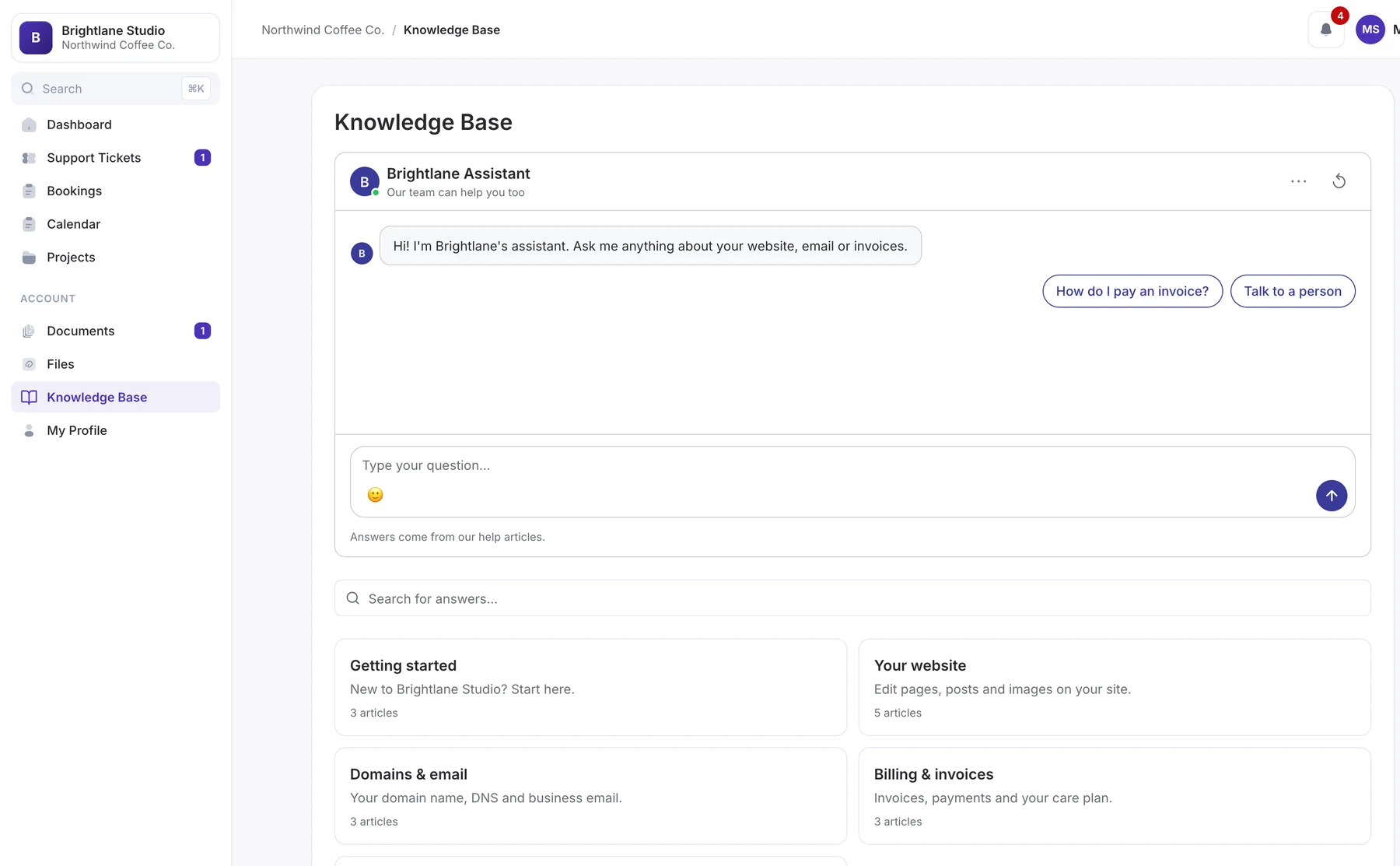
Customers look for help where they already are: your account area, their invoices, the page they were on. A help center three clicks from the dashboard gets ignored. Put the most relevant articles inside the client area, and keep some answers for signed-in clients only.
In DoubleScale each article has a Who can read it setting: Everyone, Client portal only, or Team only. The client portal gets its own Knowledge Base section with public and client-only articles next to the client’s tickets, invoices and projects, and a ticket is one click away, already signed in. Client-only articles are a good home for care plans, how you work and onboarding checklists that don’t belong on a public page.
Team-only articles help too: an internal refund checklist or escalation guide means every agent answers the same way, which cuts the back-and-forth that follows an inconsistent first reply.
Fix 6: Make search do the work, and keep the ticket form next to it
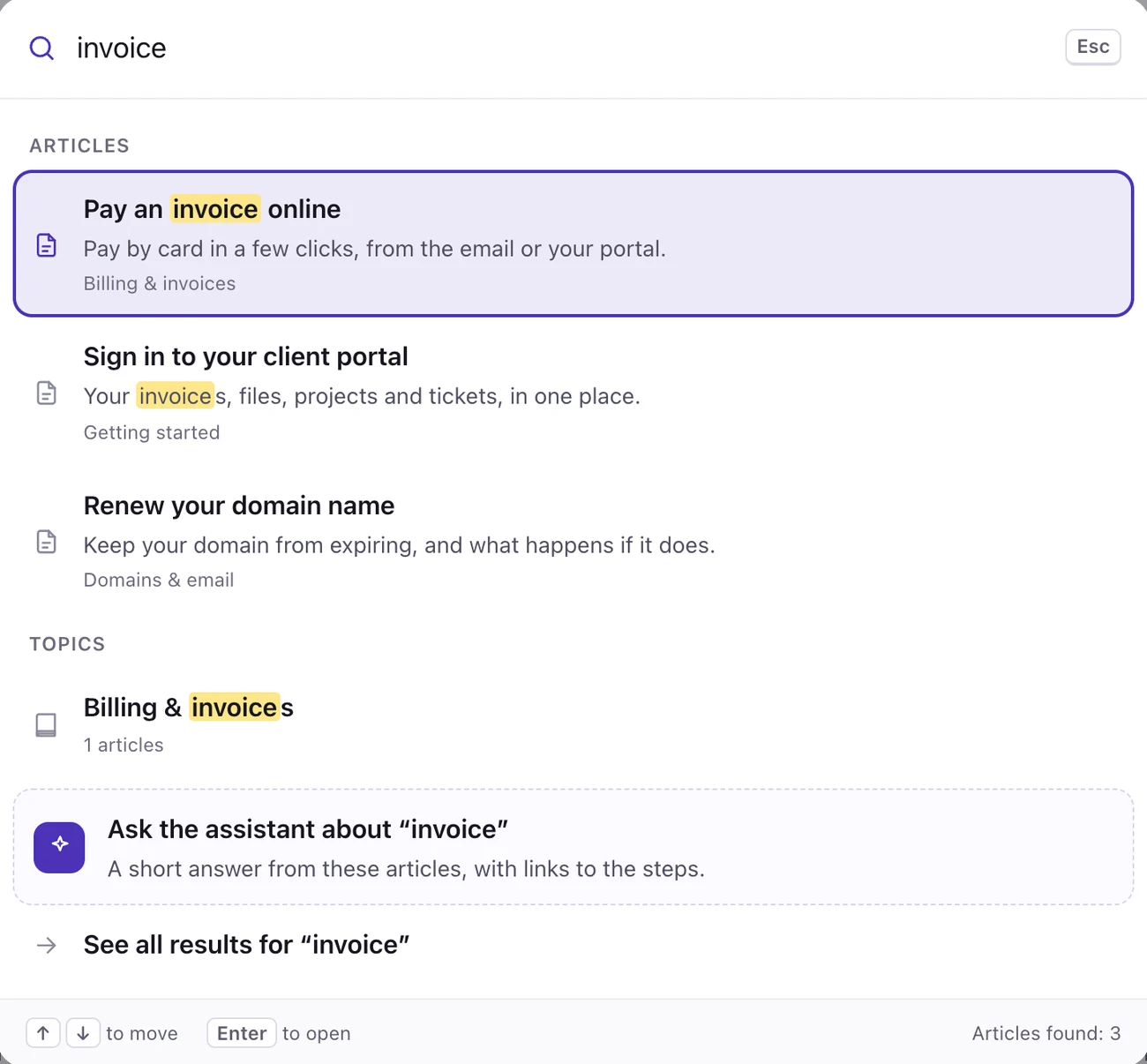
An article only deflects a ticket if the customer finds it at the moment they have the question. Put search at the top of your help page and your contact page, make it search as people type, and keep the ticket form on the same page so a failed search becomes a clear ticket rather than an email to the wrong address.
DoubleScale’s help page searches as customers type across titles, summaries and topics, highlights matching words, and opens a search palette with Ctrl K (Cmd K on a Mac). In Helpdesk, Settings, Knowledge base tickets you choose who can open a ticket from the help center: anyone with an email address (optionally after confirming it) or only signed-in customers.
Fix 7: Add an AI assistant that answers from your articles and hands off
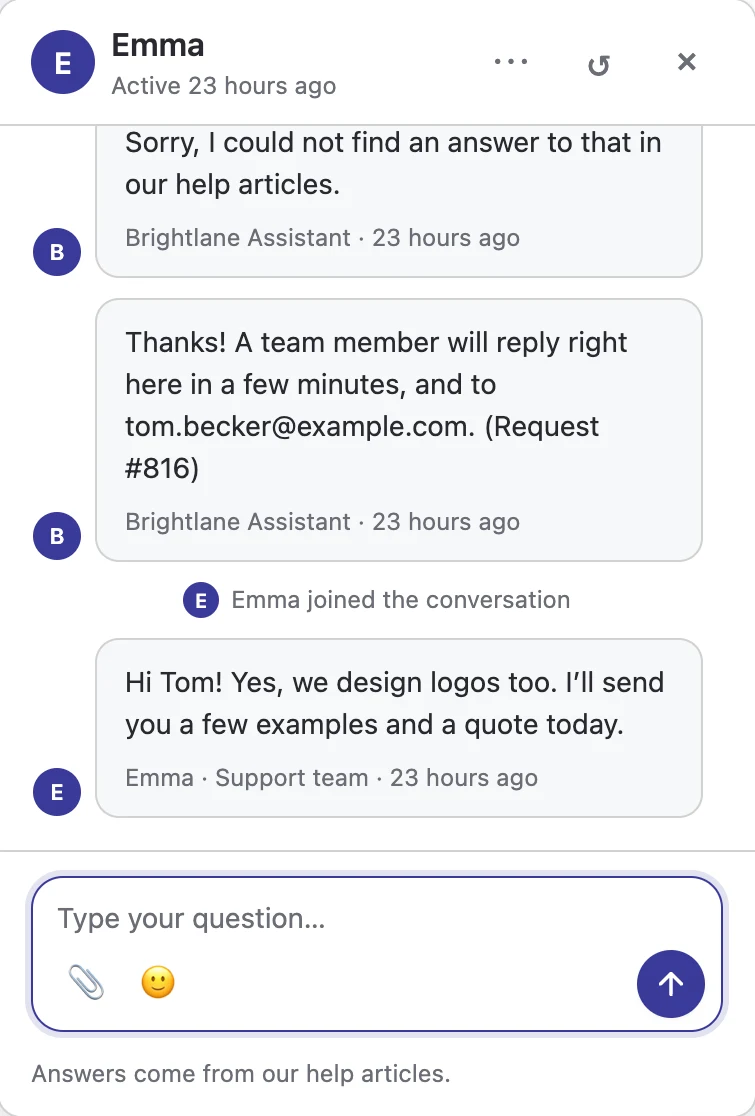
An AI assistant answers repeat questions at any hour, but only if it is grounded in your articles and hands over to a person when it doesn’t know. Without good articles it has nothing to answer from, which is why this is Fix 7, not Fix 1. Without a handoff, it turns “I couldn’t find the answer” into an angrier ticket later.
Customers are open to it for quick questions: Zendesk reports that 51% of consumers prefer bots over humans when they want immediate service, while 63% are concerned about potential bias in AI (Zendesk customer service statistics, survey years not stated). Keep the way to a person obvious.
In DoubleScale Pro, the AI assistant answers from your published articles and the pages you pick, with numbered source links, using your own OpenAI, Anthropic, Gemini or compatible key. When it can’t help, the chat goes to your team as live chat and becomes a ticket. We compare seven options in AI chatbots for WordPress customer support, and look at per-resolution pricing in Intercom Fin alternatives.
Fix 8: Use live chat for pre-sales and tickets for post-sales
Send each question to the channel that answers it best. Live chat is worth its cost when speed changes the outcome, usually before a purchase. Account-specific problems after a purchase are better as tickets, where an agent can look things up, attach files and hand over without the customer waiting in a window.
| Question | Best channel | Why |
|---|---|---|
| “Does this plan cover 5 sites?” | Live chat | A fast answer can decide the sale |
| “How do I export my data?” | Article, then AI assistant | Answered once, reused forever |
| “My invoice is wrong” | Ticket from the portal | Needs a signed-in customer and records |
| “Bookings stopped syncing” | Ticket | Needs investigation and screenshots |
Limit the chat button to pricing, checkout and product pages if your team is small, and let the help center and ticket form handle the rest. Our comparison of WordPress live chat plugins covers where each tool sends a chat after it ends.
Fix 9: Rewrite your onboarding emails around the first questions
Many “how do I” tickets come in the first week after someone signs up or buys. If your Fix 1 tags show that, the fix is an onboarding sequence that answers those questions on the day customers hit them: day 0 getting started, day 2 the step most people get stuck on, day 5 the second most common question.
Keep each email to one task and one link to the matching article. Any email tool with sequences works; in DoubleScale this is an email sequence started by an automation. Measure it by comparing first-week tickets per new customer before and after.
If you take bookings, the same idea applies to appointments: reminders that include what to bring, how to reschedule and where to go answer the questions clients would otherwise email. Quill Booking has appointment reminder templates and a guide to reducing no-shows.
Fix 10: Fix the product or policy that causes the ticket
The cheapest ticket is the one your product stops causing. If one reason keeps topping your list after the article, the saved reply and the onboarding email, the problem isn’t documentation. It is a confusing screen, an unclear invoice, a policy written in legal language, or a bug.
- Bring the numbers to the people who can fix it. “Billing confusion: 80 tickets last month” lands better than “customers are confused”.
- Fix the words first. Button labels, invoice line descriptions and error messages are cheap to change and often the whole cause.
- Rewrite the policy, then the article. If people misread your refund policy, the policy is unclear.
- Ask why. A short follow-up survey on closed tickets tells you what customers expected. Quill Forms has ready customer satisfaction survey questions and feedback form questions to start from.
Fix 11: Tell customers about problems before they ask
During an outage or a known bug, every affected customer writes in, and each ticket says the same thing. Get ahead of it: publish a short “Known issue” article as soon as you confirm the problem, link it in your auto-reply and saved replies, and update it when it is fixed.
- Put the notice where customers look first: the top of your help center, your login page or account area, and your social channels.
- Say what is affected, what customers can do meanwhile, and when you’ll update next.
- Email affected customers when it is fixed, so they don’t write in to check.
- Apply the same habit to planned changes: a price change, a new login flow or a feature removal deserves an email and an article before it ships.
Fix 12: Review the questions nobody answered, every week
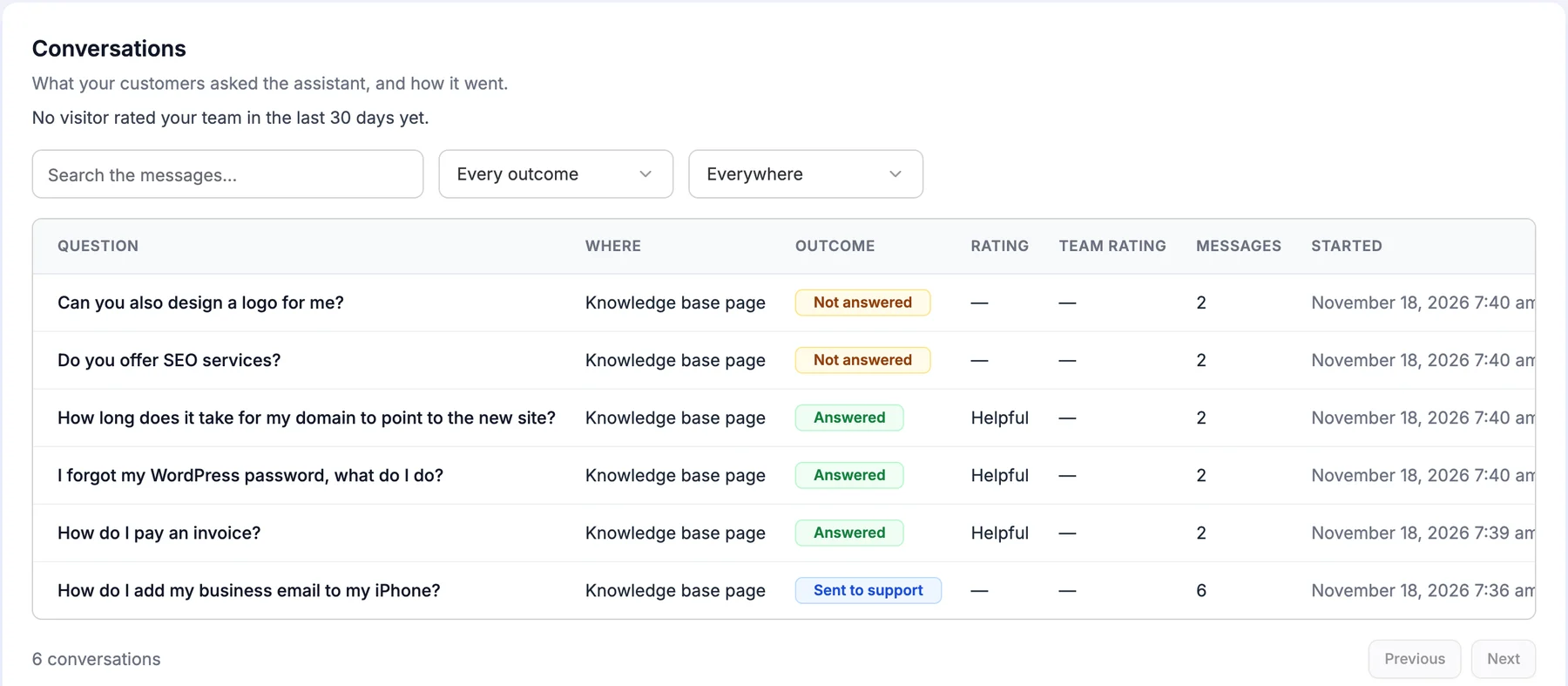
Your help content is never finished: new questions arrive as the product and customers change. Once a week, look at what customers searched for or asked without finding an answer, and write the top ones up. Fifteen minutes a week keeps the help center in step with the queue.
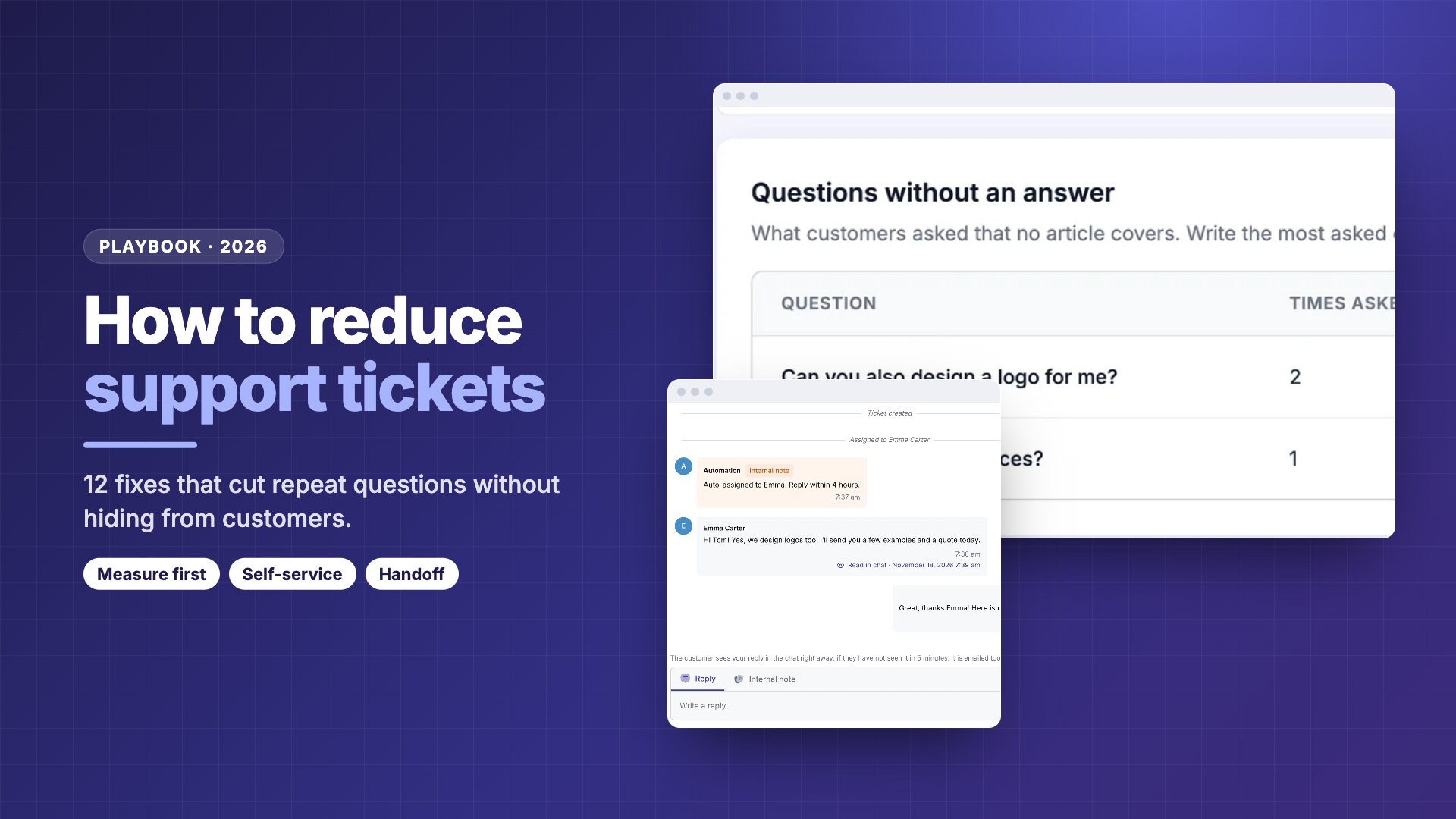
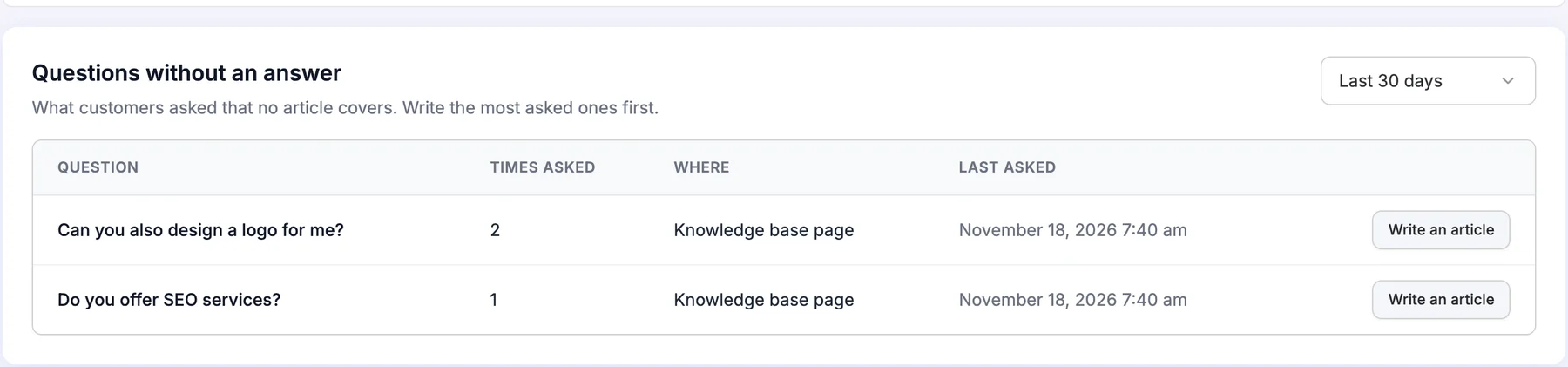
In DoubleScale Pro, the AI assistant’s Conversations screen counts conversations by outcome (answered, not answered, sent to support) with visitor ratings, and “Questions without an answer” groups the gaps and counts how often each was asked, with a Write an article button. Without an assistant, use your help center’s searches and Fix 1’s “Other” bucket for the same job.
How do you measure ticket deflection honestly?
Measure deflection per topic, as the drop in tickets on that topic after a fix, not as help center page views. A view is not a ticket that didn’t happen: plenty of readers would never have written in, and some read the article and write in anyway.
Here is a worked example. Every figure is an assumption to show the method, not a benchmark.
| Topic | Tickets, month before | Tickets, month after | Change |
|---|---|---|---|
| “Why was I charged twice?” | 60 | 35 | -25 after a clearer invoice email + article |
| “How do I add a team member?” | 40 | 28 | -12 after article + auto-reply link |
| “I can’t sign in” | 50 | 48 | -2: the article isn’t the fix; the login screen is |
| All other tickets | 450 | 455 | +5, roughly flat |
Illustrative numbers only. Compare like-for-like months where you can, and watch for seasonal swings and growth in customers.
In this example the three fixes removed about 39 tickets a month on the targeted topics; at an assumed 10 minutes each, that is roughly 6.5 hours of agent time. The third row is the useful one: no change after an article tells you to stop writing and fix the product (Fix 10).
- Normalize for growth: track tickets per 100 active customers, not just raw counts.
- Watch quality, not just volume: customer satisfaction and first response time should hold or improve. DoubleScale’s helpdesk Reports show both.
- Be wary of vendor percentages. Resolution rates quoted by AI vendors are their own figures and depend on content and question mix. Use them as a reason to test, not as a forecast.
What does a 30-day ticket reduction plan look like?
- 1Week 1: measureTag every new ticket by reason. Record tickets per month and per top-five reason.
- 2Week 2: writeWrite articles for your top five to ten questions. Add search and a ticket form to your help page.
- 3Week 3: connectLink the top three articles in your auto-reply. Create saved replies with article links. Put client-only articles in your portal.
- 4Week 4: route and fixLimit live chat to pre-sales pages, rewrite the onboarding email behind your biggest “how do I” reason, and raise the top product cause with whoever can fix it.
- 5Every week afterReview unanswered questions and the “Other” bucket, write two articles a month, and compare topic counts month over month.
DoubleScale gives you a help center, client-only articles, a ticket form, saved replies and reports in the free plugin. Pro adds an AI assistant and live chat.
Frequently asked questions
What is the fastest way to reduce support tickets?
Tag a few weeks of tickets by reason, write help articles for the top five questions, and link them in your ticket auto-reply and saved replies. That combination targets the tickets you get most and costs little. Chatbots and new tools help later, once you know which questions they should answer and have articles for them to answer from.
What is ticket deflection?
Ticket deflection is when a customer finds the answer on their own, in a help article, an AI answer or an email, and doesn’t open a ticket. Because you can’t count tickets that didn’t happen, measure it as the drop in tickets on a topic after you publish or fix something, compared with the month before, adjusted for growth.
How many help articles do I need to reduce tickets?
Start with 10 to 20 that answer your most frequent questions, then add a few each month from what customers search for or ask without finding an answer. Coverage of your top ticket reasons matters far more than the total number. A small, accurate help center beats a large one full of rare edge cases.
Do AI chatbots reduce support tickets?
They can for repeat questions that already have a good article, as long as they answer from your own content and hand over to a person when they don’t know. Without articles, they have little to answer from. Without a handoff, unanswered customers come back angrier. Test with real questions and review what it couldn’t answer every week.
How do I find out why customers open tickets?
Tag each ticket with one reason from a short list of about ten, plus “Other”. After a month, count tickets per reason. In DoubleScale Pro you can add a required custom ticket field for this; a spreadsheet works for the first month. Review the “Other” bucket weekly and add a reason when the same question repeats.
Should I remove my email address or contact form to cut tickets?
No. Hiding contact options lowers the count while raising frustration, and the problems resurface as refunds, bad reviews or churn. Make the help center and search the easiest path, keep a ticket form on the same page, and let the article answer first. Customers who still need a person should reach one without hunting.
Can a client portal reduce support tickets?
Yes, when it answers the questions clients ask about their own account. A portal that shows invoices, project status and client-only help articles next to the ticket button removes many “where is my” and “how do I” questions. DoubleScale’s client portal includes a Knowledge Base section with public and client-only articles beside tickets and invoices.
Related guides
- How to build a help center in WordPress
- 7 WordPress knowledge base plugins for support teams
- AI chatbots for WordPress customer support
- Intercom Fin alternatives for WordPress sites
- WordPress live chat plugins that turn chats into tickets
- BetterDocs alternative with a helpdesk and live chat
- WordPress support ticket plugins compared
- Best WordPress helpdesk plugins (Quill Forms)
Sources
Checked on 19 November 2026: Zendesk customer service statistics (consumer survey figures); the DoubleScale 1.10.1 and Pro plugin code for helpdesk reports, saved replies, mailbox email templates, ticket fields and knowledge base settings; doublescale.io/features/knowledge-base, doublescale.io/features/live-chat and doublescale.io/features/support-tickets. All worked examples use stated assumptions, not measured results.
Get our guides first on GoogleAdd DoubleScale as a preferred source and our articles show up more often in your Top Stories.

DoubleScale Team, Editorial team
The DoubleScale team builds the all-in-one CRM for WordPress. We test the tools we write about and check every price and feature on the vendor's own pages before we publish.
Practical CRM tips, once a month
Guides on growing with WordPress: lead capture, email marketing, automations and sales. No spam, unsubscribe anytime.