















On this page
- What should a support team look for in a live chat plugin?
- WordPress live chat plugins compared
- How we chose these plugins
- 1. DoubleScale: best for chats that become helpdesk tickets
- 2. tawk.to: best free live chat
- 3. Tidio: best hosted chat with an AI agent
- 4. Crisp: best shared inbox priced per workspace
- 5. LiveChat: best established paid live chat
- 6. Brevo: best if you already send email with Brevo
- 7. Help Scout Beacon: best for email-first support teams
- 8. 3CX Live Chat: best if you also want phone and video
- Where does the chat go after it ends?
- What happens when the visitor closes the tab?
- What do three agents cost with branding removed?
- Live chat, AI assistant or ticket form: which question goes where?
- How do you set up live chat in DoubleScale?
- Are WordPress live chat plugins secure?
- Which live chat plugin should you choose?
- Frequently asked questions
- Related guides
- Sources
The best WordPress live chat plugin for a support team is one where a chat doesn’t vanish when the window closes. It should end up as a ticket you can assign, follow up and find again, attached to the customer who sent it. Most live chat tools are built for the conversation; fewer are built for what happens after it.
We rank DoubleScale first for that job: every chat is a helpdesk ticket on the contact inside WordPress, replies reach the visitor by email if they left, and there are no per-agent seats. tawk.to is the best free option, Tidio the easiest hosted chat with AI, Crisp the best shared inbox, and LiveChat the most established paid tool. Brevo, Help Scout Beacon and 3CX Live Chat fit narrower setups.
DoubleScale: best when every chat should become a helpdesk ticket on the customer’s record, in WordPress (Pro, no per-agent fees).
tawk.to: best free live chat, with offline messages you can turn into tickets.
Tidio: best hosted chat with an AI agent and email follow-up.
Crisp: best multichannel shared inbox priced per workspace, not per seat.
LiveChat, Brevo, Help Scout Beacon, 3CX: strong picks if you already use their wider platform.
What should a support team look for in a live chat plugin?
Look past the widget. Every tool here can show a chat bubble and let an agent type back. The differences that cost you time show up after the chat: where the transcript lives, whether it is linked to the customer, and whether a reply still reaches someone who closed the tab.
- A record that outlives the chat: a ticket or conversation you can assign, tag and search later.
- Offline follow-up: an email with your reply when the visitor has gone, or an offline form when nobody is online.
- Customer context: past tickets, orders or invoices next to the chat, so agents don’t ask what they should already know.
- Predictable cost per agent: per-seat pricing adds up fast when the whole team answers chats.
- An optional AI first line: answers from your help articles before a person is needed.
WordPress live chat plugins compared
| Tool | Free plan | Pricing basis | After the chat | WordPress.org installs |
|---|---|---|---|---|
| DoubleScale | No (Pro) | Per site, no per-agent fee | Helpdesk ticket on the contact | 90+ |
| tawk.to | Yes | Free; paid add-ons | tawk.to inbox; offline messages to tickets | 100,000+ |
| Tidio | Yes (50 conversations) | Per conversation volume | Tidio inbox; tickets via Flows | 70,000+ |
| Crisp | Yes (2 agents) | Per workspace | Crisp inbox | 10,000+ |
| LiveChat | No (14-day trial) | Per agent | LiveChat archives; tickets via HelpDesk | 10,000+ |
| Brevo | Yes | Brevo plan (prices not verified) | Brevo Conversations inbox | 100,000+ (all-in-one plugin) |
| Help Scout Beacon | Docs only; chat from Standard | Per user | Help Scout inbox conversation | 300 |
| 3CX Live Chat | Yes (up to 10 users) | 3CX plan | 3CX Web Client | 100,000+ |
Checked 19 November 2026. DoubleScale Pro is $99/yr (1 site) during Black Friday and $124/yr from 2 December 2026.
How we chose these plugins
We started from the tools that rank for “wordpress live chat plugin” and the ones support teams shortlist, then kept those that are real two-way live chat (click-to-chat buttons that open WhatsApp were left out). We checked every price, feature list and security record on the vendor sites and WordPress.org on 19 November 2026, and vendor help centers for what happens after a chat. We did not run a hands-on test of every paid plan, and anything we couldn’t confirm is marked as such.
Our criteria: where the chat is stored and whether it becomes a ticket, offline follow-up, cost for a three-agent team with branding removed, AI options, and plugin health (updates, ratings and security record).
1. DoubleScale: best for chats that become helpdesk tickets
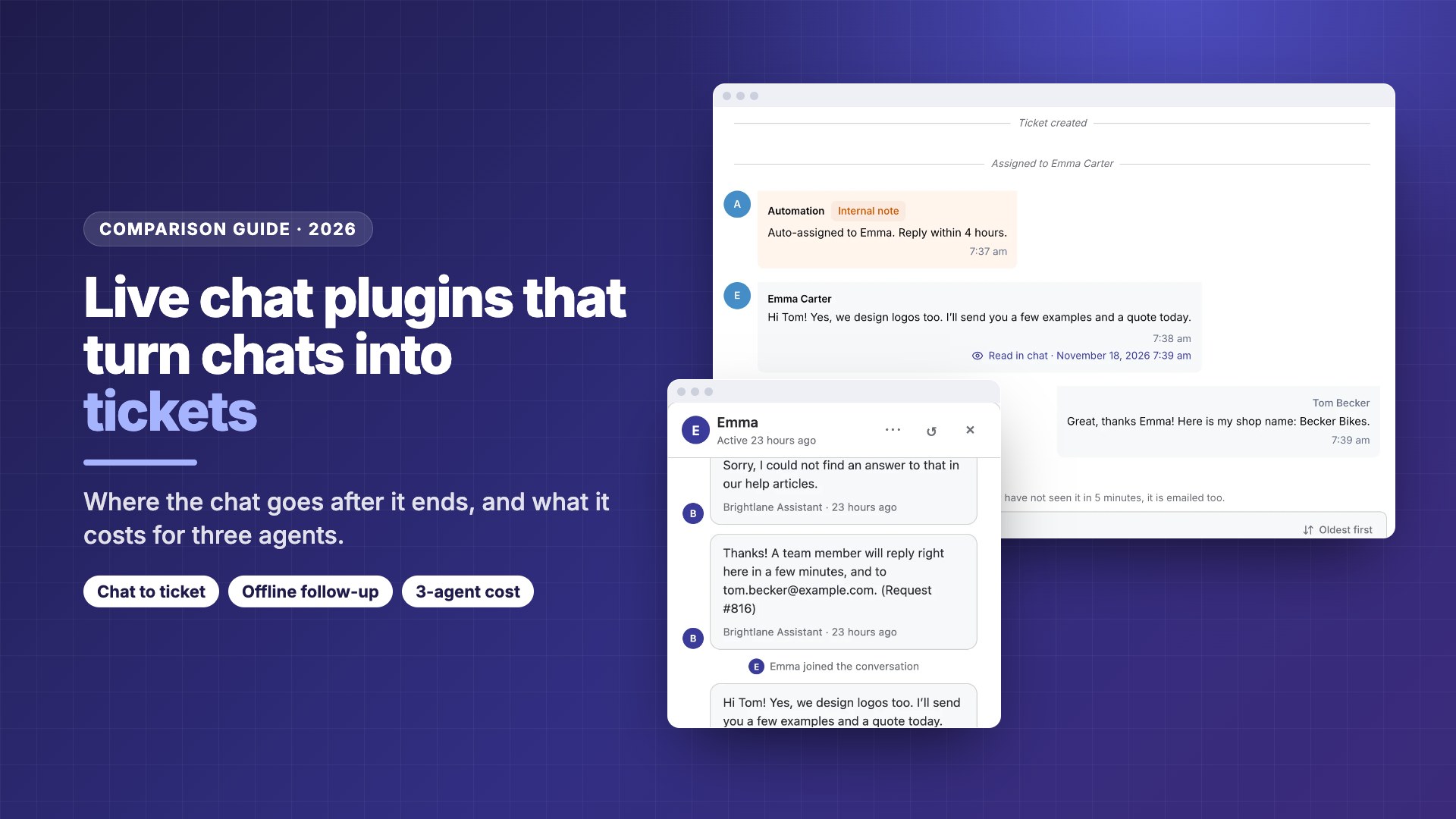
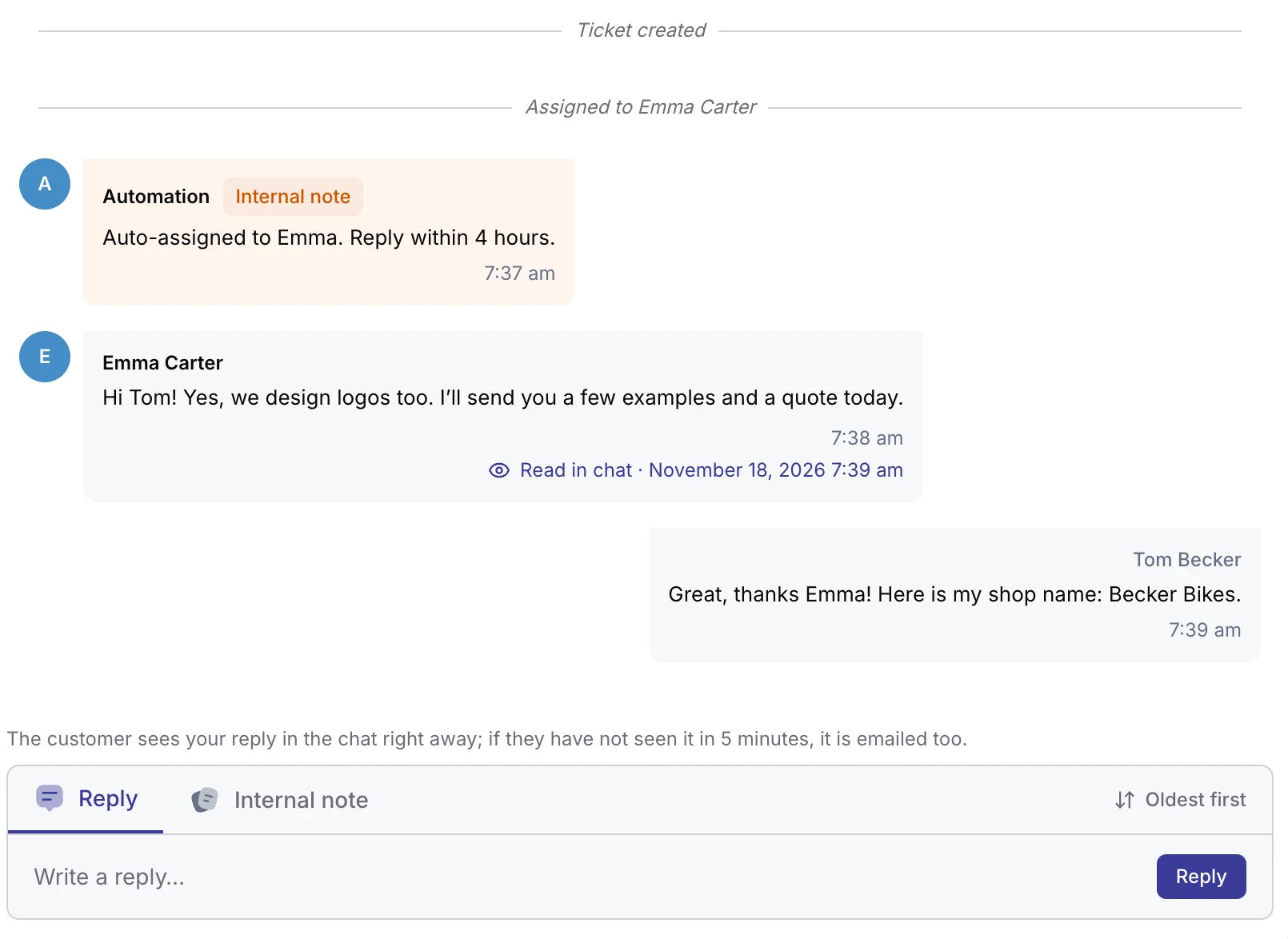
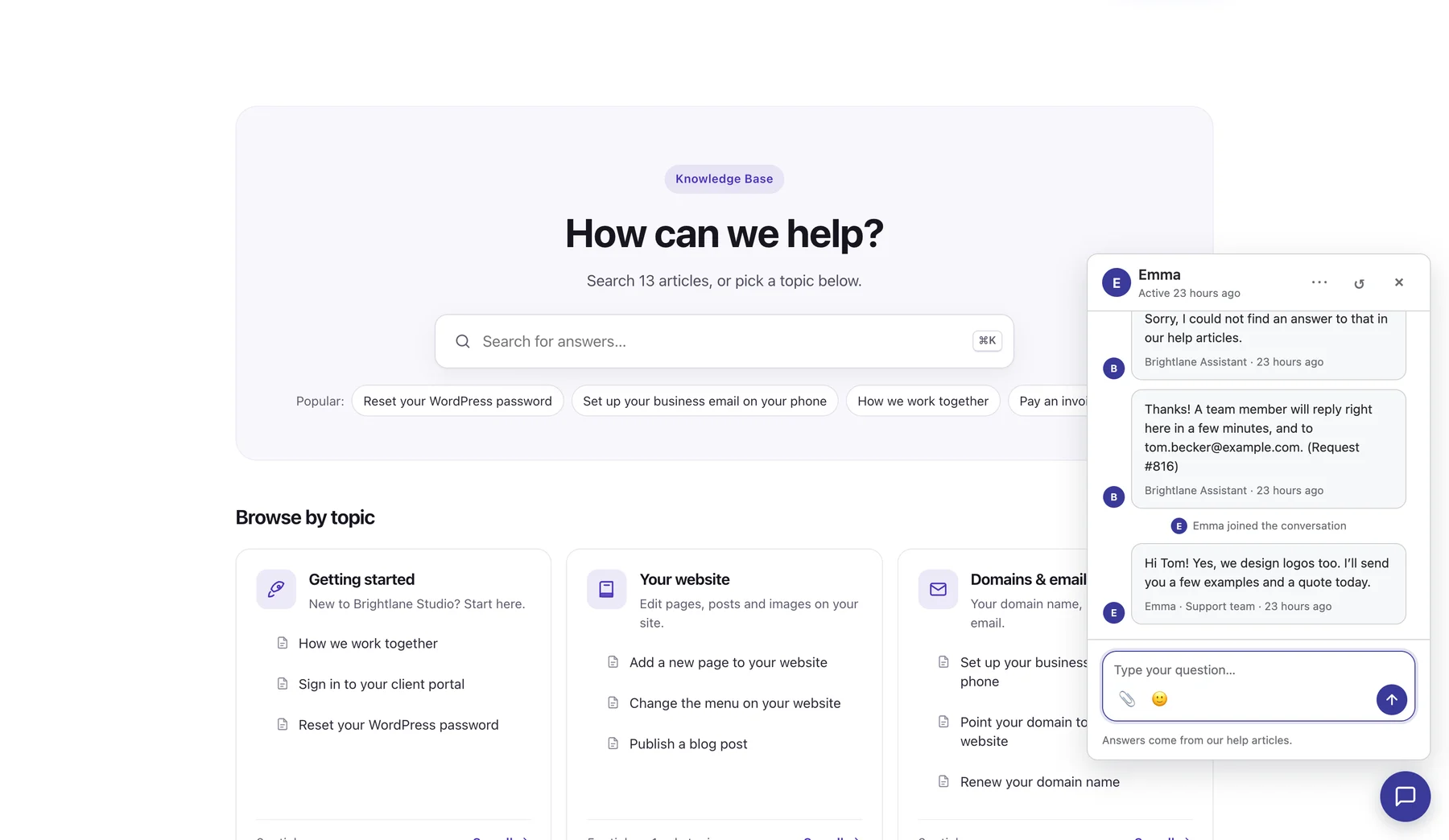
DoubleScale is an all-in-one WordPress CRM with a helpdesk, and live chat comes with every Pro plan. Each chat is a ticket in the helpdesk inbox from the first message, linked to the contact, so agents see past tickets, deals and invoices beside it.
For agents
Replies arrive in real time with typing and Sent, Delivered and Read in chat on every message. A header chat icon with an unread badge and desktop alerts flags new chats, and open chats sit beside the ticket so you can switch between them.
When the visitor leaves
If a reply isn’t read in the chat within 5 minutes, DoubleScale emails it and the ticket shows when the email was opened. The AI assistant is optional: it can answer first from your articles and hand over, or you can run live chat alone.
- ✓Every chat is a ticket on the contact
- ✓No per-agent or per-seat pricing
- ✓Email follow-up after 5 minutes
- ✓Works with or without the AI assistant
- ✕Young plugin: 90+ installs
- ✕Needs a Pro licence; no free chat
- ✕No WhatsApp or Messenger inside the widget
- ✕Team mobile app only on Plus and above
Best for: support teams that want chat, email tickets and customer records in one WordPress inbox.
2. tawk.to: best free live chat
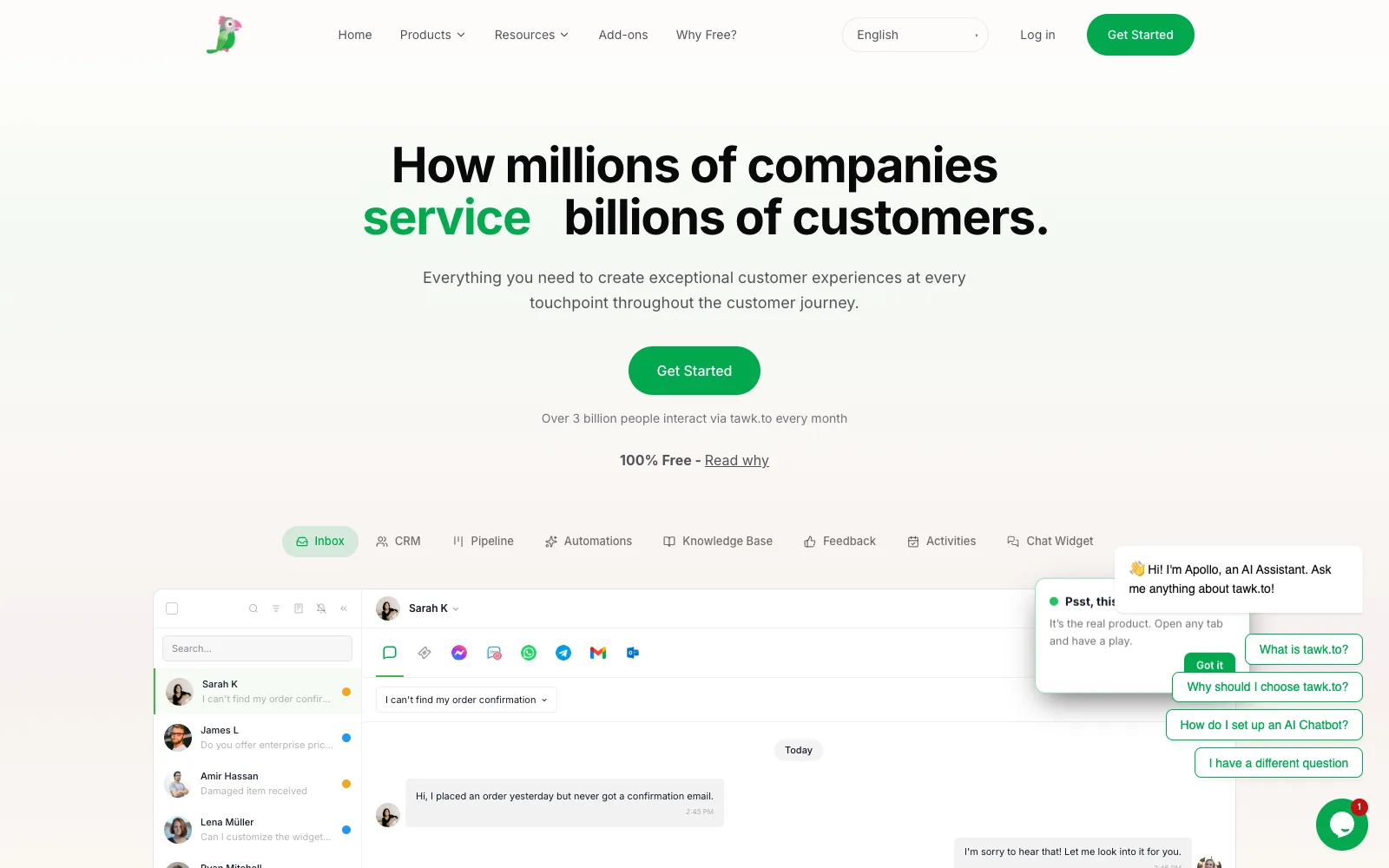
tawk.to is a free hosted live chat with 100,000+ active installs and a 4.6 rating from 142 reviews. The free plan includes live chat, a knowledge base and ticketing, and agents are account-based, so one person can answer across several sites.
After the chat
When nobody is online, visitors use an offline form (name and email are required). Agents can turn an offline message into a ticket and answer by email, and email replies sync back into the ticket thread. Chats live in the tawk.to dashboard and apps; the plugin only embeds the widget.
Cost and add-ons
Free keeps a “Powered by tawk.to” badge; removing it is a $29/month add-on. AI Assist starts at $29/month, and you can hire live agents to answer for $1 an hour. The WordPress plugin was last updated in January 2026 and is tested to WordPress 6.9.
- ✓Genuinely free live chat and ticketing
- ✓Agents work across several sites
- ✓No 2024 to 2026 WPScan entries
- ✓Hired-agent option for after hours
- ✕Badge stays unless you pay $29/month
- ✕Chats live outside WordPress
- ✕Plugin not updated since January 2026
- ✕Free seat limits not stated on the pricing page
Best for: small teams that want free live chat today and can live with the badge or a flat fee.
3. Tidio: best hosted chat with an AI agent
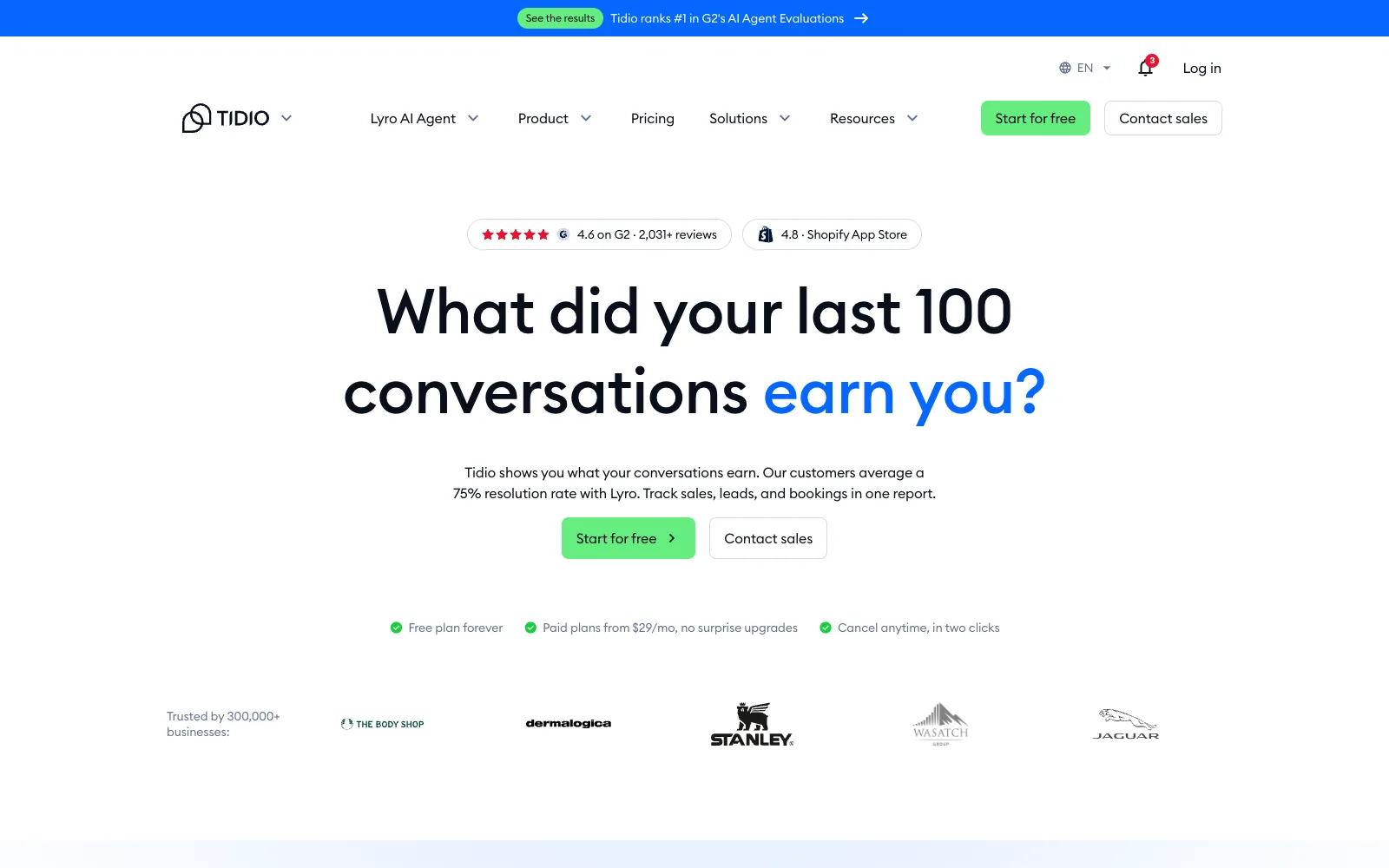
Tidio combines live chat, ticketing and the Lyro AI agent. Its WordPress plugin has 70,000+ installs and a 4.8 rating from 395 reviews, and live chat and ticketing are on every plan, with up to 10 seats on self-serve plans.
After the chat
Tidio can email your replies to visitors who have left (Visitor notifications), send chat transcripts, and turn a chat into a ticket with a Flow. An autoresponder Flow can reply when a chat stays unassigned.
Cost and AI
Free covers 50 billable conversations. Starter is $24.17/month billed annually ($29 monthly) for 100 conversations, Growth from $49.17 annually ($59 monthly), and Plus $300/month plus usage. Branding removal is a $16.67/month add-on on Growth. The Lyro AI agent starts at $32.50/month billed annually for 50 AI conversations; Tidio says customers average 75% resolution (vendor claim).
- ✓Email follow-up and transcripts
- ✓Strong AI agent with human handoff
- ✓10 seats included
- ✓Polished mobile and web apps
- ✕Cost scales with conversation volume
- ✕Branding removal costs extra on Growth
- ✕Chats live in Tidio’s cloud
- ✕Tickets need a Flow to be created automatically
Best for: stores and small teams that want a hosted chat with AI and are fine paying by volume.
4. Crisp: best shared inbox priced per workspace
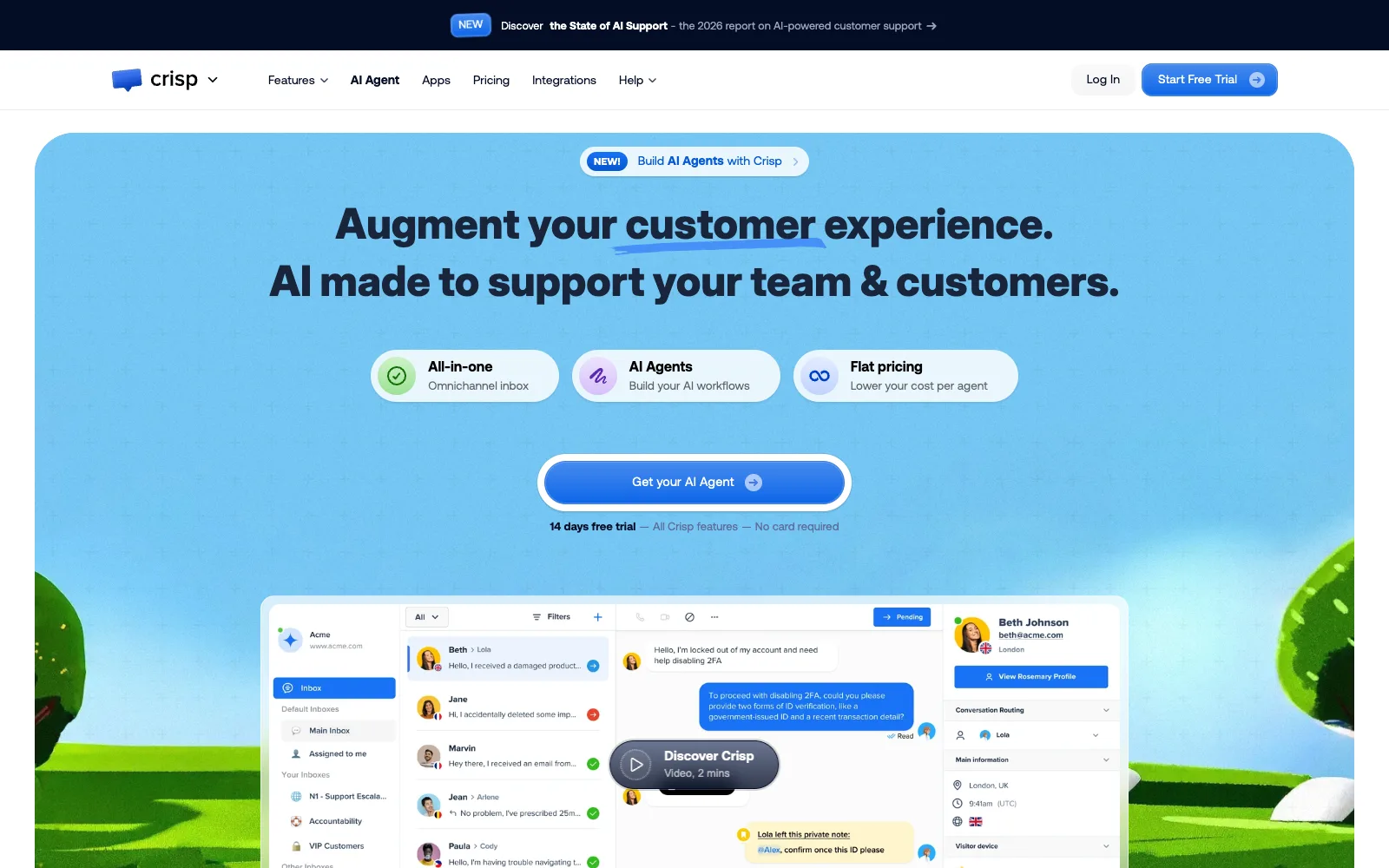
Crisp is a multichannel inbox (chat, email and more) priced per workspace rather than per agent. The WordPress plugin has 10,000+ installs and a 4.6 rating from 73 reviews, and Crisp describes itself as EU-hosted and built in France.
After the chat
Chats stay in the Crisp inbox on web and mobile. Crisp can email a visitor a reply they didn’t read in the chat when it has their address, and customers can answer from their email inbox into the same thread. A Contact Form plugin collects an email and message when you’re away.
Cost and AI
Free has 2 agents and no AI credits. Mini is $45/month (4 agents, $5 of AI credits), Essentials $95 (10 agents), Plus $295 (20+ agents and the only plan that removes the “We run on Crisp” watermark); extra agents are $10. Its AI trains on your knowledge base, snippets and past conversations.
- ✓Per-workspace pricing, not per seat
- ✓EU hosting
- ✓Email replies thread back into chat
- ✓AI reindexes after each KB update
- ✕Watermark removal only on the $295 plan
- ✕No AI on the free plan
- ✕One 2024 stored XSS (6.4), fixed in 0.45
- ✕Chats live outside WordPress
Best for: teams that want one inbox for chat and email with EU hosting and room to add agents cheaply.
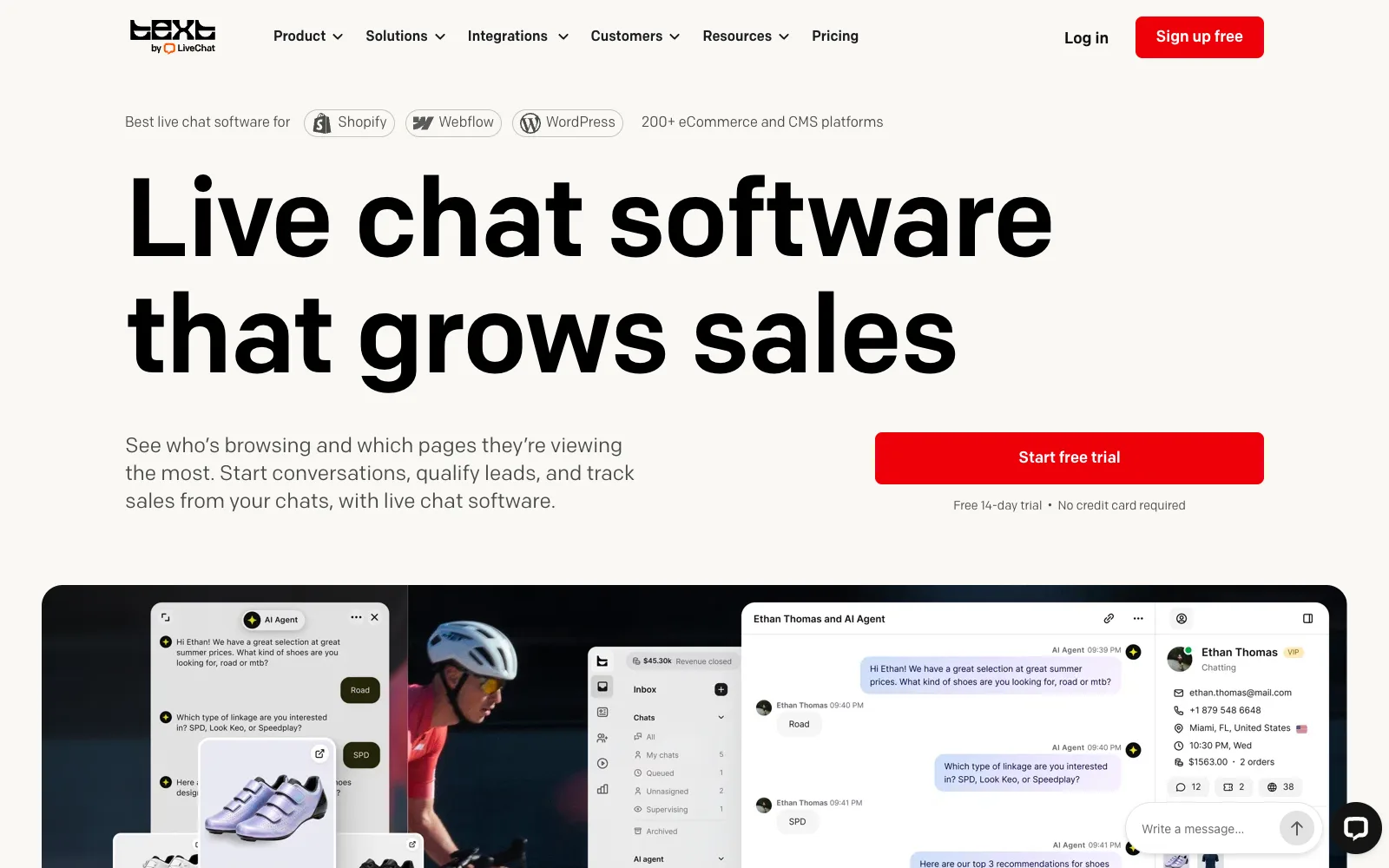
5. LiveChat: best established paid live chat
LiveChat is a long-running paid live chat platform. Its WordPress plugin has 10,000+ installs and a 4.6 rating from 98 reviews. There is no free plan, only a 14-day trial, and pricing is per agent.
After the chat
With availability set to “Always”, visitors can message when agents are away and replies go to their email. Transcripts sit in Archives and can be emailed to the visitor. LiveChat’s own ticketing is being retired in favour of its separate HelpDesk product, so plan on that for tickets.
Cost and AI
Essential is $19 per agent a month billed annually ($25 monthly) and Growth $79 ($99). Extra AI resolutions are $49.50 per 50. A white-label widget is listed under Enterprise only, and the pricing page doesn’t document branding removal on lower plans.
- ✓Mature, reliable product
- ✓Asynchronous mode with email replies
- ✓Large integration marketplace
- ✓No 2024 to 2026 WPScan entries
- ✕No free plan
- ✕Per-agent pricing adds up
- ✕Tickets moving to a separate product
- ✕White-label only on Enterprise
Best for: sales-heavy teams that want a proven chat tool and budget per agent.
6. Brevo: best if you already send email with Brevo
Brevo includes a chat widget (Conversations) in its all-in-one WordPress plugin, which has 100,000+ installs and a 4.1 rating from 284 reviews. Chat sits beside Brevo’s email marketing, SMS and CRM.
After the chat
When a visitor has left, Brevo emails agent replies to identified visitors (those who gave an email), about 5 minutes after they leave, after 30 minutes of inactivity, or when all agents go offline. You choose unread replies only, the full transcript, or nothing. Offline, the widget switches to a messenger mode, and a contact form bot can collect emails.
Cost and security
Removing Brevo branding from the chat isn’t included on the free tier, and the AI chatbot is only on the top column of the comparison table; we couldn’t capture the dollar prices. The plugin has 5 WPScan entries from 2024 to 2026, the most severe a reflected XSS (7.1) fixed in 3.1.78, and an authorization bypass (6.5) fixed in 3.3.1 in February 2026.
- ✓Chat next to email marketing and CRM
- ✓Good offline email follow-up
- ✓Free tier with chat
- ✓Large install base
- ✕Lowest plugin rating in this list
- ✕Chat prices not clearly published
- ✕Branding removal needs a paid plan
- ✕Five security fixes since 2024
Best for: businesses already on Brevo for email that want chat in the same account.
7. Help Scout Beacon: best for email-first support teams
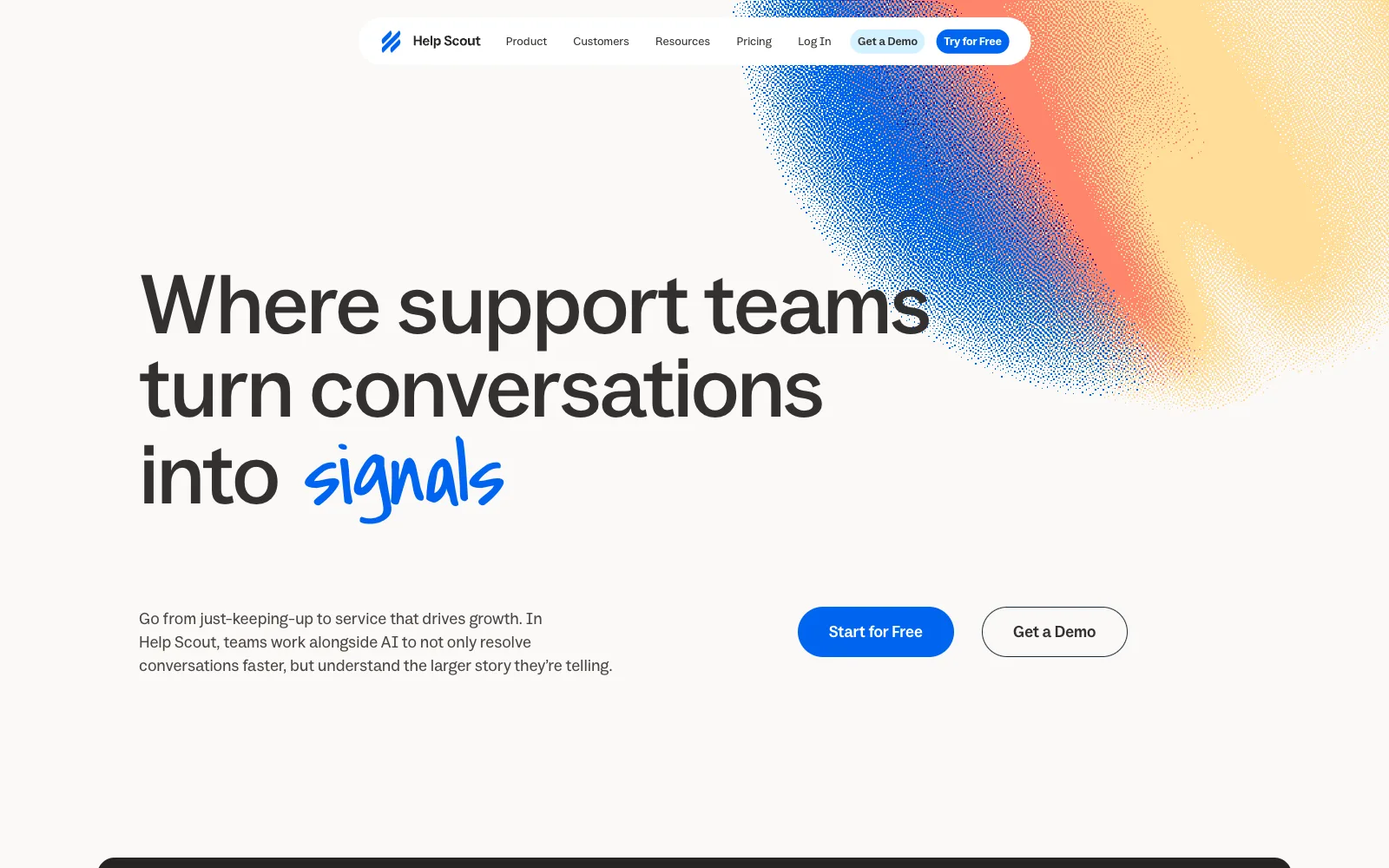
Help Scout Beacon is the chat and help widget of Help Scout, a hosted shared inbox. The free plan includes the inbox and a Docs site, while live chat starts on Standard. The WordPress plugin is small: 300 installs and a 4.3 rating from 6 reviews.
After the chat
When a chat ends, Help Scout creates an inbox conversation with the full transcript and internal notes, and you can follow up by email. With Email transcript on, the customer gets a copy. Beacon only offers chat when someone is in the inbox; otherwise it offers email.
Cost and AI
Standard is $25 per user a month (live chat, SMS, multiple inboxes), Plus $45 and Pro $75; the page shows a 16% annual discount without saying which figure is shown. The Envoy AI agent is $0.75 per resolution, with three months free for new accounts.
- ✓Chat becomes an email conversation
- ✓Docs, inbox and chat in one product
- ✓Chat only shown when someone is there
- ✓Clear email follow-up
- ✕Live chat not on the free plan
- ✕Per-user pricing
- ✕Tiny, rarely reviewed WordPress plugin
- ✕Chats live outside WordPress
Best for: email-first teams already on Help Scout that want chat as one more channel.
8. 3CX Live Chat: best if you also want phone and video
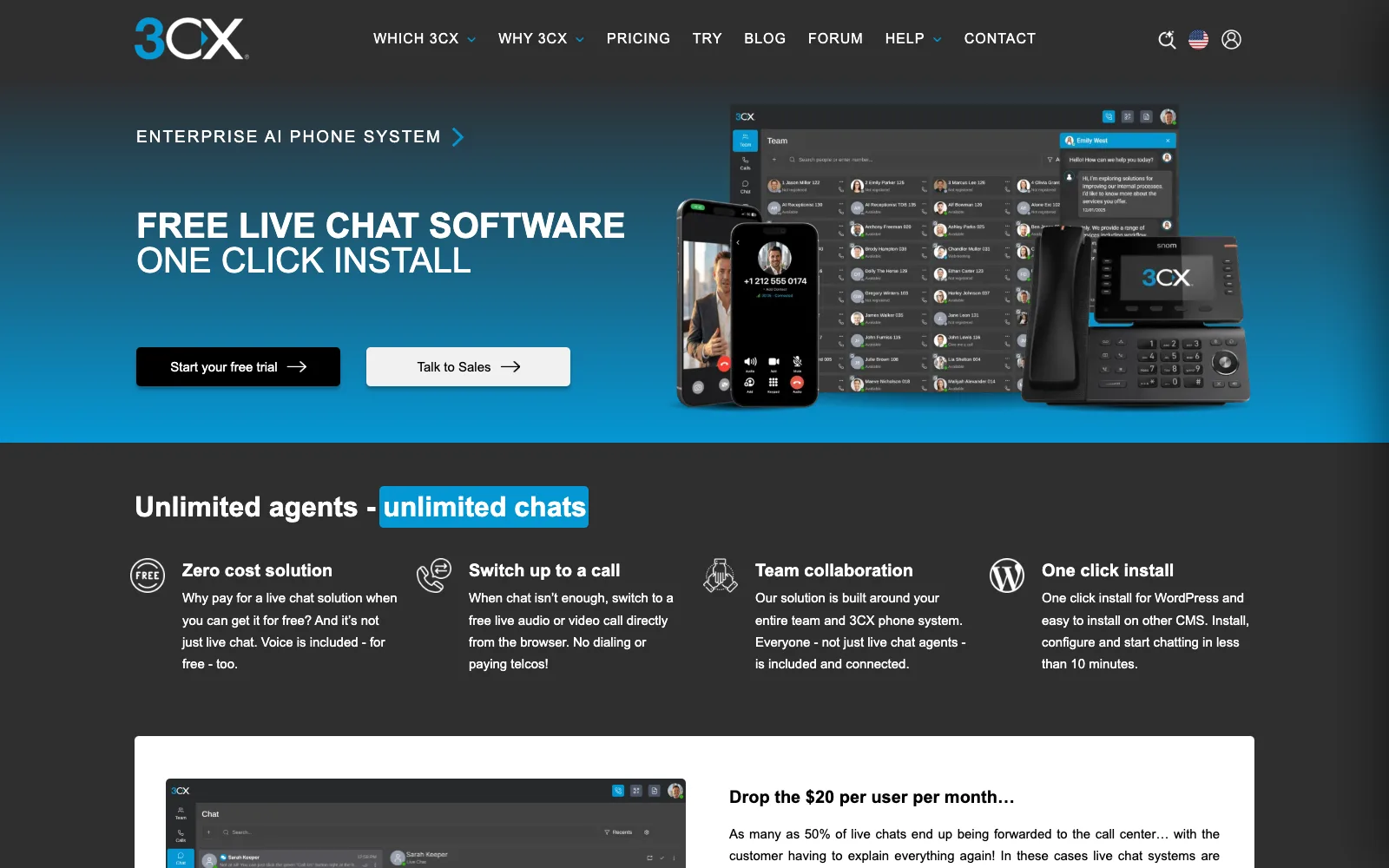
3CX Live Chat is the WordPress plugin for 3CX’s communications platform, with 100,000+ installs and a 4.6 rating from 820 reviews. It is free for up to 10 users on 3CX Free and also takes WhatsApp, Facebook and text messages plus browser voice and video calls.
After the chat
Agents answer in the 3CX Web Client, not in WordPress. When nobody is available, an offline form with a phone field, offline greetings and operating hours handle the visitor. The plugin page doesn’t state where transcripts are stored.
Setup and cost
You need a 3CX account, and setup feels more like a phone system than a chat widget. Unlimited users need 3CX Dedicated, which has no price on the plugin page. WPScan’s latest entry is from 2020, with none from 2024 to 2026.
- ✓Free for up to 10 users
- ✓Voice, video and messaging channels
- ✓Large, well-rated install base
- ✓No recent security entries
- ✕Requires a 3CX account
- ✕Phone-system style setup
- ✕Transcript storage not documented
- ✕No ticketing in the plugin
Best for: businesses that want chat, calls and video on one free 3CX system.
Where does the chat go after it ends?
In most tools the chat stays in the vendor’s inbox; in DoubleScale it is a helpdesk ticket on the customer’s record in your WordPress database. That difference decides whether your team can find the conversation next month, report on it, and see it next to the customer’s orders and invoices.
| Tool | Chat ends up in | Becomes a ticket | Linked to a customer record |
|---|---|---|---|
| DoubleScale | Your WordPress helpdesk | Yes, from the first message | Yes, the CRM contact |
| tawk.to | tawk.to inbox | Offline messages, by hand | tawk.to contact |
| Tidio | Tidio inbox | Via a Flow | Tidio contact |
| Crisp | Crisp inbox | It is an inbox conversation | Crisp contact |
| LiveChat | LiveChat Archives | Via HelpDesk (separate) | LiveChat customer |
| Brevo | Brevo Conversations | Not stated | Brevo contact |
| Help Scout Beacon | Help Scout inbox | Yes, a conversation when the chat ends | Help Scout customer |
| 3CX Live Chat | 3CX Web Client | Not stated | Not stated |
In DoubleScale the ticket also shows the pages the visitor viewed (with website tracking on) and their WooCommerce cart when there is one. If your CRM is somewhere else, a hosted inbox is fine as long as it integrates. If your customers, orders and invoices already live in WordPress, keeping chats there too saves the copy-paste between tabs.
What happens when the visitor closes the tab?
The good tools email your reply to the visitor; the weaker setups lose them. Visitors close tabs constantly, often seconds after asking. Here is what each tool does, from vendor help centers.
| Tool | Reply emailed to a visitor who left | When nobody is online | Needs the visitor’s email |
|---|---|---|---|
| DoubleScale | Yes, after 5 minutes unread; you see when it’s opened | Request answered by email if live chat is off | Typed in the chat; known for signed-in clients |
| tawk.to | Via a ticket created from the offline message | Offline form (name, email) | Yes |
| Tidio | Yes, Visitor notifications and transcripts | Autoresponder Flow | Yes |
| Crisp | Yes, unread replies when it has the email | Contact Form plugin | Yes |
| LiveChat | Yes, in “Always” availability mode | Messages answered by email | Yes |
| Brevo | Yes, about 5 minutes after they leave | Messenger mode, contact form bot | Yes |
| Help Scout Beacon | Follow up by email from the conversation | Beacon offers email instead of chat | Yes |
| 3CX Live Chat | Not stated | Offline form with phone field | Not stated |
Whichever tool you pick, ask for the email early (a pre-chat field or the first bot message) and check that offline follow-up is switched on. A reply nobody receives costs the same agent time as one that solves the problem.
What do three agents cost with branding removed?
From about $10 to $295 a month, depending on whether the tool charges per site, per seat or per workspace. We priced the cheapest plan that both covers three agents and removes the vendor’s badge, using only numbers on the vendor pages; where branding removal isn’t documented we say so.
| Tool | Plan used | Monthly cost, 3 agents | Branding removal |
|---|---|---|---|
| DoubleScale | Pro Basic, $124/yr (no per-agent fee) | About $10 ($8 during Black Friday) | No DoubleScale badge in the chat |
| tawk.to | Free + Remove branding add-on | $29 | Documented ($29 add-on) |
| Tidio | Growth from $49.17 (annual) + $16.67 add-on | About $66 | Documented (add-on on Growth) |
| Crisp | Plus (20+ agents) | $295 | Documented (Plus only) |
| LiveChat | Essential, 3 x $19 annual or $25 monthly | $57 to $75 | Not documented below Enterprise |
| Brevo | Paid Conversations plan | Not verified | Paid plans only; price not captured |
| Help Scout Beacon | Standard, 3 x $25 | $75 | Not checked |
| 3CX Live Chat | 3CX Free (up to 10 users) | $0 | Not documented |
Regular prices checked 19 November 2026; AI usage not included. Tidio’s add-on billing period isn’t stated. Help Scout doesn’t say whether $25 is the annual or monthly rate.
Per-site pricing wins as the team grows: adding a sixth agent costs nothing in DoubleScale, Crisp (up to its plan limit) or tawk.to, and another seat in LiveChat or Help Scout. Per-conversation pricing (Tidio) depends on traffic rather than team size.
Live chat, AI assistant or ticket form: which question goes where?
Send each question to the cheapest channel that can answer it well: articles and AI for repeat how-to questions, live chat for questions where speed changes the outcome, and tickets for anything account-specific or slow to solve. Most teams get this backwards and staff live chat for questions an article already answers.
| Type of question | Example | Best channel | Why |
|---|---|---|---|
| Repeat how-to | “How do I change my password?” | Knowledge base article, then AI assistant | Answered once, reused forever |
| Pre-sales, time-sensitive | “Does this plan cover 5 sites?” | Live chat | A fast answer can decide the sale |
| Account-specific | “My invoice shows the wrong amount” | Ticket from the client portal | Needs a signed-in customer and records |
| Needs investigation | “Bookings stopped syncing yesterday” | Ticket | Screenshots, logs and handover between agents |
| Out of hours | Any of the above at 2am | AI assistant, then email follow-up | Nobody is waiting for a reply in the chat |
In DoubleScale these are one system, so the routing is mostly settings: the AI assistant answers from your articles first, hands over to live chat, and every path ends as a ticket. Our guides to AI chatbots for WordPress customer support and WordPress knowledge base plugins cover the first two layers in depth.
How do you set up live chat in DoubleScale?
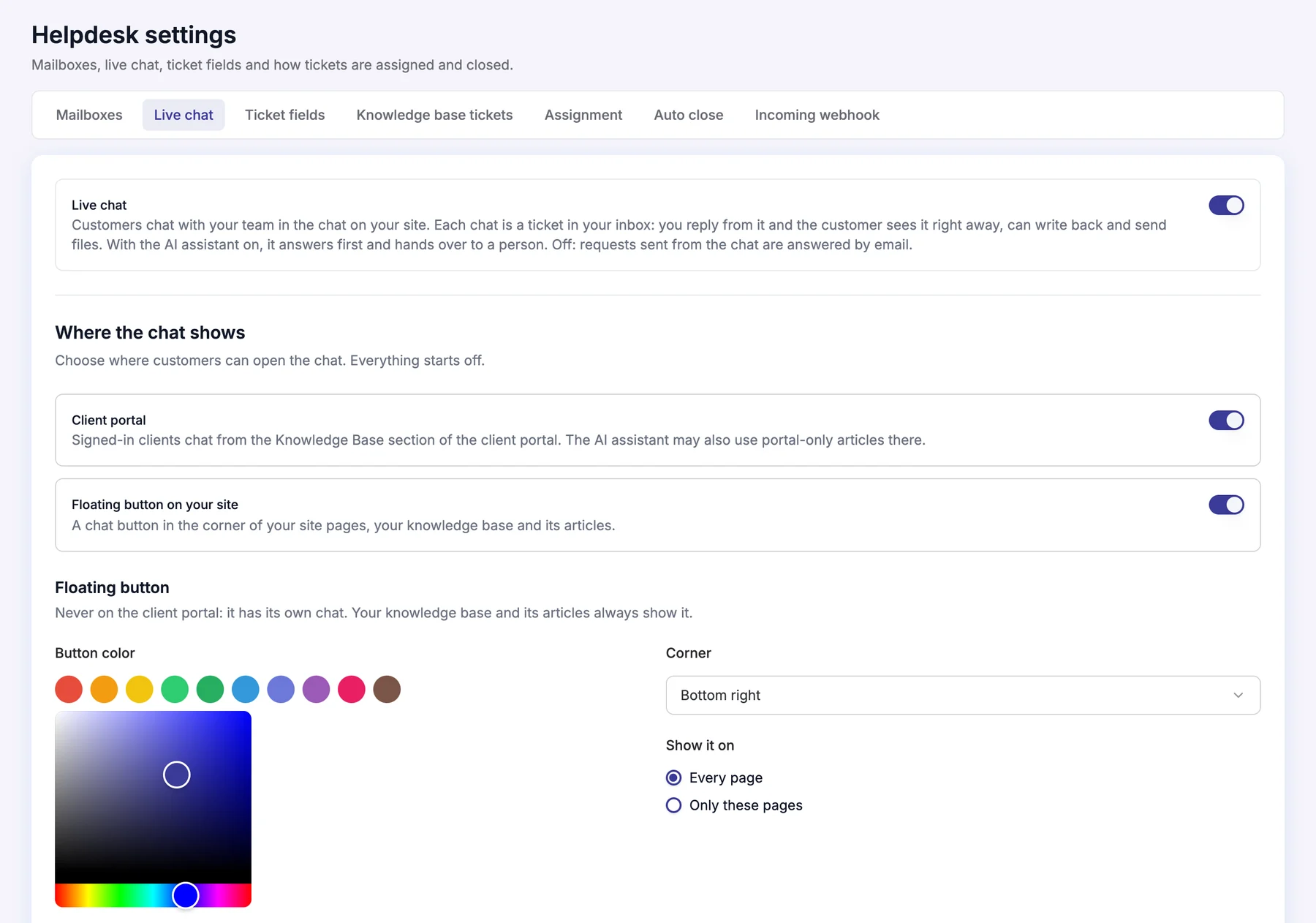
Live chat is a helpdesk channel in DoubleScale Pro, set up in Helpdesk, Settings, Live chat. It works on its own, without the AI assistant.
- 1Activate Pro and turn on the HelpdeskInstall DoubleScale from WordPress.org, add your Pro licence, and make sure the Helpdesk module is on.
- 2Open Helpdesk, Settings, Live chatSwitch on Live chat. Under “New chats go to”, pick the mailbox for tickets opened from the chat.
- 3Choose where the chat showsA floating button on every page or only the pages whose addresses you list, and inside the client portal for signed-in clients. Your knowledge base pages always show it; the portal uses its own chat.
- 4Make it look like your sitePick the button colour, the corner (bottom left or right), light or dark chat colours, and an optional greeting that appears over the button after a few seconds.
- 5Choose who answersSelect the team members who answer chats. Their profile photos and “N online now” appear in the chat.
- 6Optional: add the AI assistantConnect your OpenAI, Anthropic, Gemini or compatible key, switch the assistant on, and test answers in the Try it panel. It answers first and hands over to your team.
- 7Test the whole loopOpen your site in a private window, send a message, reply from the ticket, then close the tab and check that the reply arrives by email after 5 minutes.
Are WordPress live chat plugins secure?
Mostly, and the hosted tools carry little WordPress risk because their plugins only embed a script. Every issue below is fixed in the current version. Counts are WPScan entries from 2024 to 2026, checked 19 November 2026.
| Plugin | Entries 2024 to 2026 | Most severe | Fixed in |
|---|---|---|---|
| DoubleScale | 1 | Subscriber+ file upload via the portal (8.8, Oct 2026) | 1.6.0 |
| tawk.to | 0 (one from 2021) | n/a | n/a |
| Tidio | 0 (one from 2019) | n/a | n/a |
| Crisp | 1 | Subscriber+ stored XSS (6.4, 2024) | 0.45 |
| LiveChat | 0 (latest from 2023) | n/a | n/a |
| Brevo | 5 | Reflected XSS (7.1, 2024) | 3.1.78 |
| Help Scout | Not checked | n/a | n/a |
| 3CX Live Chat | 0 (latest from 2020) | n/a | n/a |
Plugin freshness matters as much as the count. The tawk.to plugin was last updated in January 2026 and is tested to WordPress 6.9, and the Help Scout plugin has only 300 installs, so check compatibility before relying on either.
Which live chat plugin should you choose?
- Choose DoubleScale if you want every chat to become a ticket on the customer’s record inside WordPress, with no per-agent fees, and you’re fine with a young plugin and a Pro licence.
- Choose tawk.to if the budget is zero and a badge (or $29 a month) is acceptable.
- Choose Tidio for a polished hosted chat with an AI agent and email follow-up.
- Choose Crisp for one EU-hosted inbox across channels, priced per workspace.
- Choose LiveChat if you want the established paid tool and budget per agent.
- Choose Brevo, Help Scout or 3CX if you already use their email, inbox or phone platform.
If you’re comparing full helpdesks rather than chat alone, see our WordPress support ticket plugins compared and Zendesk alternatives for WordPress.
DoubleScale Pro adds live chat to your WordPress helpdesk: real-time replies, email follow-up after 5 minutes, and an optional AI assistant. No per-agent seats.
Frequently asked questions
What is the best live chat plugin for WordPress?
It depends on where you want chats to end up. For a support team that wants each chat as a helpdesk ticket on the customer record in WordPress, DoubleScale is our pick. tawk.to is the best free option, Tidio the easiest hosted chat with AI, Crisp the best per-workspace inbox, and LiveChat the most established paid tool.
Is there a free live chat plugin for WordPress?
Yes. tawk.to is free with live chat and ticketing but shows a badge unless you pay $29 a month. Tidio has a free plan with 50 conversations, Crisp a free plan for 2 agents, and 3CX Live Chat is free for up to 10 users on 3CX Free. DoubleScale’s live chat needs Pro, though its knowledge base and helpdesk are free.
Can a WordPress live chat plugin create support tickets?
Some can. DoubleScale makes every chat a helpdesk ticket linked to the contact from the first message. Help Scout turns a finished chat into an inbox conversation, tawk.to lets agents turn offline messages into tickets, and Tidio creates tickets through Flows. LiveChat now points ticketing to its separate HelpDesk product.
What happens if a visitor leaves before we reply?
With good tools, your reply reaches them by email. DoubleScale emails a reply that isn’t read in the chat within 5 minutes and shows when it was opened. Brevo sends replies about 5 minutes after the visitor leaves, Tidio and Crisp email unread replies, and LiveChat does it in its “Always” mode. All of these need the visitor’s email address.
Do I need AI in my live chat?
Not to start. AI helps most when the same how-to questions keep arriving and you already have help articles to answer from. Without articles, an AI assistant has little to go on. In DoubleScale live chat works on its own, and you can switch on the AI assistant later to answer first and hand over to your team.
Will a live chat plugin slow down my WordPress site?
Each widget adds a script to the pages where it shows. We found no measured speed comparison from a primary source, so test on your own site with and without the chat. Limiting the chat to the pages that need it, which DoubleScale and most tools here allow, keeps the impact down.
How much does live chat cost for a small team?
For three agents with the badge removed, from about $10 a month (DoubleScale Pro, billed yearly) or $29 (tawk.to add-on) to $57 to $75 (LiveChat), $75 (Help Scout Standard) and $295 (Crisp Plus). Tidio’s Growth plan plus branding add-on is about $66. Per-site pricing stays flat as you add agents; per-seat pricing doesn’t.
Related guides
- AI chatbots for WordPress customer support
- 7 WordPress knowledge base plugins for support teams
- Why your CRM should include a helpdesk
- DoubleScale support tickets
Sources
Checked on 19 November 2026: pricing pages for tawk.to, Tidio, Crisp, LiveChat, Brevo Conversations and Help Scout; help center articles from tawk.to, Tidio, Crisp, LiveChat, Brevo and Help Scout; the 3CX Live Chat plugin page; WordPress.org plugin API for installs and ratings; WPScan for security records; DoubleScale details from doublescale.io/features/live-chat, doublescale.io/pricing and the DoubleScale Pro plugin.
Get our guides first on GoogleAdd DoubleScale as a preferred source and our articles show up more often in your Top Stories.

DoubleScale Team, Editorial team
The DoubleScale team builds the all-in-one CRM for WordPress. We test the tools we write about and check every price and feature on the vendor's own pages before we publish.
Practical CRM tips, once a month
Guides on growing with WordPress: lead capture, email marketing, automations and sales. No spam, unsubscribe anytime.