















On this page
- What makes an AI chatbot good at customer support?
- AI support chatbots for WordPress compared
- How we chose these chatbots
- 1. DoubleScale: best for answers from your docs, then your team
- 2. Tidio Lyro: best hosted chatbot with human handoff
- 3. AI Engine: best for builders who want full control
- 4. BetterDocs AI Chatbot: best if your docs already live in BetterDocs
- 5. WPBot: best low-cost plugin with spend controls
- 6. Chatbase: best hosted agent that hands off to your helpdesk
- 7. Intercom Fin: the hosted benchmark for large teams
- The handoff test: what happens when the AI can’t answer?
- What does an AI chatbot cost per 1,000 support conversations?
- Where are your support conversations stored?
- How do you make an AI support assistant accurate?
- Are WordPress AI chatbot plugins secure?
- Which AI support chatbot should you choose?
- Frequently asked questions
- Related guides
- Sources
An AI chatbot for WordPress customer support should do three things: answer only from your own help articles, show where each answer came from, and hand the conversation to a person when it doesn’t know. The first two are now common. The third is where most tools quietly fall short, and it decides whether your chatbot reduces work or creates angry follow-up emails.
We rank DoubleScale first for support teams on WordPress: its AI assistant answers from your knowledge base with source links, and when it can’t help, the same chat goes to your team and becomes a helpdesk ticket, with no per-seat or per-resolution fee. Tidio Lyro is the easiest hosted option, AI Engine the most flexible plugin for builders, and Intercom Fin the benchmark if budget is no object.
DoubleScale: best for a chatbot that answers from your docs, then hands off to live chat and tickets inside WordPress (Pro, your own AI key).
Tidio Lyro: best hosted chatbot with human handoff for small stores and sites.
AI Engine: best for developers who want many AI providers and full control, without a built-in handoff.
BetterDocs AI Chatbot / WPBot: budget plugin options if you already use them.
Chatbase / Intercom Fin: hosted agents priced by credits or outcomes for larger volumes.
What makes an AI chatbot good at customer support?
A good support chatbot is grounded, honest and connected. Grounded means it answers from content you wrote, not the open internet. Honest means it says “I don’t know” instead of inventing a refund policy. Connected means the customer can reach a person without starting again.
- Source content you control: help articles, policy pages, product docs.
- Citations: a link to the article it used, so customers can check and your team can audit.
- A clear no-answer path: a reply you write for when it doesn’t know, plus a handoff.
- A record of failures: the questions it couldn’t answer, so you know which article to write next.
- Predictable cost: you should be able to estimate next month’s bill.
Sources: Zendesk customer service statistics (survey years not stated on the page); Gartner press release, 5 March 2025, via CMSWire. Forecasts are not results.
Read those together: customers will happily use a bot for quick answers, and they also want a way out. That is the case for handoff.
AI support chatbots for WordPress compared
| Tool | Answers from | How AI is billed | When it can’t answer | Entry price |
|---|---|---|---|---|
| DoubleScale | Your KB + pages you pick | Your own key, no vendor AI fee | Live chat with your team, then a ticket | Pro $99/yr* |
| Tidio Lyro | Support content it scrapes | Per Lyro conversation | Human agent in Tidio | Lyro from $32.50/mo (annual) |
| AI Engine | Posts, PDFs, embeddings (Pro) | Your own key | No built-in handoff found | Pro $59/yr |
| BetterDocs AI Chatbot | Your BetterDocs docs | Your own key + add-on | Not documented | $69/yr + Pro |
| WPBot | Site content you train on | Your own key | Message or callback; live chat in Pro | Pro $39/yr |
| Chatbase | Your data sources | Message credits | Your helpdesk, with context | $120/mo (yearly) |
| Intercom Fin | Your support content | $0.99 per outcome + seats | Intercom team or connected helpdesk | $0.99/outcome |
*DoubleScale Pro is $99/yr (1 site) during Black Friday and $124/yr from 2 December 2026; the knowledge base it answers from is free. Checked 19 November 2026.
How we chose these chatbots
We picked tools a WordPress site owner can actually deploy for support: four WordPress plugins that use your own AI key, one hosted live chat with AI (Tidio), one hosted AI agent with a WordPress embed (Chatbase), and Intercom Fin as the hosted benchmark many teams compare against. We left out general-purpose writing assistants and rule-only bots.
We checked every price, feature list and security record on the vendor sites and WordPress.org on 19 November 2026. We did not run a hands-on accuracy test across all seven, and vendor resolution rates below are labelled as vendor claims. Our criteria, in order: handoff, grounding and citations, cost predictability, data location, and security record.
1. DoubleScale: best for answers from your docs, then your team
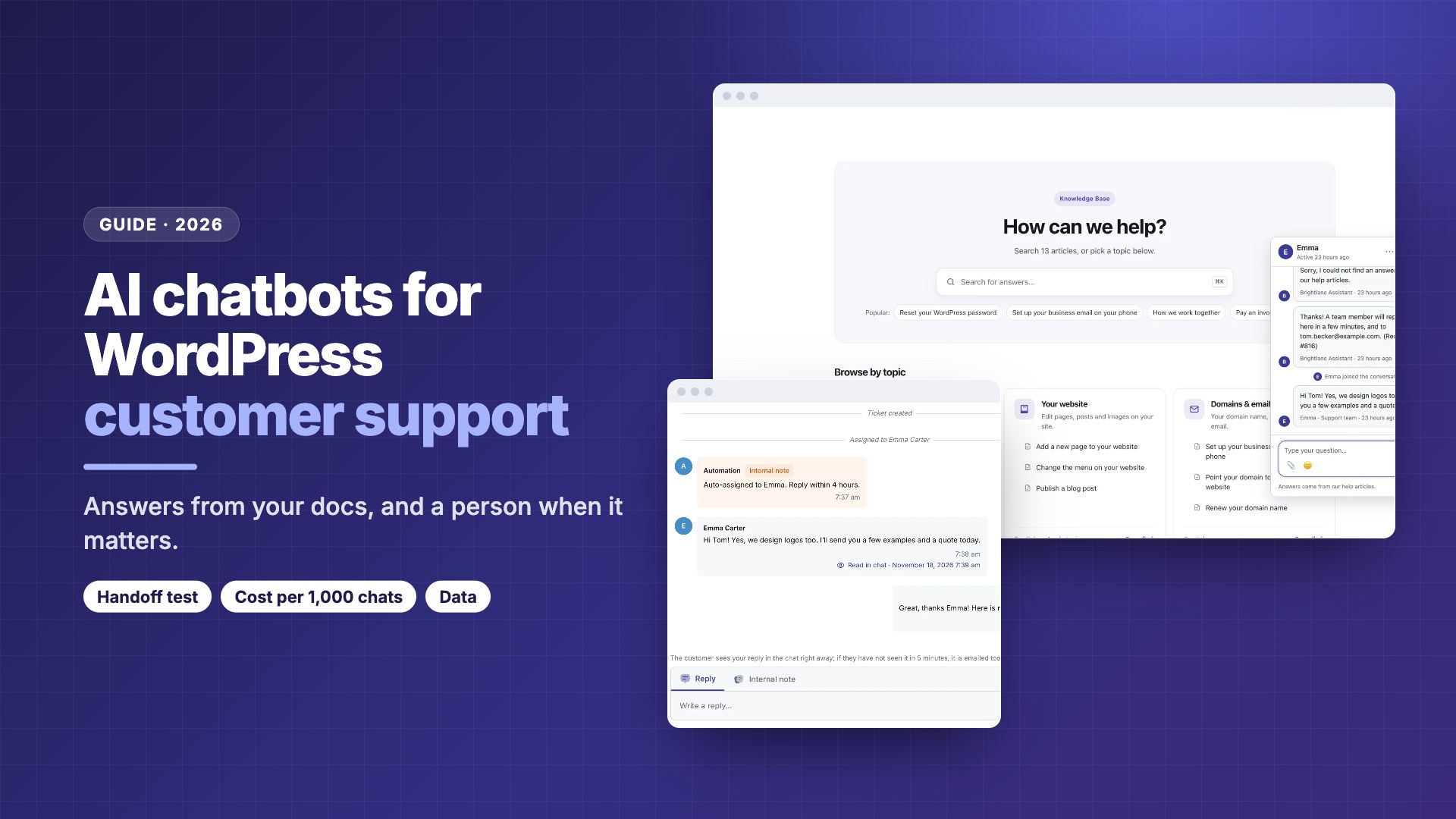
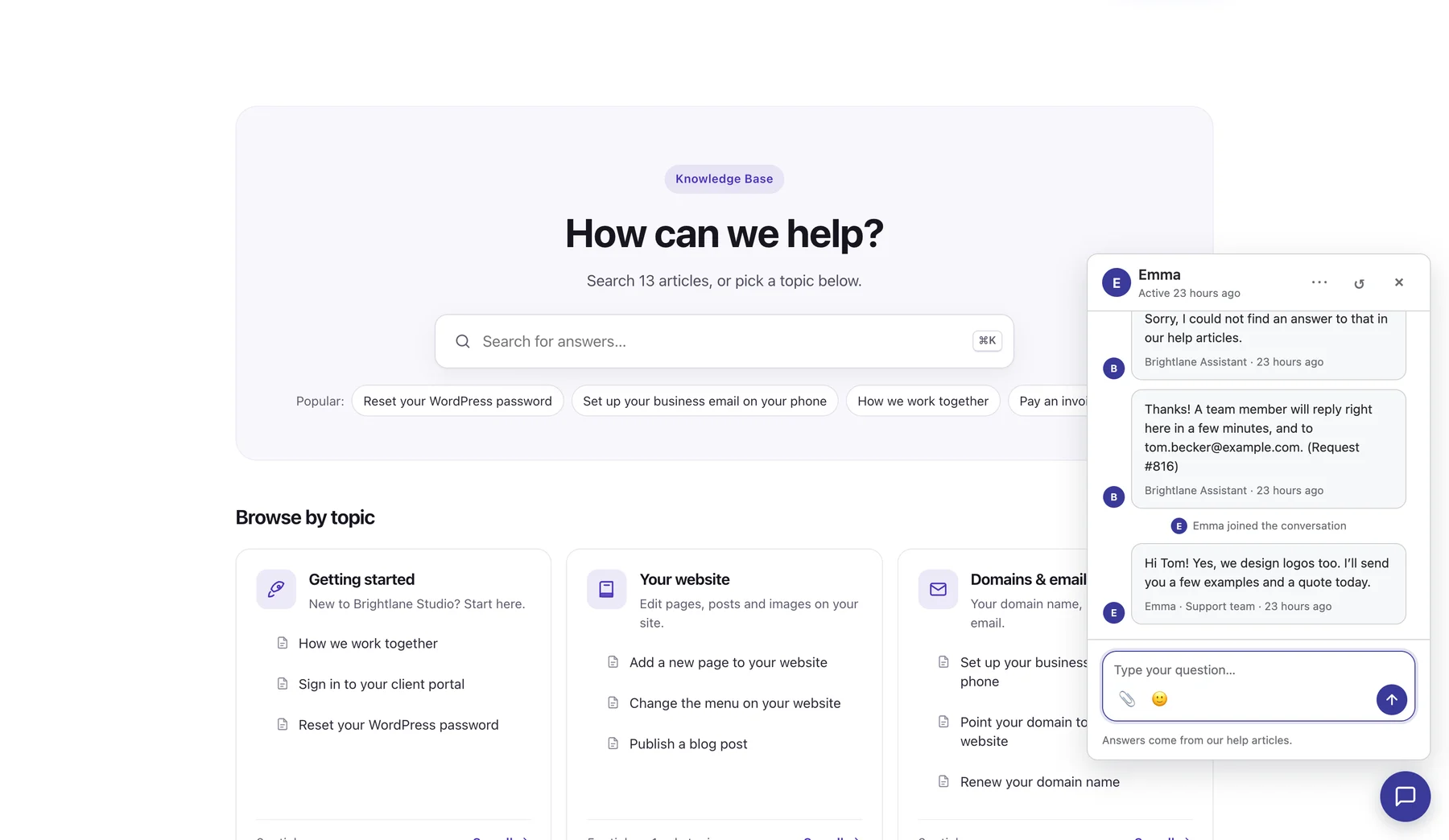
DoubleScale is an all-in-one WordPress CRM with a helpdesk, a free knowledge base and, in Pro, an AI assistant plus live chat. The assistant answers visitors from your published articles and the site pages you pick, with numbered links to its sources, and says so when it doesn’t know.
Handoff
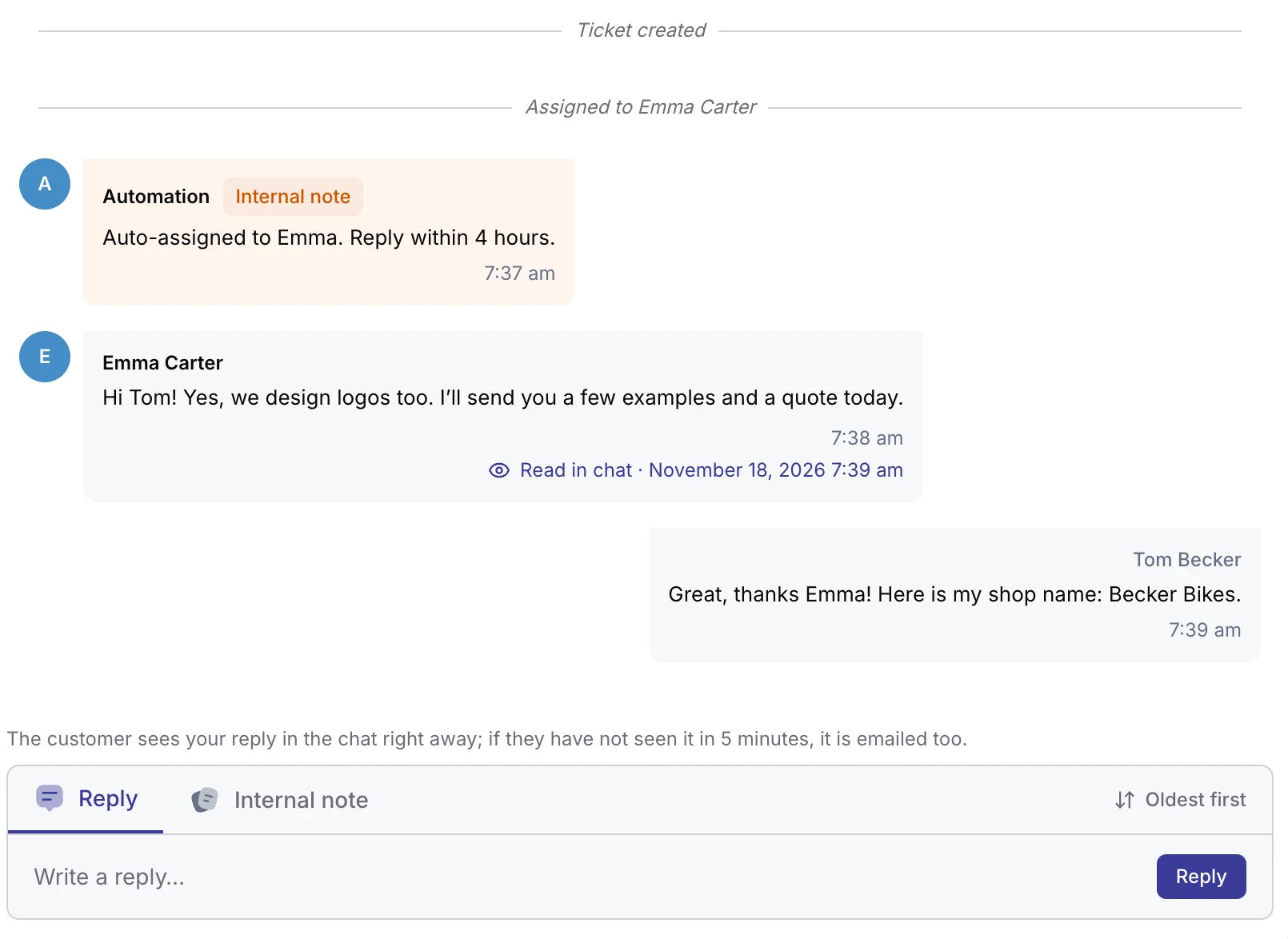
When it can’t help, or the visitor asks for a person, the chat goes to the team members you chose. Every chat is a helpdesk ticket linked to the contact, so agents see past tickets, deals and invoices. If the visitor leaves, your reply is emailed after 5 minutes.
Setup and control
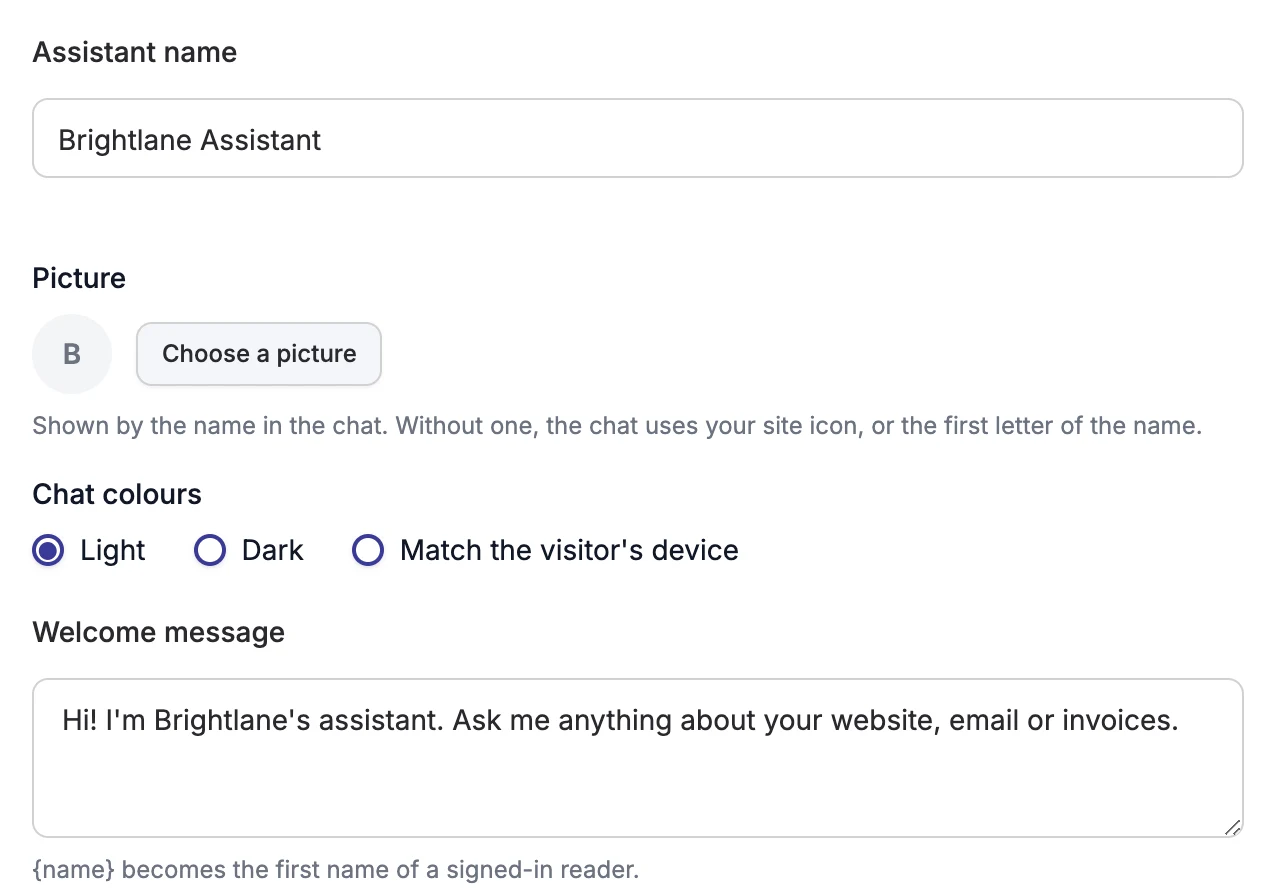
Bring a key from OpenAI, Anthropic (Claude), Google Gemini or any OpenAI-compatible service. Set the name, tone and no-answer reply, test in a Try it panel, and review conversations by outcome: answered, not answered or sent to support.
- ✓Chatbot, live chat and tickets in one WordPress inbox
- ✓No per-seat or per-resolution pricing
- ✓Conversations stored in your WordPress database
- ✓Shows in the client portal and on KB pages too
- ✕Young plugin: 90+ installs
- ✕Needs Pro plus your own AI key and its costs
- ✕No WhatsApp or Messenger in the chat widget
- ✕No native mobile SDK
Best for: WordPress support teams that want AI answers and human chat in the same helpdesk, without per-agent fees.
2. Tidio Lyro: best hosted chatbot with human handoff
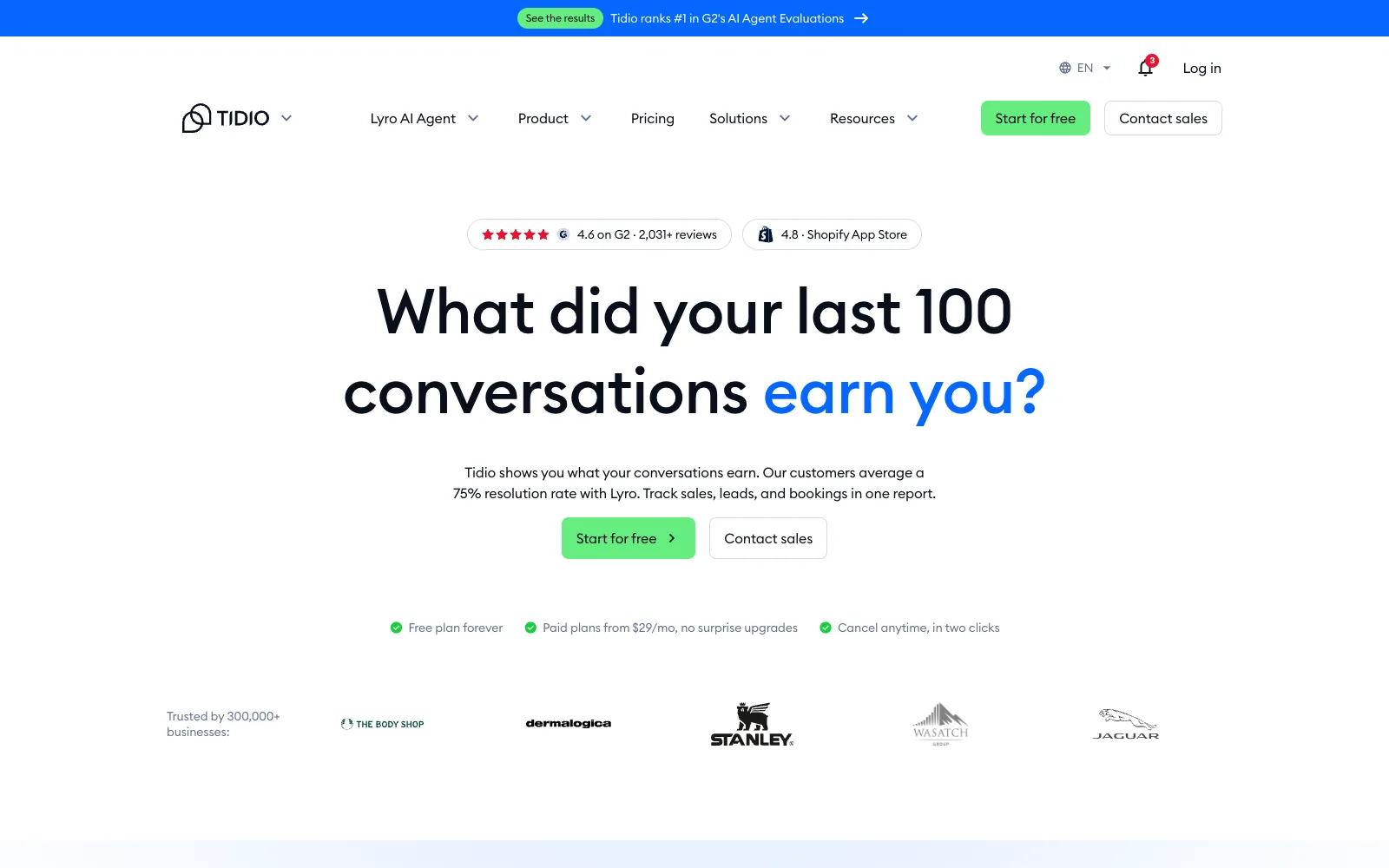
Tidio Lyro is the AI agent inside Tidio’s live chat. The Tidio WordPress plugin has 70,000+ installs and a 4.8 rating from 395 reviews. Lyro scrapes your support content and answers only from content and guidance you provide; Tidio says it runs on Claude (Anthropic) and its own models.
Handoff
When the answer isn’t in your content, Lyro forwards the chat to a human agent, and your team can watch conversations live and step in. Lyro Connect can create a ticket in your existing support tool. Conversations live in Tidio’s inbox, not in WordPress.
Cost and limits
The free plan includes your first 50 Lyro conversations, once. The add-on starts at $32.50/month billed annually ($39 month to month) for 50 Lyro conversations, scaling with volume up to 1,000, with custom plans above that. Tidio says customers average a 75% Lyro resolution rate (vendor claim, definition not given).
- ✓Easiest setup in this list
- ✓Real human handoff and step-in
- ✓Clean security record (one WPScan entry, from 2019)
- ✓Live chat and ticketing on all Tidio plans
- ✕Cost scales with every Lyro conversation
- ✕Larger Lyro tier prices not shown as text
- ✕Chats stored in Tidio’s cloud
- ✕SOC 2 and HIPAA only on Enterprise
Best for: small stores and sites that want a hosted chat with AI and a human fallback, set up in an afternoon.
3. AI Engine: best for builders who want full control
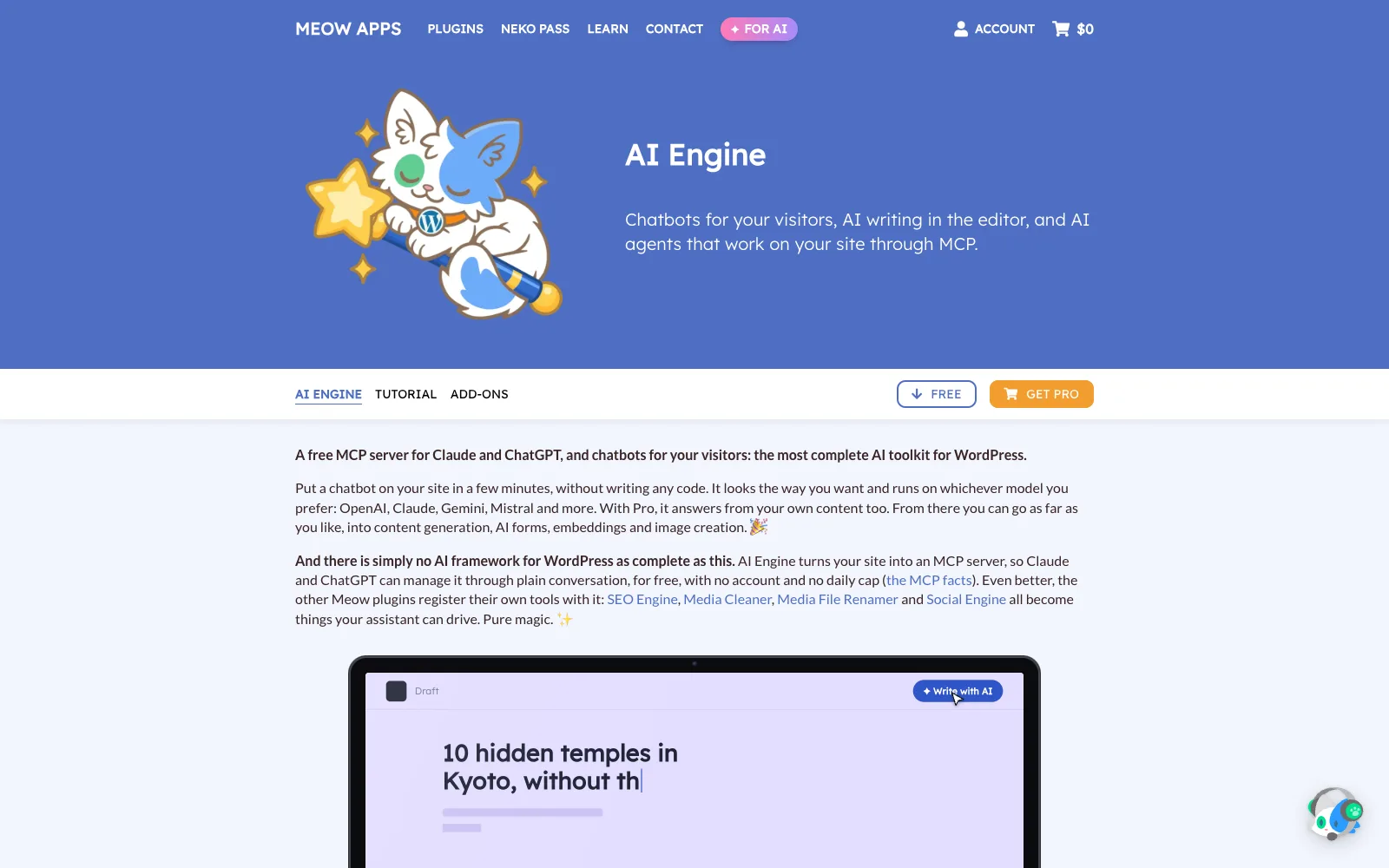
AI Engine by Meow Apps is the most installed AI plugin here: 90,000 active installs on WordPress.org and a 4.9 rating from 879 reviews. It is a toolkit more than a support product, with chatbots, an MCP server, AI forms and an editor assistant.
Answers and handoff
Chatbots can use your posts and PDFs as a knowledge base; embeddings and vector databases (Pinecone, Chroma, Qdrant, OpenAI Vector Store) are Pro. Meow Apps notes you can’t completely block the model’s built-in knowledge, only steer it. We found no built-in human handoff or inbox.
Providers and security
It supports OpenAI, Anthropic, Google, xAI, Mistral, Perplexity, OpenRouter, Azure and OpenAI-compatible local models, and stores data only on your server. WPScan lists 46 entries from 2024 to 2026, about a dozen between August and November 2026, including an unauthenticated privilege escalation (9.8) fixed in 3.1.4. All are fixed in 3.9.4.
- ✓Widest choice of AI providers
- ✓Data stays on your server
- ✓Generous free version
- ✓Very active development
- ✕No human handoff or support inbox
- ✕Heavy patch history; updates are not optional
- ✕Needs PHP 8.1+
- ✕Embeddings need Pro
Best for: developers and agencies building custom AI features who will wire up their own handoff.
4. BetterDocs AI Chatbot: best if your docs already live in BetterDocs
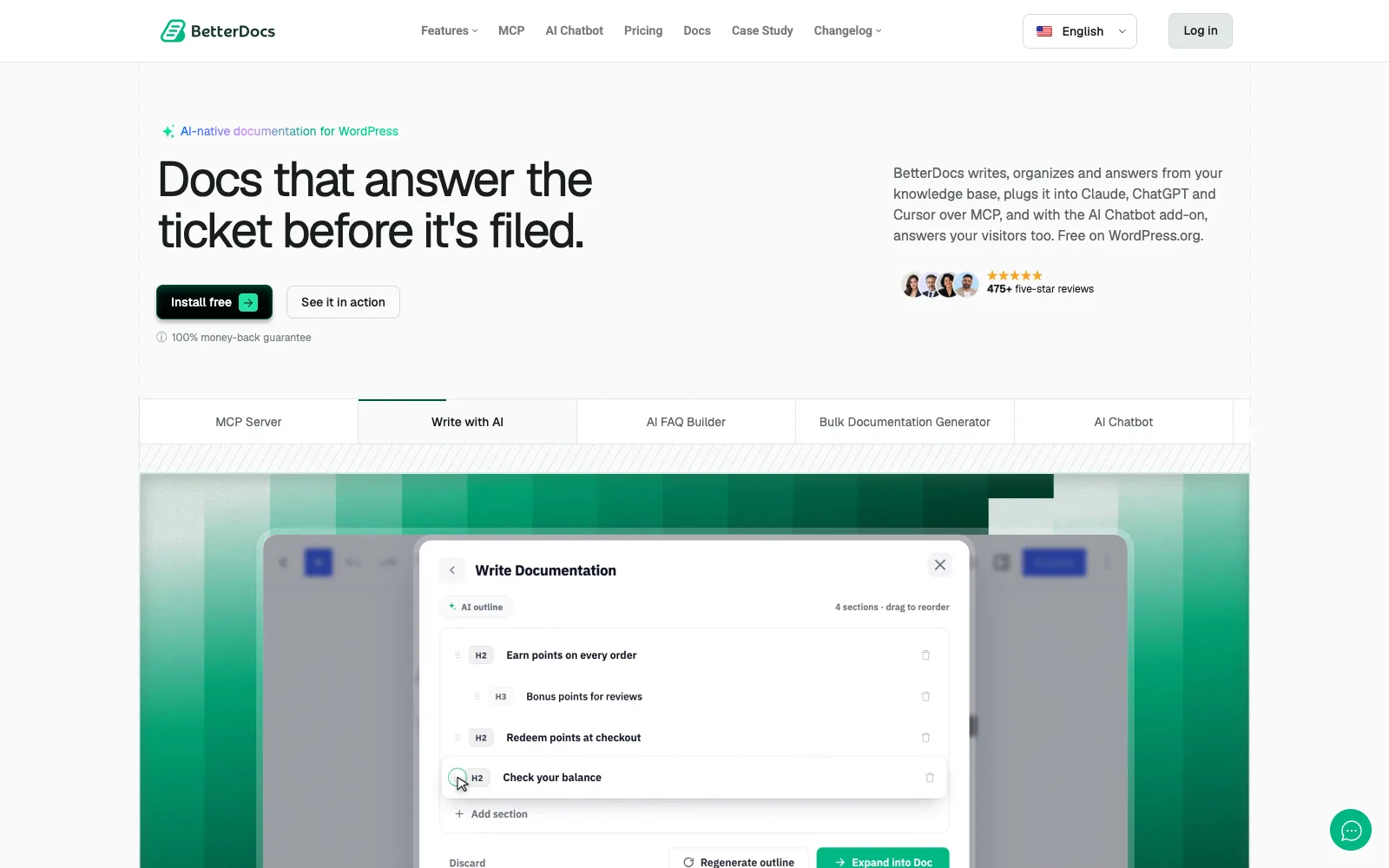
BetterDocs AI Chatbot is a paid add-on for BetterDocs, the most installed WordPress docs plugin (30,000+ installs, 4.8 from 517 reviews). It answers visitors from your BetterDocs knowledge base and shows links to the source docs.
Answers and handoff
BetterDocs’ docs say to paste your OpenAI key (a paid OpenAI plan is needed) or a Gemini key, with usage billed to your own AI account; attachments are limited to 3 files of 5 MB. The pricing page doesn’t describe human handoff. The plugin’s code includes settings for a handoff to a Slack webhook or a generic webhook, but there is no built-in inbox.
Cost and security
The add-on is $8.99/month or $69/year per site and requires BetterDocs Pro, so one site costs $138 a year at regular prices before AI usage. BetterDocs is running a Black Friday sale at the time of writing. WPScan lists 14 BetterDocs entries from 2024 to 2026, including an unauthenticated stored XSS via prompt injection in its AI summarizer (8.8, fixed in 4.5.5).
- ✓Source links on answers
- ✓Fits neatly into an existing BetterDocs site
- ✓Your key, billed by your provider
- ✓Mature docs platform underneath
- ✕Two paid layers before any AI usage
- ✕No built-in live chat or ticket inbox
- ✕Handoff not documented on the pricing page
- ✕Nine BetterDocs security entries in 2026
Best for: sites already running BetterDocs Pro that want answers from their docs and have a helpdesk elsewhere.
5. WPBot: best low-cost plugin with spend controls
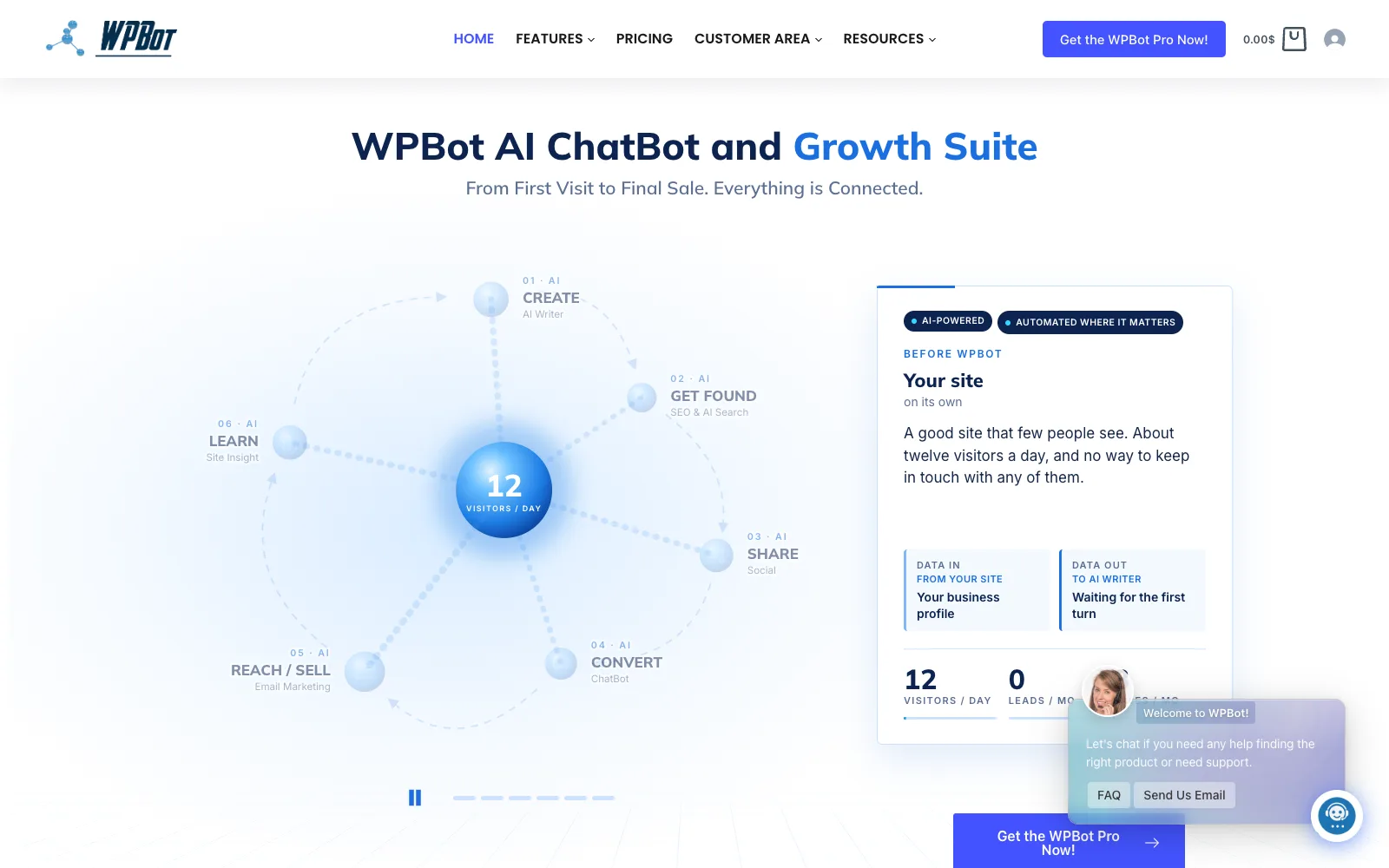
WPBot by QuantumCloud has 5,000+ installs and a 4.7 rating from 124 reviews. It is a chatbot plus a broad “growth suite” with an AI writer, SEO tools and email marketing, and it supports OpenAI, Claude, Gemini, Grok, Mistral, DeepSeek, OpenRouter and Ollama.
Answers and handoff
It answers from site content you train it on. In the free version, a stuck visitor can leave a message, send an email or request a callback; Pro adds live chat with operators and Slack. Chat sessions are stored in WordPress.
Cost and security
It shows the cost of each reply and lets you set monthly budgets per feature, and guests are limited to 60 AI answers a day by default. Pro is $39/yr for 1 site, or $149 lifetime. WPScan lists 26 entries from 2024 to 2026, 13 of them in 2026; the most severe was an unauthenticated PHP object injection (9.8) fixed in 5.1.1.
- ✓Per-reply cost display and budgets
- ✓Cheapest paid plan here
- ✓Lifetime option
- ✓Many AI providers, including local Ollama
- ✕Live chat with people is Pro only
- ✕Wide scope beyond support
- ✕Frequent security fixes in 2026
- ✕Seven one-star reviews on WordPress.org
Best for: small sites on a tight budget that want AI answers with a hard spending cap.
6. Chatbase: best hosted agent that hands off to your helpdesk
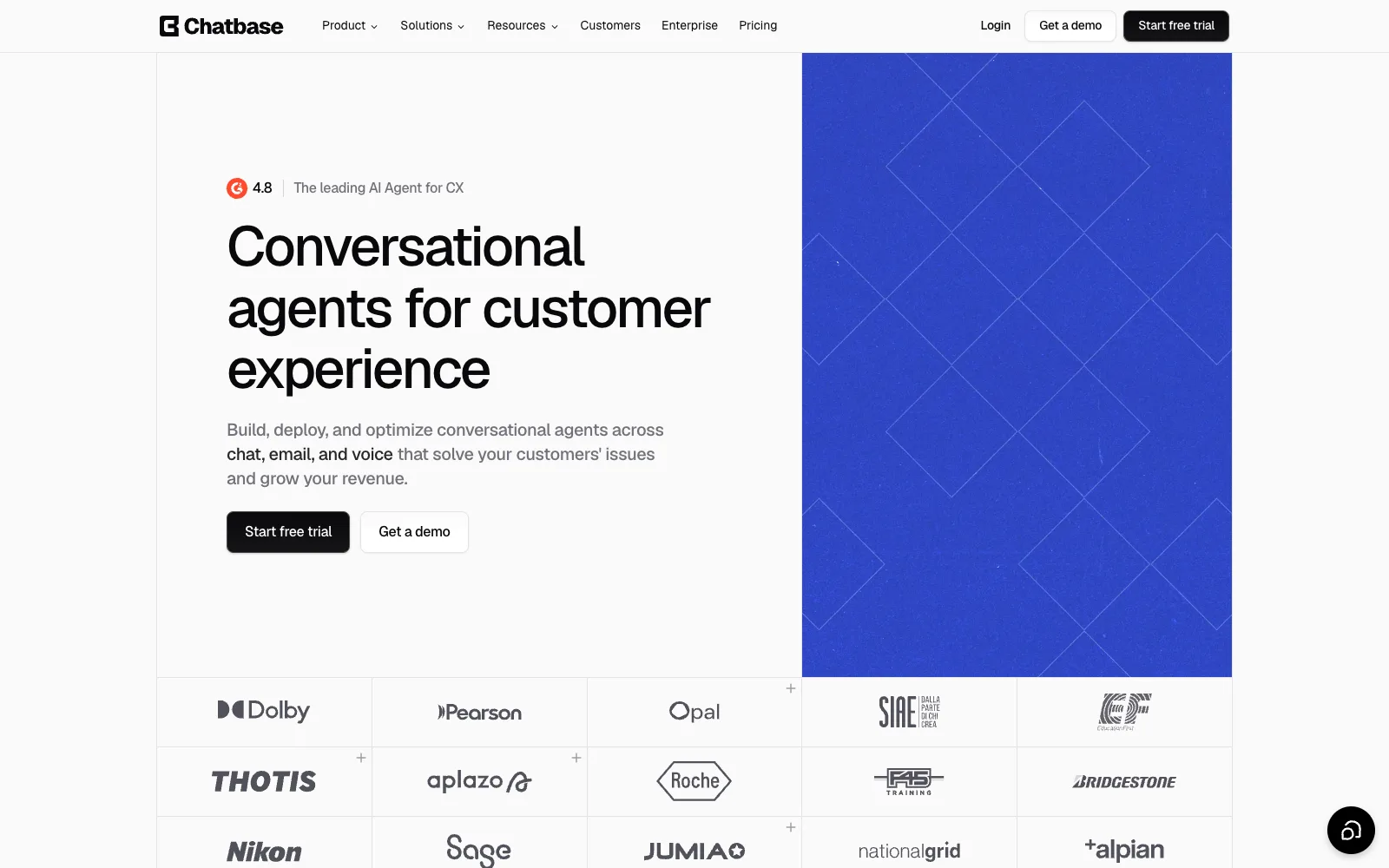
Chatbase is a hosted AI agent platform. You train an agent on your data sources in Chatbase and embed it on WordPress with a small official plugin that adds the chat bubble.
Answers and handoff
The agent can hand conversations to your helpdesk, such as Zendesk, with full context, and the Business plan can use tickets and Zendesk macros as sources. The widget demo shows the sources it checked. Chatbase picks from models by OpenAI, Anthropic, Gemini, DeepSeek and Mistral; no bring-your-own key is stated.
Cost and plugin
Basic is $120/month billed yearly with 4,000 message credits and one agent; Business is $400/month with 15,000. Extra credits are $40 per 1,000, and removing branding is $99/month. The WordPress plugin is only an embed, and WordPress.org warns it hasn’t been tested with the last three major WordPress releases.
- ✓Handoff to existing helpdesks with context
- ✓Vendor states SOC 2 Type II and GDPR
- ✓Data not used to train models (vendor)
- ✓Model choice without managing keys
- ✕Highest entry price among the self-serve tools
- ✕No free plan on the pricing page
- ✕Stale, low-rated WordPress plugin
- ✕Conversations live in Chatbase’s cloud
Best for: teams with an existing hosted helpdesk that want a polished AI agent on top and accept monthly credits.
7. Intercom Fin: the hosted benchmark for large teams
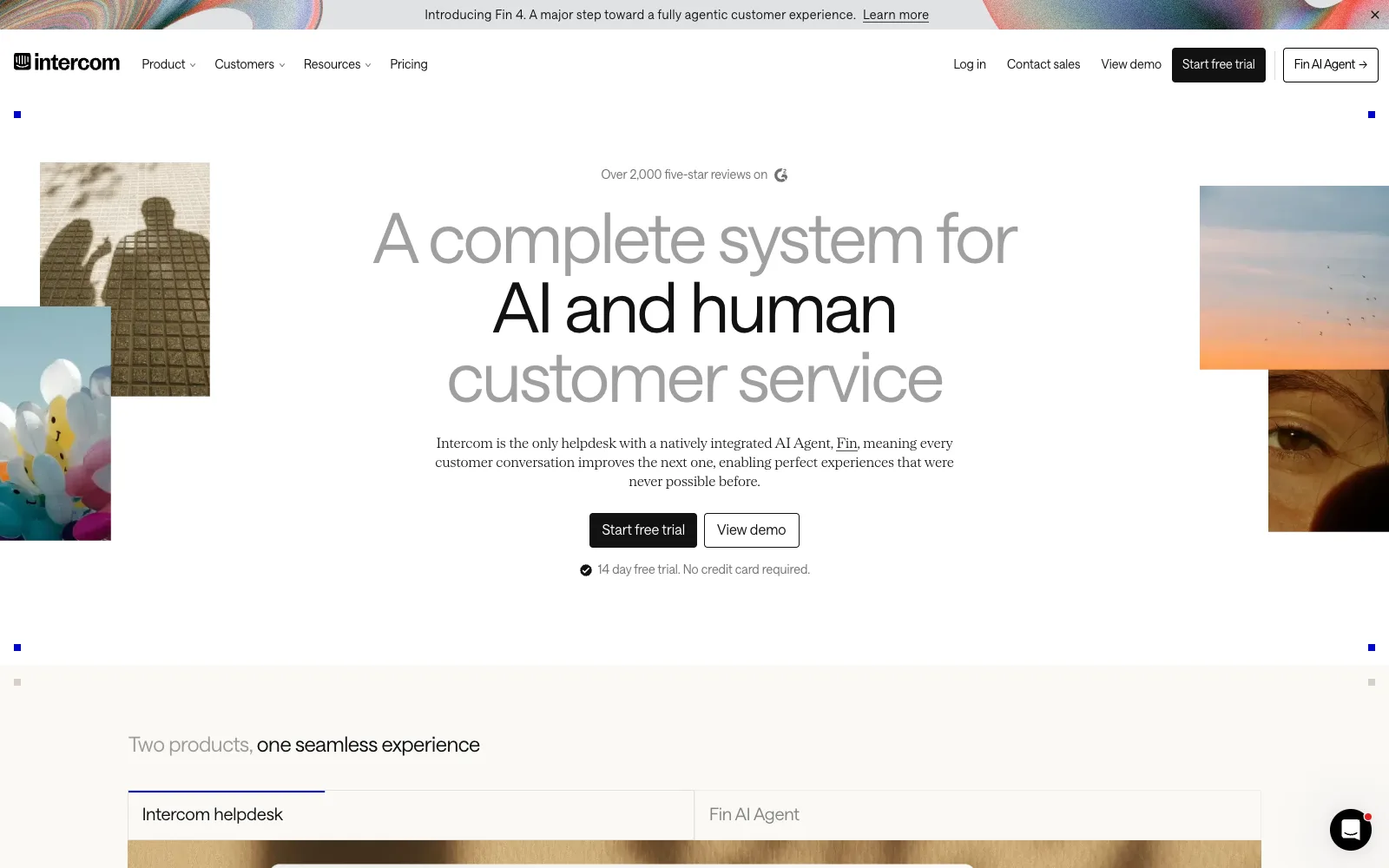
Intercom Fin is Intercom’s AI agent, priced per resolved outcome. It is the tool many support leaders measure others against, and it works with Intercom’s own helpdesk as well as Zendesk, Salesforce, HubSpot and Freshdesk.
Answers and handoff
Fin hands conversations to your human team with context and “speaks dozens of languages”. Intercom reports an average 76% resolution rate across 12,000+ customers (vendor claim). On WordPress you add the Intercom Messenger; the official plugin was last updated in April 2025.
Cost
Fin is $0.99 per outcome with a minimum monthly commitment, on top of Intercom seats: Essential $29 a seat ($19 with a new-customer discount), Advanced $85 and Expert $132. The billing cycle for seat prices isn’t stated on the page. Costs rise with success, which is fair but hard to forecast.
- ✓Strong handoff into a full helpdesk
- ✓Works with several major helpdesks
- ✓Multilingual
- ✓Pay only for resolved outcomes
- ✕Seat costs plus per-outcome fees
- ✕Overkill for most small WordPress sites
- ✕Data hosting not stated on the pages we read
- ✕Stale WordPress plugin
Best for: large support teams already on Intercom or a major helpdesk, with volume to justify outcome pricing.
The handoff test: what happens when the AI can’t answer?
The handoff test asks one question: when the bot doesn’t know, does the customer reach a person without repeating themselves? We checked four routes for each tool, using vendor pages and docs.
| Tool | Person joins the same chat | Becomes a ticket | Email follow-up | Other routes |
|---|---|---|---|---|
| DoubleScale | Yes | Yes, every chat, linked to the contact | Yes, after 5 minutes if the visitor left | Header and desktop alerts |
| Tidio Lyro | Yes, agent in Tidio | Via Lyro Connect to your support tool | Not stated | Live step-in |
| AI Engine | No built-in route found | No | No | Build your own |
| BetterDocs AI Chatbot | Not documented | No inbox | Not stated | Slack or webhook settings in code |
| WPBot | Pro live chat | No inbox | Free: message, email or callback | Slack (Pro) |
| Chatbase | In your helpdesk | Yes, in your helpdesk | Via your helpdesk | Zendesk and others |
| Intercom Fin | Yes, Intercom team | Yes, Intercom or connected helpdesk | Via Intercom | Zendesk, Salesforce, HubSpot, Freshdesk |
Two patterns stand out. The hosted tools (Tidio, Chatbase, Intercom) hand off well because they are, or plug into, a helpdesk. Most WordPress AI plugins stop at the answer: you get a clever bot and a separate problem. DoubleScale is the exception among plugins because the chat is a helpdesk ticket from the first message, so the handoff is a team member joining, not a transfer.
What does an AI chatbot cost per 1,000 support conversations?
Between roughly $2 and $500 a month in AI usage for the same 1,000 conversations, depending on the pricing model. Bring-your-own-key plugins pass on your AI provider’s token prices; hosted tools charge per conversation, credit or outcome. Here are the assumptions we used, so you can swap in your own.
- 1,000 conversations a month, 3 AI replies each.
- About 12,000 input tokens and 900 output tokens per conversation (instructions, retrieved article text and history, resent each turn). This is an assumption, not a measured figure for any tool.
- The AI fully resolves 50% of conversations (500 outcomes). Again an assumption.
- Token prices from Anthropic’s published API pricing: Claude Haiku 5.5 at $0.10 input and $0.50 output per million tokens; Claude Sonnet 5.5 at $2 and $10.
On those numbers, AI usage is about $1.65 a month on Claude Haiku 5.5 and about $33 on Claude Sonnet 5.5 for any plugin that uses your own Anthropic key.
| Tool | Pricing model | Licence or plan | AI usage, 1,000 conversations | Rough monthly total |
|---|---|---|---|---|
| DoubleScale | Your key | $124/yr Pro (about $10/mo) | $1.65 to $33 | About $12 to $43 |
| AI Engine | Your key | $59/yr Pro (about $5/mo) | $1.65 to $33 | About $7 to $38 |
| WPBot | Your key | $39/yr Pro (about $3/mo) | $1.65 to $33 | About $5 to $36 |
| BetterDocs AI Chatbot | Your key + add-on | $138/yr (about $12/mo) | Your OpenAI or Gemini bill | $12 + AI bill |
| Tidio Lyro | Per Lyro conversation | Tidio plan (Starter $24.17/mo annual) | Lyro tier for 1,000; price not listed in text | Check the Tidio calculator |
| Chatbase | Message credits | Basic $120/mo (4,000 credits) | 3,000 replies fit if one credit each | About $120 |
| Intercom Fin | Per outcome | At least one seat ($29 list) | 500 outcomes x $0.99 = $495 | About $524 |
Regular prices; DoubleScale Pro is $99/yr during Black Friday. We assume the same token use for every bring-your-own-key tool; real use depends on how much article text each sends. Chatbase credit use per model was not verified.
The licence is the small part of the bill. With your own key, the model you pick matters far more than the plugin: the same traffic costs 20 times more on a larger model. Start on a small, fast model, check answer quality in testing, and only move up for the questions it gets wrong. Then check your provider’s usage dashboard after a week of real traffic, because your actual token use will differ from our assumption.
Where are your support conversations stored?
With a WordPress plugin, conversations are usually stored in your own database and only the question text goes to the AI provider. With a hosted tool, the whole conversation lives in the vendor’s cloud. Neither is wrong, but it matters for GDPR records, data requests and exports.
| Tool | Where chats are kept | What leaves your site |
|---|---|---|
| DoubleScale | Your WordPress database, as helpdesk tickets linked to contacts | Question text to your chosen AI provider, only when the assistant answers |
| AI Engine | Your own server | Chat content to your AI provider; free version sends nothing to Meow Apps |
| WPBot | WordPress (chat sessions) | Messages and trained content to your AI provider, when enabled |
| BetterDocs AI Chatbot | Not stated on the pages we read | Questions and docs to OpenAI or Gemini; keys stored on your server |
| Tidio Lyro | Tidio’s cloud inbox | Whole conversation |
| Chatbase | Chatbase’s cloud (vendor states SOC 2 Type II, GDPR) | Whole conversation; vendor says not used to train models |
| Intercom Fin | Intercom’s cloud (hosting region not stated on pages we read) | Whole conversation |
How do you make an AI support assistant accurate?
You make it accurate by improving what it reads, not by tuning the bot. An assistant grounded in your knowledge base is only as good as the articles behind it, so most of the work is writing and reviewing. This is the routine we’d follow in DoubleScale; the same idea applies to any grounded chatbot.
- 1Write the source articles firstOne question per article, a plain title in your customers’ words, numbered steps, and the exact policy wording (refund windows, delivery times). The assistant answers only from published articles and the pages you pick.
- 2Choose the pages it may readAdd pricing, shipping, policy and contact pages. Leave out blog posts with opinions or old offers that could become wrong answers.
- 3Write the no-answer replyDecide what it says when it doesn’t know, and make sure it offers your team. A short, honest reply beats a confident wrong one.
- 4Test with Try it before going livePaste 20 real questions from last month’s tickets, including awkward ones. Check that every answer cites an article and that out-of-scope questions get the no-answer reply.
- 5Review conversations every weekOpen the Conversations screen: answered, not answered and sent to support, plus ratings. “Questions without an answer” groups the gaps and counts them; use Write an article on the top ones.
- 6Fix the article, then re-testWhen an answer is wrong, the article is usually unclear or missing a case. Edit it, then ask the same question in Try it again.
If you are still building the knowledge base itself, start with our guide to WordPress knowledge base plugins for support teams, which covers writing articles from your ticket queue.
Are WordPress AI chatbot plugins secure?
They can be, but AI plugins add new attack surface (API keys, MCP servers, prompt injection), so keep them updated. Every issue below is fixed in the current version. Counts are WPScan entries from 2024 to 2026, checked 19 November 2026; more entries often means more popularity and research attention, not necessarily worse code.
| Tool | Entries 2024 to 2026 | Most severe | Fixed in |
|---|---|---|---|
| DoubleScale | 1 | Subscriber+ file upload via the portal (8.8, Oct 2026) | 1.6.0 |
| AI Engine | 46 | Unauthenticated privilege escalation (9.8, 2025) | 3.1.4 |
| WPBot | 26 | Unauthenticated PHP object injection (9.8, 2024) | 5.1.1 |
| BetterDocs | 14 | Unauthenticated PHP object injection (9.8, 2024) | 3.3.4 |
| Tidio | 0 (one entry from 2019) | n/a | 4.2.0 |
| Chatbase, Intercom plugins | Not checked | n/a | n/a |
Which AI support chatbot should you choose?
- Choose DoubleScale if you want the chatbot, live chat and tickets in one WordPress helpdesk, with your own AI key and no per-seat fees, and you’re fine with a young plugin.
- Choose Tidio Lyro if you want a hosted chat with AI and human handoff running today, and per-conversation pricing suits your volume.
- Choose AI Engine if you are a developer who wants every AI provider and will build the handoff yourself.
- Choose BetterDocs AI Chatbot if your docs are already in BetterDocs Pro and your helpdesk lives elsewhere.
- Choose WPBot if the budget is tight and you want hard spending caps.
- Choose Chatbase or Intercom Fin if you already run a hosted helpdesk and want a polished agent on top, priced by credits or outcomes.
Whichever you pick, run the handoff test on your own site before launch: ask something the bot can’t know and see where you end up. If you are weighing hosted suites too, our Zendesk alternatives for WordPress and Quill Forms’ self-hosted Intercom alternatives cover that side.
DoubleScale Pro adds an AI assistant that cites your articles and live chat that turns every conversation into a ticket. Your own AI key, no per-agent seats.
Frequently asked questions
What is the best AI chatbot for WordPress customer support?
For a support team that wants answers from its own docs and a handoff to people in the same system, DoubleScale is our pick: AI assistant, live chat and tickets in one WordPress helpdesk. Tidio Lyro is the easiest hosted choice with human handoff, AI Engine suits developers, and Intercom Fin is the benchmark for large teams with budget.
Can an AI chatbot be trained on my knowledge base?
Yes. Most support chatbots use retrieval: they search your articles for each question and answer from the matching text. DoubleScale answers from your published knowledge base and chosen pages, BetterDocs AI Chatbot from your BetterDocs docs, Tidio Lyro from support content it scrapes, and AI Engine from posts and PDFs. Answers are only as good as those articles.
How much does an AI chatbot for WordPress cost?
It depends on the pricing model. Plugins that use your own key charge a licence (from $39 to $138 a year here) plus your AI provider’s usage, which can be a few dollars a month for 1,000 conversations on a small model. Hosted tools charge per conversation, credit or outcome: Chatbase starts at $120 a month and Intercom Fin is $0.99 per outcome plus seats.
Will an AI chatbot replace my support team?
No, and it shouldn’t try. A grounded chatbot handles repeat questions that already have an article, which frees your team for problems that need judgement, account access or empathy. What matters is the handoff: when the bot doesn’t know, a person should pick up the same conversation, with the customer’s details, without the customer starting over.
What happens when the chatbot doesn’t know the answer?
That depends on the tool, and you should test it. In DoubleScale it says so, offers your team, and the chat goes to your support agents as live chat and a ticket. Tidio forwards to a human in its inbox, Chatbase and Intercom hand off to a helpdesk, and plugins like AI Engine have no built-in route, so you would build one.
Is an AI chatbot GDPR compliant?
The tool alone can’t make you compliant, but where data goes matters. WordPress plugins such as DoubleScale, AI Engine and WPBot keep conversations in your own database and send question text to the AI provider you choose. Hosted tools store whole conversations in their cloud. Either way, list the AI provider in your privacy policy and sign its data processing terms.
Do I need my own OpenAI or Claude API key?
For the WordPress plugins here, yes: DoubleScale, AI Engine, WPBot and BetterDocs’ chatbot use a key you create with an AI provider, who bills you directly. DoubleScale works with OpenAI, Anthropic (Claude), Google Gemini or any OpenAI-compatible service. Hosted tools like Tidio, Chatbase and Intercom include the AI in their own pricing instead.
Will an AI chatbot slow down my WordPress site?
The chat widget adds a script to the pages where it shows, and answering happens on the AI provider’s servers, not in the visitor’s browser. We found no published, measured speed comparison for these tools, so test on your own site. Limiting the widget to the pages that need it, which DoubleScale and most tools allow, reduces the impact.
Related guides
- 7 WordPress knowledge base plugins for support teams
- BetterDocs alternative with a helpdesk and live chat
- Why your CRM should include a helpdesk
- DoubleScale knowledge base
Sources
Checked on 19 November 2026: Tidio pricing and Lyro; AI Engine Pro; BetterDocs pricing and BetterDocs chatbot documentation; WPBot pricing; Chatbase pricing and its WordPress guide; Intercom pricing and fin.ai; Anthropic API pricing; WordPress.org plugin pages and API for install counts and ratings; WPScan and Patchstack for security records; DoubleScale details from doublescale.io/features/live-chat and doublescale.io/pricing.
Get our guides first on GoogleAdd DoubleScale as a preferred source and our articles show up more often in your Top Stories.

DoubleScale Team, Editorial team
The DoubleScale team builds the all-in-one CRM for WordPress. We test the tools we write about and check every price and feature on the vendor's own pages before we publish.
Practical CRM tips, once a month
Guides on growing with WordPress: lead capture, email marketing, automations and sales. No spam, unsubscribe anytime.