



















If you run a WooCommerce store, DoubleScale can import your customers directly from the WooCommerce customer database. This creates contacts from your buyer data including their name, email, and billing address information.
Prerequisites
- WooCommerce must be installed and active on your site.
- You must have at least one customer with order history.
If WooCommerce is not active, this import source will not appear.
How to Import
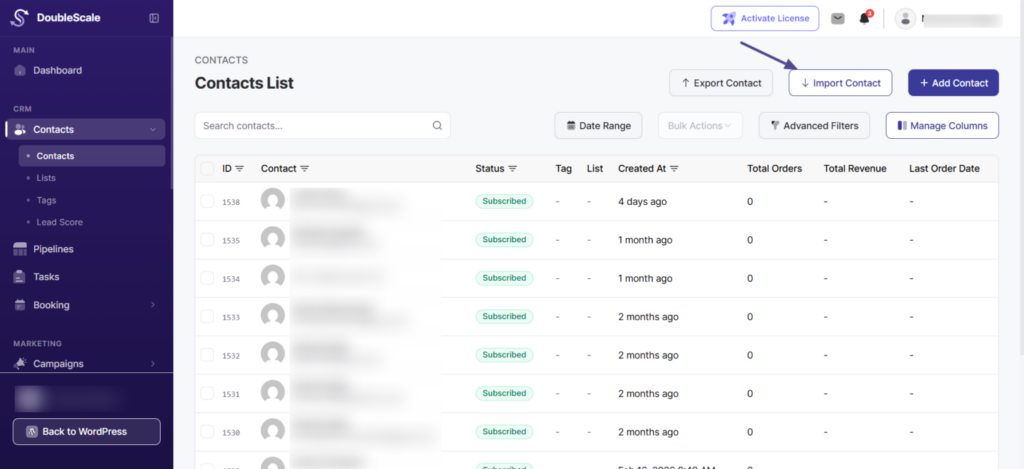
- Go to DoubleScale → Contacts and click “Import”.
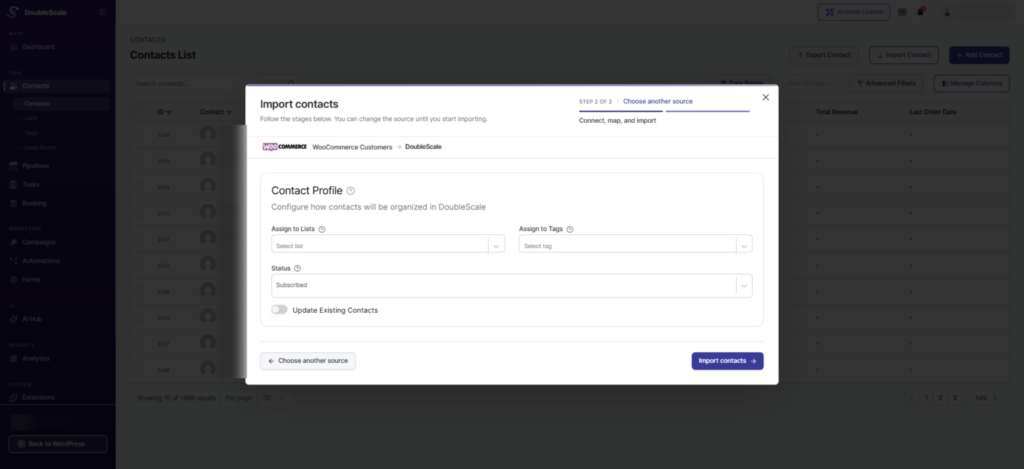
- Select “WooCommerce Customers” from the source list.
- DoubleScale reads from the WooCommerce customer lookup table.
- Set your Contact Profile options.
- Click “Import”.
What Gets Imported
| WooCommerce Field | DoubleScale Field |
|---|---|
| first_name | First Name |
| last_name | Last Name |
| city | City |
| state | State |
| postcode | Zip |
| country | Country |
Duplicate Handling
Contacts are matched by email. Enable “Update Existing” to update existing contacts with WooCommerce customer data, or leave it off to skip duplicates.