What are stages?
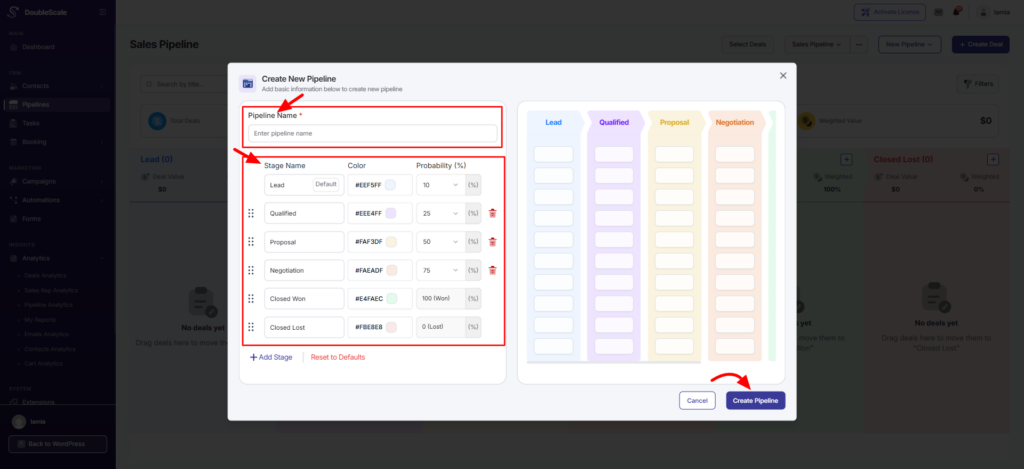
Stages represent the steps included in your pipeline (sales process). In the CRM, they are presented in columns and move from left to right. Any deal you create should start in the left column and can be dragged to other columns as it progresses. There is no limit to the number of stages that you can have in your pipeline.
You can add a stage, edit, or delete, and you can drag and drop any stage you want