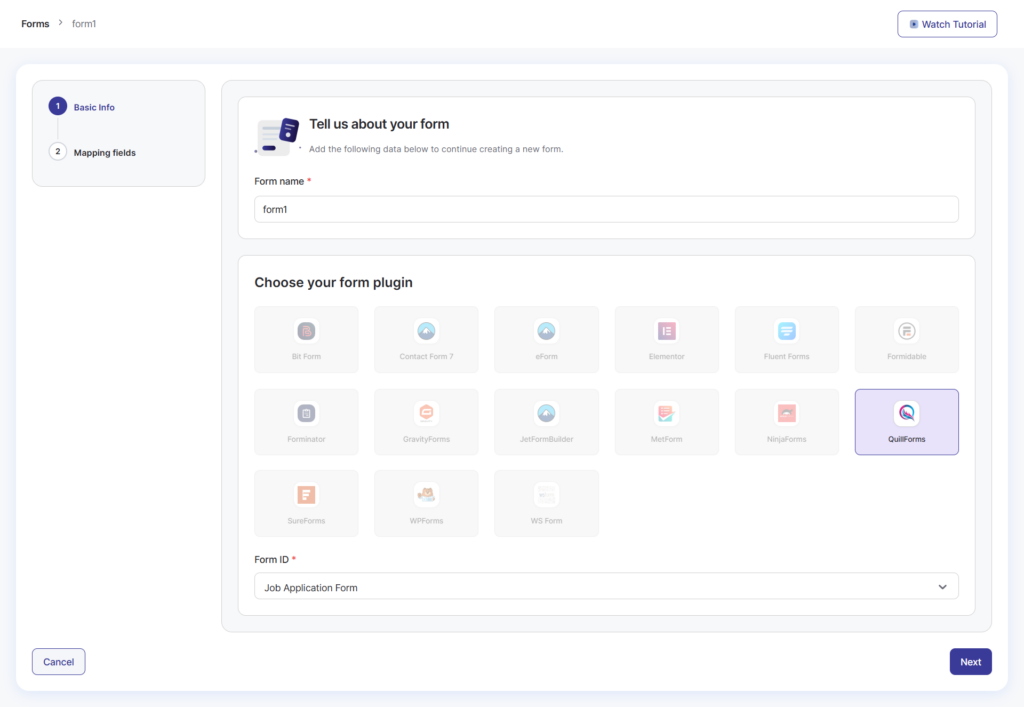
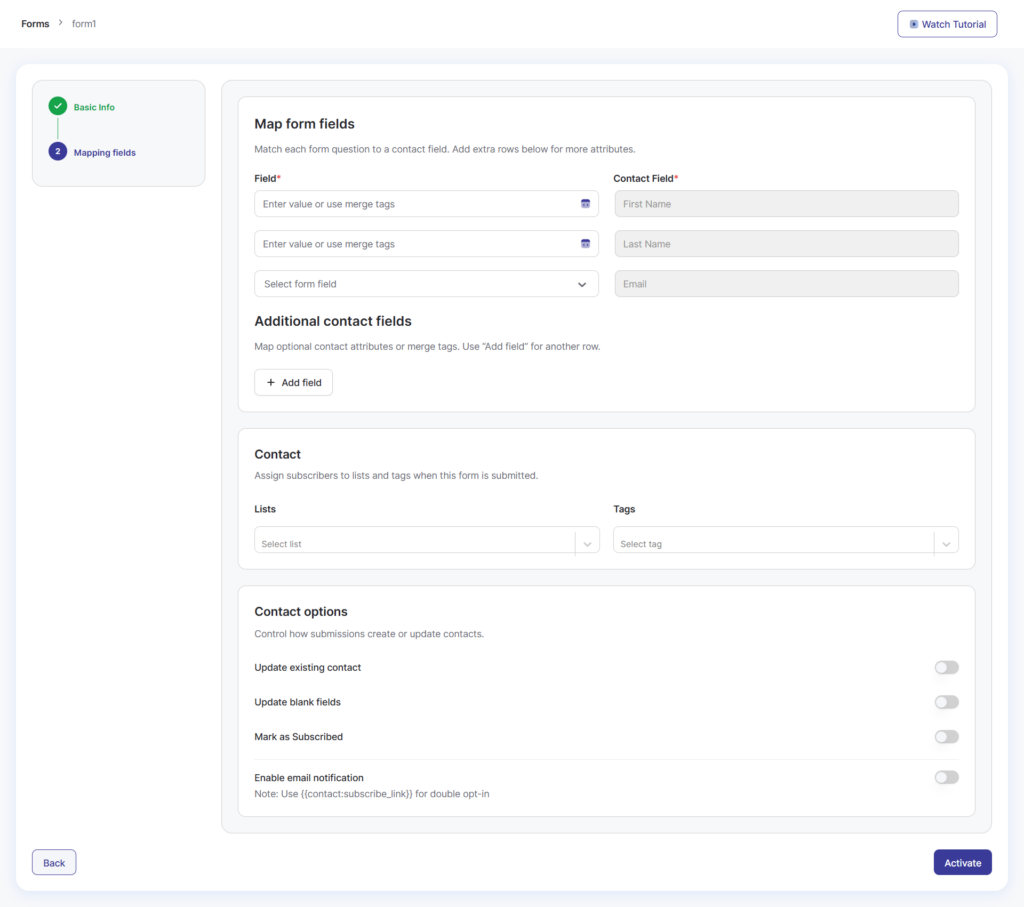
Form Actions
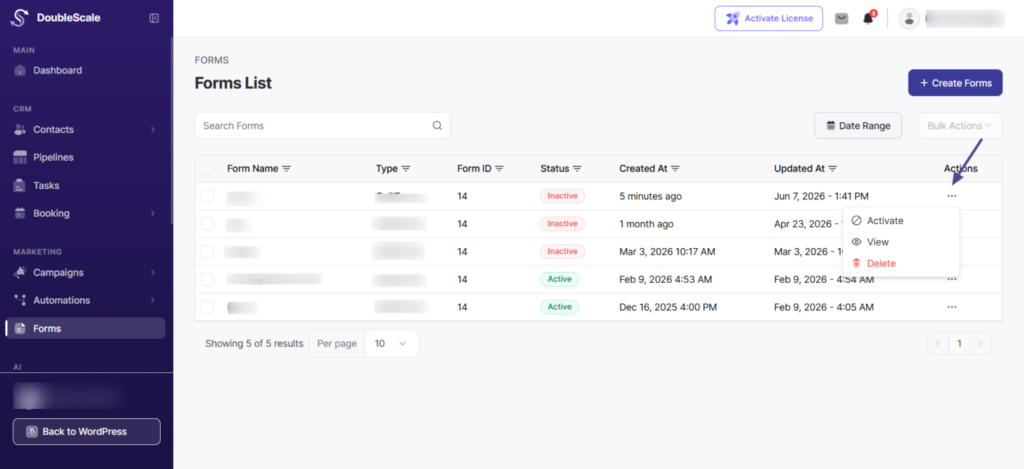
Click the three-dot menu (…) next to any form to:
- View – See or edit form details
- Deactivate – Temporarily disable the form
- Delete – Permanently remove the form
Editing Forms
- Navigate to the Forms List
- Click the three-dot menu next to the form you want to edit
- Select View to open the form
- Click the form to access Form Information or Mapping Fields
- Make your changes
- Click Update Form to save changes