




























What are goals?
A goal is a way to stop the automation at a specific step and pause all steps that come after it.
Once the goal is achieved for a contact, all subsequent steps are processed.
If the goal is achieved again for the same contact, the automation will process the steps again.
Different Goals We offer
Contact Subscribed—Achieve the goal when a contact subscribes to your system.
List Added—Achieve the goal when a contact is added to a selected list.
List Removed—Achieve the goal when a contact is removed from a selected list.
Tags Added— Achieve the goal when selected tags are added to a contact.
Tag Removed—Achieve the goal when a selected tag is removed from a contact.
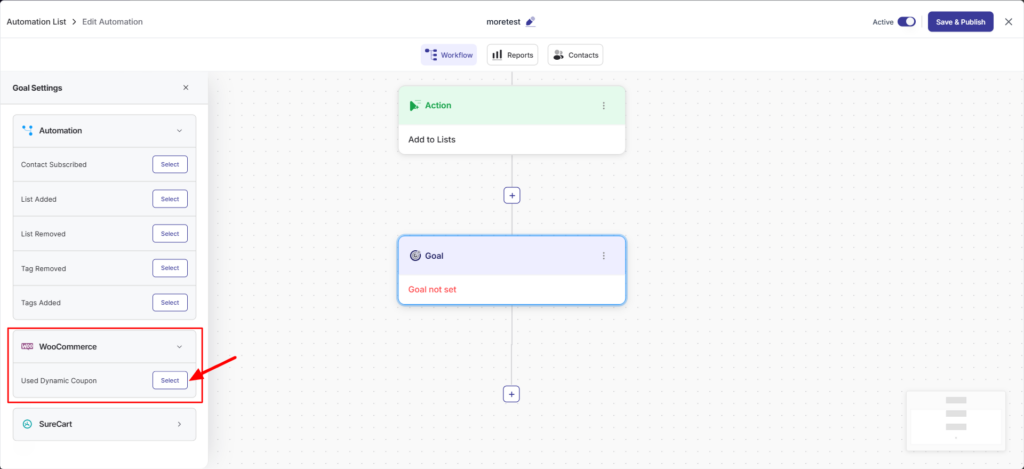
Used Dynamic Coupon—Achieve the goal when a contact uses a dynamic WooCommerce coupon.
I will create a simple automation to explain how a goal works.
Trigger: Contact Created.
Action: Create a coupon in WooCommerce.
Action: Send the coupon to the contact via email.
Goal: Used Dynamic Coupon—This checks whether the contact has used the coupon.
- If the coupon is not used, no email will be sent.
- If the coupon is used, an email will be sent confirming that the coupon was used.
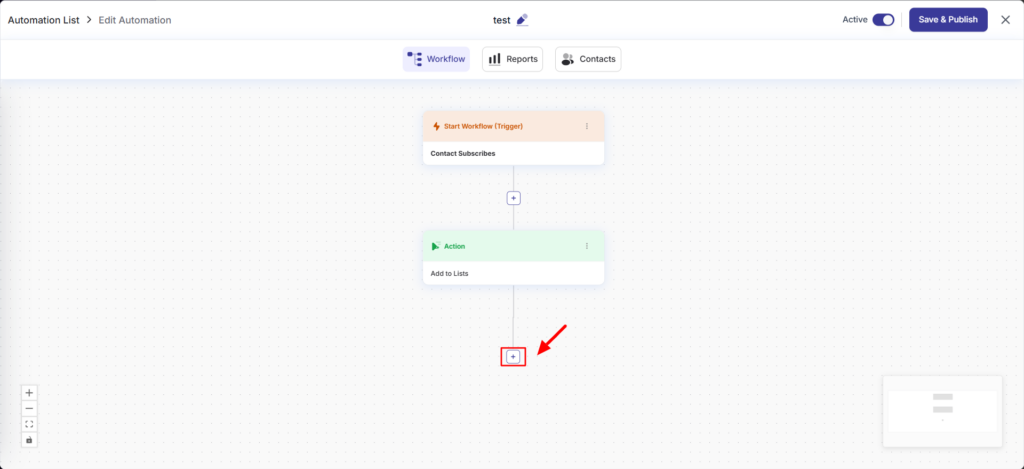
Click on the (+) button under your event.
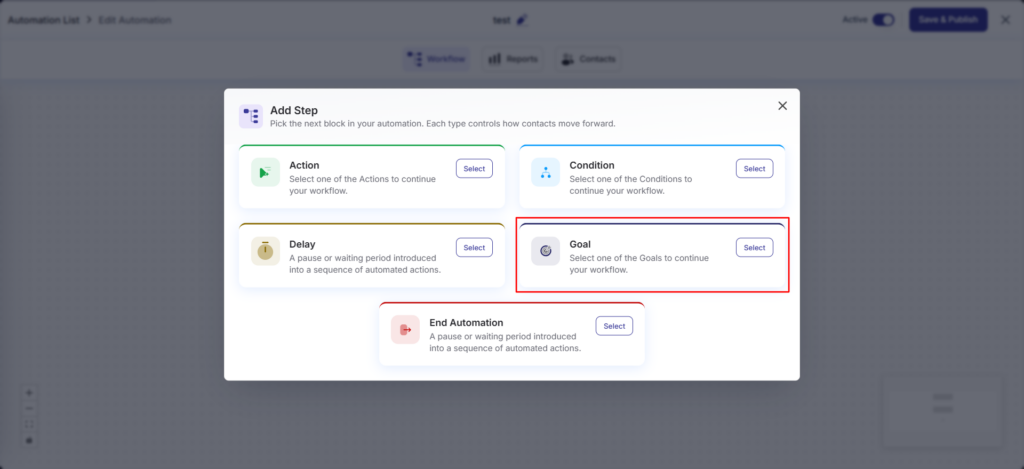
Next, open the sidebar and select Used Dynamic Coupon from the Goal options.
This action creates a coupon, and the available merge tags let you dynamically control the coupon code during automatic creation.

Copy the merge tags from this action and paste the merge tags that were copied from the “Create Coupon” step.

After the contact is created, you will receive this message via email.

After an order is created using this coupon code, this message will be sent.

What Happens If a Contact Reaches the Goal Node?
When a contact accomplishes a goal, it skips all the previous steps and reaches the Goal step.
Further, if there are any steps after Goal, it’ll start executing those steps on your workflow.
However, if there are no steps, then it’ll end the automation.
That’s why goals measure the effectiveness and boost the performance of your automations.
That’s it! This was all about setting goals in your automation.
Goals that let contacts jump ahead
A contact who achieves a goal earlier in the workflow, for example during a delay, skips the steps in between and continues from the goal.
If a contact reaches a goal without achieving it
In the goal’s settings, choose what happens when a contact arrives at the goal step before achieving it:
| Option | What happens |
|---|---|
| Wait until the goal is achieved | The contact waits at the goal until it is achieved, then continues. |
| Continue to the next step anyway | The contact moves on to the following steps. |
| End the automation for this contact | The workflow stops for this contact. |
See why in the contact journey
The contact’s journey explains each outcome, for example “Goal achieved early: the contact skipped the steps before it”, “Goal already achieved when the contact arrived”, “Goal not achieved yet: the contact continued” or “Goal not achieved: the automation ended for this contact”.