


























DoubleScale enables WhatsApp messaging inside automations to help you respond,
engage, and follow up with customers automatically.
Supported features:
- Trigger: WhatsApp Received — fires when a contact messages your business number
- Action: Send WhatsApp — sends a Meta-approved WhatsApp template message
WHATSAPP RECEIVED TRIGGER
This trigger starts an automation whenever a contact sends a WhatsApp message
to your connected business number.
SETUP
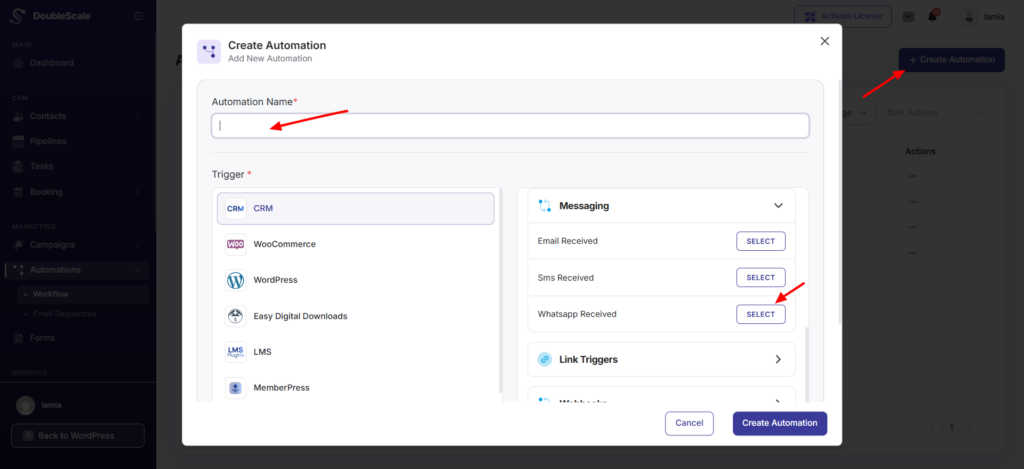
- Navigate to: DoubleScale → Automations → Create Automation
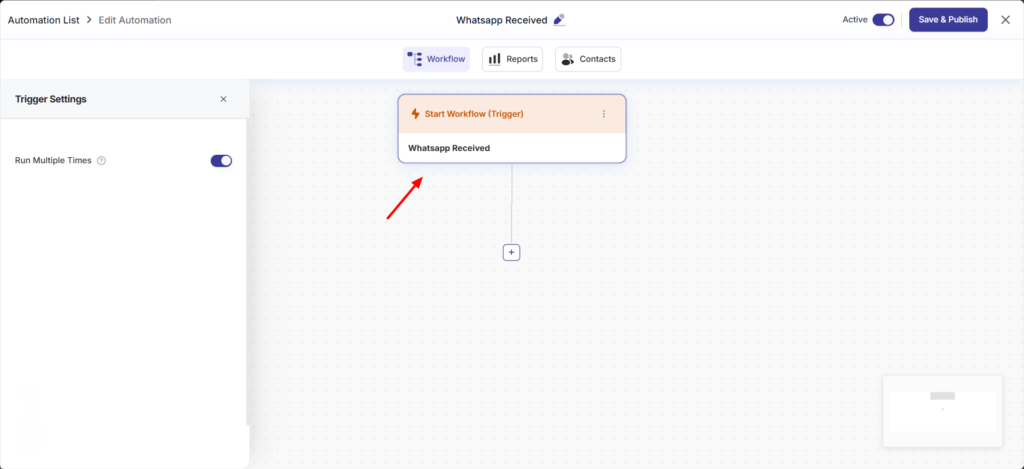
- Choose trigger: WhatsApp Received (Messaging group)
- (Optional) Add a Message Contains filter to react only to specific keywords
AVAILABLE FILTER
- Message Contains
Trigger only when the incoming message includes specific text
(case-insensitive)
MERGE TAGS AVAILABLE AFTER TRIGGER
These tags can be used in actions that follow the trigger:
- {{messaging:message_body}} → Incoming message text
- {{messaging:from_number}} → Sender’s WhatsApp number
- {{messaging:to_number}} → Your business WhatsApp number
- {{messaging:has_media}} → Indicates if the message includes attachments
EXAMPLE — AUTO-REPLY TO KEYWORDS
Trigger: WhatsApp Received
Message Contains: HELP
Action: Send WhatsApp
Template: help_menu
Variable Mapping:
{{1}} → {{contact:first_name}}
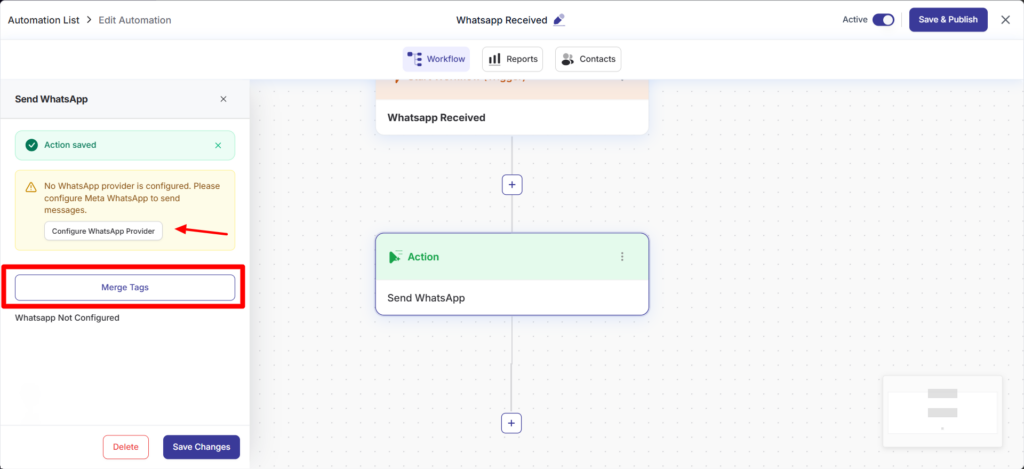
SEND WHATSAPP ACTION
This action sends a pre-approved WhatsApp template message to a contact.
SETUP
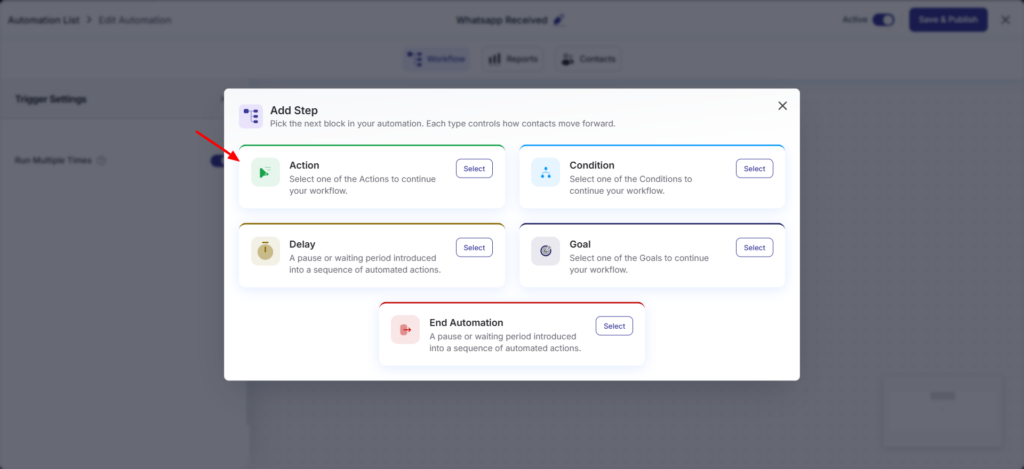
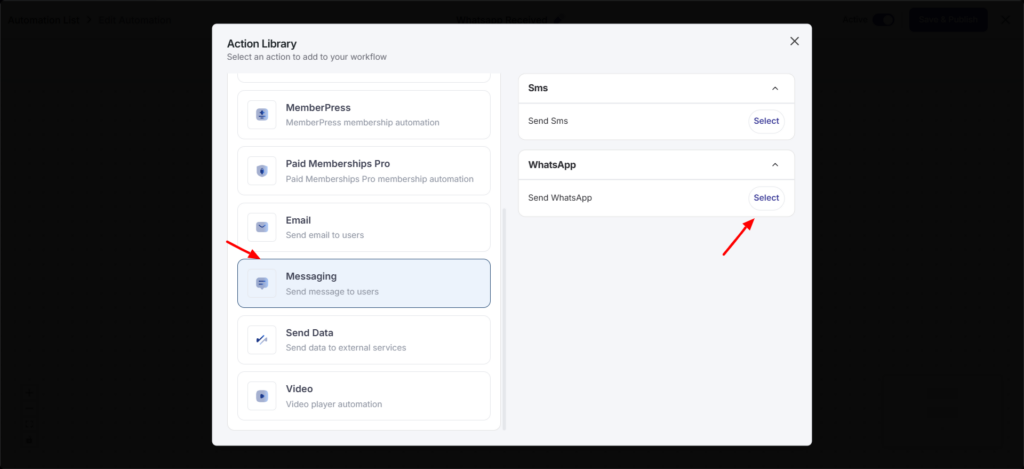
- Add action: Send WhatsApp (Messaging group)
- Select a WhatsApp template synced from Meta
- Map template variables to contact data or static values
CONFIGURATION FIELDS
- WhatsApp Template
Select from Meta-approved templates synced into QuillCRM - Template Variables
Map placeholders such as {{1}}, {{2}}, etc.
VARIABLE MAPPING EXAMPLES
Contact fields:
{{1}} → {{contact:first_name}}
{{2}} → {{contact:company}}
Static values:
{{1}} → Welcome
{{2}} → 24 hours
With defaults:
{{1}} → {{contact:first_name|default:there}}
COMMON AUTOMATION USE CASES
WELCOME NEW CONTACT
Trigger: Contact Subscribed
Action: Send WhatsApp
Template: welcome_message
{{1}} → {{contact:first_name}}
ORDER CONFIRMATION
Trigger: WooCommerce Order Created
Action: Send WhatsApp
Template: order_confirmation
{{1}} → {{contact:first_name}}
{{2}} → {{woocommerce:order_number}}
AUTO-REPLY (STATUS CHECK)
Trigger: WhatsApp Received
Message Contains: STATUS
Action: Send WhatsApp
Template: order_status_reply
{{1}} → {{contact:first_name}}
REQUIREMENTS
- Contact must have a valid whatsapp_phone field
Format: E.164 (example: +1234567890) - WhatsApp templates must be approved by Meta
- Meta WhatsApp integration must be enabled:
Settings → Integrations