

























DoubleScale allows you to set up a way for clients to pay for your booking services, whether you prefer Stripe, WooCommerce. Follow the simple steps to get it done.
Enable Payment Settings
Before you start accepting payments, you’ll need to choose Currency.
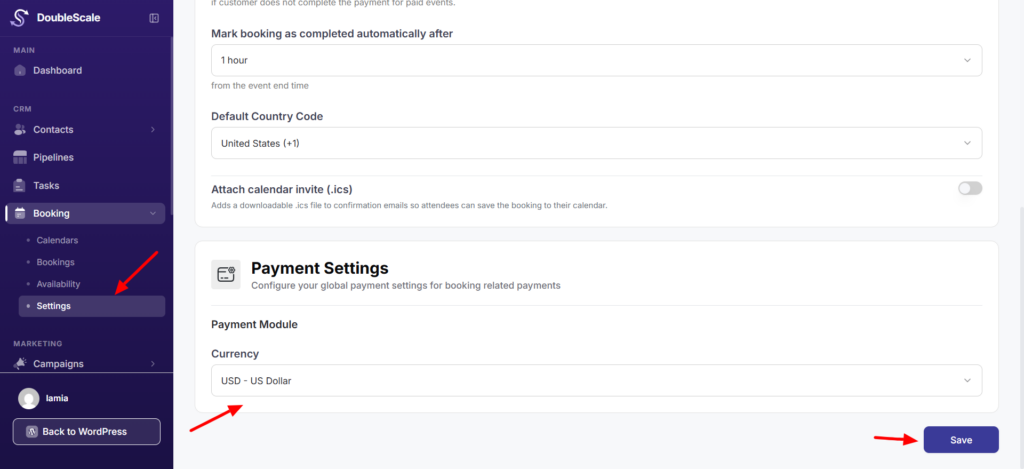
Start by going to the Settings menu. scroll down until you see Payment Settings.
choose the Currency you’d like to use for your bookings from the dropdown menu. Then, click the Save button. That’s it!
Configure Payment Settings
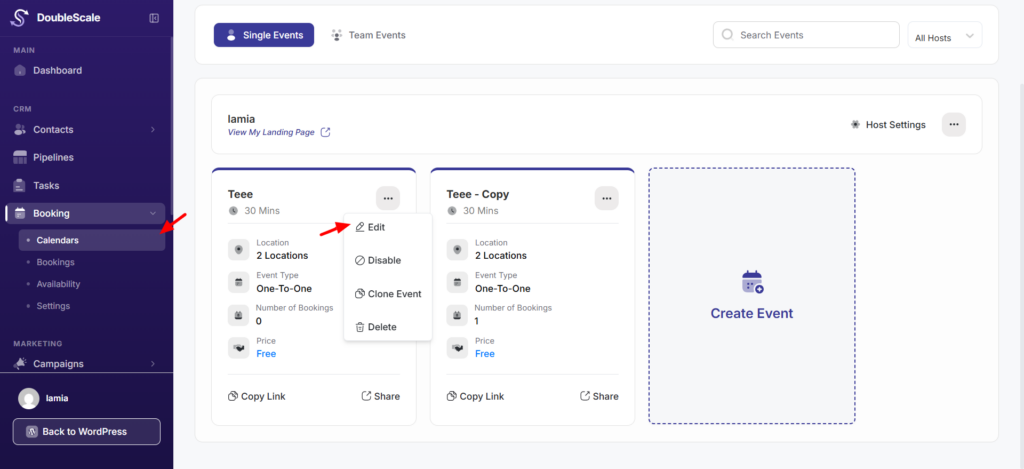
To set up payments for a specific booking, click the Calendars section in your DoubleScale Booking dashboard. Find the booking you want to update, then click the Edit button.
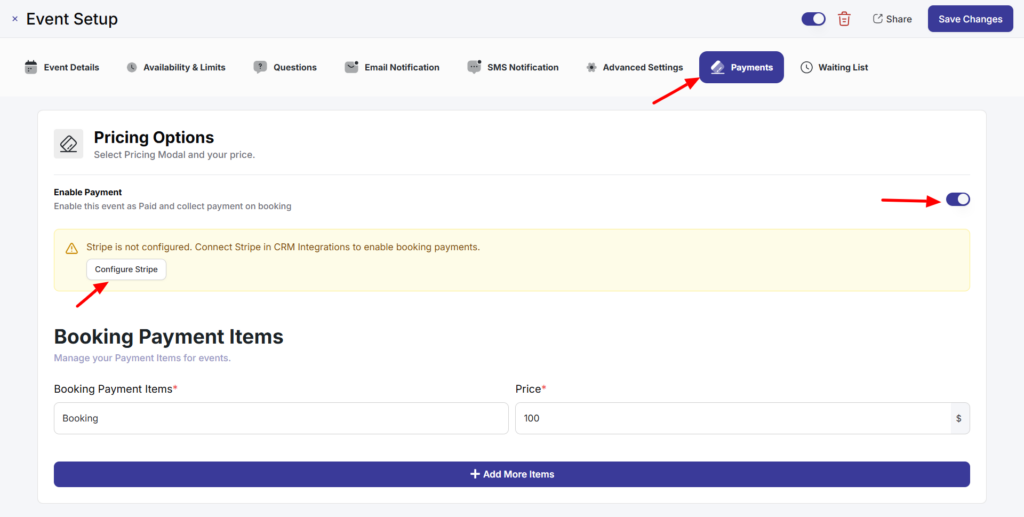
Now, select the Payment option and choose the checkbox that says Enable this event as Paid and collect payment on booking.
QuillBooking lets you accept payments using built-in options like Stripe.
Once you’ve selected configure stripe if not configured, doubleScale go to intergation stripe.
If you need to add more services or items, click the Add More Item button and fill in the details. After setting everything up, click the Save Changes button to save your settings.
Set up your Payment Gateway
To make the system work, you need to connect at least one payment method. DoubleScale supports multiple payment methods for a single booking.