



















Your DoubleScale Pro license unlocks Pro features and updates on your site. You manage it in DoubleScale → Settings → License (under System). To activate a license for the first time, see Install DoubleScale Pro and activate your license.
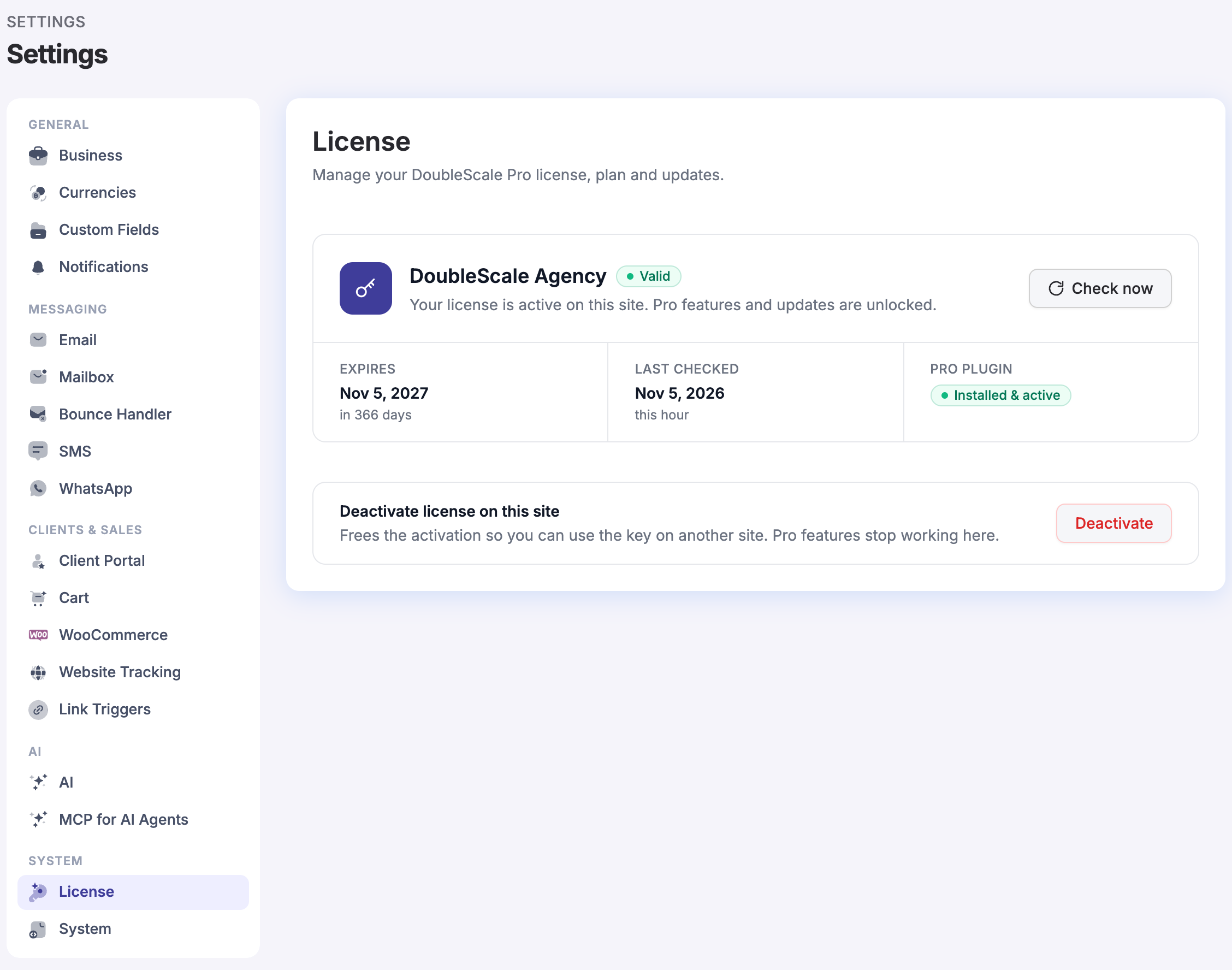
What the License page shows
- Plan and status: your plan name, with Valid when Pro features and updates are unlocked.
- Expires: the date your license renews or ends. Lifetime licenses show Never (lifetime).
- Last checked: when DoubleScale last confirmed your license with doublescale.io.
- Pro plugin: whether DoubleScale Pro is Installed & active, with a button to install or activate it if not.
Refresh your license
Renewed, upgraded or changed your plan? Click Check now on the License page. DoubleScale checks your license with doublescale.io right away and shows your new plan and expiry date.
Move your license to another site
- On the site you’re leaving, open DoubleScale → Settings → License.
- Under Deactivate license on this site, click Deactivate. This frees the activation; Pro features stop working on that site.
- On the new site, activate the same key in DoubleScale → Settings → License.
Each plan includes a number of site activations; see plans and pricing.
If your license is not valid
If the License page says This license is not valid, your license has expired or the key is no longer active. Renew it from your account, or enter a different key, to restore Pro features and updates. Then click Check now.
Upgrade your plan
When a bigger plan is available for your license, the License page shows Need more? with a link to upgrade. After upgrading, click Check now.